
People who search for “Zoho AI” usually want one of three things: to know whether Zoho has AI at all, to know what it costs, or to find the switch that turns it on. The honest reply to all three is that it depends which part you mean. Zoho uses the name Zia for a set of features inside its apps, a platform for building agents, a chat product and a language model of its own. Each is sold, switched on and charged in a different way.
This guide is a map. It covers what each part is, which plans carry it, which model runs it and what happens to your data. Everything below was read on Zoho’s own product, pricing and help pages on 21 November 2026, and each section links to its source. Zoho changes these pages often, so check the linked page before you budget. We build on Zoho, and we have noted where a part is still in early access or where Zoho’s own pages disagree with each other.
The short answer
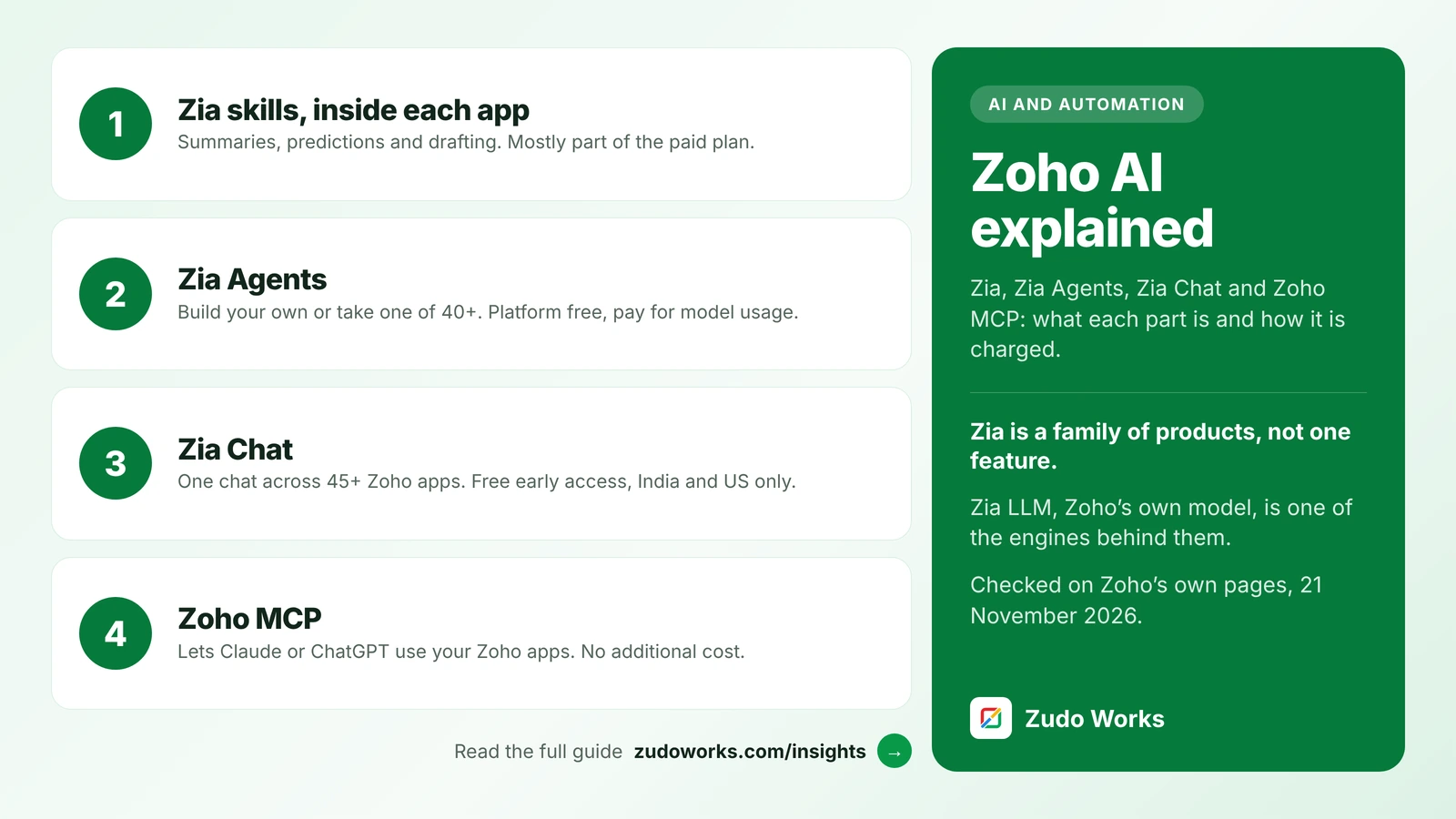
- Yes, Zoho has AI. It is called Zia. Zoho’s Zia page lists three products under it: Zia Skills, Zia Agents and Zia Chat.
- Zia Skills are the AI features inside each app: summaries, predictions, drafting, anomaly alerts. Which ones you get depends on the app and the plan.
- Zia Agents is a platform for building and running AI agents. Zoho says the platform is free and you pay for model usage, with a free monthly token allowance on models Zoho hosts.
- Zia Chat is one chat window across your Zoho apps. It is in free early access, in the India and US data centres only.
- Zia LLM is Zoho’s own language model. You do not buy it. It is one of the engines behind the parts above.
- Zoho MCP is the route in the other direction: it lets an outside assistant such as Claude or ChatGPT work with your Zoho apps.
The parts of Zoho AI at a glance
The table shows where each part lives and how Zoho charges for it. The wording on charging comes from the Zoho page linked in the matching section below.
| Part | What it is and where you use it | How it is charged |
|---|---|---|
| Zia Skills | AI features built into Zoho CRM, Desk, Mail, Creator, Analytics and the rest | Mostly part of the paid plan; some apps meter use with AI credits |
| Zia Agents | A studio for building agents and a store of ready-made ones, deployed into supported Zoho apps | Platform free; model usage charged after a free monthly allowance |
| Zia Chat | A chat interface that answers and acts across apps, by early access request | Free during early access; pricing to be announced |
| Zia LLM | Zoho’s own language model, behind the scenes as a model choice | Not sold separately |
| Zoho MCP | A connection for outside assistants: Claude, ChatGPT and other MCP clients | No additional cost; calls use your API quota |
Zia inside the apps
This is the oldest part of Zoho AI and the one most people already have. Zoho’s Zia Skills page lists nineteen areas, from sales and customer support to spreadsheets, recruitment and custom apps, and says the list is constantly being updated. The Zia page puts Zoho’s approach to charging in one sentence: instead of adding AI licences or per-use fees, it offers AI as part of its software.
Zoho CRM
Zoho’s CRM Zia page groups its features under AI agents for sales, generative AI, prediction, forecasting, recommendation, data enrichment, anomaly detection, automation suggestions, AI for emails and calls, vision AI and custom models. On the US pricing page, the Professional edition lists AI agents and predictive intelligence (the likelihood of a lead converting, a deal closing or a customer leaving). Enterprise lists “extended AI capabilities”: insights, predictions and recommendations from Zia. The Standard and Free cards list no AI line. Edition details differ by country, so read the pricing page for your region.
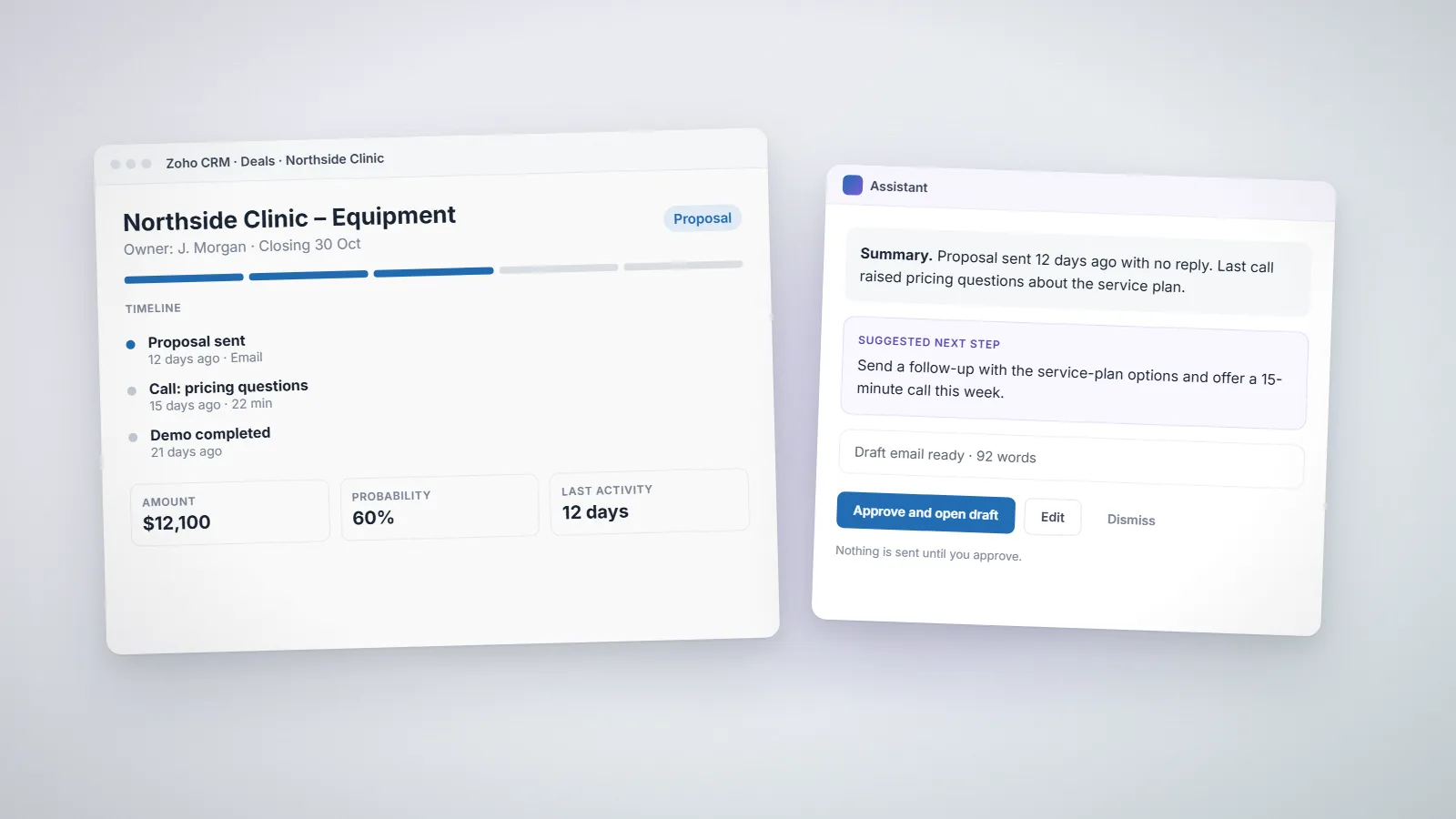
The generative features (record, note and email summaries, draft notes and emails, a template assistant) are set under Setup, Zia, Models. Zoho’s help page says they are available on Professional, Enterprise and Ultimate, and that only administrators can enable or disable a model for the organisation. Our guide to AI agents in Zoho CRM covers which CRM jobs to hand to AI and which to keep under rules.
Zoho Desk
The Desk Zia page lists an answer bot that replies from your knowledge base, ticket summaries, tone analysis, reply drafting, auto-tagging, field prediction, alerts for unusual activity and article drafts made from solved tickets. It names four Zia Agents for support: Support Specialist, Resolution Expert, Quality Manager and Sentiment Analyst. Zoho says the generative features come with Zia at no additional cost, and that you can connect ChatGPT or Azure OpenAI instead. For how this compares with a rival help desk, see Zoho Desk vs Zendesk.
Zoho Workplace (Mail, Writer, Sheet, Cliq)
Zoho’s Workplace AI page names a writing assistant, Ask Zia across Mail, Calendar and WorkDrive, and contact enrichment. It states that Zia’s AI features are included across all paid Workplace plans at no additional cost. Administrators can connect an outside model with their own key.
Zoho Creator
Creator’s help page lists app creation and app changes from a typed description, Deluge script generation, AI fields, prediction, OCR, object detection and sentiment models, AI agents built from Deluge functions and a chat agent that reads and changes app data. Zoho says its own GenAI can be used by all customers on free and paid plans. Use is metered in two kinds of AI credit, one for building and one for business use, with allowances by plan. The plans themselves are covered in our Zoho Creator pricing guide.
Zoho Analytics and Bigin
Zoho Analytics has Ask Zia, which answers questions about your data in plain English. The section on November 2026 below covers what changed there this month, and our Zoho Analytics data foundation guide covers the preparation that makes its answers reliable. Bigin, Zoho’s small-business CRM, lists an AI block on its Premier plan (writing assistant, record summary, email reply assistant and two analysis tools) with a monthly allowance of AI credits, and a larger allowance on Bigin 360.
Zia Agents: Agent Studio and the Agent Store
An agent is a language model given instructions, tools and reference documents, which works through a task step by step. Zia Agents is Zoho’s platform for these. It has two halves.
Agent Studio is where you build your own. Zoho’s studio page describes two ways to start: type what you want the agent to do and let the studio draft it, or build from scratch by giving the agent a name, instructions, documents and tool groups. Tools are the actions the agent may take, such as retrieving emails, updating a record or adding a task. You can add documents to its knowledge base and write guardrails for each agent as plain lists of what it must and must not do.
The Agent Store holds ready-made agents. Zoho’s store page says there are more than 40, across sales, marketing, customer support and operations, and that you are not charged by the number of agents you use.
On cost, the Zia Agents pricing page is direct: “You pay only for LLM usage; Zia Agents are free.” There are three ways to supply the model:
- Models hosted by Zoho. A Standard tier has a free allowance of 30 million tokens a month. A Pro tier has 20 million and is offered on request in the US and India data centres only. Allowances reset on the first of each month, and use beyond them is charged per million tokens from a prepaid Agent Wallet.
- Zoho Key Service. Zoho supplies the key to an outside model and bills the vendor’s token rates through the wallet, with no platform fee. The page says this currently supports OpenAI.
- Bring your own key. You connect a key you hold with the vendor, and the vendor bills you. The model configuration page lists six vendors: OpenAI, Anthropic, Google Gemini, DeepSeek, Cohere and Siliconflow. Not every vendor is offered in every data centre.
Models count text in tokens, which are pieces of words, and both what the agent reads and what it writes are counted. The allowance goes faster when agents read long documents or run many steps. Watch the usage for a month before you rely on the free tier.
Zia Chat
Zia Chat is the newest part. Zoho describes it as AI that understands your business and “answers and acts for you”: one chat window where you ask about records in any connected app, then have the assistant draft a reply, update a record, escalate a ticket or run a task on a schedule. The Zia Chat page says it connects to more than 45 Zoho applications and reaches non-Zoho applications through MCP.
It is not generally available. The facts that matter for planning, all from that page on 21 November 2026:
- Access is by an early access request, and early access is free. Zoho says licensing and pricing will be announced at general availability, and that it plans to offer Zia Chat within bundles such as Zoho One.
- It runs in the India and US data centres. More regions are planned “in the coming months”. A business whose Zoho account is in the EU, UK, Australian or Canadian data centre cannot use it yet.
- Outside models come through your own key, and for now that means OpenAI. Zoho says it plans to support Anthropic and others. Its own Zia LLM is offered as a bundled option in select regions.
- It works in English only.
- It respects each user’s existing permissions, and administrators choose which users get access.
Treat Zia Chat as something to try, not something to build a process on, until Zoho publishes its pricing.
Zia LLM and the choice of model
Most AI features in business software call a model owned by another company. Zoho has also built its own. The Zia LLM page describes a proprietary model built in-house, not fine-tuned on top of another company’s model, in three sizes: 1.3 billion, 2.6 billion and 7 billion parameters. Zoho says it runs on Nvidia GPUs in Zoho’s private data centres and that no data leaves the Zoho ecosystem. On the day we checked, a “coming soon” label sat beside the largest model.
These are small models by current standards, and on that page Zoho compares them with open models of a similar size. Models of this size suit contained business tasks such as summarising a record or extracting fields. For harder reasoning, Zoho lets you choose a different engine, and that choice now appears across the suite:
- In Zoho CRM, the model options listed are Zia (Zoho’s native model), ChatGPT, Gemini, Anthropic, Cohere, Deepseek and SiliconFlow. The Zoho-hosted model is available in all data centres. OpenAI, Google, Anthropic and Cohere are available in all except China.
- In Zia Agents, the models Zoho hosts are listed by name on the model configuration page, and they are Qwen and GLM models, not Zia LLM.
- In Zoho Creator, outside vendors are OpenAI, Google, Anthropic, DeepSeek and SiliconFlow, each through your own key.
So “which AI does Zoho use” has no single answer. It depends on the app, the feature and what your administrator has switched on. If you want an outside model inside Zoho, our guides on connecting Zoho CRM to ChatGPT and connecting Zoho to Claude walk through each route.
If you are weighing Zia against Microsoft Copilot as part of a wider suite choice, our Zoho One vs Microsoft 365 comparison sets out what each suite includes.
Zoho MCP: your Zoho data in Claude or ChatGPT
MCP, the Model Context Protocol, works the other way round. You keep the assistant you already use, and it is given a controlled set of tools in your Zoho apps: find a contact, list open deals, create a task. Zoho’s MCP pricing page says it is included at no additional cost for all Zoho users, with no separate pricing. Each action counts against the API quota of the Zoho service it touches.
MCP suits questions asked on demand. Anything that must run every time without fail belongs in a workflow rule or a Deluge function; our Deluge script examples show ten that run in real accounts. Our Zoho MCP guide covers setup, the two authorisation modes and the limits to set before you let an assistant change records.
What changed in November 2026
Two announcements this month show where Zoho is taking this.
Blended Agents in Zoho Desk. Zoho announced AI agents for Desk that carry out tasks across connected apps, such as checking stock or updating a customer account, and then hand the case to a person with the full history. Destination CRM reported it on 17 November along with a no-code Automation Studio for service workflows. According to IT Brief Australia, the agents can be built on all paid Desk plans with no added software charge, paying only for model usage, and the first six regions are Australia, India, the US, the EU, Japan and China. We have not yet seen these details on Zoho’s own Desk pricing page, so confirm them there before you plan around them. Our Zoho Desk Blended Agents guide covers the handoff, set-up and charging in detail.
Agents in Zoho Analytics. Zoho’s press release of 10 November 2026 (carried by Malay Mail) describes Ask Zia as a conversational agent with six sub-agents, running on Zoho’s own model or one you bring. It adds custom data agents and a Zoho Analytics MCP server. Zoho says plan pricing is unchanged and that each plan now includes Zoho LLM credits. Some parts are previews that roll out over four to eight weeks.
How Zoho charges for AI
We do not quote Zoho’s prices here because they change and differ by country. The four charging models are stable enough to plan with:
| Basis | Where it applies | What to watch |
|---|---|---|
| In the plan | Most Zia features in Desk and Workplace; CRM features from the edition that lists them | The edition. A feature on Enterprise is not on Standard |
| Plan credits | Bigin, Zoho Creator, Zoho Analytics | The monthly allowance, and what happens when it runs out |
| Model usage | Zia Agents; Blended Agents in Desk, as reported | The free monthly allowance on Zoho-hosted models, then wallet charges |
| Your own key | CRM, Creator, Workplace, Zia Agents, Zia Chat | The vendor bills you directly, on the vendor’s terms |
Where your data goes
This depends entirely on which model handles the request.
When a Zoho-hosted model does the work, Zoho says the data stays on its own infrastructure. The CRM help page says Zia “operates entirely within Zoho’s secure infrastructure”, and the Zia LLM page promises “no data harvesting” and “no shadow training”. The Zia Chat page says your business data is not used to train AI models. One sentence on the main Zia page reads differently: it says Zoho’s private AI can “train on your data and run on your data” without exposing it to outside vendors’ models. If training on your own data matters to you either way, ask Zoho which it is for the feature you plan to use, and get the answer in writing.
When you connect an outside model, the text of the request goes to that vendor under that vendor’s terms. Zoho’s CRM help page notes, for example, that one vendor may retain and use interactions for model improvement unless you opt out. It also says recipient details and email attachments are not sent to the model.
Where to start
- List the Zia features your current plans already include, app by app, and switch on the ones that only read and suggest: summaries, predictions, anomaly alerts.
- Decide who the administrator for AI settings is, and write down which model each app is set to use.
- Check which data centre your Zoho account is in. It decides which models and which products (Zia Chat in particular) you can use.
- Clean the data the AI will read: duplicate contacts, empty required fields, stages that mean different things to different people.
- Pick one measurable job for a first agent, such as drafting replies to new enquiries, and keep a person approving every send.
- Try Zoho MCP with read-only tools before you allow an assistant to create or change records.
- Keep money, deletions, customer commitments and stage changes under rules or human approval.
If you would like a second pair of eyes on this, we set up Zoho CRM and its AI features as part of our Zoho CRM implementation work, and build the rules that should sit beside them under business process automation.
A note for manufacturers
Zia works on the data in Zoho’s apps: leads, deals, tickets, invoices, stock items. It does not know your routings, work centres or job costs unless you have built them in Zoho Creator. For shops that run production in our own product, ZMOS, the assistant is Zudo AI. It reads only what the user’s role may see, answers from the workspace data, and puts every change forward as a proposal that a person approves. It cannot save or change anything on its own. It is included in every ZMOS plan and the free trial. It is a separate product from Zia and the two do not share data.
What to take from this
Zoho AI is a family of products under one name. The features inside the apps are the safe place to begin, because most are already in your plan and they only read and suggest. Zia Agents is ready to use and charged by model usage, so start with one agent and watch the tokens. Zia Chat is promising but still in early access in two regions. Zoho MCP is the simplest way to bring Zoho data into an assistant you already use. In every case the model matters less than the state of your data and the permissions you give. If you want help choosing, tell us what you are trying to do.
Frequently asked questions
Does Zoho have AI?
Yes. Zoho’s AI is called Zia. It includes AI features inside each Zoho app, a platform for building AI agents called Zia Agents, a chat product called Zia Chat that is in early access, and Zoho’s own language model, Zia LLM. Zoho also offers MCP so that outside assistants such as Claude and ChatGPT can work with Zoho data.
Is Zoho AI free?
Partly. Many Zia features are part of a paid plan at no extra charge, for example in Zoho Desk and Zoho Workplace. Zoho says the Zia Agents platform is free and you pay for model usage beyond a free monthly allowance on Zoho-hosted models. Zia Chat is free during early access. Some apps meter AI with monthly credits. Check the pricing page for each app.
What is the difference between Zia and Zia Agents?
Zia is the name for all of Zoho’s AI. Zia Agents is one product within it: a studio where you build agents with instructions, tools and documents, and a store of more than 40 ready-made agents. The older Zia features answer, predict or draft inside one app. An agent can carry out a task across several steps.
Does Zoho use ChatGPT or its own model?
Both are possible. Zoho has its own model, Zia LLM, and hosts other models in its own data centres. In Zoho CRM, Creator, Workplace and Zia Agents an administrator can also connect an outside model such as OpenAI, Anthropic or Google Gemini with the company’s own API key. Which vendors are offered depends on the app and your data centre.
Which Zoho CRM edition includes AI?
On Zoho’s US pricing page on 21 November 2026, the Professional edition lists AI agents and predictive intelligence, and Enterprise lists extended AI capabilities from Zia. The generative features such as record and email summaries are documented for Professional, Enterprise and Ultimate. The Standard and Free cards list no AI line. Editions differ by country, so check your regional page.
Is my data used to train Zoho AI?
Zoho’s Zia LLM page promises no data harvesting and no shadow training, and the Zia Chat page says business data is not used to train AI models. One line on the main Zia page speaks of AI that can train on your data without exposing it to outside vendors. If you connect an outside model, that vendor’s terms apply. Ask Zoho to confirm in writing for the feature you use.