
Until this year, connecting Zoho to Claude meant building something: a server in the Zoho MCP console, or a script that called an API. That has changed. Claude’s connector directory now lists connectors made by Zoho itself, for Zoho CRM, Zoho Books, Zoho Desk and other apps.
That is the quickest route, but the ready-made connectors arrive with a fixed set of tools, and some of those tools delete records. Four other routes give you more control, or put a Claude model to work inside Zoho with no chat window involved. Every step and limit below was checked on Zoho’s and Anthropic’s own pages on 16 November 2026. We build on Zoho, so read this with that in mind.
The short answer
- To ask about Zoho records in a Claude chat, quickly: add Zoho’s connector for that app from Claude’s directory.
- To decide exactly what Claude may do, or to join several Zoho apps: build a server in Zoho MCP with only the tools you choose, and add it to Claude as a custom connector.
- To use a Claude model inside Zoho: add an Anthropic API key to Zia Agents or to Zia in Zoho Creator.
- To run a Claude step when something happens in Zoho: build a flow in Zoho Flow, or write a Deluge function that calls the Claude API.
- Whichever you choose: start read-only, keep every change behind an approval, and find out where the data goes before customer records leave Zoho.
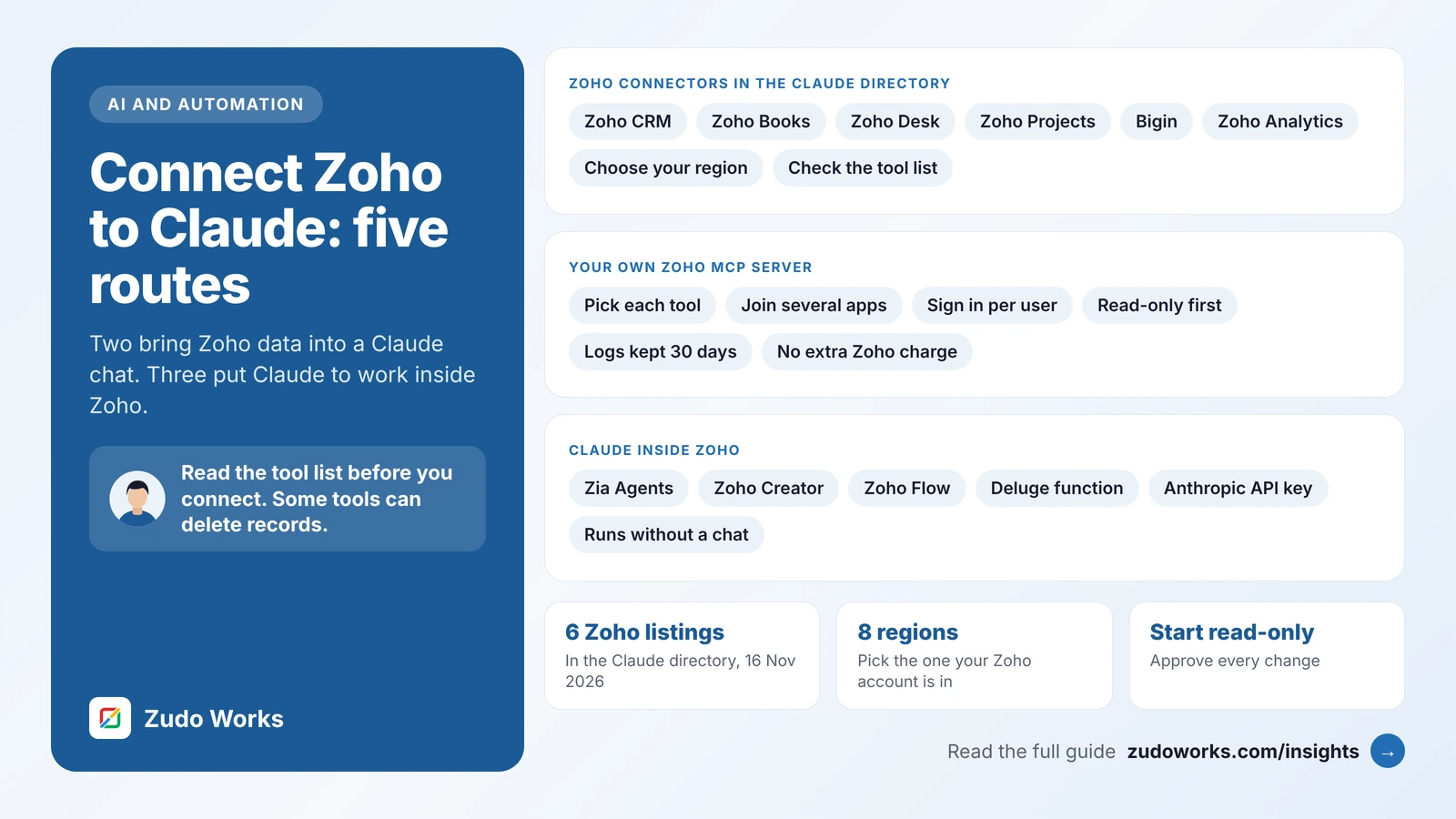
The five routes at a glance
| Route | Who sets it up | Best for |
|---|---|---|
| 1. Zoho connector from Claude’s directory | Each user. On Team and Enterprise plans, an Owner enables it first | Questions about one Zoho app, asked in Claude, with nothing to build |
| 2. Your own Zoho MCP server | A Zoho admin, then each user | The same questions with a tool list you choose, across several apps |
| 3. Claude inside Zia Agents or Zoho Creator | A Zoho admin with an Anthropic API key | Agents and AI features that run inside Zoho on a Claude model |
| 4. Zoho Flow | Anyone who can build a flow | A Claude step that runs after an event, with no code |
| 5. Deluge function | A developer | A background step with your own prompt, fields and checks |
Routes 1 and 2 send Zoho data out to Claude when a person asks for it in a chat. Routes 3 to 5 send a piece of text to a Claude model and bring the reply back into Zoho. The first pair needs a Claude account for each person. The second group needs an Anthropic API key, billed by usage. The same five kinds of route exist for OpenAI, and our guide on how to connect Zoho CRM to ChatGPT sets them out in the same order.
Route 1: Zoho’s connectors in the Claude directory
Claude’s directory carries listings marked “Made by Zoho” with Anthropic’s “Anthropic verified” badge. When we checked, we found six:
| App | What the listing shows |
|---|---|
| Zoho CRM | 41 tools: modules, fields, users, search, COQL queries, and creating, updating and deleting records and notes. Added March 2026 |
| Zoho Books | 49 tools: invoices, contacts, items, expenses, payments, purchase orders and sales orders. Added March 2026 |
| Zoho Desk | 41 tools: tickets, threads, comments, contacts, accounts and sending replies. Added March 2026 |
| Zoho Projects | 30 tools: portals, projects, task lists, tasks and phases. Added March 2026 |
| Bigin by Zoho CRM | Contacts, companies, deals, pipelines, tasks and notes through four general tools. Added August 2026 |
| Zoho Analytics | Questions about your reporting data in plain language. Labelled Beta. Added August 2026 |
We did not find a listing for Zoho Mail, Zoho Inventory or Zoho Creator. Route 2 fills that gap.
Zoho’s help page for the Zoho Books connector gives the steps, and they are the same for the others:
- In Claude, choose Customize in the left sidebar, then Connectors.
- Choose the plus button next to Connectors, then Browse connectors.
- Search for the Zoho app and select it.
- Choose Connect, pick the region your Zoho account is hosted in, and continue.
- Sign in to Zoho and approve the access it asks for.
The region matters. Each listing gives eight addresses: United States, Europe, India, Australia, Canada, Saudi Arabia, Japan and the UAE. Choose the one that matches the address you sign in to. An account on zoho.com.au, for example, is on the Australian data centre. Pick the wrong one and the sign-in may not find your organisation.
Plans. Anthropic’s help centre says directory connectors are available to all users on Claude on the web, Cowork, Claude Desktop and the mobile apps. On Team and Enterprise plans an Owner or Primary Owner has to enable a connector for the organisation first. Each person then signs in with their own Zoho account.
The catch is the tool list. You accept the tools as a set. The Zoho CRM listing includes tools named Delete_Records and Create_Field. The Zoho Books listing includes tools that delete contacts, items and sales orders. The Zoho Desk listing includes sendReply, which answers a customer. Anthropic states on each listing that it does not control which tools a developer provides and cannot verify that they work as intended or will stay the same.
You can narrow the set in Claude. Anthropic’s help centre describes switching off individual tools from the Search and tools menu. On Team and Enterprise plans, Owners can set each tool, or each group of tools, to Always allow, Needs approval or Blocked for the whole organisation, and members cannot override that. On those plans, block the delete tools before anyone connects.
Route 2: your own Zoho MCP server
The directory connectors are MCP servers, built on the Model Context Protocol, that Zoho has assembled for you. Zoho MCP lets you assemble your own. A custom server is worth the extra setup when you want Claude to read and nothing else, when the directory does not list the app, when one connector should span several apps such as Zoho CRM and Zoho Books, or when you need an action the ready-made connector leaves out.
The steps, from Zoho’s implementation guide and Anthropic’s help centre:
- Create the server. In the Zoho MCP console, choose Create MCP Server and name it for its job, for example
finance_readonly. - Add tools. Under Tools, choose Add Tools, find the app and tick only the actions you need.
- Copy the MCP URL from the Connect section. Zoho says to treat it like a password, and the same section can regenerate it.
- Add it to Claude. On Pro and Max, go to Customize > Connectors, choose + Add, then Add custom connector, and paste the name and URL. On Team and Enterprise, an Owner adds it under Organization settings > Connectors, and members then find it under Customize > Connectors and choose Connect.
- Authorise. With Zoho’s default mode, Authorize on Demand, each person signs in with their own Zoho account.
- Test with a read-only question and compare the answer with a report in Zoho.
Anthropic lists custom connectors on the Free, Pro, Max, Team and Enterprise plans, with Free limited to one. It notes that Claude calls the server from Anthropic’s cloud, not from your computer.
Zoho’s pricing page says Zoho MCP comes at no additional cost and that each action uses the API allowance of the app it touches. Our guide to Zoho CRM API limits explains that allowance.
Zoho CRM also publishes four ready-made servers of its own: Data Insights, which is read-only, Data Operations, Module Customization, and Workflow and Process Automation. Zoho has a guide for adding them to Claude Desktop, and says actions are limited to what the user’s CRM role allows. Data Insights is a sound first server for a sales team.
Our separate guide, Zoho MCP: how to connect Claude or ChatGPT safely, goes further into the two authorisation modes, tool lists and a four-week rollout.
Route 3: Claude inside Zia Agents and Zoho Creator
Routes 1 and 2 only act when a person types a question into Claude. For AI that works inside Zoho, the model has to come to Zoho. Two Zoho products accepted an Anthropic API key when we checked.
Zia Agents. This is Zoho’s product for building AI agents that work across its apps. Its model configuration page lets you bring your own key from a supported vendor. Anthropic is on that list, alongside OpenAI, Google Gemini and others, and Zoho shows the Anthropic option as available in its US, EU, Canada, India, Japan and Australia data centres. Zoho states that Zia Agents does not charge for a model you bring. You pay Anthropic directly.
Zoho Creator. Zoho’s announcement on Zia configuration in Creator says super admins and admins can map individual Zia features to a provider and key, and names Zoho, OpenAI, Google and Anthropic as the providers. It applies to Creator 6 on paid plans, in all data centres except China.
Zoho CRM is different. Its Zia Models FAQ names two engines for the writing features inside the CRM: Zoho’s own hosted model and an OpenAI account. Anthropic was not named there on the day we checked. So if you want Claude to draft replies inside Zoho CRM itself, routes 4 and 5 are the way to do it today.
Route 4: Zoho Flow
Zoho Flow is Zoho’s no-code tool for joining apps: a trigger in one app runs actions in others. Its page for Zoho CRM and Anthropic Claude lists CRM triggers such as New lead, New contact, New note and Updated deal, and one Claude action, Send message, which sends text to Claude and returns the reply.
One action is enough, because the prompt does the work. Two flows that suit it:
- Sort new enquiries. New lead, then send the enquiry text to Claude with an instruction to answer with one word from a fixed list, then write that word to a field.
- Draft, never send. Updated deal, then ask for a follow-up email, then save the text to a field or a draft for a person to read first.
Flow suits short, linear steps. For branches, loops or careful error handling, a script is the better tool, as we explain in Zoho Flow vs Deluge.
Route 5: a Deluge function and the Claude API
A custom function gives the most control over the fields sent, the prompt and the handling of failures. The function calls Anthropic’s Messages API with invokeurl through a connection that holds the API key, so the key never sits in the script.
// Zoho CRM function: summarise the description of a lead with Claude
lead = zoho.crm.getRecordById("Leads", leadId);
messages = List();
messages.add({"role": "user", "content": ifnull(lead.get("Description"), "")});
payload = Map();
payload.put("model", "MODEL_NAME");   // choose one from Anthropic's models page
payload.put("max_tokens", 300);
payload.put("system", "Summarise this sales enquiry in two sentences. Use only the text given.");
payload.put("messages", messages);
response = invokeurl
[
    url: "https://api.anthropic.com/v1/messages"
    type: POST
    parameters: payload.toString()
    headers: {"Content-Type": "application/json", "anthropic-version": "VERSION"}
    connection: "anthropic"
    detailed: true
];
if (response.get("responseCode") == 200)
{
    summary = response.get("responseText").get("content").get(0).get("text");
    zoho.crm.updateRecord("Leads", leadId, {"AI_Summary": summary});
}
Treat this as a pattern. anthropic is a connection you create in Zoho CRM, and AI_Summary is a custom field. Take the value for the anthropic-version header and the model name from Anthropic’s API reference. Anthropic’s documentation says the key is sent as an Authorization: Bearer header, and still accepts the older x-api-key header, so set the connection up to send one of those.
If you have written the same function for OpenAI, three things differ. The instruction goes in a top-level system field. max_tokens caps the length of the reply. The reply text sits in a content list, not under choices.
Our guides to invokeurl, Zoho CRM custom functions and try and catch in Deluge cover the time-outs, limits and error handling a production version needs. Send only the fields the task needs, write the reply to its own field, and log each call.
Which route for which job
| The job | Route to start with | Why |
|---|---|---|
| An owner wants to ask about overdue invoices on a Friday | 1, the Zoho Books connector | Nothing to build |
| A sales team wants answers but must not change records | 2, a read-only server | You pick each tool |
| An agent that works inside Zoho on a Claude model | 3, Zia Agents with your own key | It runs where the data already is |
| Every new enquiry should be sorted or summarised | 4, Zoho Flow | It runs on its own, with no code |
| A fixed rule that must never be skipped, such as a credit limit | None of these | Use a workflow rule or Blueprint |
A language model is the wrong tool for a step that has to happen the same way every time. Our guide to AI agents in Zoho CRM sets out which work suits AI and which should stay rule-based.
Where your Zoho data goes
All five routes send business data to Anthropic. What Anthropic may do with it depends on the kind of account at the other end.
- Free, Pro and Max. Anthropic lets each user choose in their privacy settings whether their chats may be used to improve its models. It says it keeps data for five years where the user allows this, and for 30 days where they do not. On these plans the choice belongs to each employee, not to the company.
- Team, Enterprise and the API. Anthropic states that by default it does not use inputs or outputs from its commercial products to train its models. Feedback a user submits is the stated exception. How long the API keeps data depends on the model and features used; Anthropic’s data retention page has the terms.
Zoho stores your data in the data centre your account belongs to. That does not cover what an outside AI service does once it receives a record. If you hold personal information about customers, sending it to a provider overseas can bring your own privacy duties into play: Australian Privacy Principle 8 in Australia, information privacy principle 12 in New Zealand’s Privacy Act 2020, and the international transfer rules of the UK GDPR. This is not legal advice. Read your provider’s terms and ask your adviser before you connect customer data.
What to let Claude do
| Action | Examples | Our advice |
|---|---|---|
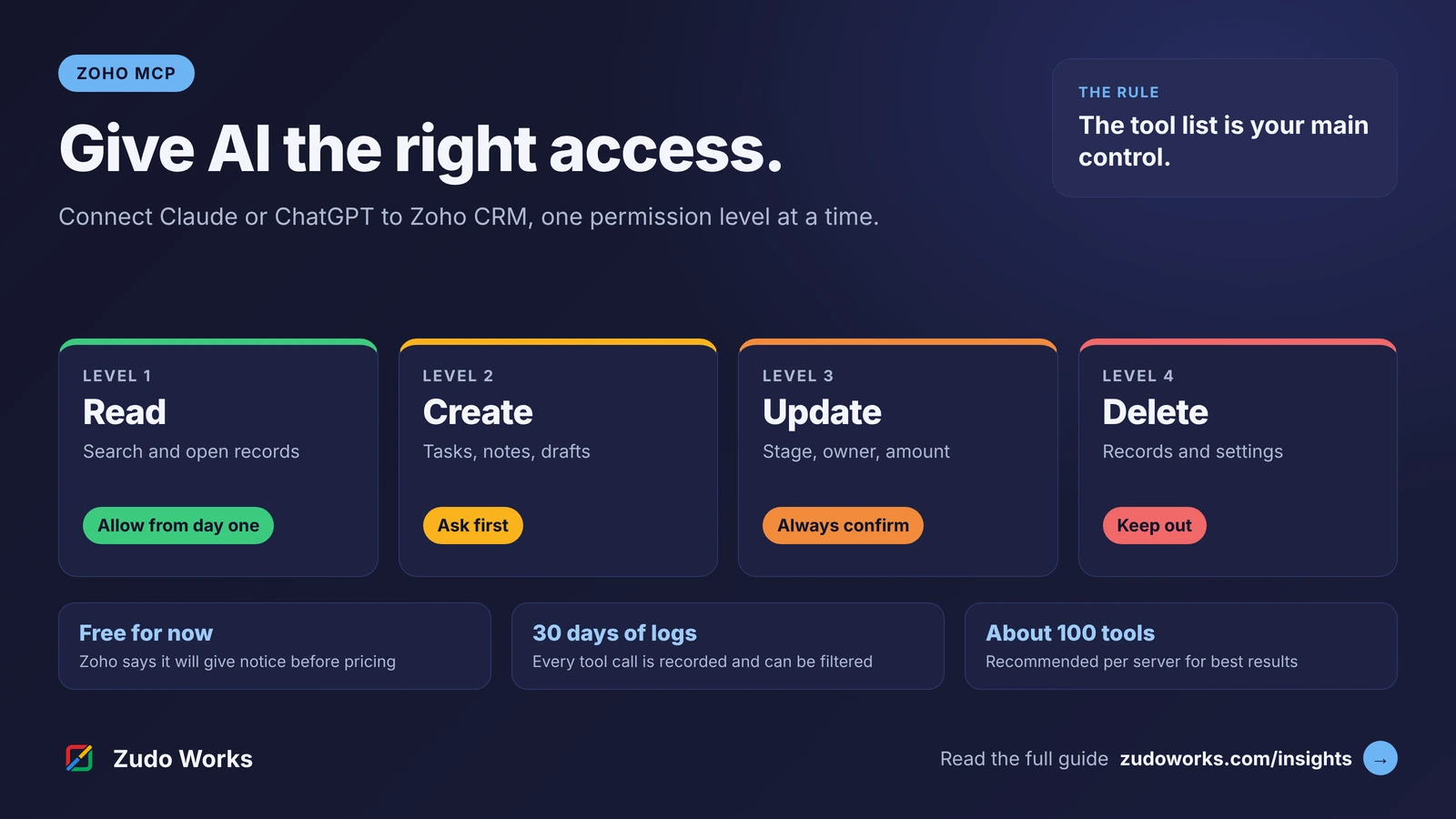
| Read | Search deals, list unpaid invoices, open a ticket | Allow from the first day |
| Create, low risk | Notes, tasks, ticket comments kept internal | Allow after a week of read-only use |
| Update | Deal stage, invoice details, ticket status | Only with an approval each time |
| Send and commit | Replies to customers, invoices, purchase orders | Claude drafts; a person sends |
| Delete and configure | Deleting records, creating fields, changing workflows | Block, or leave out of the server |
The reason for the caution is prompt injection. An assistant reads whatever is in a record, including text a stranger typed into a web form, and that text can contain instructions aimed at the assistant. An approval step before every change is the plain defence. Anthropic’s help centre notes that in Research mode tools can run without further approval, so switch off the tools that write before you use it.
We hold our own product to the same rule. In Zudo AI, the assistant inside our ZMOS manufacturing software, every change is a proposal and nothing is saved until a person approves it.
Checklist before you connect
- Check the Claude plan. Team, Enterprise or the API for customer data. On personal plans, each person’s privacy setting decides.
- Find your Zoho region. Look at the address you sign in to. You will be asked for it.
- Get the Zoho admin’s approval. Zoho’s help page asks for this before anyone acts through a connector.
- Read the tool list. Open the listing, show all tools, and decide which to block.
- Start read-only. Two or three people, one app, one week.
- Keep changes behind an approval. No Allow always for anything that writes.
- Decide who reads the logs. Zoho MCP keeps its logs for 30 days, so look at them weekly at first.
If the answers in week one are poor, the cause is usually the data. Our data foundations guide covers the clean-up that makes AI answers reliable.
What to take from this
The directory connector is the fastest way in. Read its tool list first, and once you know what your team uses, build a Zoho MCP server with only those tools.
If you would like the connection designed and built for you, with permissions and logging settled first, that is part of our Zoho integrations and Zoho CRM implementation work.
Frequently asked questions
Frequently asked questions
Can Claude connect to Zoho?
Yes. Claude's connector directory lists connectors made by Zoho for Zoho CRM, Zoho Books, Zoho Desk, Zoho Projects, Bigin and Zoho Analytics. You can also build your own server in Zoho MCP and add it to Claude as a custom connector.
Is there an official Zoho connector for Claude?
Yes. The listings in Claude's directory are marked as made by Zoho and carry Anthropic's verified badge. Four were added in March 2026 and two in August 2026. Anthropic notes that it does not control which tools a developer includes.
Do I need a paid Claude plan to connect Zoho?
Not for the directory connectors. Anthropic says they are available to all users, although on Team and Enterprise plans an Owner must enable each one first. Custom connectors are available on every plan, with Free limited to one. Zoho Flow and Deluge use an Anthropic API key instead.
Can Claude update or delete records in Zoho?
Yes, if the connector includes those tools and you allow them. The Zoho CRM listing includes tools that create, update and delete records. On Team and Enterprise plans an Owner can block individual tools. With your own Zoho MCP server, leave the delete tools out.
Does Zia in Zoho CRM use Claude?
Not when we checked on 16 November 2026. Zoho's Zia Models FAQ for Zoho CRM names Zoho's hosted model and OpenAI as the engines. Anthropic keys are accepted in Zia Agents and in Zia for Zoho Creator.
Which region do I choose when I connect Zoho to Claude?
Choose the region your Zoho account is hosted in, which matches the address you sign in to. Each Zoho listing gives eight, Australia, Europe and the United States among them.