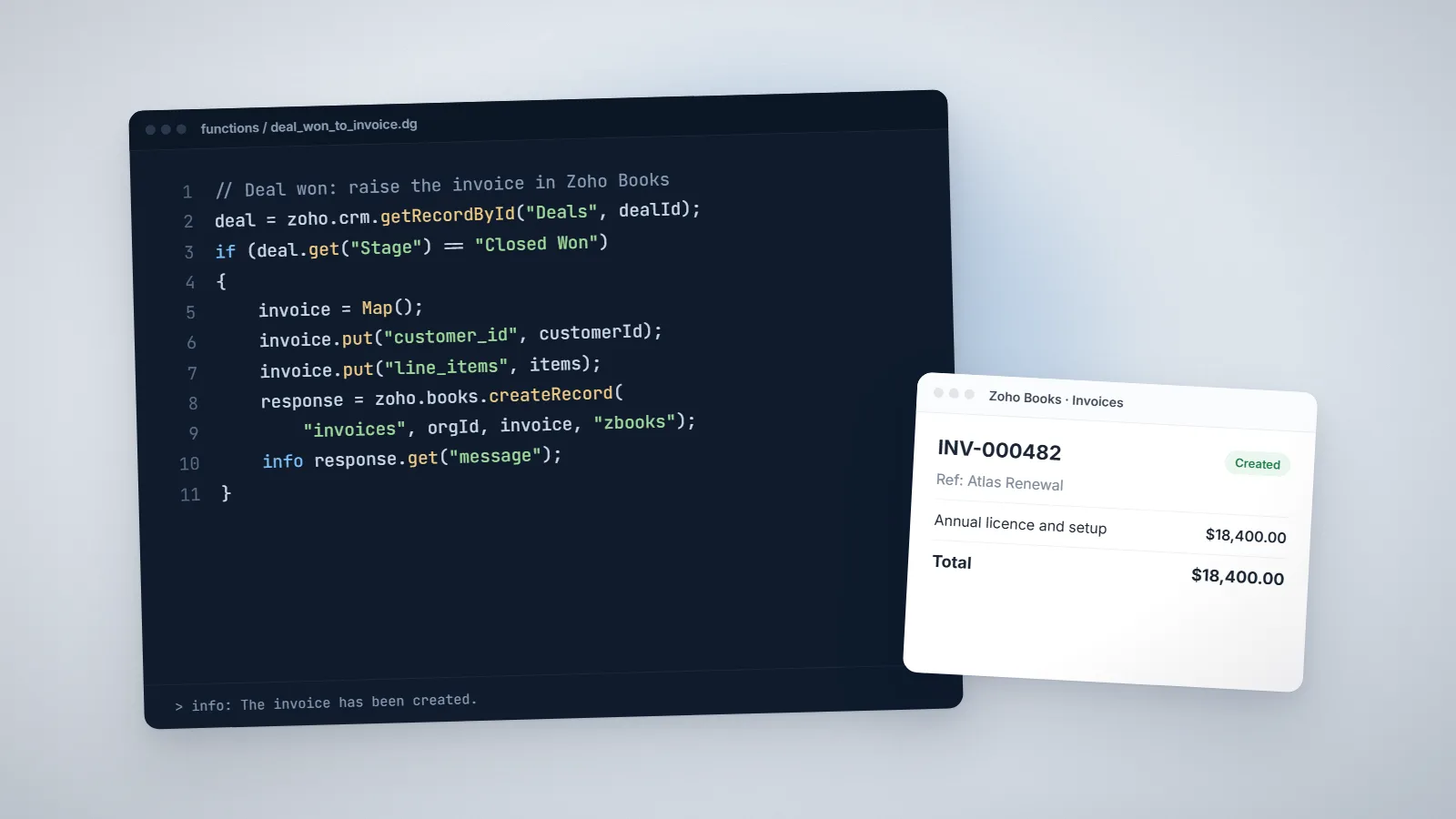
Zoho CRM already automates a lot without code: workflow rules can update fields, send emails and create tasks. Custom functions take over when the logic is too specific for those actions, for example updating a related record in another module, calculating a value from several records, or sending data to an outside system. They are written in Deluge, Zoho’s scripting language, and Zoho CRM runs them for you in the cloud.
Every menu name and limit below was checked in Zoho’s own developer documentation and help pages on 4 November 2026. Zoho revises these from time to time, so check the Functions limits page before you size a large project.
The short answer
- Create functions in Setup → Developer Hub → Functions, choosing a category: Standalone, Automation, Button or Schedule.
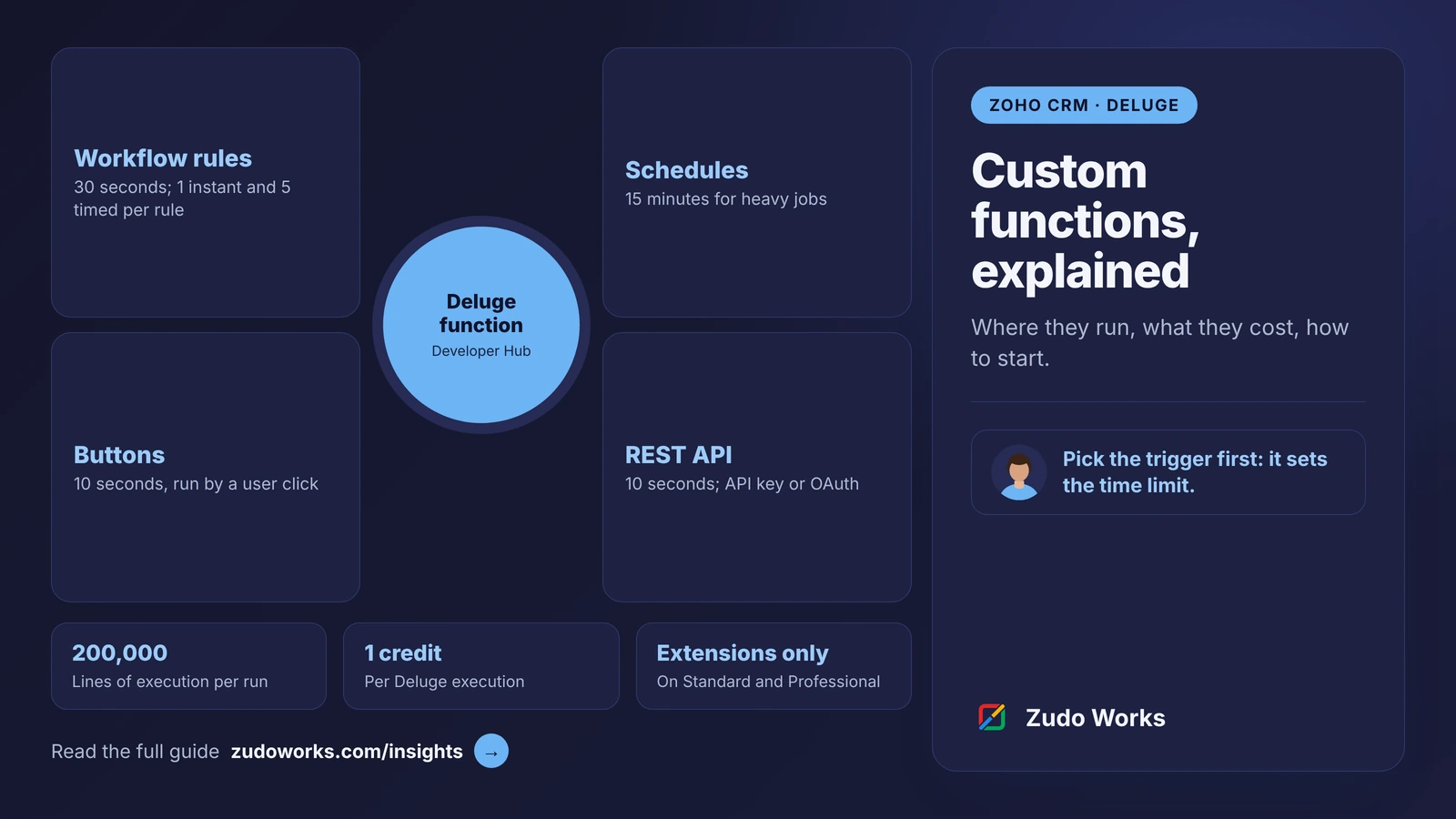
- The trigger sets the time limit. Button, related list, validation rule and REST API functions get 10 seconds, workflow, Blueprint and approval functions 30 seconds, and scheduled functions 15 minutes.
- Usage is counted in credits, one per Deluge execution, from a daily pool that depends on your edition and number of user licences.
- Standard and Professional can use functions only through extensions; Enterprise, Zoho One and Ultimate get them directly.
Function categories and where each one runs
When you create a function, Zoho CRM asks for its language, name, description and category. The category decides how the function can be triggered.
| Category | What triggers it | Timeout |
|---|---|---|
| Automation | Workflow rules, Blueprint transitions and approval processes | 30 seconds |
| Button | A user clicking a custom button on a record or list | 10 seconds |
| Schedule | A time-based schedule, such as every night | 15 minutes |
| Standalone | Other functions, or outside systems once exposed as a REST API | 10 seconds as a REST API |
Zoho’s limits page also lists related list and validation rule functions, both with a 10-second timeout. A function that runs past its timeout is stopped, so anything slow, such as a loop over thousands of records or a call to a slow outside API, belongs in a scheduled function rather than behind a button.
Which editions can use functions
Zoho’s Functions limits page sets out access and daily credits by edition:
| Edition | Access | Daily credits |
|---|---|---|
| Standard | Through extensions only | 5,000 free plus 200 per user licence, up to 15,000 |
| Professional | Through extensions only | 5,000 free plus 200 per user licence, up to 20,000 |
| Enterprise and Zoho One | Direct | 20,000 free plus 500 per user licence; add-on available, up to 400,000 |
| Ultimate and CRM Plus | Direct | 20,000 free plus 1,000 per user licence; add-on available, with higher limits set up through Zoho support |
Credits work on a rolling 24-hour window. A Deluge function uses one credit each time it runs; functions written in Java, Node.js or Python use one credit per 10 seconds of execution. If you are on Standard or Professional and expect to write several functions, price an Enterprise upgrade against building them as an extension.
Limits inside a single function
- 200,000 lines of execution per run. This counts every line the runtime executes, including each pass through a loop and any child functions, not the lines in your source.
- 10 MB response size.
- Organisation-wide daily caps shared by all functions: 50,000 emails sent, 1,000,000 SMS messages and 5,000,000 invokeurl requests.
Zoho’s older workflow help article still states different figures, such as 5,000 statements per function call and a lower daily call limit. Where the two disagree, plan to the stricter figure until Zoho support confirms which applies to your account, and watch usage in Setup → Automation → Actions → Functions. Calls a function makes to the CRM API also use API credits; our Zoho CRM API limits guide explains those.
Writing your first function
A common first function: when a deal is won, stamp the date on its account, so sales can see when each customer last ordered. Create a custom date field on Accounts first; here it is called Last Order Date.
- Go to Setup → Developer Hub → Functions and click Create Function.
- Choose Deluge as the language, give the function a name and description, and choose the Automation category.
- Add one argument, a string called dealId, in the Arguments panel. The function signature updates to match.
- Write the code below, click Run, enter the ID of a test deal, and check the Console output.
- Click Save once the result is right. Every save creates a revision you can restore later from the Revisions menu.
void automation.update_last_order(String dealId)
{
    deal = zoho.crm.getRecordById("Deals", dealId.toLong());
    account = deal.get("Account_Name");
    if(account != null)
    {
        accountId = account.get("id");
        update = Map();
        update.put("Last_Order_Date", zoho.currentdate.toString("yyyy-MM-dd"));
        response = zoho.crm.updateRecord("Accounts", accountId.toLong(), update);
        info response;
    }
}
The info line prints to the Console while you test. In production, the same lines go to the function’s execution logs whenever a workflow, button or schedule runs it, which is where you look first when something fails. For more patterns, see our ten Deluge script examples.
Attaching it to a workflow rule
- Go to Setup → Automation → Workflow Automation → Rules and click Create Rule for the Deals module.
- Run it on record edit, with the condition Stage is Closed Won.
- Under Instant Actions, choose Function and select your function.
- Map the dealId argument to the deal’s ID field. You can also type a fixed value with Specify custom value.
- Save, then win a test deal and check the account.
Zoho’s help allows up to six functions per workflow rule: one as an instant action and five as time-based actions. If the process has stages and checks, as many manufacturers’ quote-to-order flows do, call the function from a Blueprint transition instead; our Zoho CRM Blueprint guide shows how those stages work.
Calling a function from outside Zoho CRM
A Standalone function can be exposed as a REST endpoint, so a website form, a partner system or an integration platform can call it over HTTP. Open the function in Developer Hub → Functions and use the REST API section on its Overview tab. Two methods can be switched on separately:
- API key: the endpoint URL itself is the key, with no token exchange. It suits webhooks and trusted internal systems, but anyone with the URL can run the function, so keep it out of browser code and public repositories.
- OAuth 2.0: the caller sends an access token, which identifies who is calling. Zoho recommends this for production integrations.
REST API calls have the 10-second timeout and count towards your organisation’s daily API limit, so retry with a growing delay when you hit a limit. For calls in the other direction, from a function out to another system, see our guide to Deluge invokeurl.
Habits that keep functions maintainable
- Name functions after what they do and the module they act on, and fill in the description.
- Pass record IDs as arguments and read the record inside the function, rather than passing many fields.
- Check for empty lookups before you use them, as the example does with the account.
- Keep button and REST API functions short; move heavy work to a scheduled function.
- Log the response of every update with info, so failures show up in the execution logs.
- Use the Revisions history instead of keeping copies of old code.
Before writing a function at all, check whether Zoho Flow or a standard workflow action already does the job; our Zoho Flow vs Deluge comparison covers that choice. If you want functions written and documented for your CRM, our Deluge development page explains how we work.
Frequently asked questions
Frequently asked questions
Where do I create custom functions in Zoho CRM?
Go to Setup, then Developer Hub, then Functions, and click Create Function. Choose the language, name, description and category: Standalone, Automation, Button or Schedule. Workflow rules can also open the function editor from Setup, Automation, Workflow Automation.
Which Zoho CRM editions include custom functions?
Zoho's Functions limits page says Standard and Professional can use functions only through extensions, while Enterprise, Zoho One, Ultimate and CRM Plus can use them directly, with larger daily credit pools.
How long can a Zoho CRM function run?
It depends on the trigger. Button, related list, validation rule and REST API functions have 10 seconds, workflow, Blueprint and approval functions 30 seconds, and scheduled functions 15 minutes. A function that runs past its timeout is stopped.
What are function credits in Zoho CRM?
Credits measure function usage over a rolling 24-hour window. Each Deluge execution uses one credit; Java, Node.js and Python functions use one credit per 10 seconds of execution. The daily pool depends on your edition and the number of user licences.
Can I call a Zoho CRM function from another system?
Yes. A Standalone function can be exposed as a REST API from its Overview tab, using an API key, where the URL itself is the key, or OAuth 2.0, which Zoho recommends for production. These calls have a 10-second timeout and count towards your daily API limit.
How many functions can one workflow rule run?
Zoho's help allows up to six functions per workflow rule: one as an instant action and five as time-based actions.