Deluge development
Functions, automations and fixes across Zoho apps.
Zoho CRM
A CRM only pays off if your team trusts it and uses it. We configure Zoho CRM around how you actually sell, move your existing data across cleanly, automate the follow-ups people forget, and connect the CRM to the systems around it.
Is this for you?
From spreadsheets or another CRM, and you want the data and process right from day one.
Records are duplicated, stages are skipped and reports don't match reality.
Leads go cold because routing and reminders depend on people.
Deals, quotes and invoices are re-keyed between systems.
What we deliver
Pipelines, stages and required fields that reflect how your team sells.
Modules, layouts, roles, profiles, validation rules and assignment rules.
Guided processes, workflow rules and Deluge functions for the steps that should happen on their own.
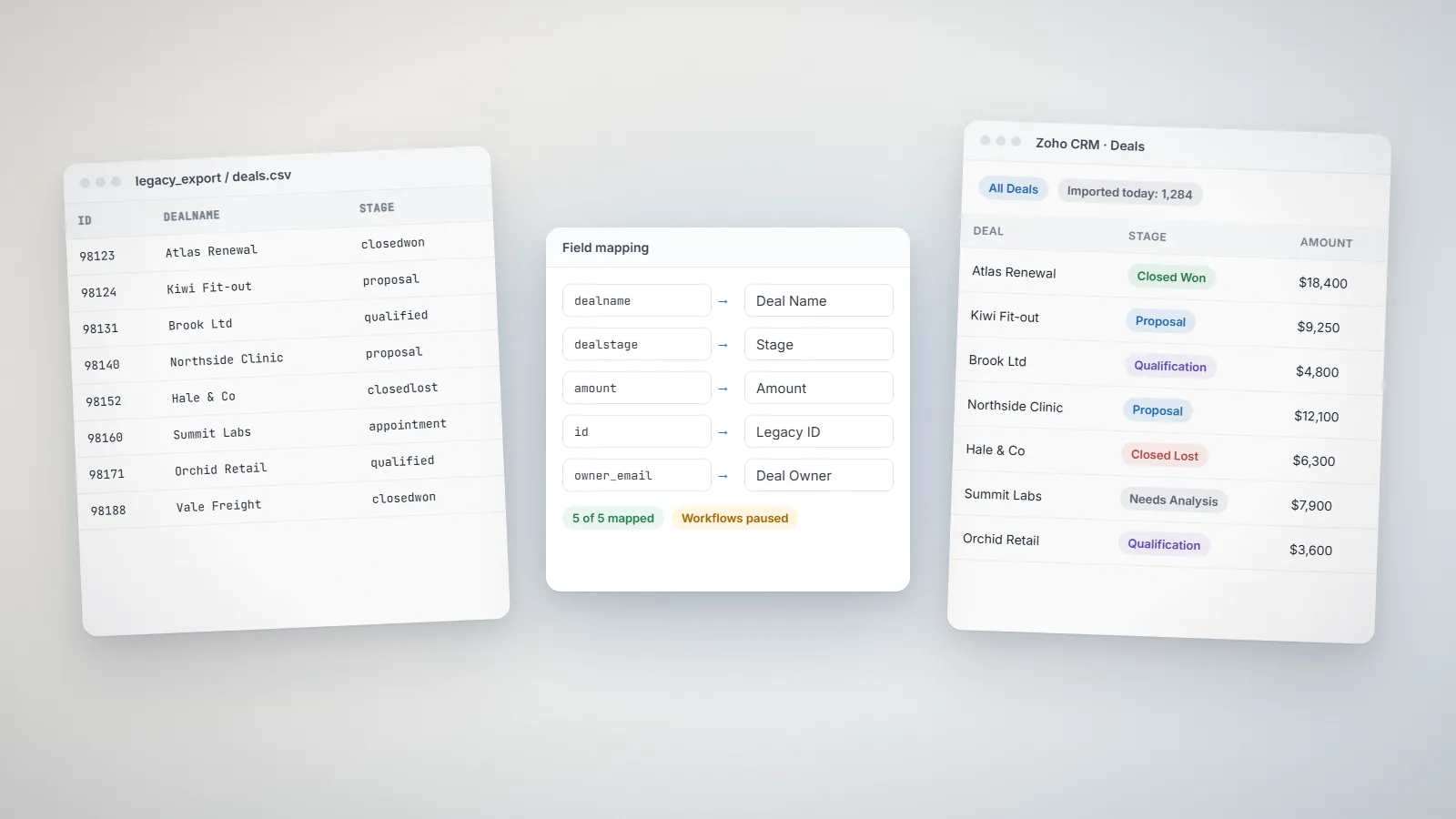
Field mapping, de-duplication and a test import before the real move.
Links to Zoho Books, Desk, Campaigns or external systems, so data flows without re-keying.
Role-based training for admins, managers and sales users, plus written guides.
Typical uses
Technology
Most of what you need is native to Zoho CRM. Where it stops, we use Deluge custom functions, Zoho Flow or the Zoho CRM REST API, and we keep customizations documented so future admins understand them.
How it works
Most focused Zoho CRM or Zoho Creator projects take 2 to 8 weeks, depending on custom modules, integrations and data migration. Multi-app rollouts with several integrations usually take 8 to 16 weeks. We confirm the timeline in writing after a discovery call.
We map how leads arrive, how deals progress and who does what.
Pipelines, fields, automations and reports agreed in writing.
We build in a test setup and run a trial data import.
A small group uses it first, then the whole team moves over.
Role-based training, documentation and optional ongoing support.
Zoho CRM
How to move from HubSpot or Salesforce to Zoho CRM without losing data or momentum: object mapping, import order, rebuilding automation, testing, cut-over and training.
Zoho CRM
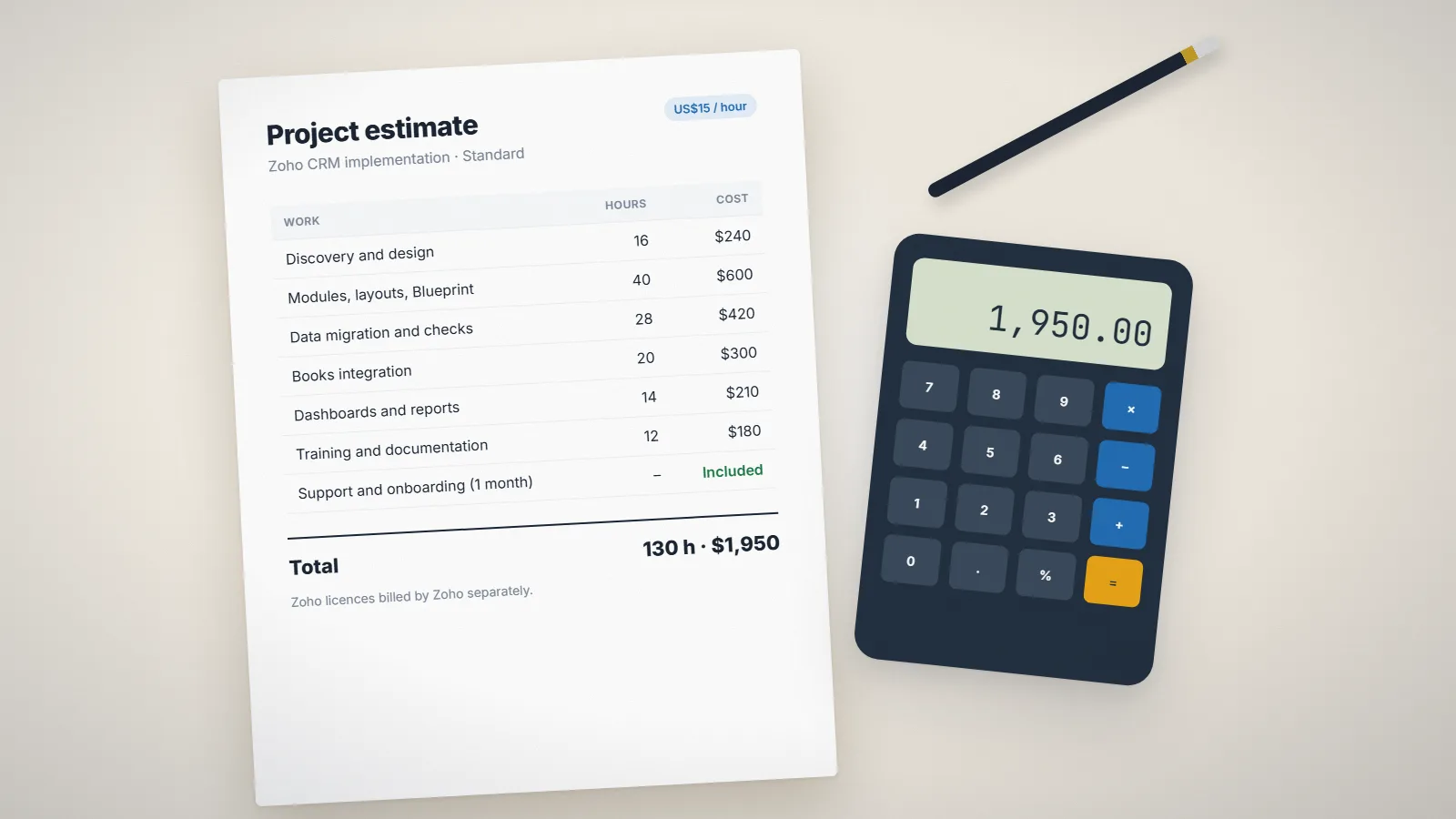
What a Zoho CRM implementation really costs: licences, setup effort, data migration, integrations, training and support, with three example project sizes priced at an hourly rate.
AI and automation
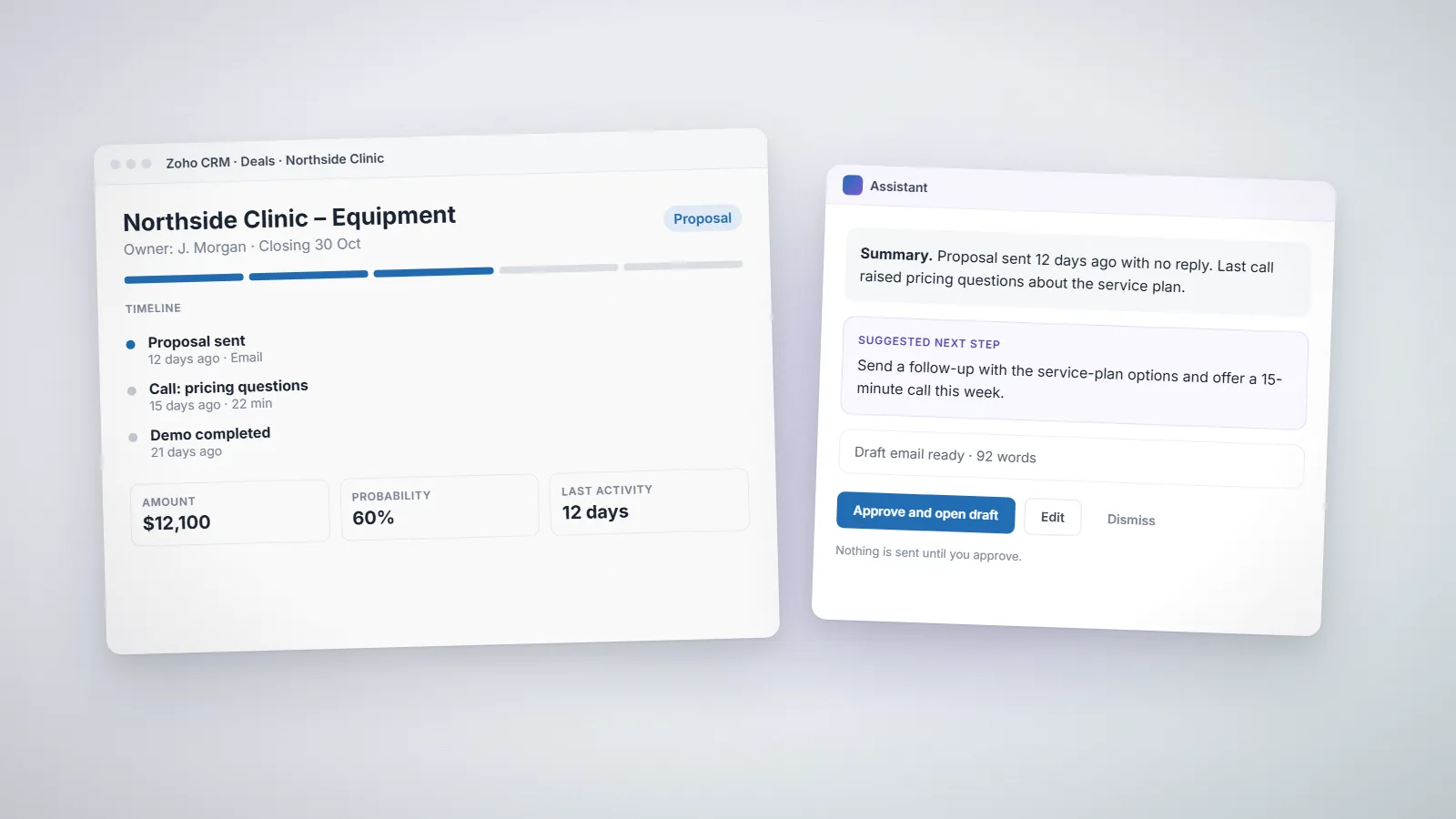
A practical look at AI in Zoho CRM: what Zia and AI agents can realistically handle, where automation still needs rules and human approval, and how to prepare your CRM data and processes.
FAQs
Most focused Zoho CRM or Zoho Creator projects take 2 to 8 weeks, depending on custom modules, integrations and data migration. Multi-app rollouts with several integrations usually take 8 to 16 weeks. We confirm the timeline in writing after a discovery call.
Yes. We map your fields to Zoho CRM, clean duplicates, run a test import for you to check, and only then move the full data set.
Yes. We audit the current configuration, automations and data quality, then recommend fixes in priority order before changing anything.
Yes. We train administrators, managers and end users separately, because each role uses the CRM differently, and we leave written guides behind.
We charge US$15 per hour. Fixed-price projects are quoted from the estimated days and complexity: you can get an indicative figure from the calculator on our pricing page, and after a discovery call we send a written proposal with scope, timeline and cost before any work starts.