Production
How to Build Production Tracking in Zoho Creator
A step-by-step build guide for production tracking in Zoho Creator: data model, shop-floor screens, scrap and holds, stock links and dashboards.
Zoho implementation for manufacturers
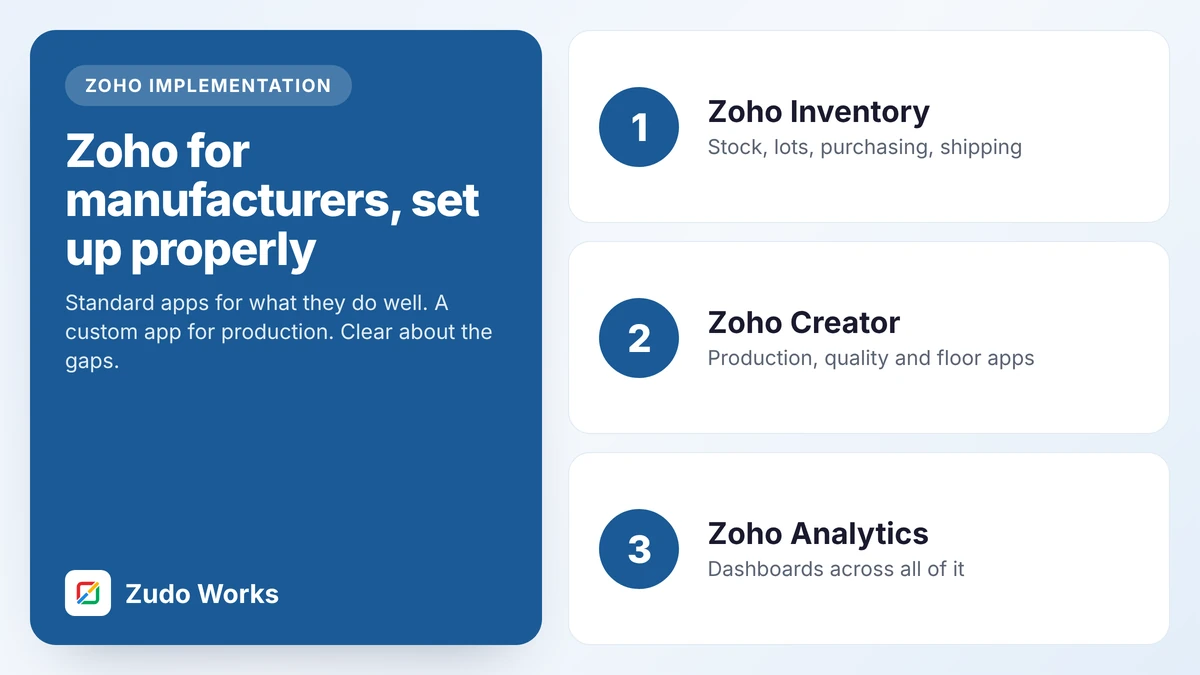
Zoho’s standard apps handle stock, purchasing, sales and reporting well. They do not include a production module outside India. We fill that gap with an app built around your process, and tell you when an ERP is the better answer.
Is this for you?
Custom steps, approvals or tests that a standard ERP screen cannot hold.
You do not need a forecast exploded through four levels of bill of materials.
One process at a time, each paying for the next, not one large go-live.
CRM, Books or Inventory is in place and production is the missing piece.
The products
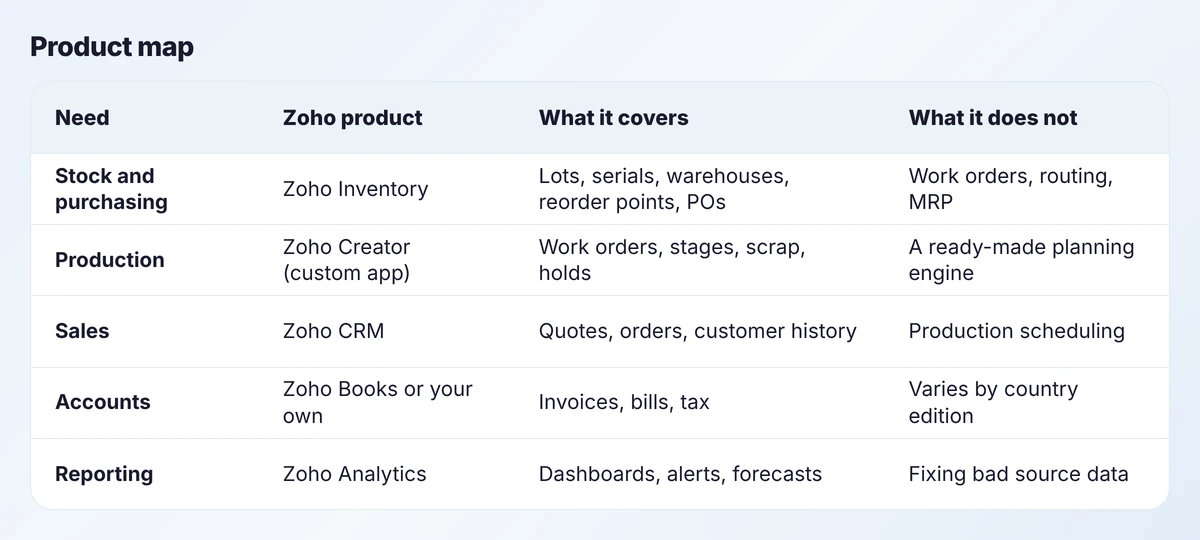
Three facts shape every design we do:
Choosing
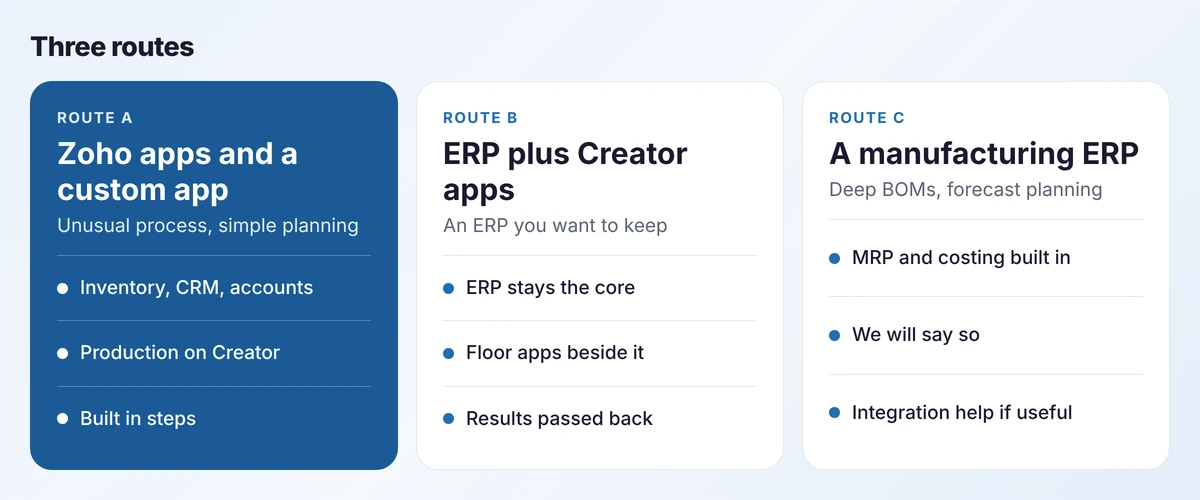
The choice turns on two questions: how complex your planning is, and how unusual your process is. Our guide Zoho apps or a manufacturing ERP? works through five questions and a matrix. If the answer is an ERP we cannot implement, we will still say so.
Design
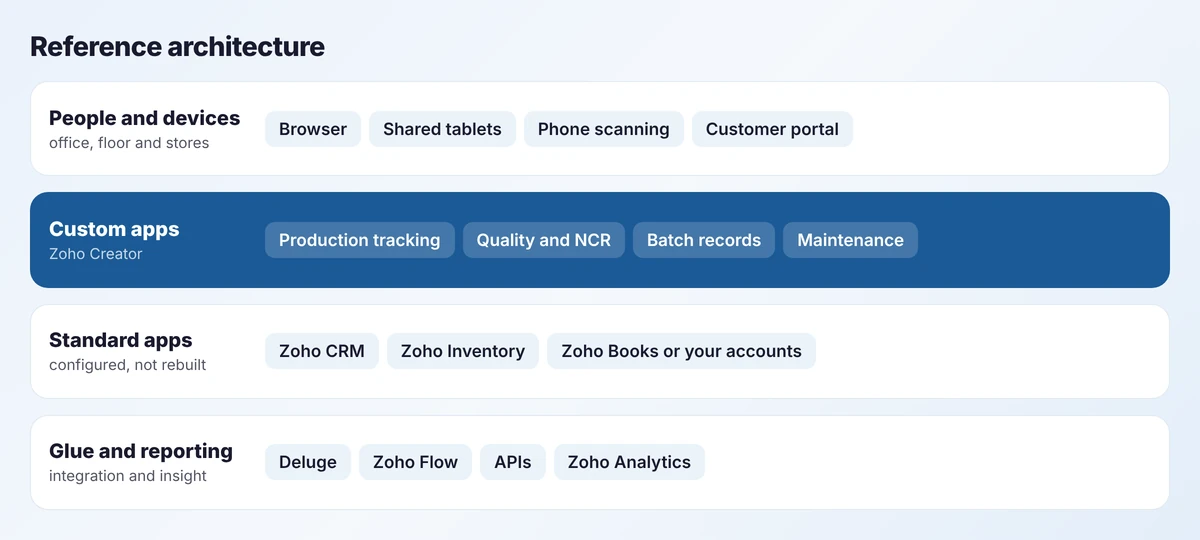
The principle is to configure what is standard and build only what is yours. Customers and quotes live in the CRM. Items, lots and quantities live in the stock system. Work orders, stages and quality records live in custom apps, because that is where your process differs from everyone else’s. Each record has one owner, and integrations carry events between them. The detail is in our guide to connecting sales, production and accounts.
What we deliver
Two or three real jobs walked from order to invoice, plus a review of item, customer and stock data before anything is built.
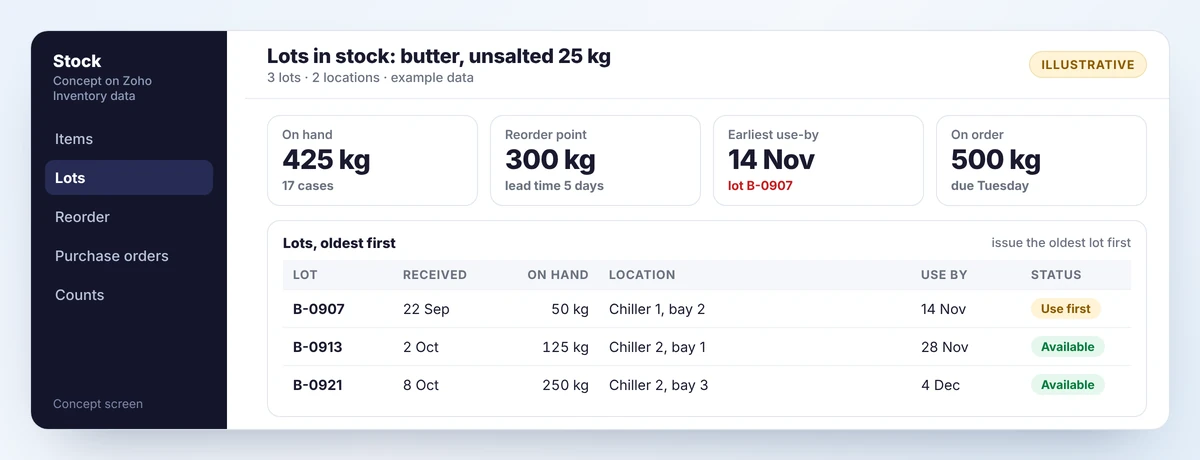
Items, units, lots or serials, locations, reorder points, purchase approvals and opening stock, loaded and checked.
Work orders, routing stages, shop-floor screens, scrap and holds, built around how you work.
Orders to work orders, completions to stock, shipments to invoices, with visible failures and retries.
A small number of measures with written definitions, targets and owners.
Admin notes, user guides and commented Deluge code, so your team can maintain it.
Timeline
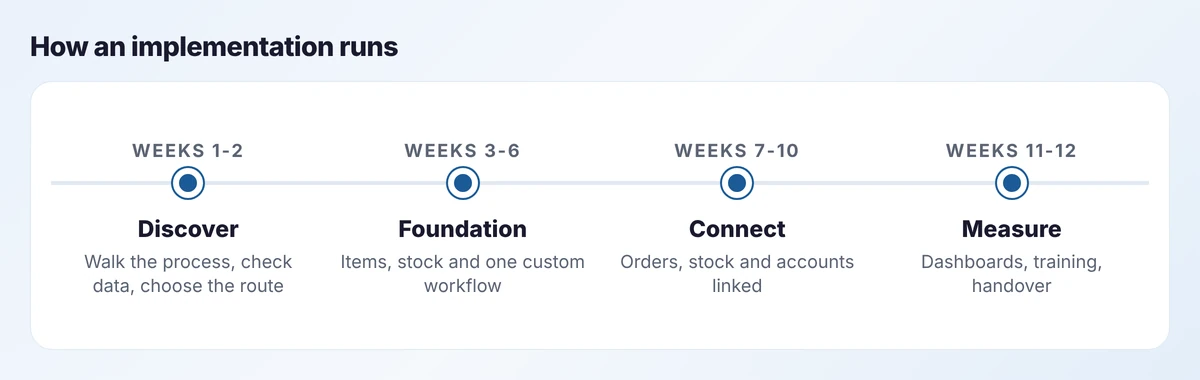
Twelve weeks is typical for a first phase covering stock, one production workflow and the main integrations. It depends on the state of your data more than on anything we build: clean item and customer lists shorten every step. The 90-day roadmap describes the same sequence from your side.
Where you are
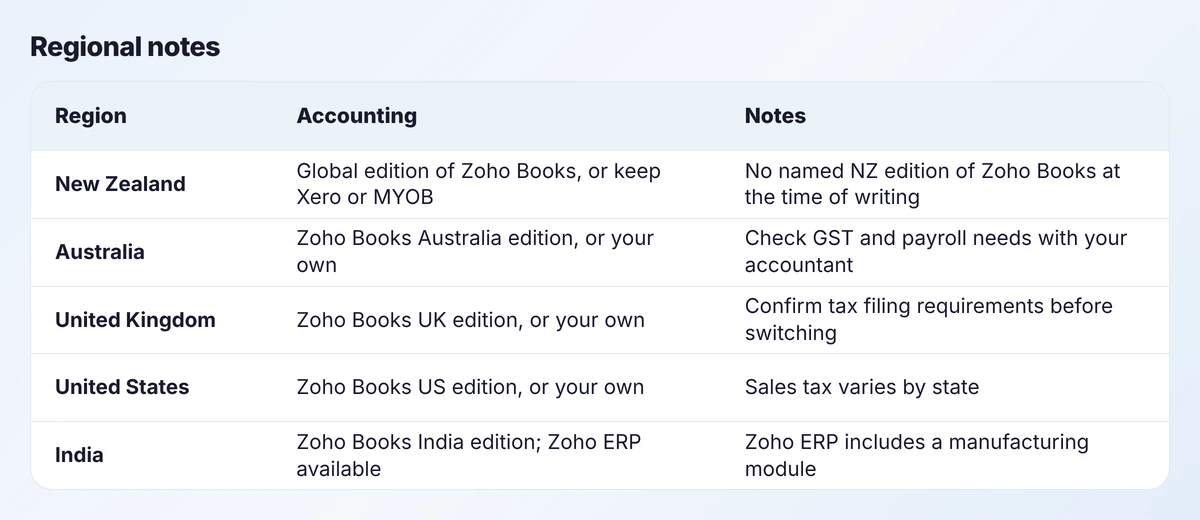
Zoho Books is published in country editions and a global edition. New Zealand is not among the named editions at the time of writing, so New Zealand manufacturers either use the global edition or, more often, keep the accounting package their accountant already uses and integrate with it. That is a sound choice anywhere: accounting software is the part of the stack we are least keen to change without a reason.
Limits
Some of these can be approximated with custom work. We would rather tell you when that is a poor idea. If you need requirements planning, buy it; do not ask a low-code app to imitate it.
Go deeper
Production
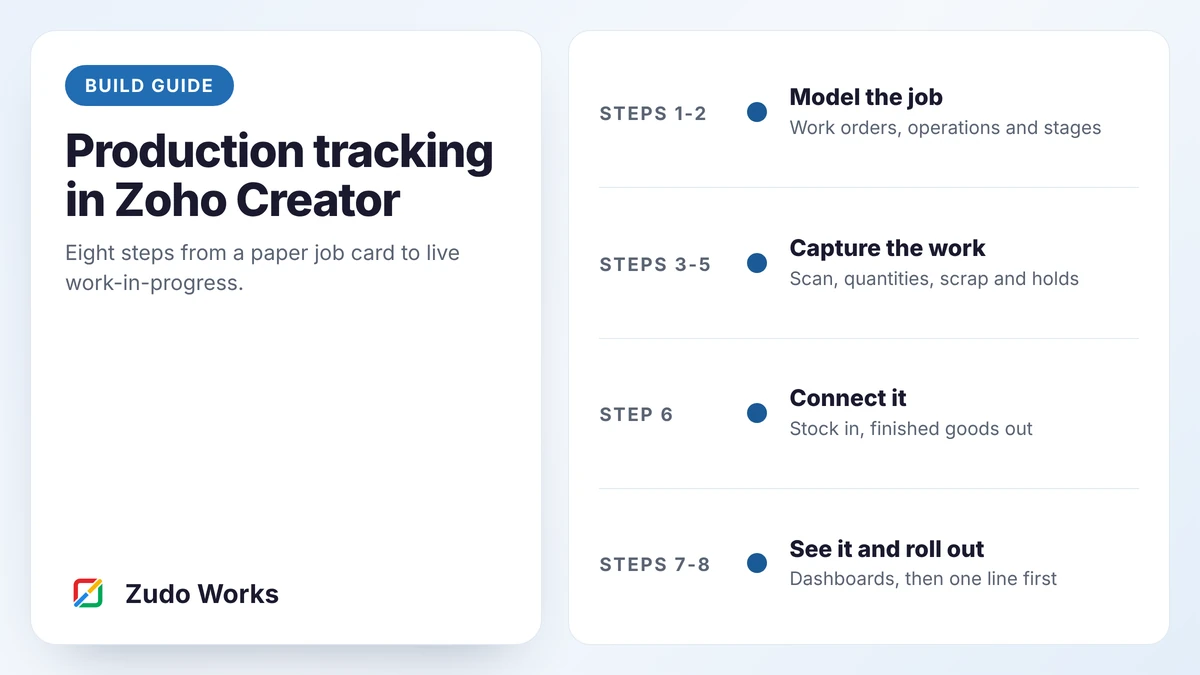
A step-by-step build guide for production tracking in Zoho Creator: data model, shop-floor screens, scrap and holds, stock links and dashboards.
Inventory
Why manufacturing stock records drift from reality, how to measure record accuracy, and the process and system changes that keep stock right.
Purchasing
How to set reorder points and safety stock for a small manufacturer, with formulas and worked examples, plus a purchase approval flow that keeps moving.
Questions
Zoho Inventory does not; Zoho says so in its knowledge base and suggests composite items for simple assemblies. Zoho ERP includes manufacturing orders, job cards and work centres, but at the time of writing is published for India only. Elsewhere, production is usually built as a custom app on Zoho Creator.
No. At the time of writing Zoho ERP is licensed separately from Zoho One and is available for India.
The standard Zoho apps do not calculate material requirements from a forecast. Reorder points and per-job purchasing are supported. If you need full MRP, a manufacturing ERP is the better core system.
A first phase covering stock, one production workflow and the main integrations typically takes about twelve weeks. Clean item and customer data shortens it; complex routing and many integrations lengthen it.
Yes. We often keep the existing accounting package and integrate it with the order and production systems, sending invoices and bills and reading payment status back.
That is the aim. We document the data model and workflows, comment the Deluge code and train an internal owner. Ongoing support is optional.