In short
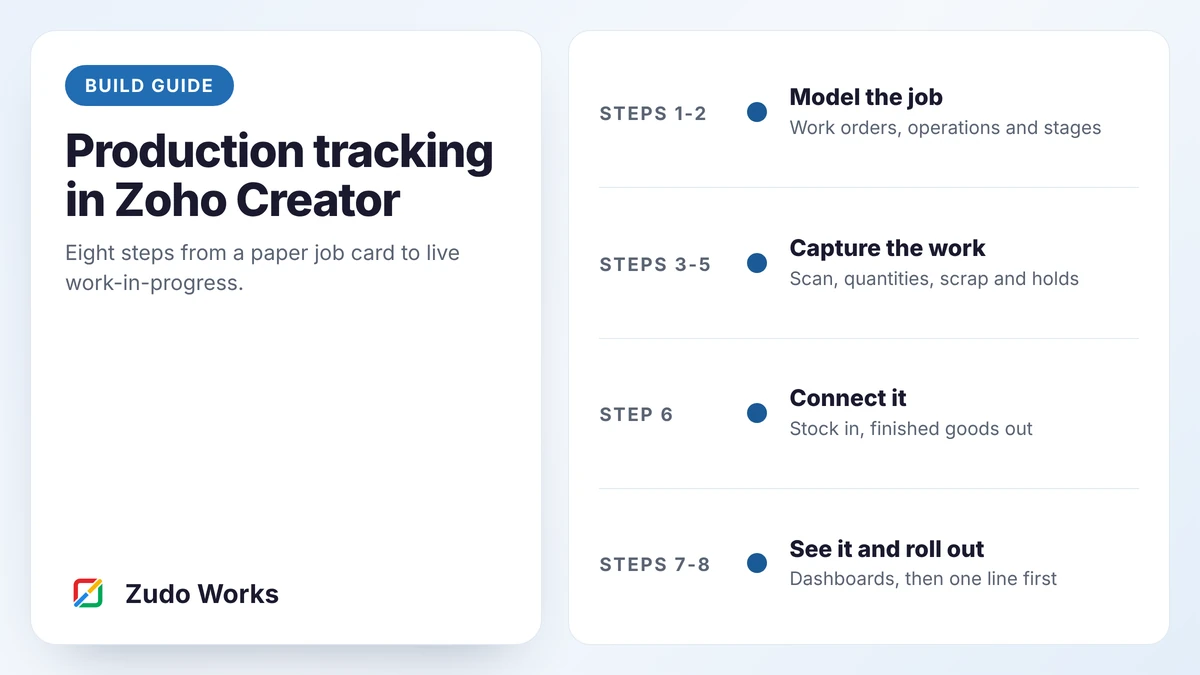
Model four records (work orders, operations, stage logs and issues), give operators a scan-and-tap screen for each stage, record good quantity, scrap and time, give holds their own path, and link issues and completions to your stock system. Build dashboards last, from the stage logs, and roll out on one line first.
Zoho Creator has no production module. That is the point of it: you model your own process. It also means the result is only as good as the design. This is the sequence we follow, with the decisions that matter at each step.
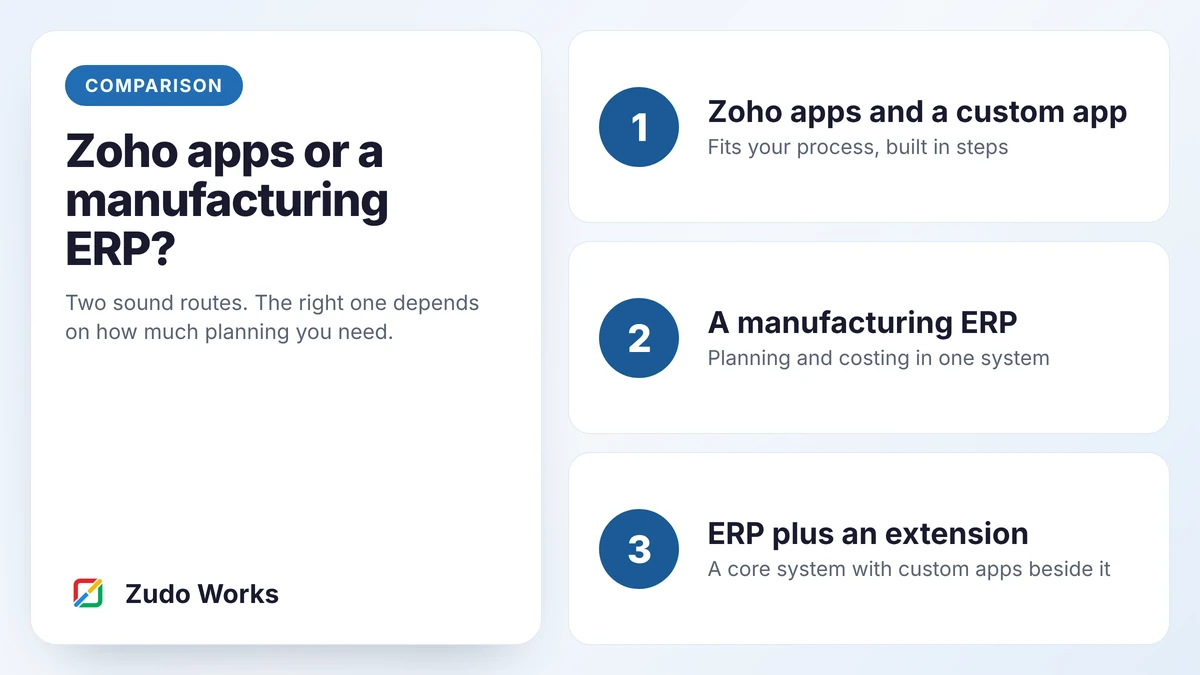
Zoho ERP, which does have manufacturing orders and job cards, is currently published for India only. For manufacturers elsewhere, and for processes that do not fit a standard model, Creator is the practical route. Our article on the three Zoho routes for manufacturers compares them.
Decide what a job is
Start with the data model, on paper. Four records are enough for a first version.
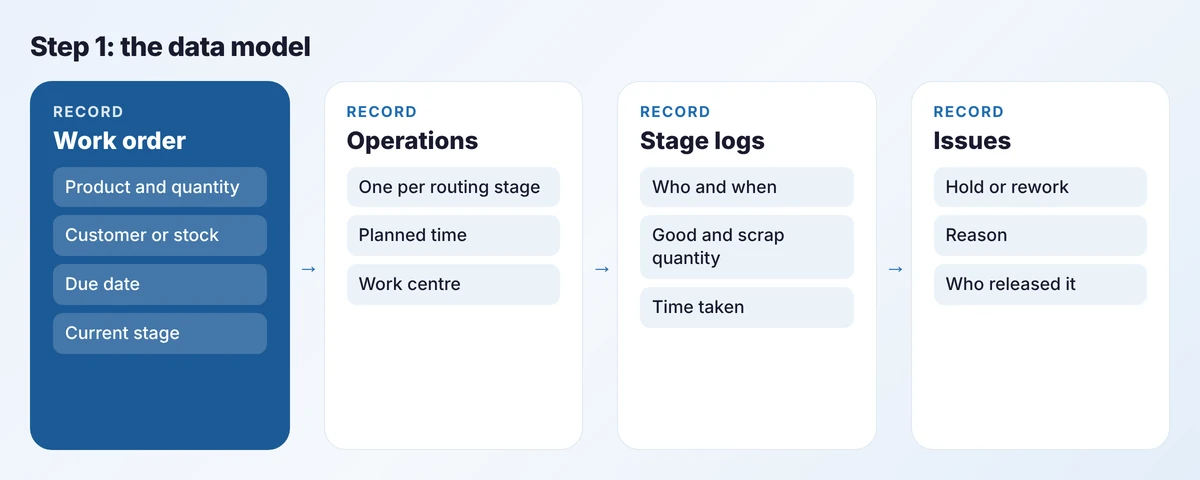
- Work order: one product, one quantity, one due date. If a sales order has three lines, that is three work orders.
- Operations: the stages this work order must pass through, copied from the product’s routing when the order is created.
- Stage logs: each time someone starts or finishes a stage. This is the only record operators create.
- Issues: holds and rework, with a reason and a person who released it.
Resist adding fields. Every field an operator must fill in is a reason not to use the screen.
Model the routing
A routing is the ordered list of stages for a product family: cutting, edging, assembly, finishing, dispatch. Store it once per family, not per product, and copy it to the work order when the order is created. That way a routing change affects new jobs only and old jobs keep their history.
Keep stages coarse. If two activities are always done by the same person at the same bench with no wait between them, they are one stage. You can split it later if you need the detail.
Build the shop-floor screen first
Most projects design the manager’s dashboard first. Build the operator screen first, because it produces all the data.
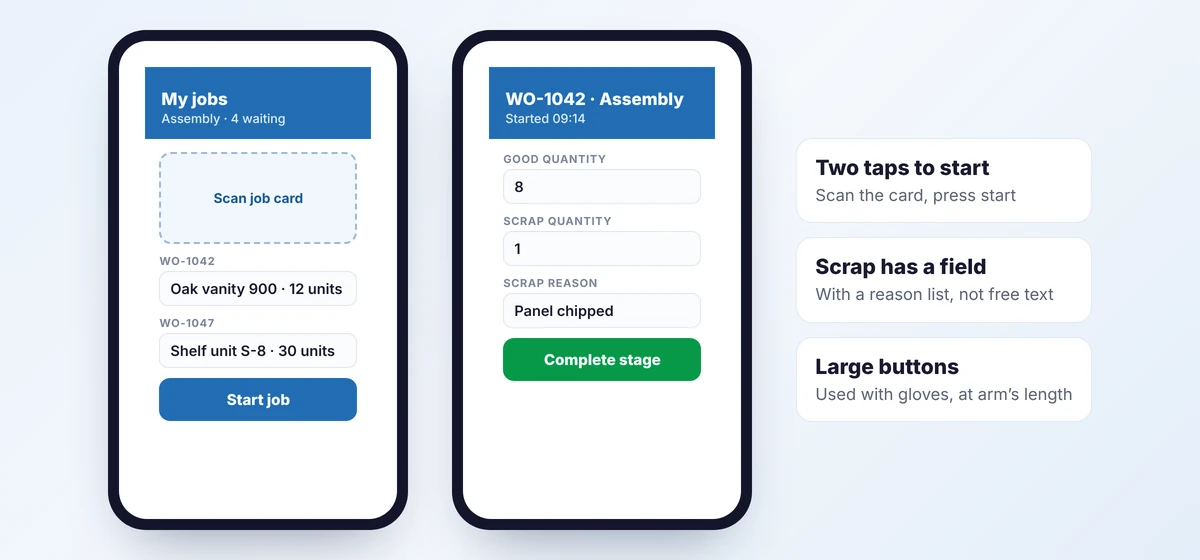
Creator apps run as native iOS and Android apps, and form fields can scan QR codes and barcodes on a phone or tablet. Print a QR code on each job card that holds the work order number. The operator scans it, sees the current stage and presses start or complete. Design rules we hold to:
- One screen per action. No menus on the shop floor.
- Buttons large enough to use with gloves.
- Pick lists, never free text, for scrap and hold reasons.
- A fixed tablet at each work centre works better than personal phones in most factories.
Connectivity matters. Creator supports offline access in its mobile apps with some restrictions, so test your own forms in the dead spots of your building before you commit to a design.
Capture quantity, scrap and time
On completion, ask for three things: good quantity, scrap quantity and, if scrap is more than zero, a reason. Time comes from the start and complete timestamps, so nobody types it.
Partial completion is where simple trackers break. If a job of 12 units finishes 8 today, the stage is not complete. Log the 8 and keep the stage open. A short Deluge script on the stage log form can do the arithmetic. The sketch below shows the idea; field names will differ in your app.
// Runs after a stage log is submitted (sketch)
wo = Work_Order[ID == input.Work_Order];
done = Stage_Log[Work_Order == input.Work_Order && Stage == input.Stage].sum(Good_Qty);
if(done >= wo.Planned_Qty)
{
    wo.Current_Stage = input.Next_Stage;
}
More patterns like this are in our Deluge script examples.
Give exceptions their own path
A job waiting for a decision is different from a job that is slow. If the system cannot tell them apart, supervisors will stop trusting the board.
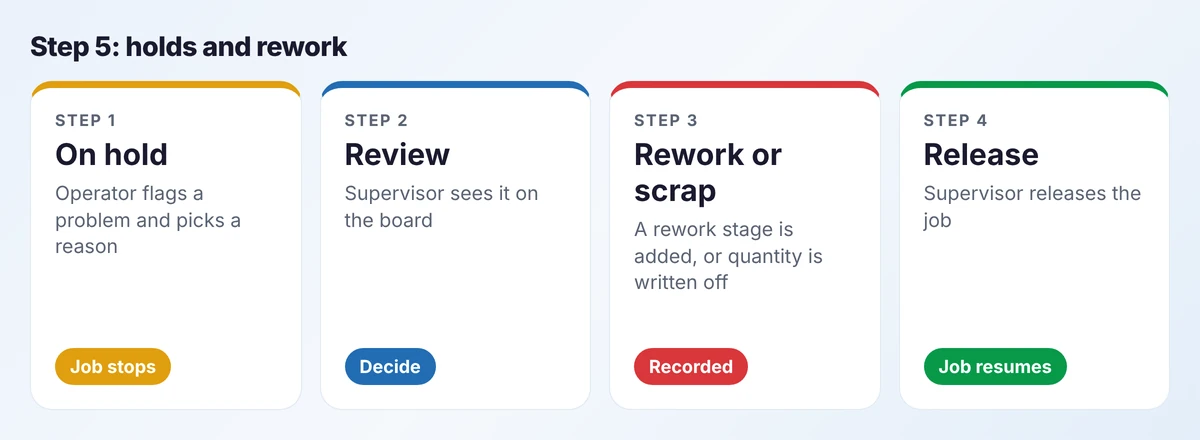
Creator’s approvals and Blueprint features suit this well: a hold needs a reason, only a supervisor can release it, and a rework decision adds a stage to that work order. Record who released it and when. That history is what you need later for quality reporting.
Connect it to orders and stock
A tracker that is not connected becomes one more place to enter data. Three links matter.
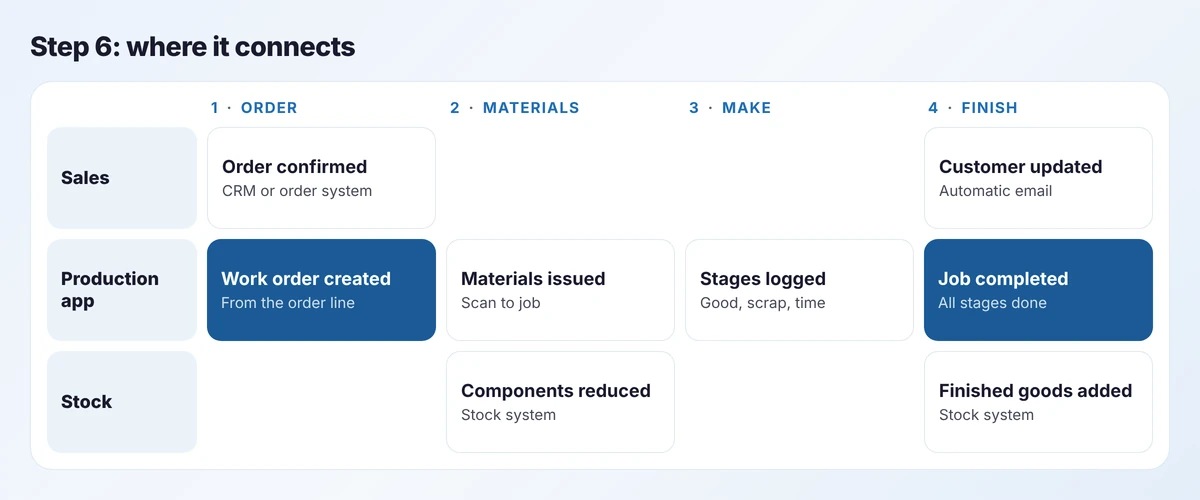
- Orders in: a confirmed order line creates the work order. No retyping.
- Materials out: issuing components to a job reduces stock in the stock system.
- Finished goods in: completing the last stage adds finished stock and tells sales.
The production app should never hold its own stock balance. It records movements and sends them to the system that owns stock, whether that is Zoho Inventory, an ERP or an accounting package. Our integration work is mostly this.
Know the limits
Zoho Inventory can build a finished item from components with an assembly, and that is useful for simple products. It has no work orders that move through stages. The Creator app carries the stages; the stock system carries the quantities.
Build the dashboards last
By now every dashboard is a query over stage logs. Start with three views and add more only when someone asks a question the three cannot answer.
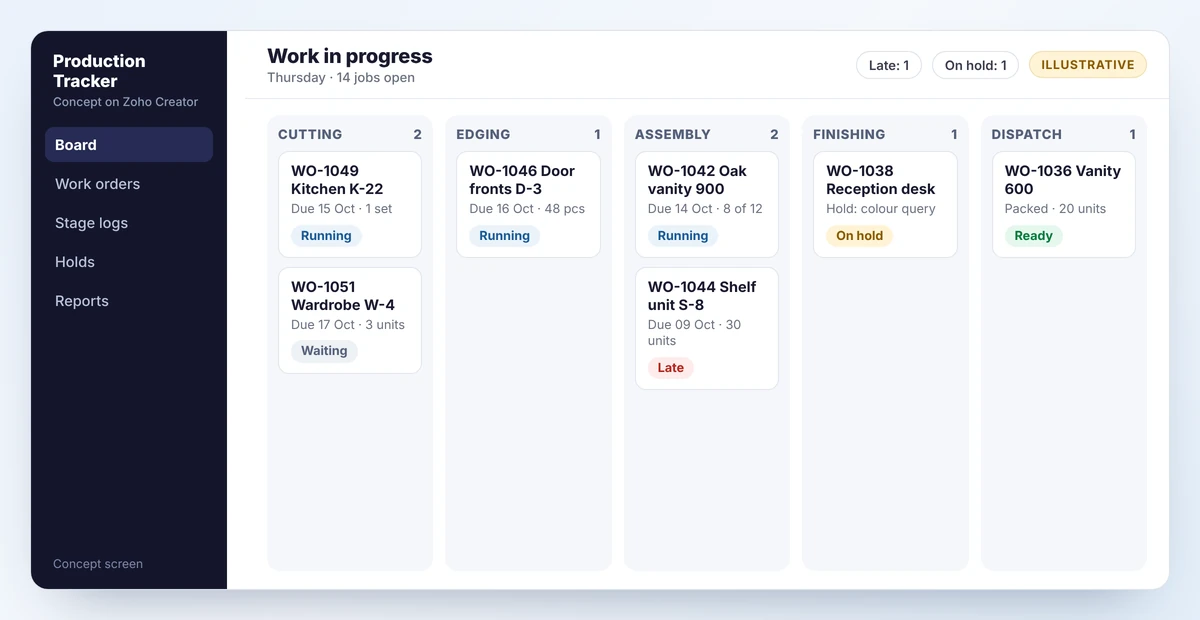
- The board: every open job, by stage, with late and held jobs marked.
- The due list: jobs due in the next five days and the stage each is at.
- The scrap report: scrap quantity by reason and by stage, per week.
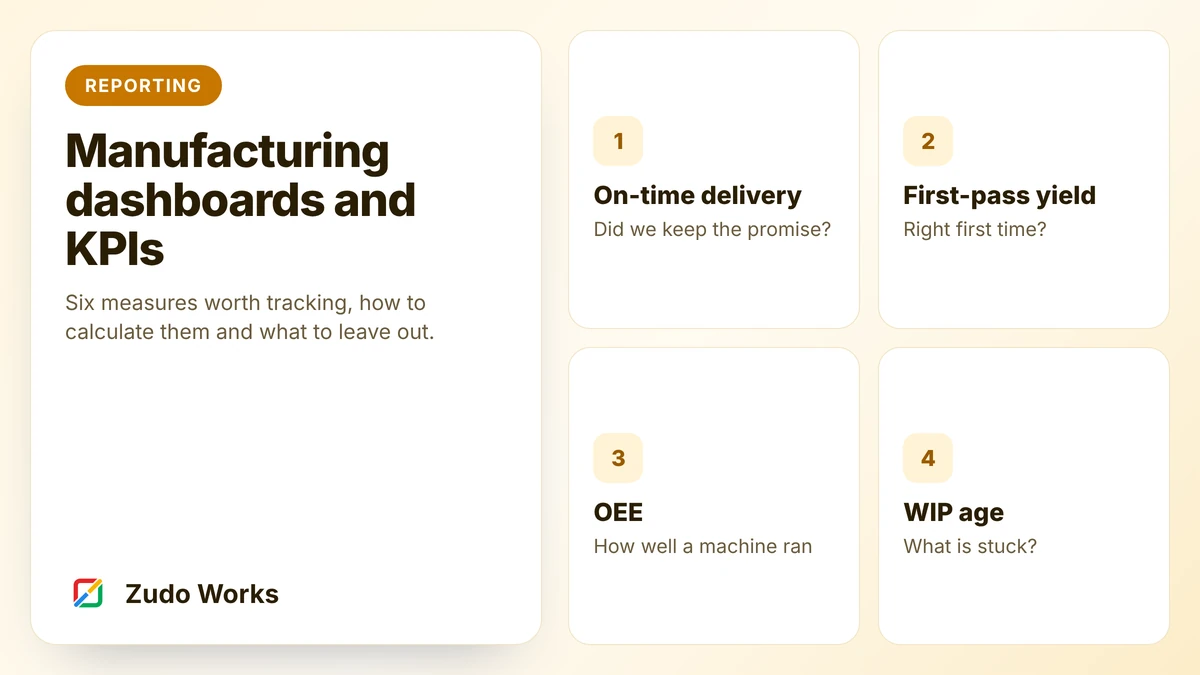
Deeper analysis, such as output per work centre over time, belongs in a reporting tool. See which manufacturing KPIs are worth tracking.
Roll out on one line
Choose the line with the most cooperative supervisor, not the most important one. Run paper and system side by side for one week, then remove the paper. Expect to change the operator screen several times in the first fortnight. That is the design working, not failing.
A worked example: one job, start to finish
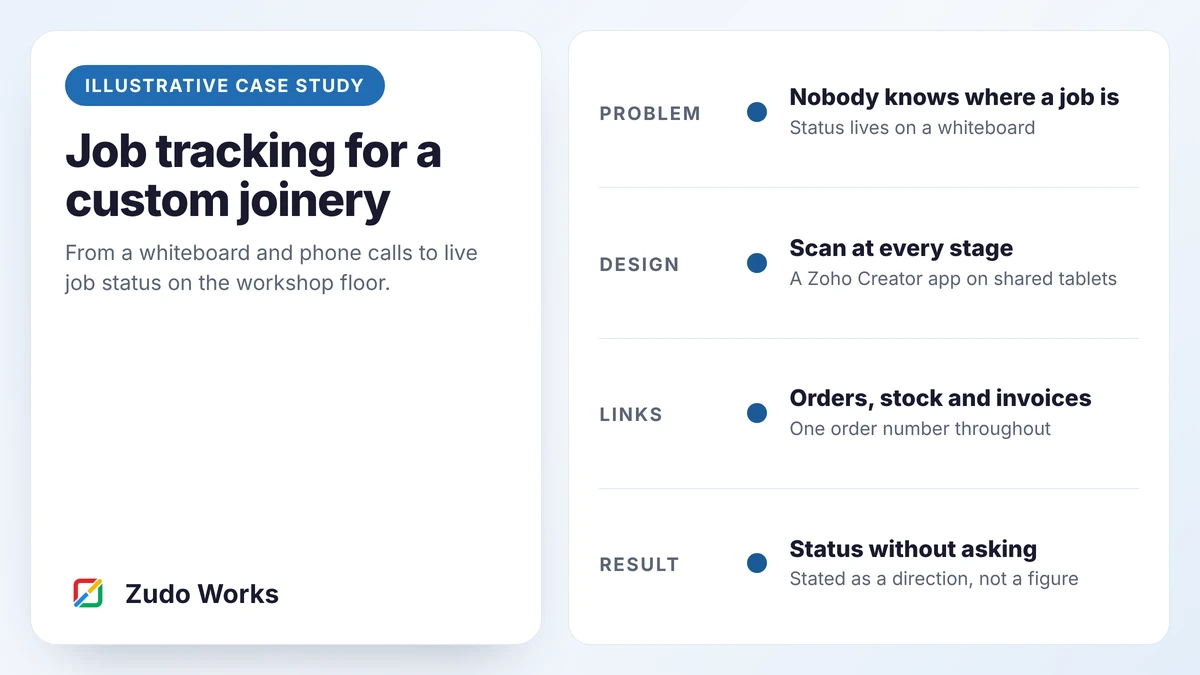
To make the steps concrete, follow one job through the finished app. The business is an example: a furniture workshop with four stages, cutting, edging, assembly and finishing.
- Monday, 08:10. A sales order for 12 oak vanity units is confirmed. The app creates work order WO-1042 with four operations and prints a job card with a QR code.
- Monday, 09:30. The cutting operator scans the card and taps Start. The board shows WO-1042 in Cutting. Nobody has been asked for an update.
- Monday, 14:05. Cutting is finished: 12 good, none scrapped. The job moves to the edging queue and the edging operator sees it on her phone.
- Tuesday, 10:40. During assembly, one carcass is damaged. The operator records 11 good and 1 scrap, with the reason “handling damage”. The work order now shows a shortfall of one.
- Tuesday, 10:41. The shortfall rule puts the job on hold for the supervisor, who chooses to remake one unit. A linked work order for one unit is raised.
- Thursday. Both orders finish. Finished stock rises by 12 and the sales order is marked ready to ship.
Nothing in that sequence is clever. What matters is that every event was recorded by the person who caused it, at the time, in about ten seconds. The planner’s morning walk around the floor to ask “where is it?” is no longer needed, and the scrap has a reason attached that can be counted at the end of the month.
What this will not do
Be clear with yourself about scope. A tracker like this tells you where every job is and what it consumed. It does not:
- plan capacity or schedule work centres automatically;
- calculate material requirements from a forecast;
- replace a costing system, though it gives one much better data.
If you need those, you are looking at a manufacturing ERP, and our comparison of Zoho apps against a manufacturing ERP will help you decide.
Frequently asked questions
A first version for one line, with work orders, stage logging, holds and a board, typically takes four to six weeks including a trial week on the floor. Integrations with stock and orders add time depending on the systems involved.
Zoho Creator mobile apps support offline access with some restrictions. Whether it suits you depends on which forms and scripts you need offline, so test with your own design before relying on it.
Not necessarily. The tracker needs a system that owns stock quantities. That can be Zoho Inventory, an ERP or an accounting package with stock. The tracker sends it issues and completions.
No. It complements one. Zoho itself positions Creator as an extension layer beside a core system. It tracks work on the floor in a way most ERPs do not make easy.
Sources
Product capabilities change. We checked these pages in October 2026; confirm anything you plan around.
Related services: Zoho Creator development · Deluge development · Zoho implementation for manufacturers