Manufacturing workflows that people actually follow

Job tracking, traceability, quality, purchasing and maintenance, designed as a scan and a couple of taps for the person doing the work, and connected so nothing is entered twice.

Designed for
Operators, stores and inspectors
Built on
Zoho Creator and Deluge
Connected to
Stock, CRM and accounts
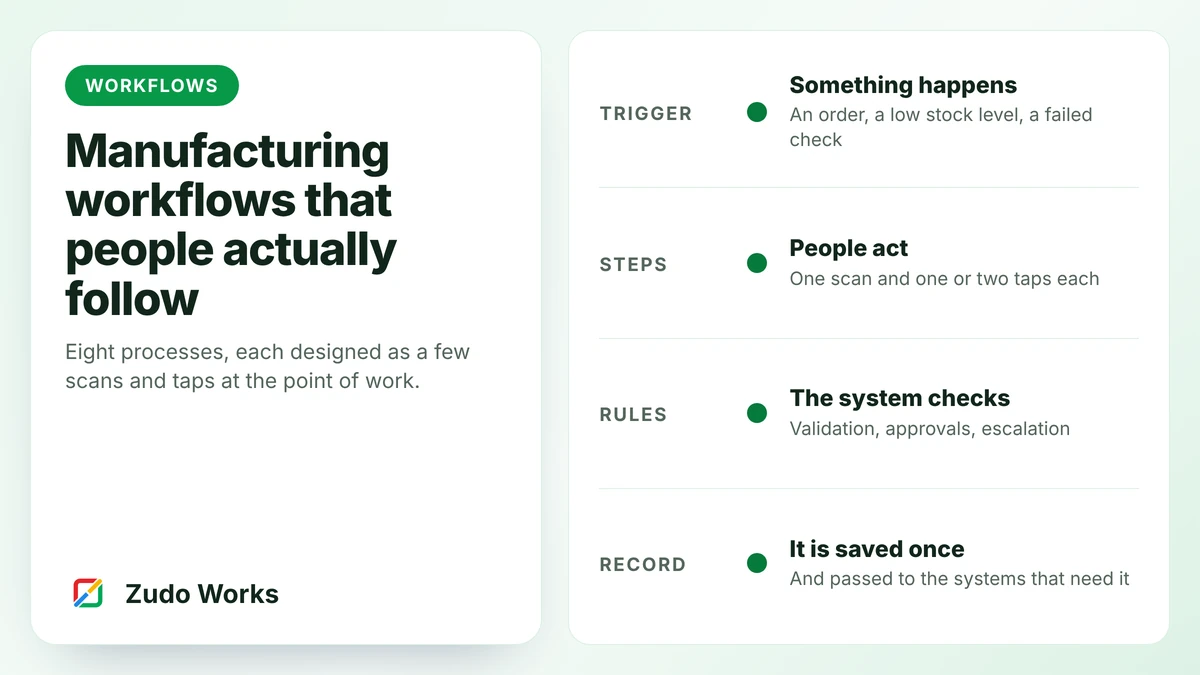
Cover: the four parts of a workflow

Workflows are designed for the person doing the work

A workflow fails when it asks a machinist to type a twelve-digit job number into a form copied from a paper sheet. It works when the job card is scanned, one number is entered and a large button is pressed.

We design from the floor inwards. The first screen built is the one an operator uses, and it is trialled at one bench before anything else exists. Dashboards come last, because they can only show what the floor records.

  • Scan to identify
  • Three fields or fewer
  • Reasons from a list
  • Holds with an owner
  • Approvals by value
  • Escalation when late
  • One record, shared

The workflows we build

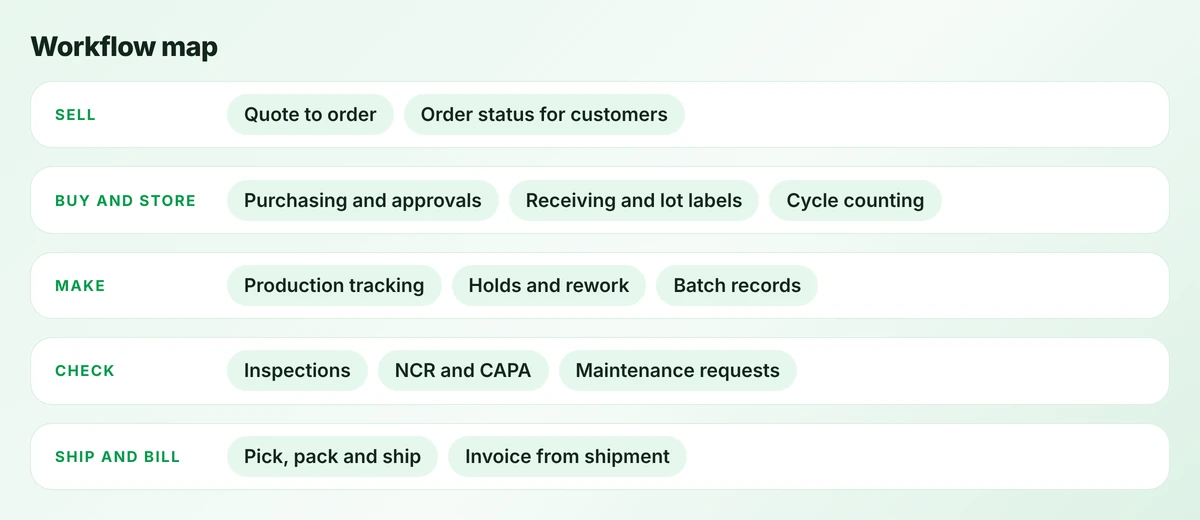
Map of manufacturing workflows grouped into sell, buy and store, make, check, and ship and bill
The workflows we are asked for most, grouped by where they sit in the business.
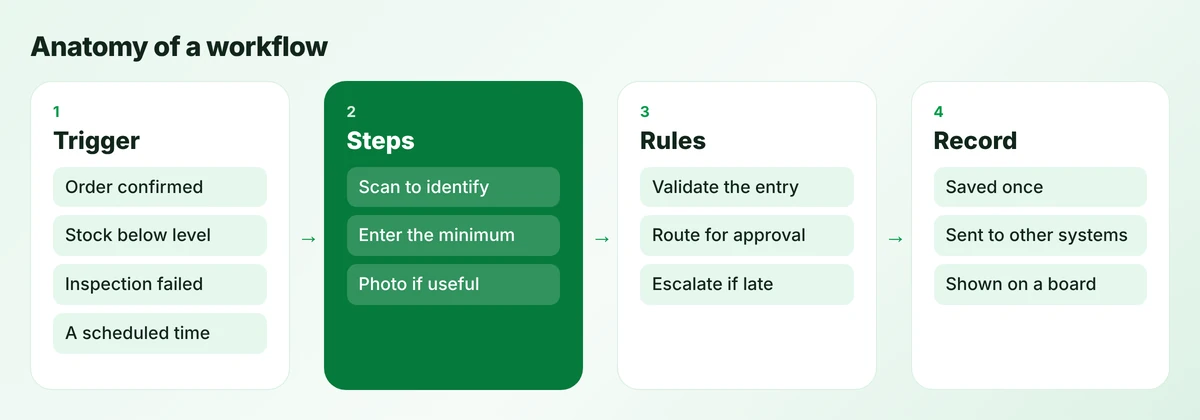
Anatomy of a workflow in four parts: trigger, steps, rules and record
Every workflow we design has the same four parts. The second column is where most of the design effort goes.

Eight workflows in detail

Each entry gives the trigger, what people do, what is recorded and what it connects to, with a link to the full guide where we have written one.

Production tracking

Make
Trigger
A confirmed sales order, or a stock order raised by the planner.
Steps on the floor
Scan the job card to start a stage; record good and scrap quantities to finish it. Put the job on hold with a reason if something is wrong.
Records created
Work order, stage logs with times, scrap with reasons, holds.
Connects to
CRM for order status, stock system for materials issued and finished goods.

Build guide: production tracking in Zoho Creator →

Inventory and cycle counting

Buy and store
Trigger
A scheduled count list for the day, or a movement on the floor.
Steps on the floor
Scan the bin, scan the item, enter the count. Differences beyond tolerance go to a supervisor before stock is adjusted.
Records created
Count records, adjustments with a reason, accuracy by week.
Connects to
Stock system for quantities; dashboards for record accuracy.

Guide: why stock records drift →

Purchasing and approvals

Buy and store
Trigger
Stock falls to its reorder point, or a job needs a material bought to order.
Steps on the floor
The buyer reviews a suggested order, adjusts and submits. Approval follows value bands. Stores receive against the order.
Records created
Purchase order, approval history, goods receipt, three-way match.
Connects to
Stock system and accounts for bills.

Guide: reorder points and approvals →

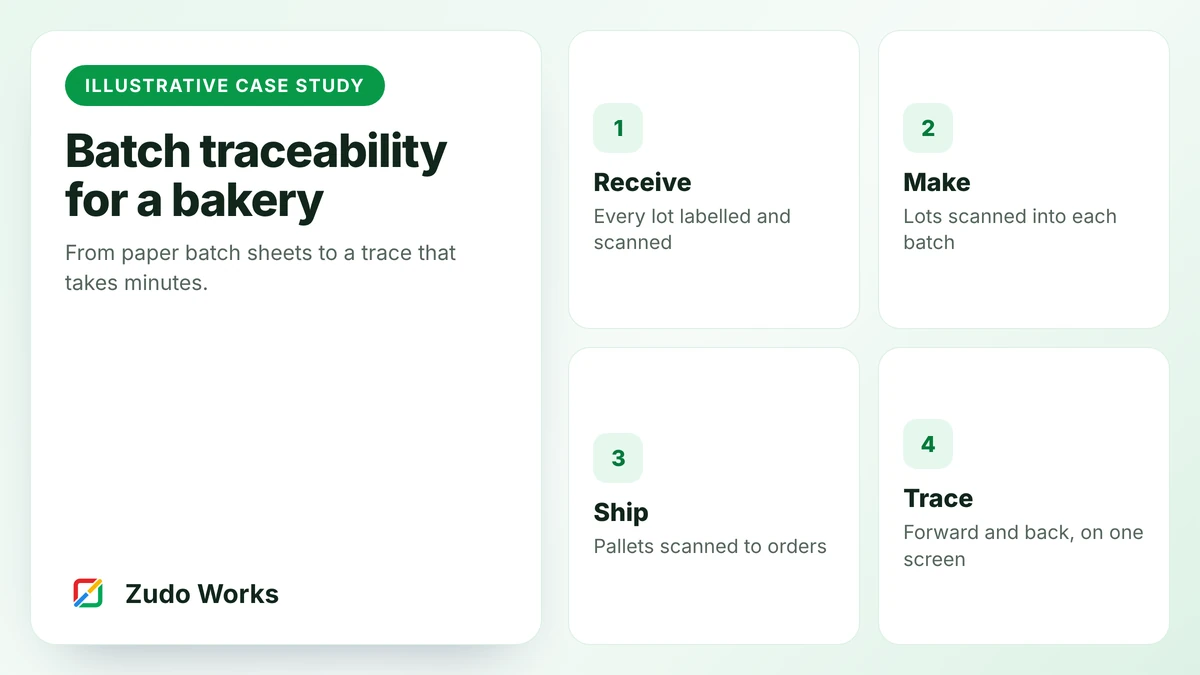
Batch and lot traceability

Make
Trigger
A delivery arrives, a batch starts or a pallet ships.
Steps on the floor
Scan the supplier label at goods in, scan each lot into the batch, scan pallets to orders.
Records created
Lot receipts, batch records with lots consumed, dispatch links, mock recall results.
Connects to
Stock system for lots and expiry dates; label printer.

Guide: what to record at each step →

Inspections, NCR and CAPA

Check
Trigger
A planned inspection point, a failed check or a customer complaint.
Steps on the floor
Record the result with a photo. A fail raises an NCR and holds the stock. A named person chooses the disposition.
Records created
Inspection results, NCRs with cause and disposition, corrective actions with effectiveness checks.
Connects to
Stock system for holds and scrap; production for rework steps.

Guide: digital quality control →

Maintenance requests

Check
Trigger
An operator notices a fault, or a planned service falls due.
Steps on the floor
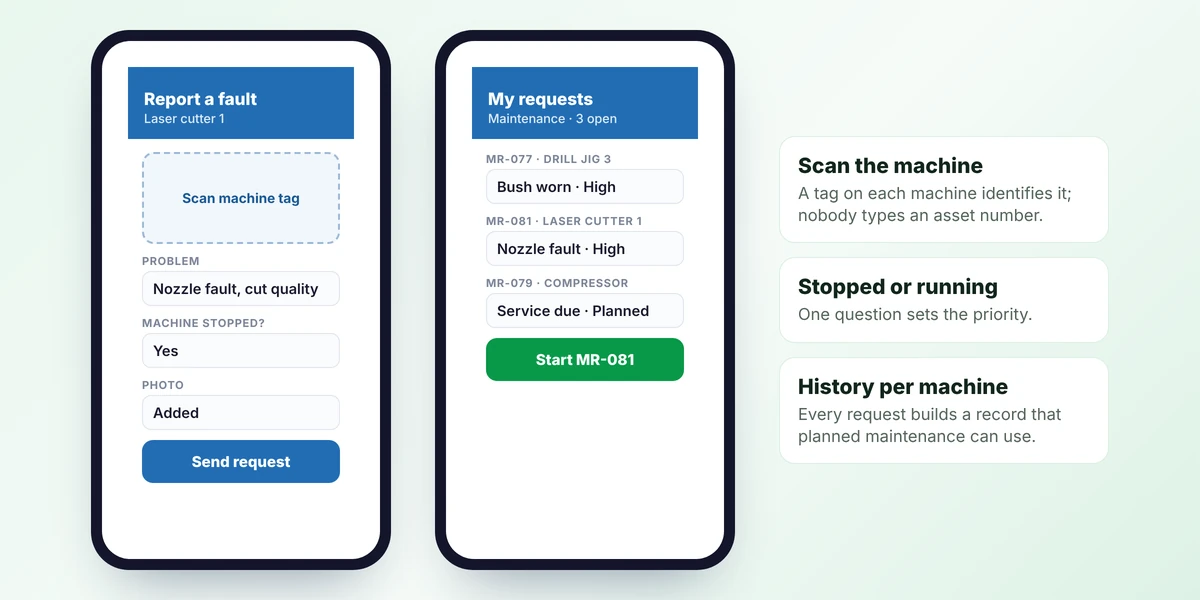
Scan the machine tag, choose the problem, say whether the machine is stopped and add a photo. The technician accepts and closes the job with notes.
Records created
Requests, downtime, parts used and a history per machine.
Connects to
Production holds, so a stopped machine shows on the board.

Quote to order

Sell
Trigger
A customer accepts a quote.
Steps on the floor
Sales marks the quote as won. Items, quantities and the promised date carry through without retyping.
Records created
Sales order with one number used on every later record.
Connects to
Production for the work order, stock for reservations, accounts for the invoice.

Guide: connecting sales, production and accounts →

Pick, pack, ship and invoice

Ship and bill
Trigger
A job is marked ready, or stock is available for an order.
Steps on the floor
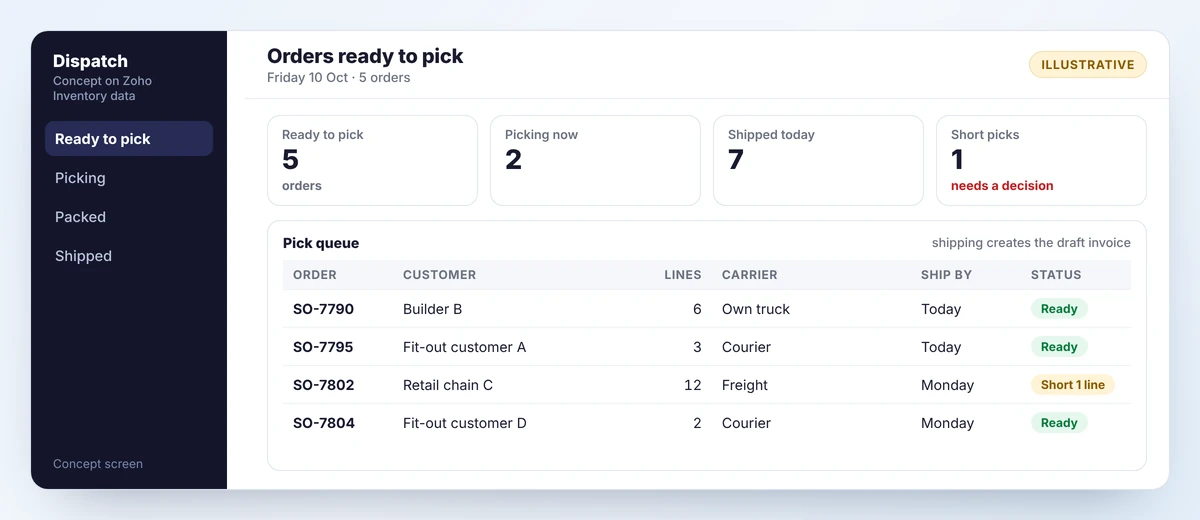
Pick from the list, scan items or pallets to the order, confirm the shipment.
Records created
Shipment with lots or serials, proof of delivery, draft invoice.
Connects to
Stock system to reduce stock, carriers, accounts for the invoice.

Concept screens

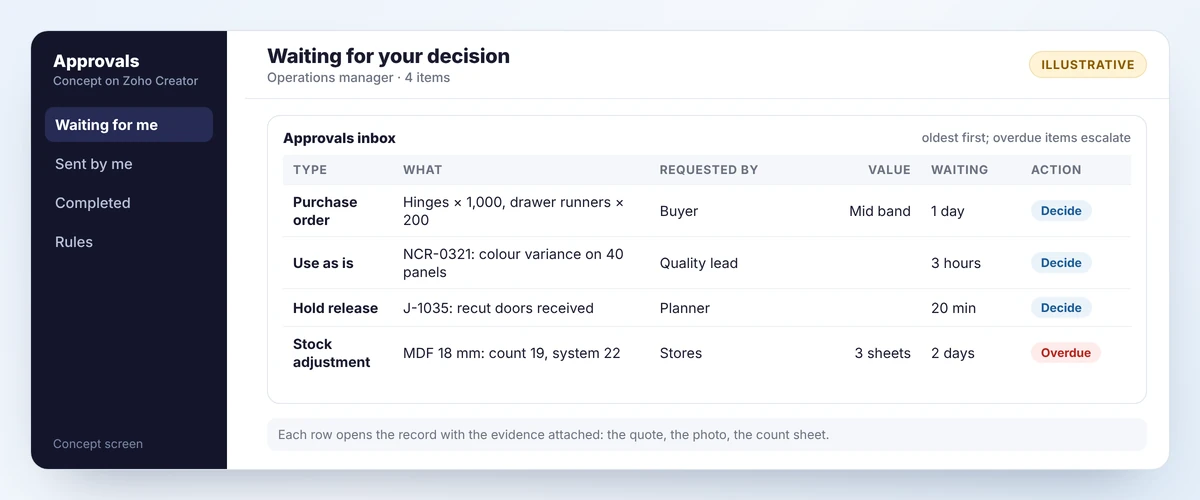
Concept approvals inbox listing four items waiting for a manager: a purchase order, a use-as-is decision, a hold release and a stock adjustment
Concept screen A concept approvals inbox. One place for every decision a manager owes, with waiting time shown.
Two concept phone screens for maintenance: reporting a machine fault by scanning its tag, and a technician’s list of open requests
Concept screen Concept maintenance screens. Reporting a fault takes one scan, one choice and a photo.
Concept dispatch screen with counts of orders ready, picking and shipped, and a pick queue showing customer, lines, carrier, ship-by date and status
Concept screen A concept dispatch queue. Posting the shipment reduces stock and drafts the invoice in one step.

These are concept mockups with example data, drawn to show the level of simplicity we aim for. They are not screenshots of Zoho products or of a customer system.

What makes a shop-floor workflow stick

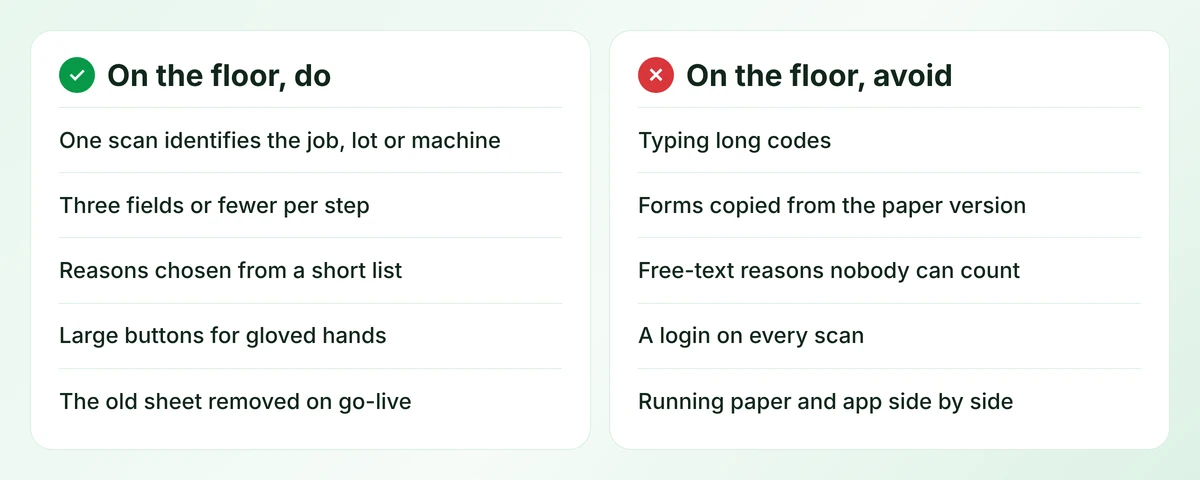
Two lists of shop-floor design rules to follow and to avoid, five each
Design rules for anything used on a shop floor. The right-hand list is where most failed rollouts went wrong.

The last rule on the left matters most. While the paper sheet is still on the bench, people will fill in both, trust neither and blame the app. Agree the date the old method is removed before the trial starts.

What these are built with

Most of these workflows are apps on Zoho Creator, which provides forms, native mobile apps, barcode and QR scanning on phones and tablets, approvals, Blueprint stages, schedules and role-based access. Logic is written in Deluge. Stock and purchasing sit in Zoho Inventory or your existing system, connected through integrations. Where a process does not fit a platform, we build custom software.

  • Zoho Creator
  • Deluge
  • Zoho Inventory
  • Zoho Flow
  • Zoho Analytics
  • REST APIs

Solution blueprints

Frequently asked questions

The one that causes the most daily pain and is simple enough to finish in a few weeks. For most small manufacturers that is production tracking or quality records.

Usually not. One shared tablet or handheld per work area is enough. Operators scan a job card or machine tag and tap one or two buttons.

Zoho Creator offers offline access on mobile with restrictions, so it depends on the workflow. We check coverage and test on your devices during the trial, and keep a paper fallback for outages.

Yes, if the ERP has an API or supports imports. The workflow app records the work and passes results to the ERP, which remains the system of record.

A single workflow with a floor screen, rules and a board typically takes three to five weeks including a trial. Integrations and reporting add to that.

Which process costs you the most time?

Describe it in a few lines. We will sketch the workflow, tell you what it would connect to and give you a price before you commit.