In short
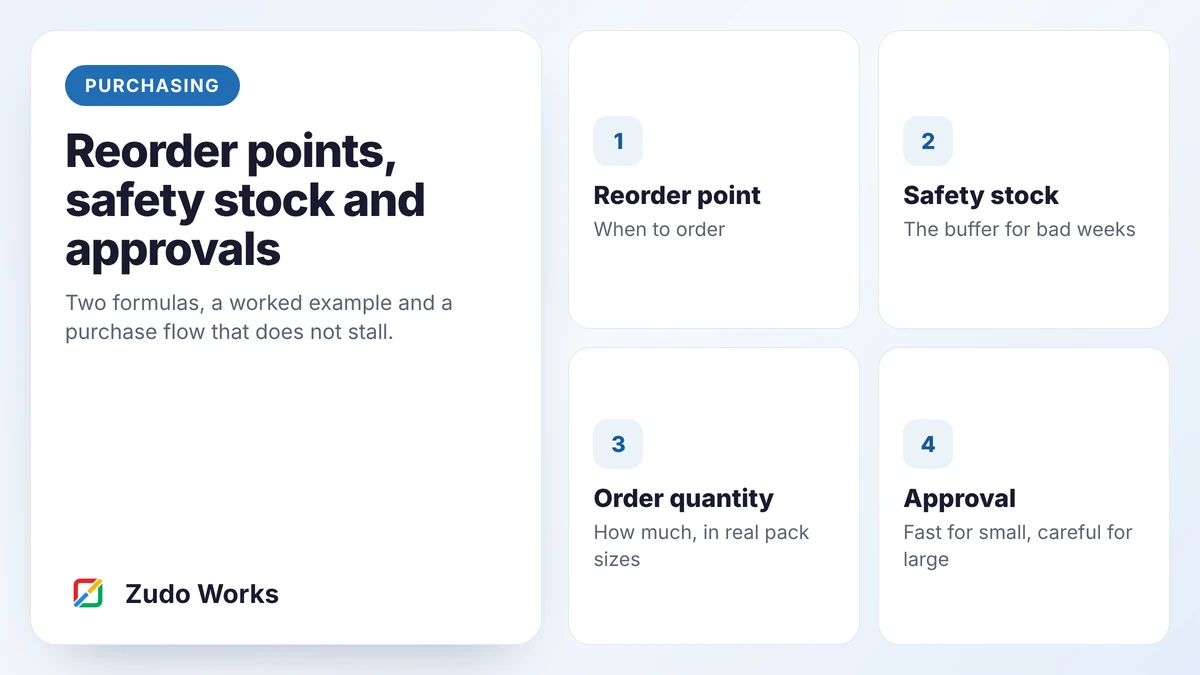
Set each item’s reorder point to average daily use multiplied by supplier lead time, plus safety stock. Size safety stock from your worst recent demand and lead time. Round order quantities to supplier pack sizes, approve purchase orders in bands by value, and review the figures every quarter. None of it works unless stock records are accurate.
Ask a storeman how he knows when to order something and the usual answer is “when it looks low”. That works while one experienced person does all the buying and never takes a holiday. It stops working the week they do.
This guide covers the two formulas you need, how to turn them into real orders, and how to approve those orders without creating a queue.
One condition before you start
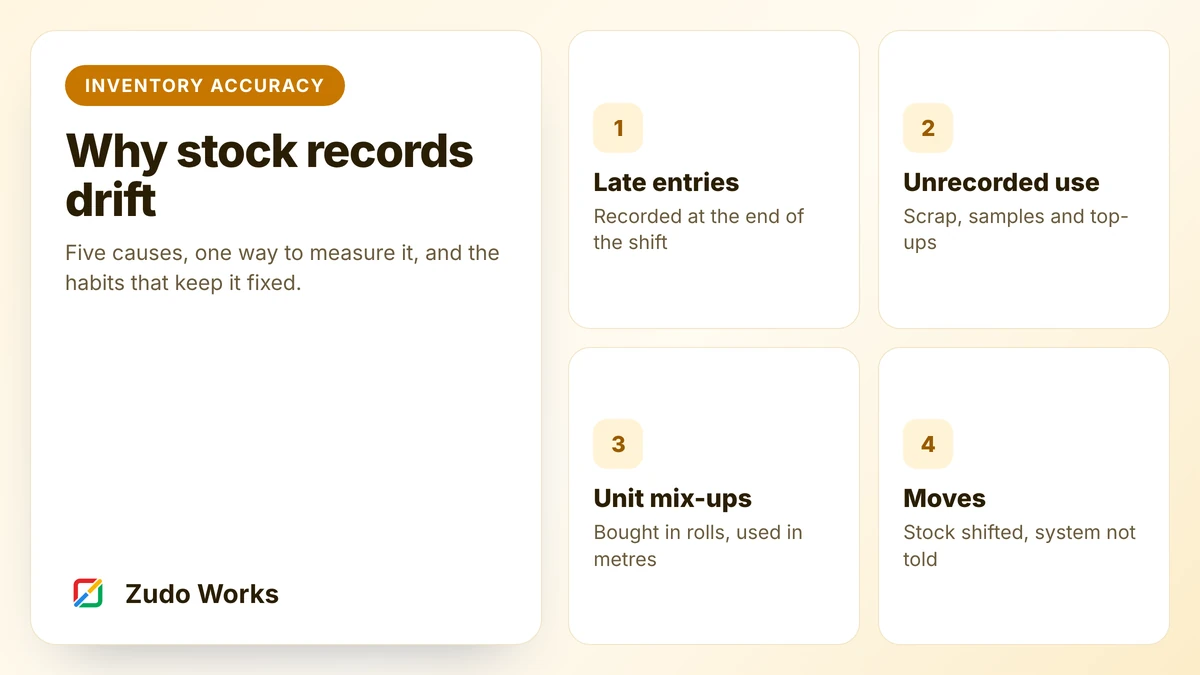
Reorder points compare a level with the stock the system believes you have. If the system is wrong, the alert is wrong. Before setting anything up, measure your record accuracy as described in our inventory accuracy guide. If it is poor, fix that first, at least for the items you plan to automate.
The reorder point
The reorder point is the stock level at which you place an order. It has to cover what you will use while you wait for the delivery, plus a buffer.
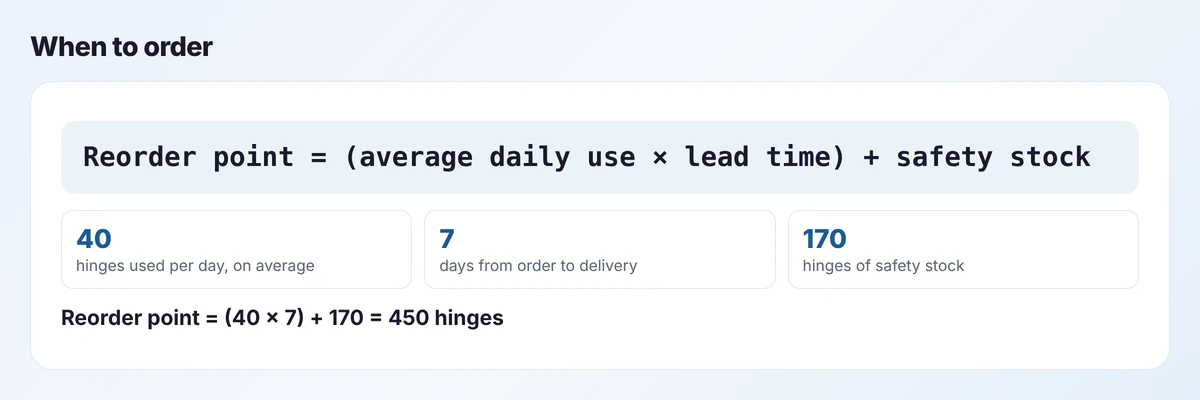
Two inputs deserve attention:
- Average daily use. Take it from actual issues over the last three months, not from memory. Use working days.
- Lead time. Measure it from the day you place the order to the day stock is on the shelf and usable, including your own receiving and inspection time. Use what suppliers actually achieve, not what the quote said.
Safety stock
Safety stock covers the weeks that are not average: a busy fortnight, a late delivery, or both together. There are statistical methods for sizing it. For a small manufacturer starting out, this simple one is easier to explain and to check.
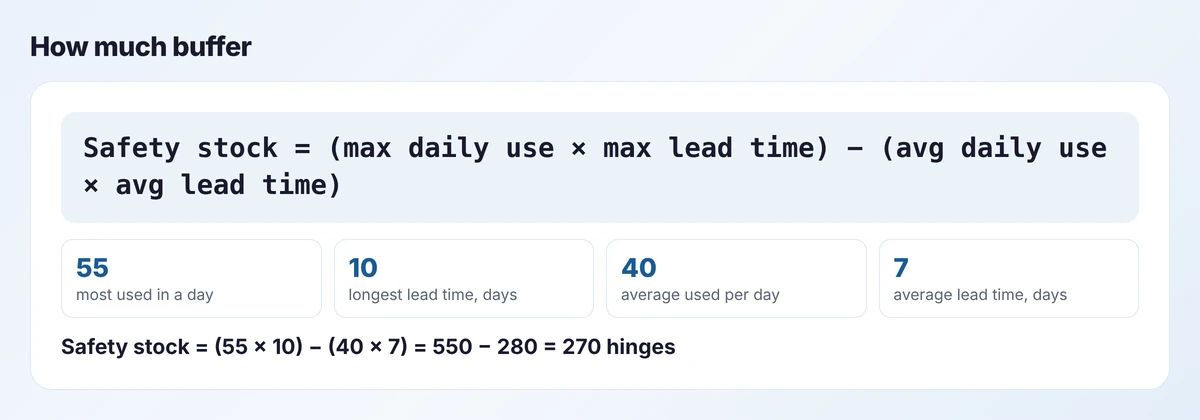
It asks: if we had our busiest days during our slowest delivery, how much more would we need than in a normal cycle? The result is cautious. Treat it as a starting point, and reduce it item by item once you have a few months of reliable data.
Do not hold safety stock evenly. Give more to items that are cheap, slow to arrive and able to stop a job. Give little or none to expensive items you buy per order.
How much to order
The formulas say when. How much is a practical decision:
- Supplier minimums and pack sizes. If hinges come in boxes of 500, you order in 500s.
- Price breaks, weighed against the cash and space the extra stock ties up.
- Shelf life. Never order more of a perishable material than you will use inside its life.
- Delivery cost. Combining items from one supplier into a weekly order is often cheaper than ordering each as it triggers.
A workable default is a quantity that covers three to four weeks of average use, rounded up to a pack size. Adjust from there.
Where reorder points do not fit
Reorder points assume steady use. They are the wrong tool for:
- Job-specific materials. A special veneer for one project should be bought against that job.
- Strongly seasonal items. A fixed level is too high for half the year and too low for the rest. Review them before each season.
- Items with long, lumpy demand. If you use 200 once a quarter, the average says three a day and the average is misleading.
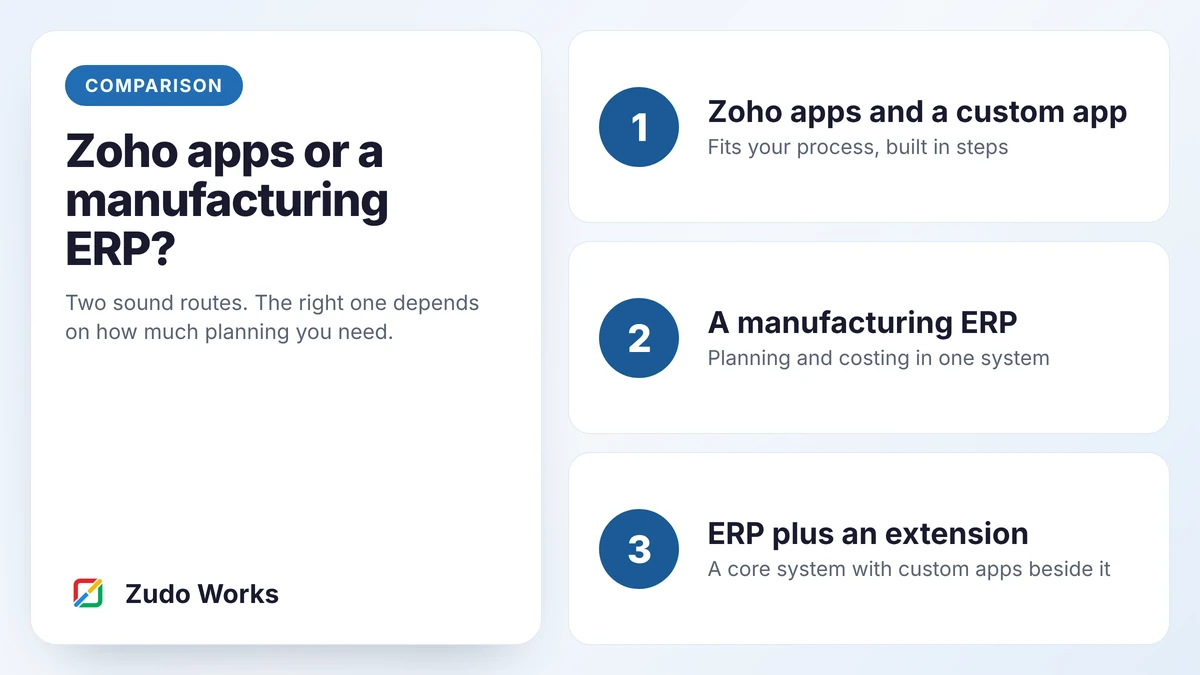
If most of your materials look like the last two, you may need requirements planning rather than reorder points. Our comparison of Zoho apps and a manufacturing ERP explains the difference.
The purchase flow
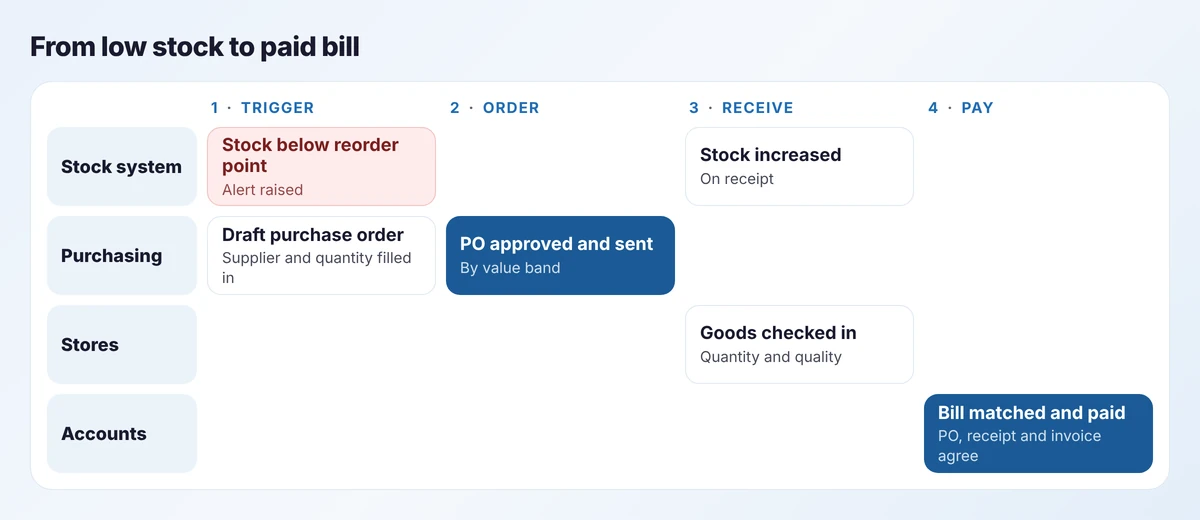
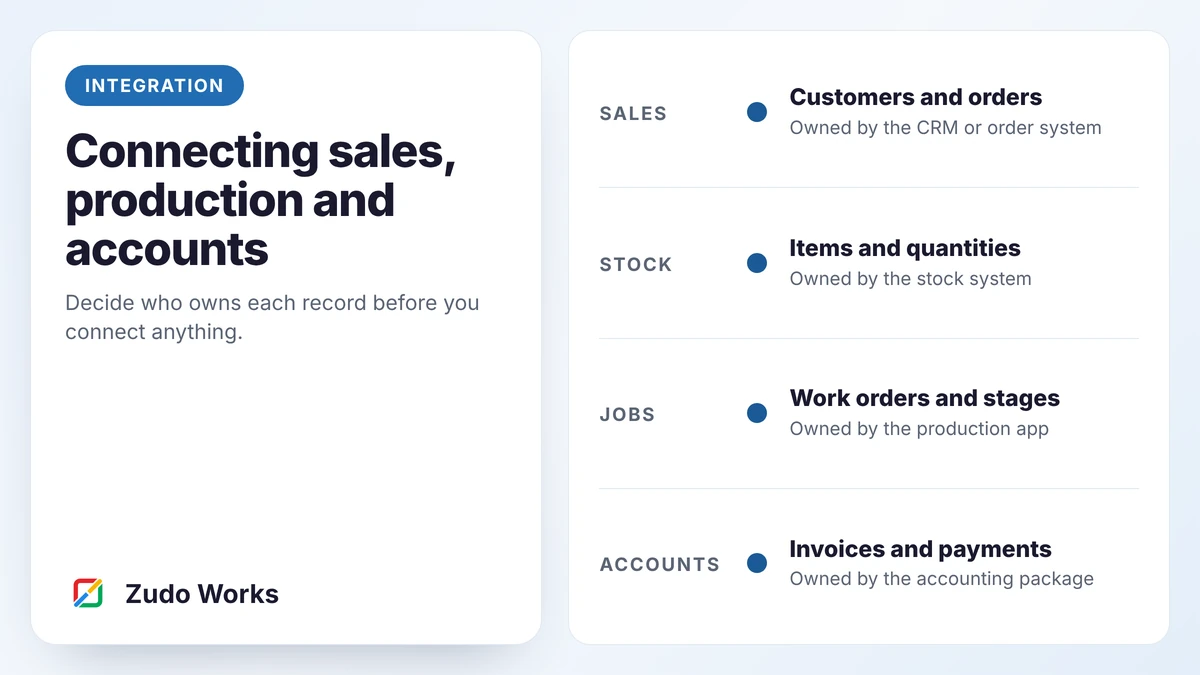
Four roles touch a purchase, and the delays are in the handovers. The aim is that each handover is a status change in one system, not an email.
Three controls are worth their cost:
- A purchase order for everything. Even small orders. Without one, nobody can match the invoice.
- Receiving against the order. Stores record what actually arrived, and short deliveries are visible the same day.
- Three-way match before payment. The order, the receipt and the supplier’s invoice agree on quantity and price. Differences go to the buyer, not straight to payment.
Approvals that do not stall
Approval steps are where good purchasing set-ups go to die. A manager who must approve every box of screws will either become a bottleneck or approve without looking.
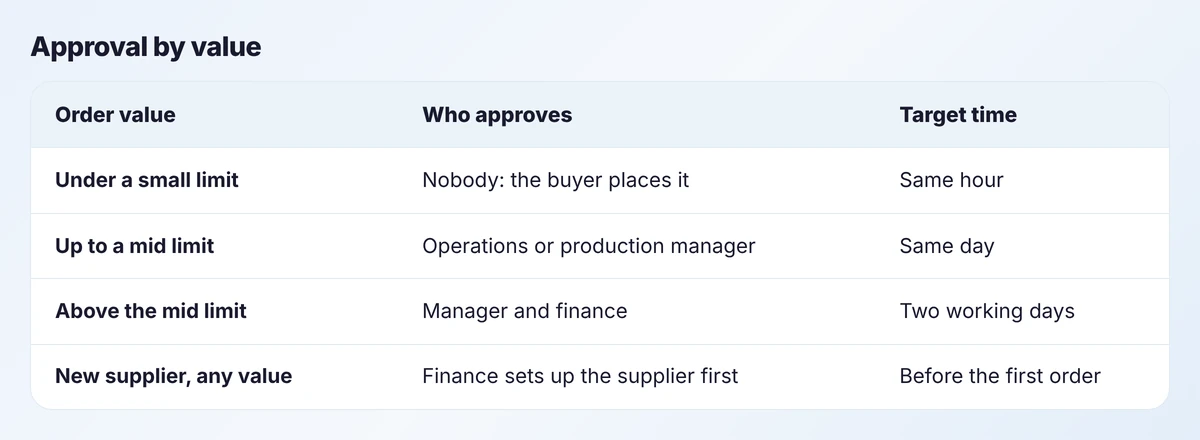
Set bands by value, and let routine reorders of approved items from approved suppliers skip approval below a limit. Send approval requests to a phone, show the approver the stock level and the last price paid, and escalate automatically if nothing happens within the target time.
Setting it up
Most stock systems support the basics. Zoho Inventory, for example, has reorder points that remind you when stock is low, purchase orders, bills, backorders, price lists for vendors and multi-warehouse stock. What it leaves to you is the judgement: which supplier, what quantity, whether to combine orders.
Two additions make a real difference:
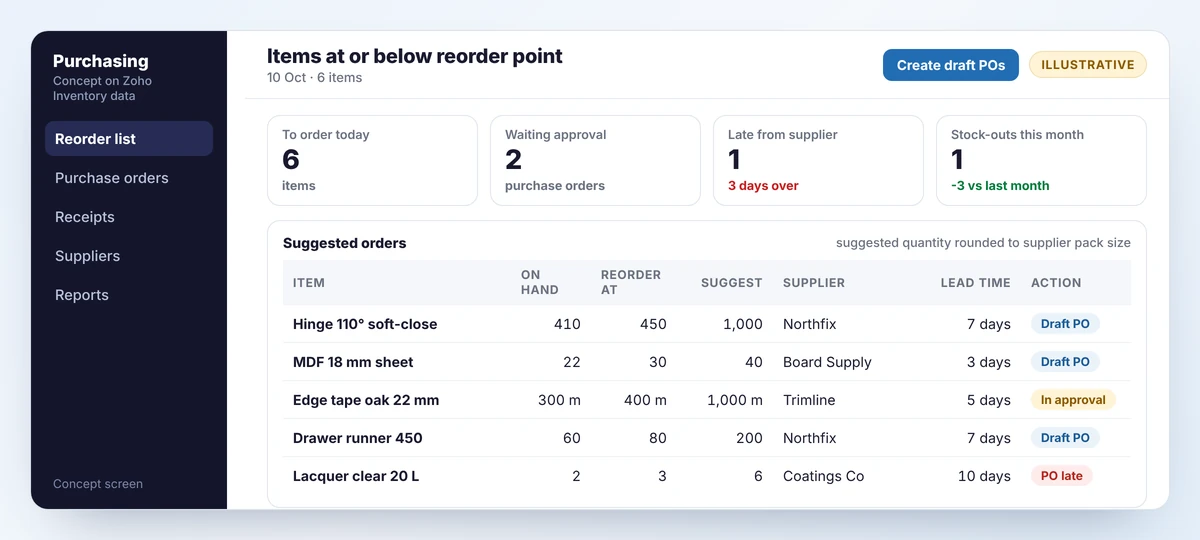
- A reorder list with suggestions, like the screen above, that rounds to pack sizes and groups by supplier. This is a report or a small app over your stock data.
- An approval workflow matched to your bands, built with the stock system’s own approvals where they are enough, or with workflow automation where they are not.
Keep a person in the loop
We do not recommend purchase orders that send themselves. The system should prepare the order and a buyer should release it. Suppliers change prices, pack sizes and lead times more often than master data gets updated.
A worked example: three items, three settings
The formulas give different answers for different kinds of item, which is the point. Take three from an example joinery.
- Soft-close hinges. Cheap, used on almost every job, seven days from a reliable supplier. Reorder point 450, order 1,000 at a time in boxes of 500. Running out stops fitting, so the buffer is generous and the cost of holding it is small.
- 18 mm MDF sheet. Bulky, used steadily, three days from a local merchant. Reorder point 30 sheets, order 40. Lead time is short and space is tight, so the buffer is small.
- Walnut veneer board. Expensive and used only on certain jobs. No reorder point at all. It is bought against each job when the order is confirmed, and the job’s start date allows for the lead time.
Sorting your items into these three groups, before calculating anything, is most of the work. The first group gets automated reminders, the second gets tight levels and frequent small orders, and the third stays with the planner.
Review every quarter
Usage changes, suppliers change, products are added and dropped. Each quarter, for your top items, check that average daily use and lead time are still right, look at every stock-out and ask whether the level or the data was wrong, and look at items that have not moved and consider reducing or removing their levels.
A first week
- List the 30 items that most often stop jobs.
- Pull three months of issues and the last five deliveries for each.
- Calculate reorder point and safety stock with the two formulas.
- Enter them, and review the alerts daily for a month before trusting them.
Frequently asked questions
Multiply average daily use by the supplier lead time in days, then add safety stock. Use actual usage from the last three months and the lead time suppliers really achieve, including your own receiving time.
A simple starting method is maximum daily use times maximum lead time, minus average daily use times average lead time. It is cautious. Reduce it item by item as your data improves, and hold more for cheap items that can stop a job.
Yes. Zoho Inventory has reorder points that remind you when stock is low, along with purchase orders, bills and backorders. Suggested quantities, grouping by supplier and approval bands usually need a report or a small workflow on top.
Create drafts automatically and let a buyer release them. Prices, pack sizes and lead times change, and a quick human check catches errors that master data does not.
Sources
Product capabilities change. We checked these pages in October 2026; confirm anything you plan around.
Related services: Zoho implementation for manufacturers · Business process automation · Zoho integrations