In short
Stock records go wrong when material moves or is used without a matching entry at that moment. Measure record accuracy by counting a sample each week, record every issue, move and scrap at the point of work with a scan, and require a reason on every adjustment. Cycle counting by ABC class then keeps it right.
A purchasing manager once described her stock system to us as “a list of what we used to have”. Everyone in the building knew it was wrong, so everyone kept their own spreadsheet, and the spreadsheets disagreed with each other as well.
This is the most common problem we are asked to fix in small and midsized manufacturers. It is rarely a software problem. It is a recording problem that software can either hide or help with.
What inaccurate stock costs you
The cost does not show up as one line in the accounts. It is spread across the business:
- Jobs that stop. The system said the part was there. It was not, and the job waits for a delivery.
- Buying what you already have. The system said the part was not there. It was, in a different rack.
- Safety stock that keeps growing. Nobody trusts the numbers, so everyone orders a bit extra.
- Planners doing stock checks. Skilled people walk the floor with a clipboard every morning.
- Costing you cannot trust. If usage is not recorded per job, job costs are guesses.
Why records drift
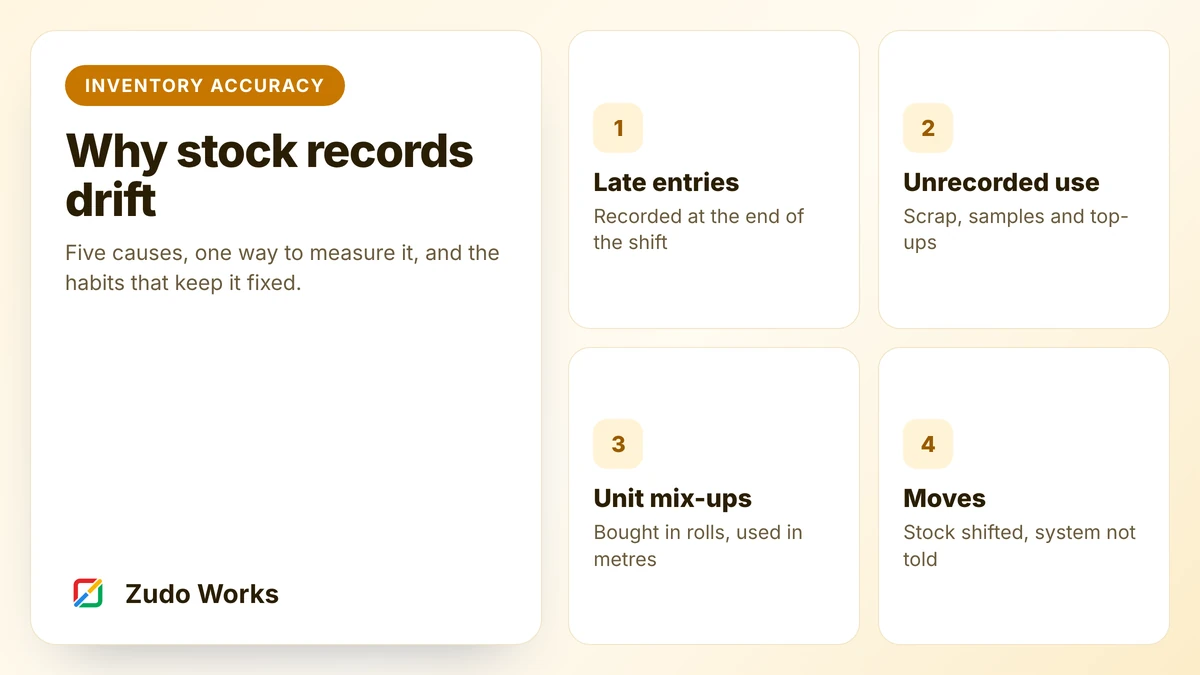
Stock is physically moved by many people, many times a day. The record only stays right if each of those movements produces an entry. When we trace errors back, they nearly always fall into four groups.
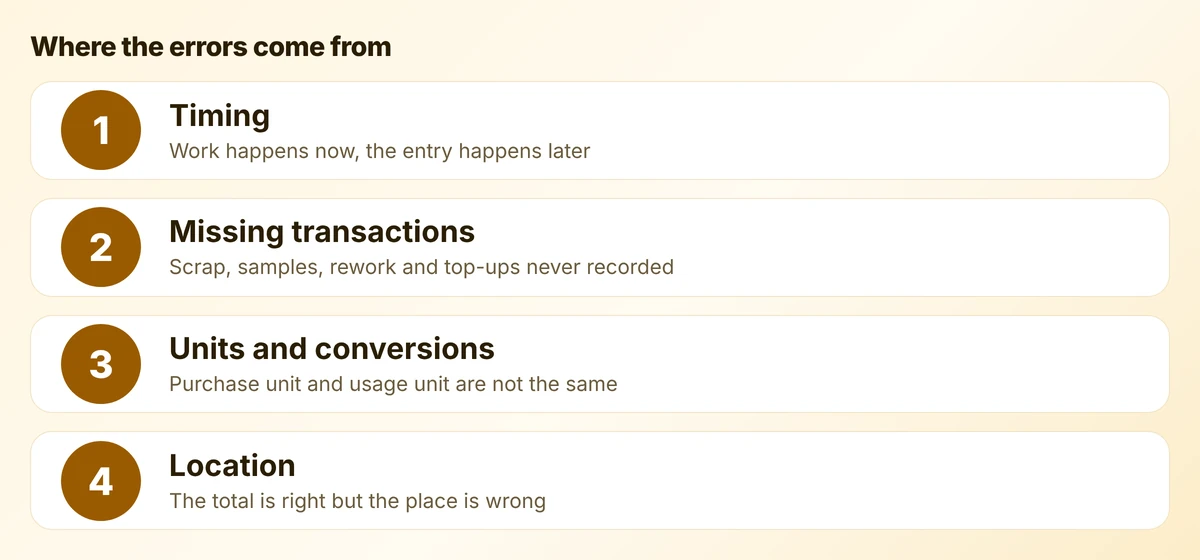
Timing
Material is issued at 8 am and entered at 5 pm, or on Friday. For those hours the system is wrong, and anything that reads it during that time, such as a reorder alert or a planner, acts on a wrong number. Batch entry also invites mistakes, because the person typing is working from memory or a paper sheet.
Missing transactions
Some movements have no form at all. Scrap goes in the bin. A sample goes to a customer. An operator tops up a job with three more brackets because two were damaged. Rework consumes extra material. None of it is theft or carelessness. There is simply nowhere quick to record it.
Units and conversions
You buy edge tape by the roll, store it by the roll and use it by the metre. If the item has one unit in the system and people enter whichever number is in front of them, the record drifts in both directions. The same happens with sheets and cut pieces, drums and litres, boxes and each.
Location
The total can be right while the record is still useless. If the system says 40 units in the main store and 30 of them are on a trolley by line 2, the picker will report a shortage.
Measure it before you fix it
You need one number to track, and it should be simple enough to work out by hand. Use record accuracy: of the stock records you counted, how many matched the system within an agreed tolerance?
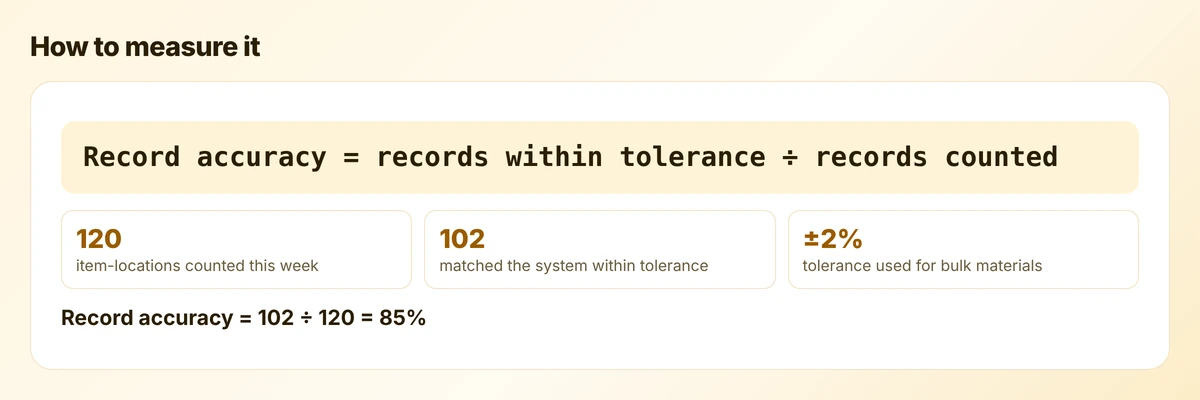
Three rules make the number honest:
- Count by item and location, not by item alone. “Hinges, bin B-04” is one record.
- Set tolerances by type. Countable parts should match exactly. Bulk materials measured by weight or length can have a small tolerance.
- Do not use stock value. A shortage of one item and a surplus of another cancel out in value and hide both errors.
Take a first measurement before changing anything. A typical first result for a factory running on spreadsheets is far lower than people expect, and that number is what gets management attention.
Fix the recording, not the count
A full stocktake corrects the numbers for a day. The causes are still there, so the errors return. The lasting fix is to make the entry part of the physical act.
- Record at the point of work. Issue, move, receive and scrap are recorded where they happen, on a phone or a fixed tablet, at that moment.
- Scan, do not type. A barcode on the bin and on the item removes most keying errors. Labels cost very little compared with one stopped job.
- One stock unit per item. Choose the unit you use on the floor. Convert on purchase, once, with a fixed factor held in the system.
- Name every location. Racks, bins, trolleys, the quarantine cage and “at subcontractor” are all locations.
- Give scrap and rework a button. If recording scrap takes ten seconds, it gets recorded.
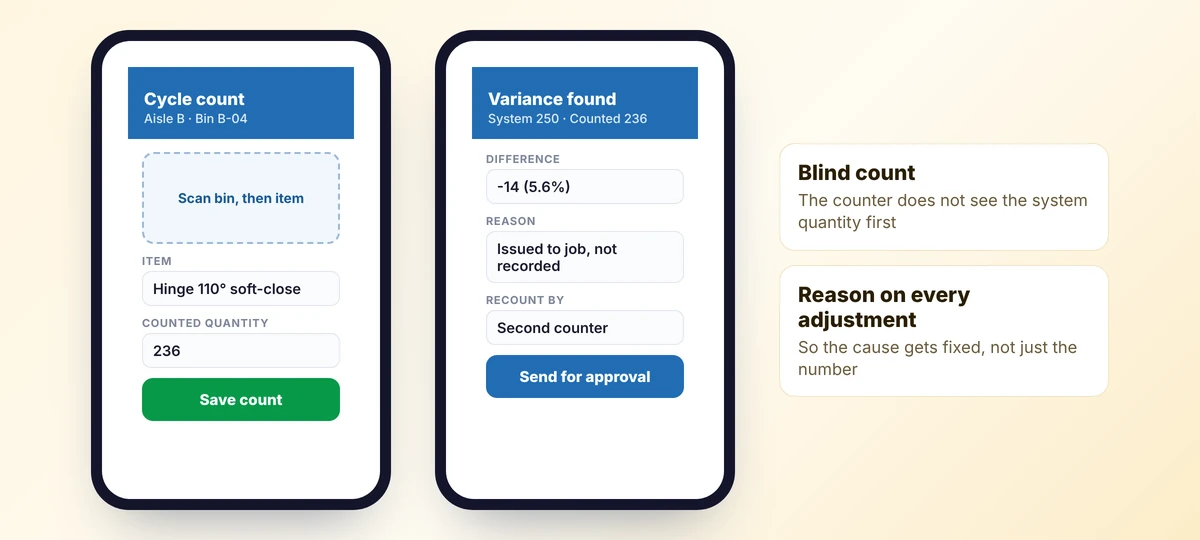
- Require a reason on every adjustment. Without a reason you correct the number and learn nothing.
A rule that works
Whoever moves it, records it. Do not create a stock clerk whose job is to enter other people’s movements later. That rebuilds the timing problem.
Then count a little, every week
Once recording is under control, counting is a check on the process, not a repair job. Cycle counting means counting a small set of records every week so that each one is counted on a schedule.
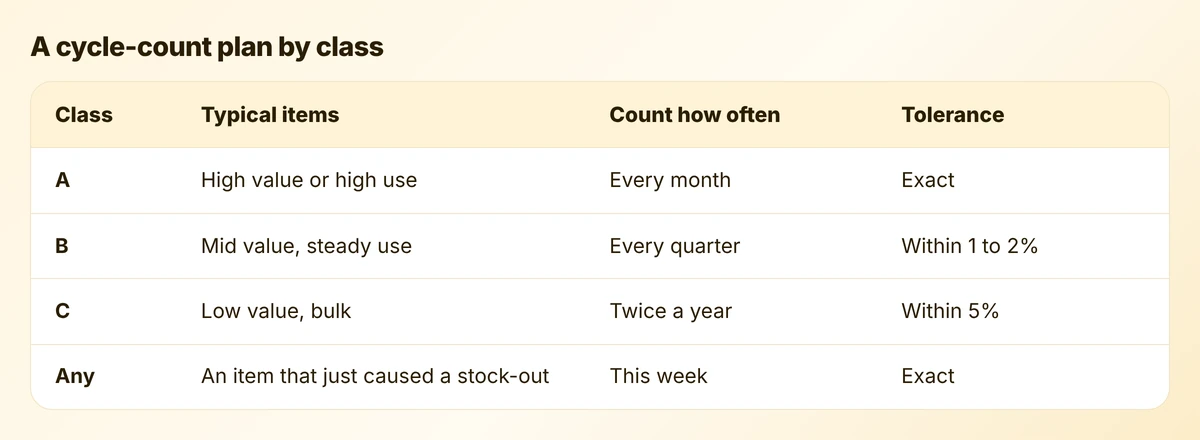
Class the items by how much a wrong record would hurt: value, usage and how often they stop a job. Then:
- Count blind. The counter should not see the system quantity until they have entered their own.
- Recount before adjusting. A second person recounts any variance outside tolerance.
- Find the cause that week. While people still remember what happened.
- Count at a quiet point. Before the shift starts, or with movements for that bin paused.
Where this lives in the system
You do not need a large ERP to do this well. For many small manufacturers the stock record sits in Zoho Inventory, which provides multi-warehouse stock, serial and batch tracking, barcode generation and scanning, reorder points and inventory adjustments. Zoho’s own knowledge base is clear that Inventory does not include a manufacturing module, so production issues and scrap usually need something more.
That is where a small custom app helps. On Zoho Creator we build the screens operators actually use: issue to job, move, scrap, count. Creator forms can scan QR codes and barcodes on phones and tablets, and the app writes the result to the stock system through its API. Reporting sits on top in Zoho Analytics.
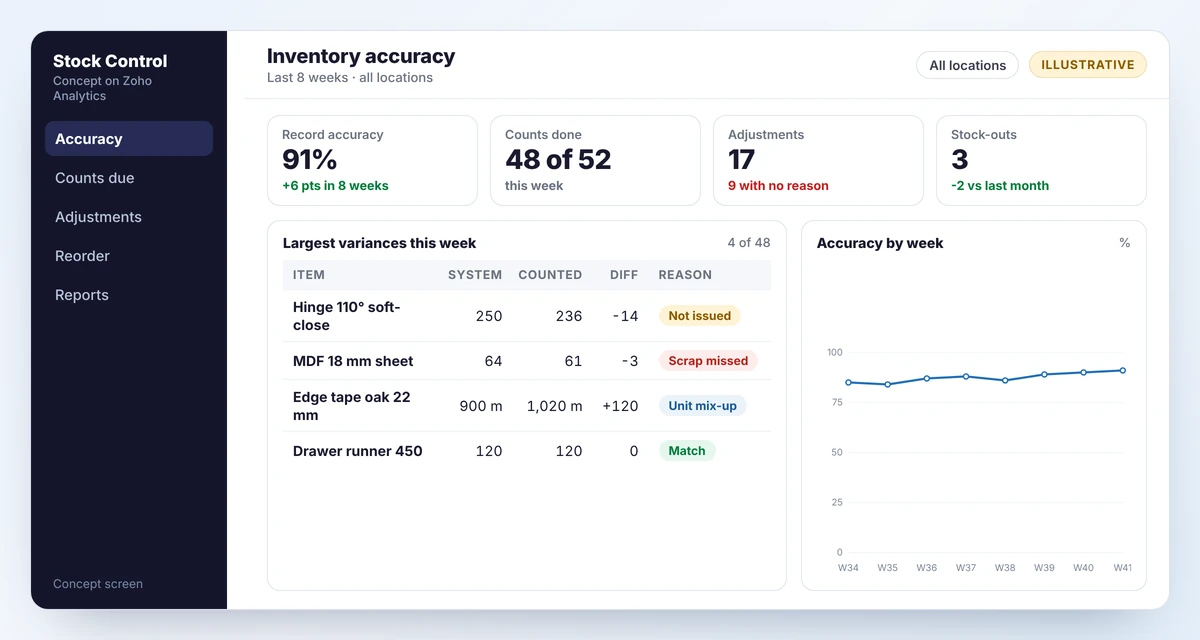
If you already run an ERP or an accounting package with stock, the same design applies. Keep that system as the record, and put a fast, scan-based screen in front of it. Our guide to connecting sales, production and accounts covers the integration patterns.
Mistakes we see
- Buying scanners before fixing the process. Scanning a wrong process gives you wrong data faster.
- Too many locations on day one. Start with zones. Add bins where pick errors actually happen.
- Adjusting without a reason code. The count gets fixed and the cause survives.
- Backflushing against a wrong bill of materials. If the BOM says 4 and the job uses 5, every completed unit makes the record worse.
- Treating it as a one-off project. Accuracy is a weekly routine with an owner.
A 30-day start
- Week 1: count 100 item-locations and work out record accuracy. Write down the reasons for each variance.
- Week 2: pick the largest cause. Design the one screen that would have captured it.
- Week 3: label the affected locations and items. Trial the screen in one area.
- Week 4: start weekly cycle counts for class A items and publish the accuracy number where everyone can see it.
If stock accuracy is blocking a bigger project, such as production tracking or automatic reordering, fix it first. Both depend on it.
Frequently asked questions
Aim for the high nineties on the items that can stop production, measured by item and location. What matters more than the target is the trend and knowing the reason for each variance.
Not dedicated scanners. A phone or tablet camera reading a printed label is enough to start. The gain comes from recording the movement at the moment it happens, with less typing.
Do a sample count first to measure accuracy and find causes. A full stocktake is worth doing once the recording process has been fixed, otherwise the corrected numbers drift again within weeks.
It handles raw materials and finished goods well, with batches, serial numbers and multiple warehouses. It has no manufacturing module, so issues to jobs, scrap and work in progress usually need a custom app or a separate manufacturing system alongside it.
Sources
Product capabilities change. We checked these pages in October 2026; confirm anything you plan around.
Related services: Zoho implementation for manufacturers · Zoho Creator development · Zoho integrations