Solution blueprint. A design for a typical business of this kind, showing how we would solve the problem. Screens are concept designs with example data, and expected benefits are stated as directions.
01Executive summary
This reference implementation describes how our team would give a mid-sized bakery working traceability: the ability to follow any ingredient lot forward to the customers who received it, and any finished pack back to its inputs.
The design puts a lot label on everything at goods in, scans lots into each batch at mixing, and scans pallets to orders at dispatch. A batch app on Zoho Creator holds those links and sits beside a stock system that owns quantities and expiry dates. Success is defined by a timed mock recall, run in both directions.
02Business context
The business in this blueprint is a bakery of about 40 people making packaged biscuits and slices for cafes, grocers and distributors. It runs two lines, makes eight to twelve batches a day and receives around fifteen deliveries a week.
It has a food safety plan and is audited by its larger customers. Records are kept on paper batch sheets, filed by date. Stock is counted weekly on a spreadsheet.
03Operational challenges
- A trace takes most of a day. Someone reads through folders of batch sheets, and the result is not always certain.
- Blank and illegible lot numbers. A long code written by hand at 5 a.m. is often wrong.
- Lots get mixed. A part-used bag is tipped into a bin that already holds another lot.
- Holds are informal. “Do not use that pallet” is a note or a conversation.
- Packaging is untraced. Printed film is an input, and the commonest cause of a labelling recall.
04The existing process
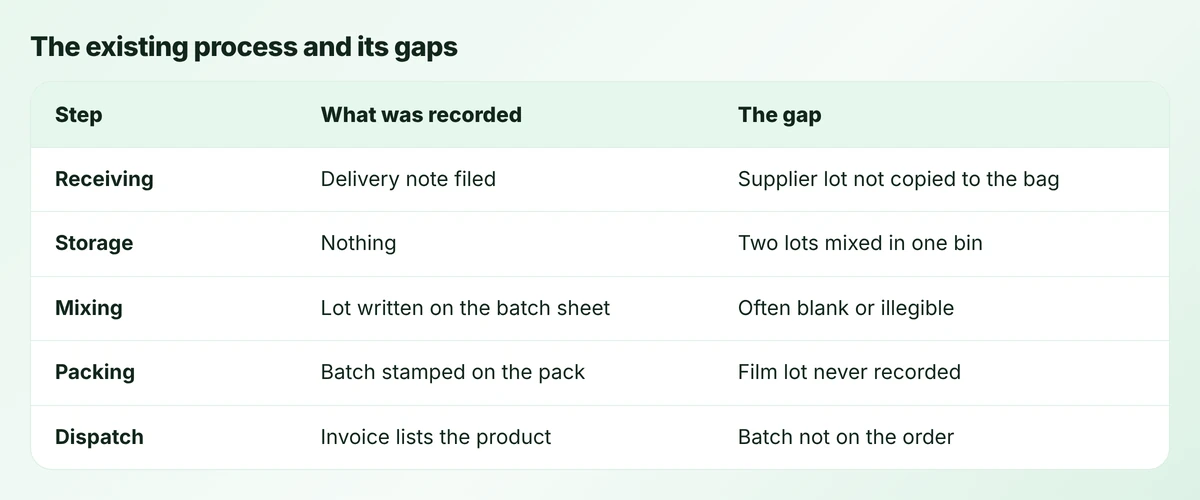
On paper the process looked complete. A delivery note was filed, the mixer wrote lot numbers on the batch sheet, the packer stamped the batch code and an invoice went out.
In practice each step kept its own record, and nothing joined them. To trace a lot, someone had to match handwriting on a batch sheet to a delivery note in another folder, then guess which orders the batch had gone to from the dates.
05Root-cause analysis
We would summarise the cause in one sentence: the business recorded documents, and traceability needs links.
- No identity at the point of use. The supplier lot number was on the delivery note, not on the bag at the mixer.
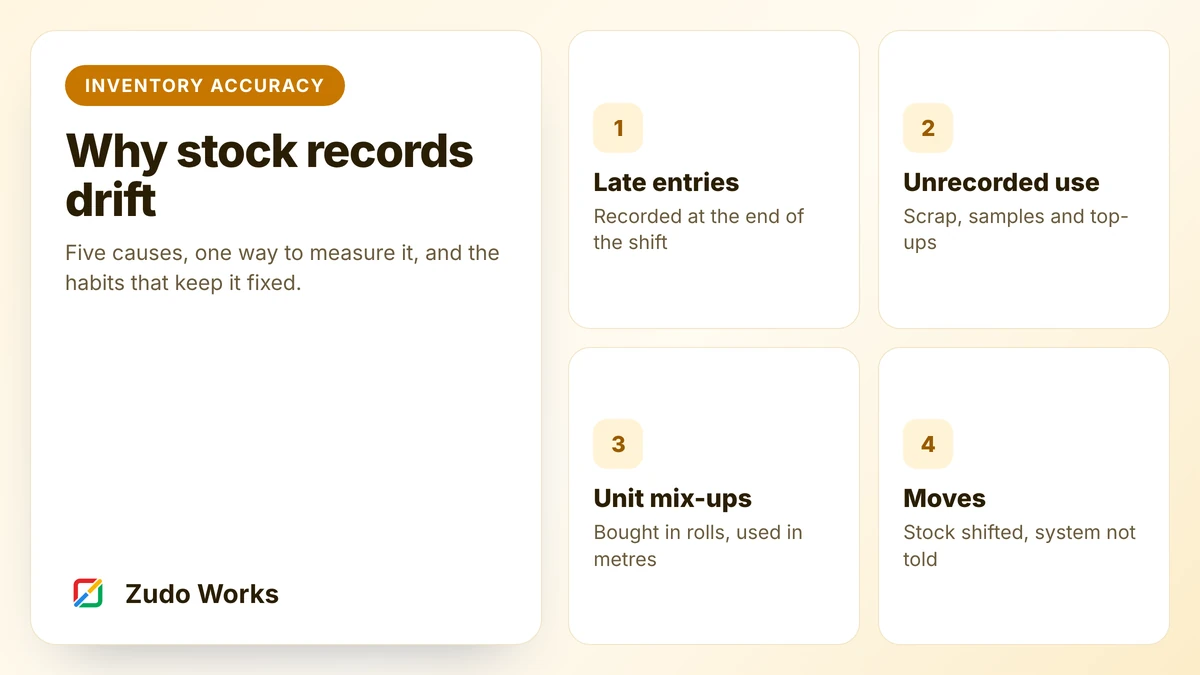
- Recording after the event. Batch sheets were often completed at the end of the run, from memory.
- The dispatch link did not exist. Orders recorded products and quantities, never batches.
- Nobody tested it. Without a timed drill, the weakness stayed hidden until it mattered.
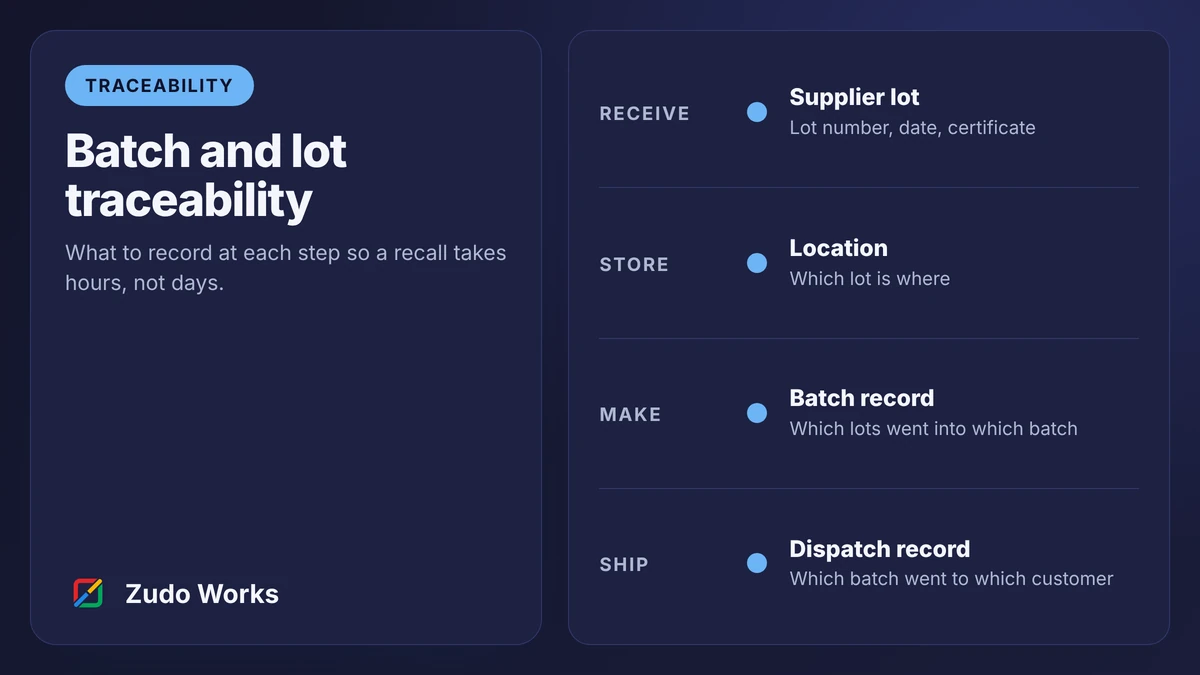
Our traceability guide explains the five recording points this analysis is based on.
06The proposed solution
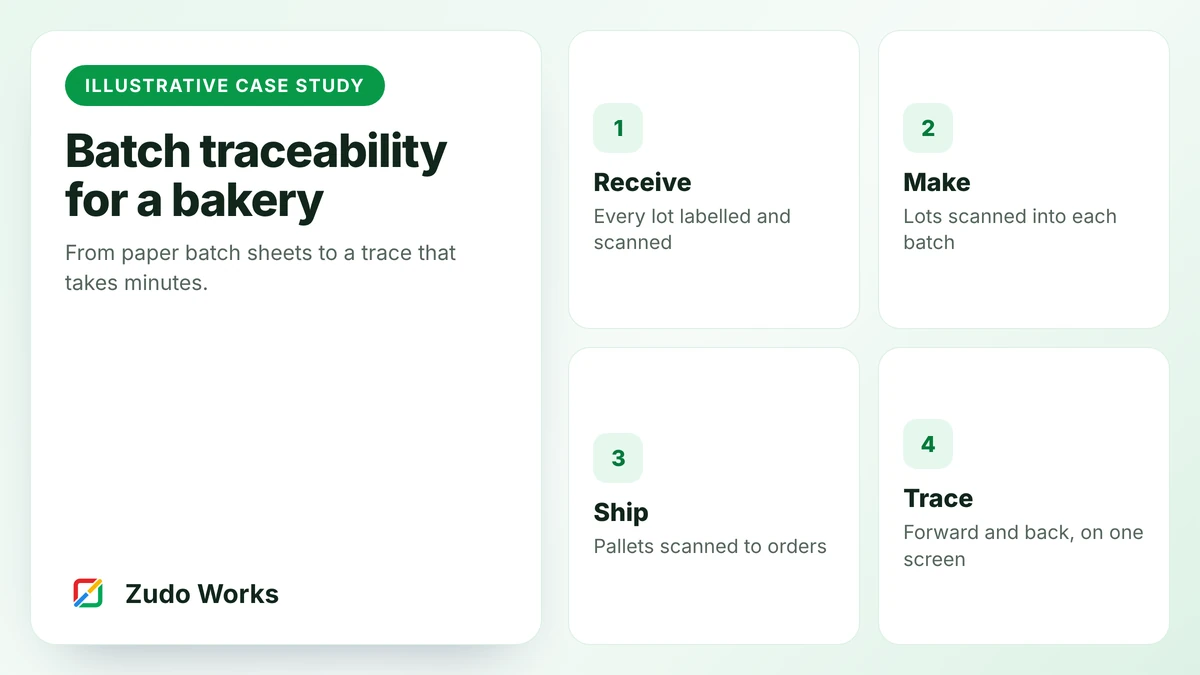
The solution is four habits, each supported by a scan.
- Label at goods in. Every delivery is received by scanning the supplier label. The app prints an internal lot label for each pallet or bag.
- Scan into the batch. At weighing, the operator scans each lot label. The batch record lists the required ingredients and will not close with one missing.
- Label the output. Finished pallets get a label with the batch number and best-before date, printed from the record.
- Scan out. Dispatch scans each pallet against the order.
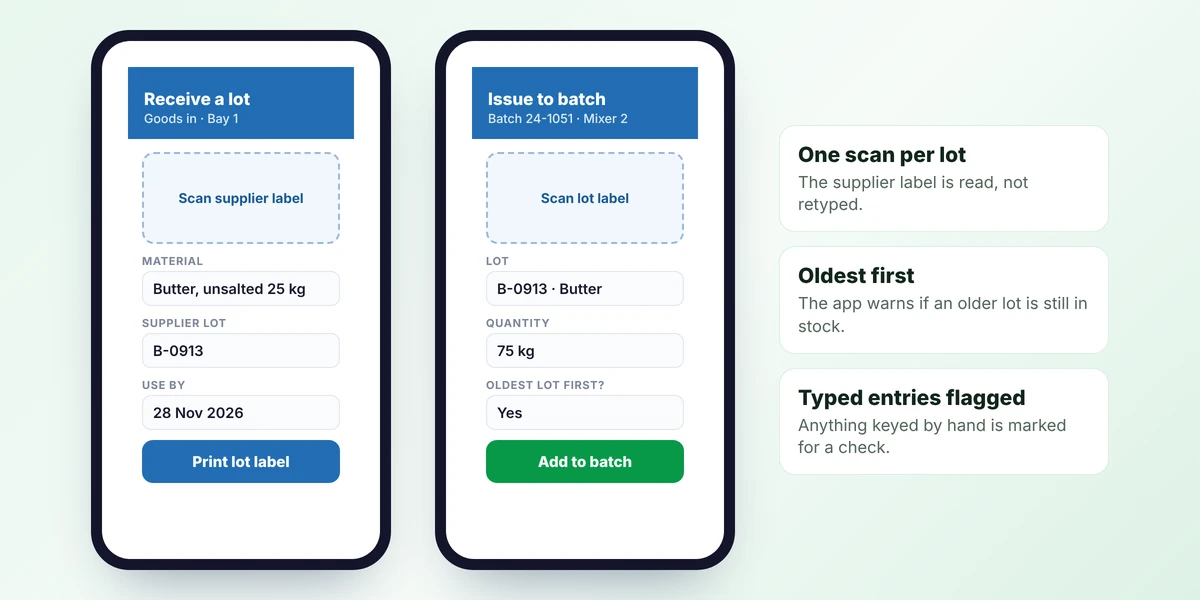
Scanning is the point. Zoho Creator forms read barcodes and QR codes on phones and tablets, so inexpensive handhelds are enough.
07Solution architecture
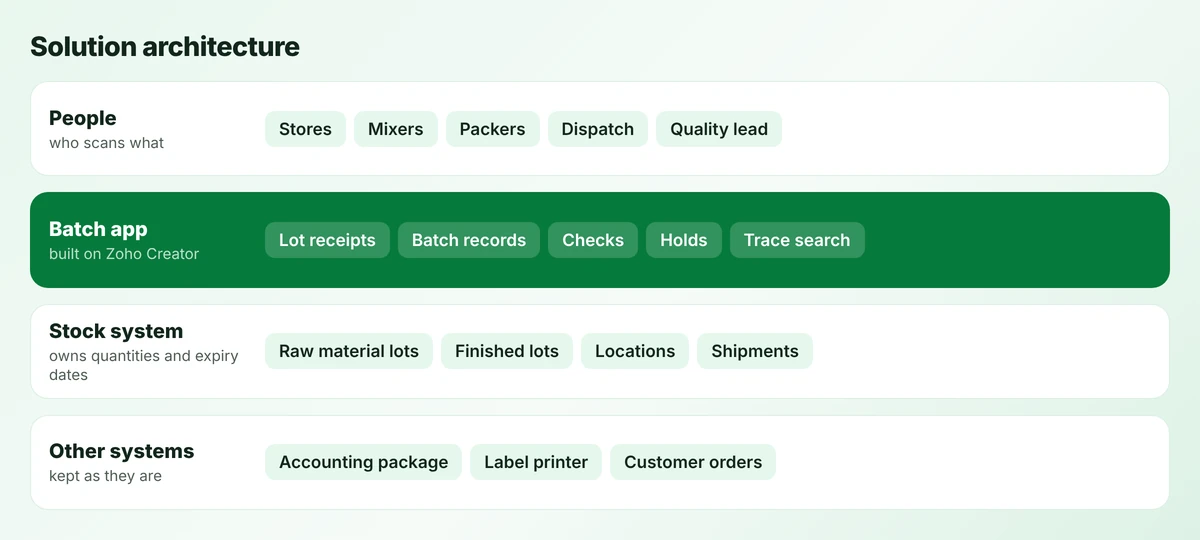
Two systems share the work. The stock system owns what the business has and where: lots, quantities, locations and expiry dates. Zoho Inventory offers batch tracking with expiry dates and multiple warehouses, which suits this role.
The batch app owns what happened in production: which lots were consumed, which checks were done, who released the batch. Zoho Inventory has no manufacturing module, so this link has to live somewhere else. The app posts consumption and output to the stock system as movements.
08The workflow, step by step
- Receive. Stores scan the supplier label on a butter delivery. The app records supplier lot, quantity and use-by date, and prints lot labels.
- Store. Each pallet is scanned into a location.
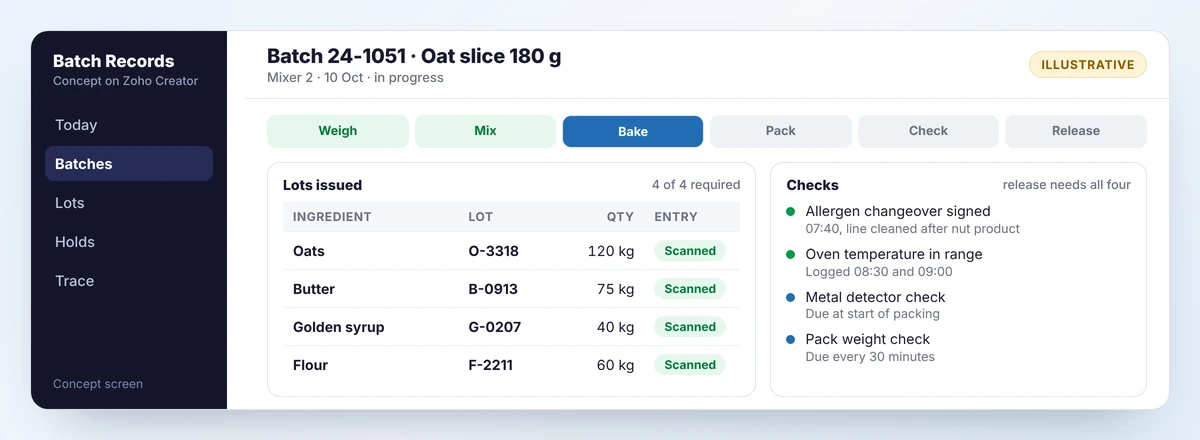
- Start a batch. The mixer selects the product. The app issues batch number 24-1051 and lists the ingredients needed.
- Issue. Each lot is scanned as it is weighed. The app warns if an older lot of the same material is still in stock.
- Check. Allergen changeover, oven temperature, metal detection and pack weights are recorded against the batch.
- Pack and label. Pallet labels are printed with batch and best-before date. Rejected packs are recorded.
- Release. The quality lead releases the batch once all lots and checks are present.
- Dispatch. Pallets are scanned to orders.
09Before and after
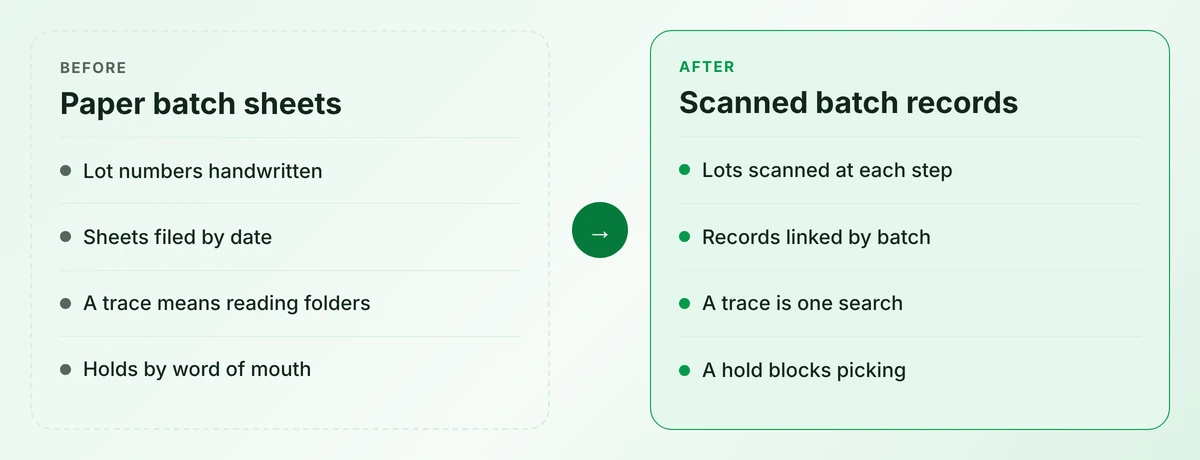
The work on the floor changes little. People still weigh, mix, bake and pack. What changes is that each link is made by a scan at the moment it happens, and stored where it can be searched.
10Implementation stages
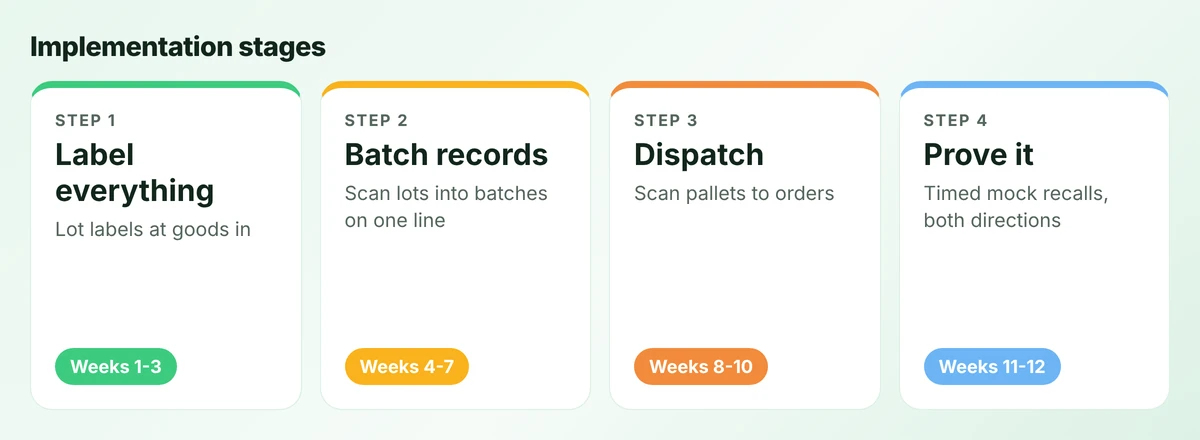
The order matters. Batch records are worthless if the lots arriving at the mixer have no labels, so labelling comes first. Dispatch comes third because it needs finished-lot labels, which the batch record prints.
Each stage runs on one line for a week before it is extended. The final stage is not a build at all. It is two timed drills, one forward and one backward, repeated until the team is satisfied.
11Integrations and data flow
- Batch app to stock system: lots consumed and finished lots produced, as stock movements.
- Stock system to batch app: lots on hand by location, so the app can check oldest-first.
- Batch app to label printer: lot and pallet labels.
- Orders to batch app: open orders for dispatch scanning.
The accounting package is untouched. Our integration guide covers the ownership rules behind this list.
12Security, validation and exceptions
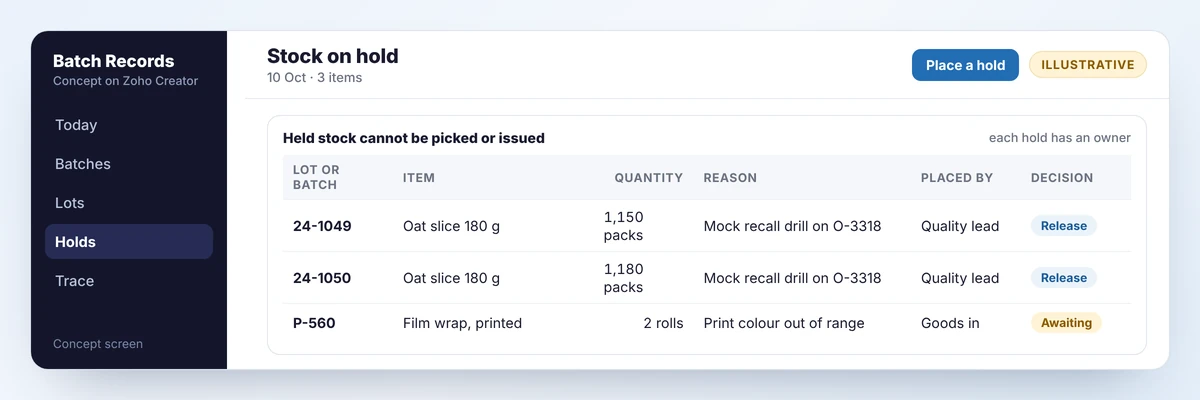
- Holds. Placing a hold changes stock status, so held product cannot be picked or issued.
- Release control. Only the quality role can release a batch, and only when it is complete.
- Typed entries flagged. A lot number keyed by hand is marked for a second check.
- Rework. Product reworked into another batch is issued like an ingredient, so its history follows it.
- Audit trail. Every scan records the user, device and time. Records cannot be edited after release without a logged reason.
- If the system is down. A paper batch sheet with the same fields is kept at each line and entered afterwards.
13Expected benefits and limitations
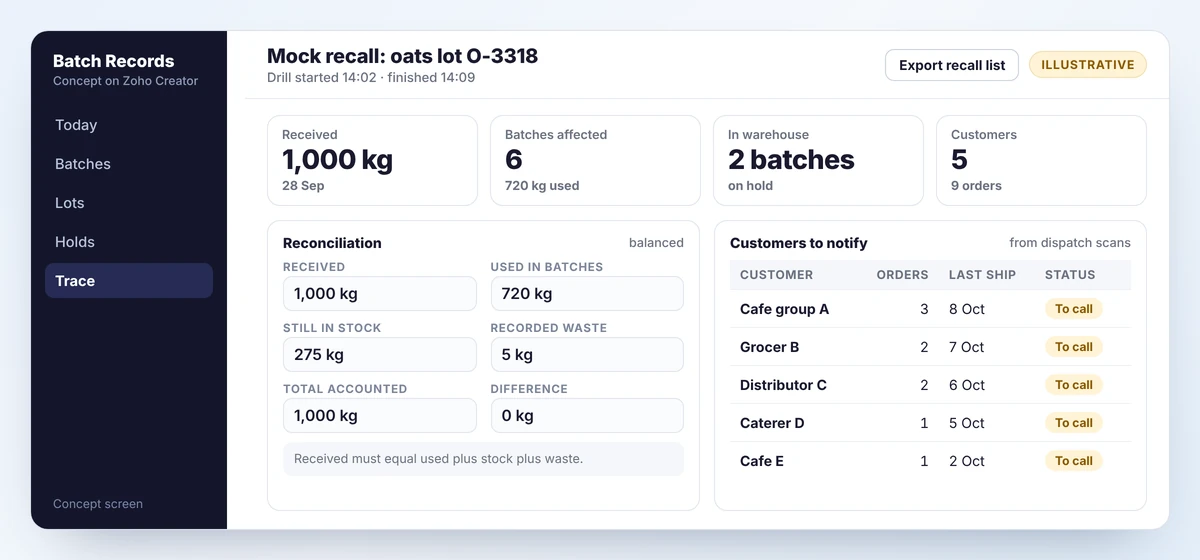
Expected benefits, as directions: a trace becomes a search, the scope of any recall becomes narrower because it can be limited to the batches affected, lot numbers stop being transcribed by hand, and audits become a matter of showing a screen.
Limitations:
- It records what people scan. A lot tipped in without a scan is invisible.
- It does not plan production or purchasing. A bakery that needs requirements planning should consider an ERP or MRP system with batch control.
- It supports a food safety plan and does not replace one. Regulatory requirements differ by country and product, and should be checked with a qualified adviser.
- Bulk materials stored in silos need a rule for how lots are treated when they mix.
14Where it could go next
- Supplier certificates read automatically at goods in, as described in our guide to AI for small manufacturers.
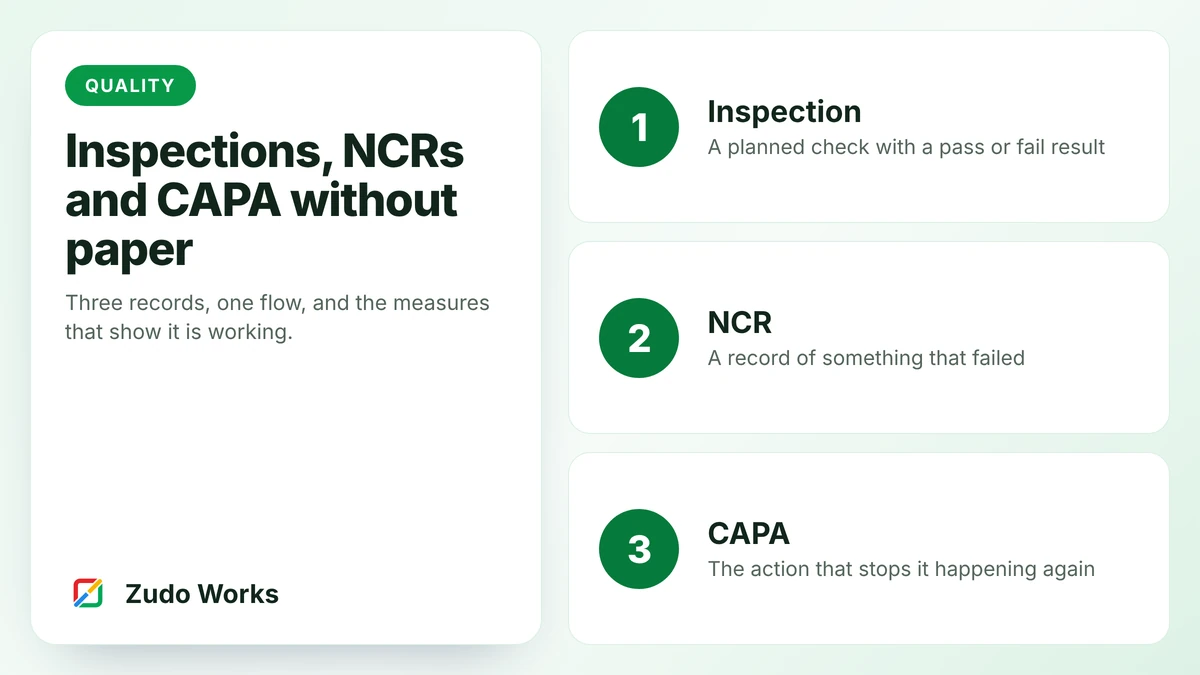
- Digital quality records, linking nonconformances to batches. See the NCR and CAPA guide.
- Yield reporting by product and line, from planned and produced quantities.
- Customer notifications drafted from the recall list.
15Does this sound familiar?
If you are unsure how your own records would stand up, run a mock recall this week. Pick one ingredient lot, start a clock and find every customer who received it.
Tell us how long it took and where it stalled. We will suggest the smallest change that would shorten it. Our manufacturing workflows page shows how traceability fits with the processes around it.
QQuestions about this blueprint
A stock system tracks batches you receive and ship. Recording which input lots were consumed by which production run needs a manufacturing module or a batch record app. Zoho Inventory states that it has no manufacturing module.
A label printer at goods in and at packing, and a phone or handheld with a camera at each scanning point.
It provides the records most schemes ask for, but compliance depends on your products, markets and food safety plan. Check the requirements with a qualified adviser.
Sources
Product capabilities change. We checked these pages in October 2026; confirm anything you plan around.