In short
Choose Zoho apps with a custom production app when your process is unusual, your bills of materials are shallow and you buy materials per job or by reorder point. Choose a manufacturing ERP when you need material requirements planning across multi-level BOMs, capacity scheduling and standard costing. If you already run an ERP, keep it and add custom apps for what it handles badly.
The question usually arrives as “can Zoho run our factory?” The honest answer has three parts, because “Zoho” is several products and “run our factory” means different things in a joinery and in a bottling plant.
This guide compares two approaches, not two brands. Our article on what Zoho itself offers manufacturers covers the products in detail.
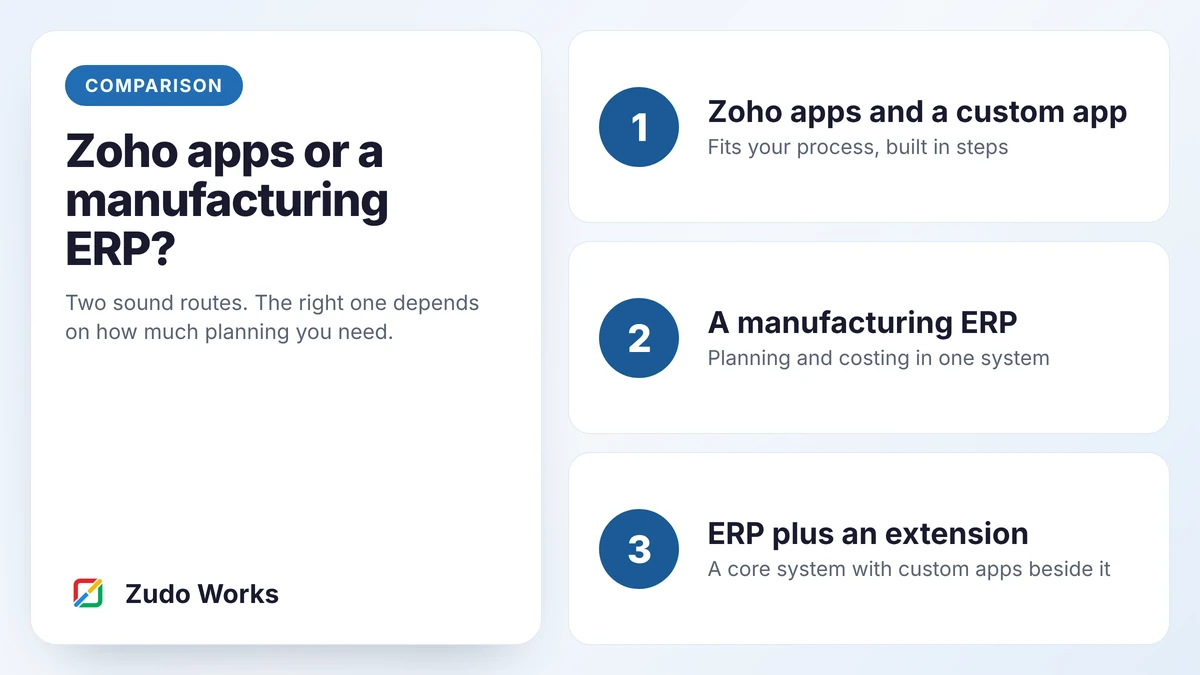
Zoho apps and a custom app
Standard apps for stock, sales and accounts, with production tracking built on Zoho Creator around your own routing. Best when the process is what makes you different.
A manufacturing ERP
One system with bills of materials, manufacturing orders, material planning and costing. Best when planning is the hard part and your process is close to standard.
The two approaches
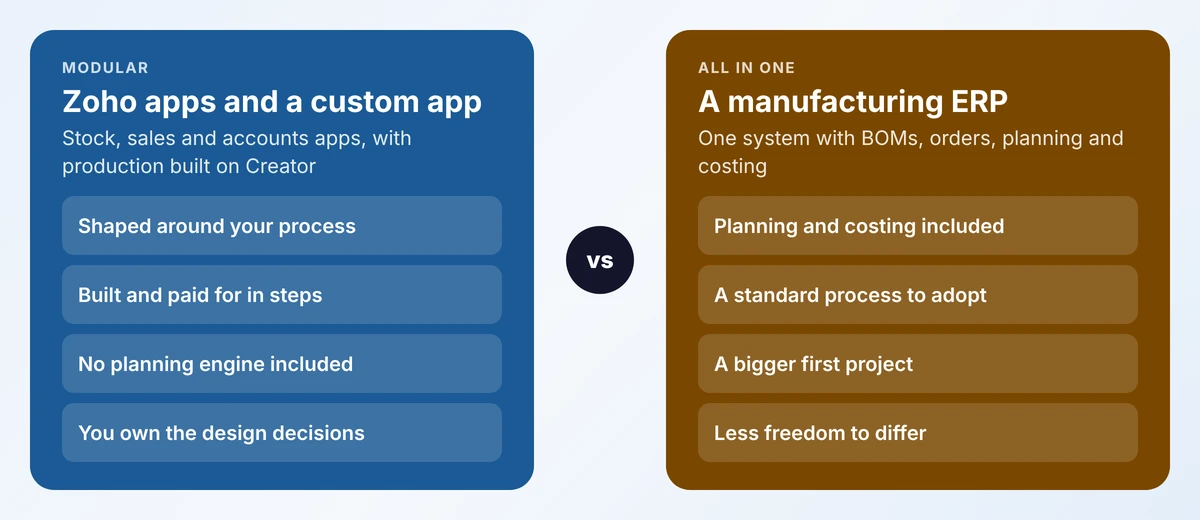
Zoho apps with a custom production app
Stock sits in Zoho Inventory, or in the stock module of your accounting package. Sales sit in Zoho CRM. Accounts sit in Zoho Books or the package you already use. Production, the part none of those cover, is built as an app on Zoho Creator: work orders, stages, scrap, holds, whatever your process needs.
The gap to be clear about: Zoho Inventory has no manufacturing module. Zoho’s knowledge base says so and suggests composite items for basic assemblies. Nothing in this route calculates what to buy and when from a forecast. You plan per job, or with reorder points.
A manufacturing ERP
Here one product holds items, multi-level bills of materials, routings, work orders, stock, purchasing and usually finance. Its planning engine can explode a sales forecast into purchase and production suggestions. There are many such systems for small manufacturers, from cloud MRP products to open-source ERPs.
Zoho has one too. Zoho ERP has manufacturing orders, job cards, work centres and quality inspections, but at the time of writing it is published for India only and is licensed separately from Zoho One.
Five questions that decide it
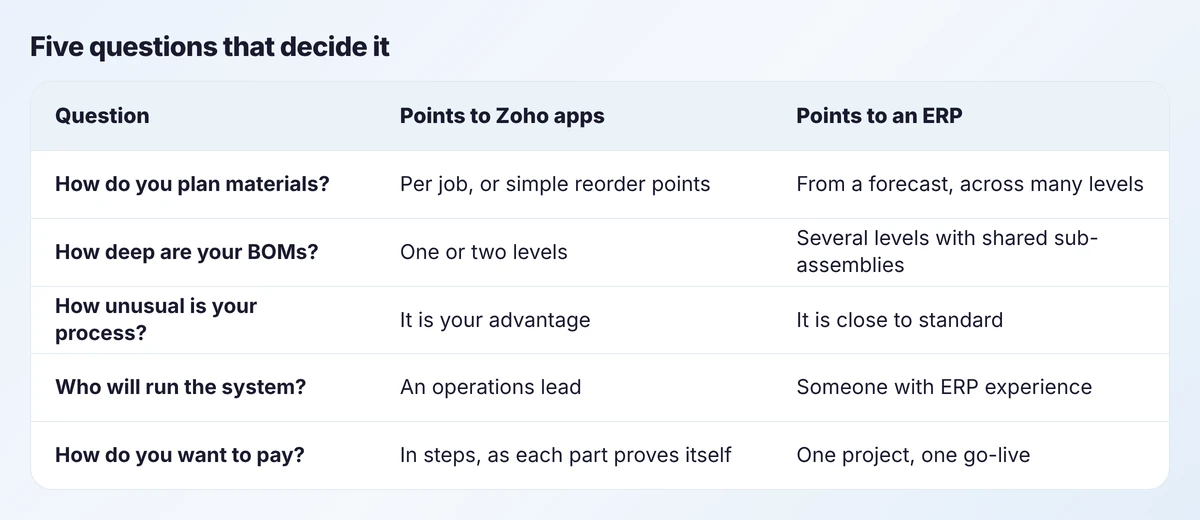
How do you plan materials?
If you buy for each job once it is confirmed, or top up common materials when they fall below a level, you do not need a planning engine. If you must work out today what to order for products you will make in six weeks, across components shared by many products, you do. That calculation is the heart of an ERP and is expensive to build yourself.
How deep are your bills of materials?
A cabinet is panels, hardware and finish: one level. A machine with sub-assemblies that are made in-house, stocked and used in several products is three or four levels. Depth multiplies the planning work.
How unusual is your process?
An ERP gives you its process. That is a benefit if yours is ordinary and a cost if yours is what customers pay for. Custom steps, such as site measures, design approvals or customer-specific tests, fit poorly into standard screens.
Who will run it?
An ERP needs an owner who understands items, BOMs, costing methods and period ends. A modular set-up asks less at the start and grows with the team.
How do you want to pay?
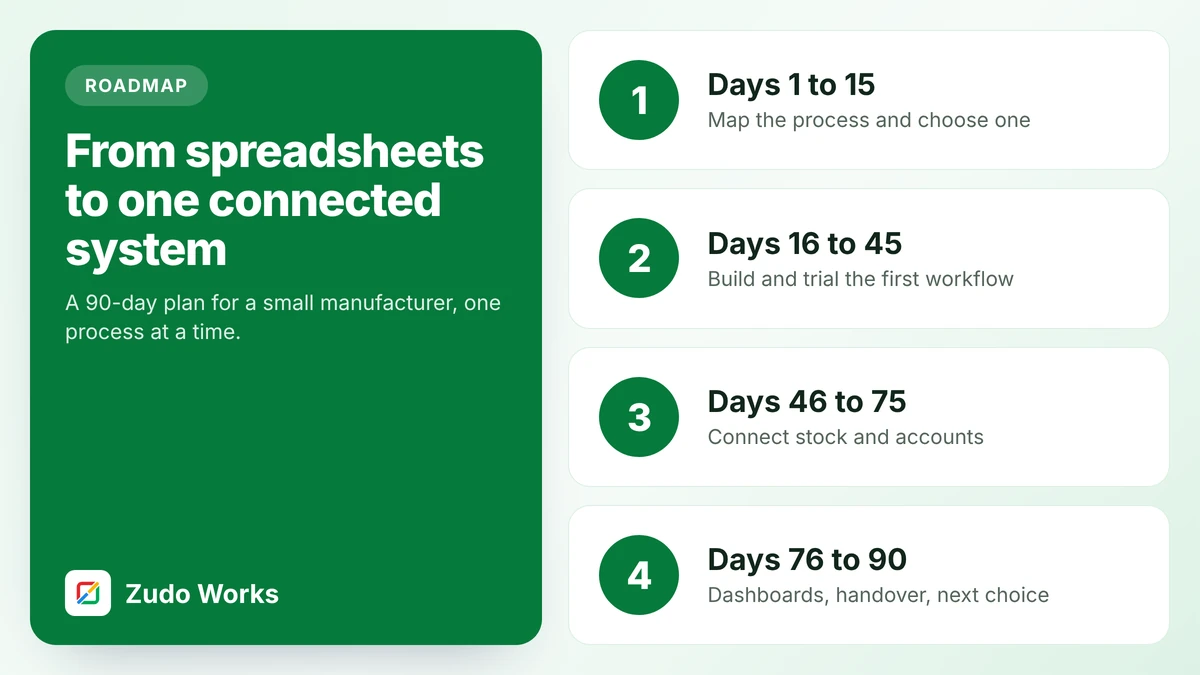
A modular route can be bought one process at a time, each paying for the next. An ERP is mostly one project with one go-live. Our 90-day roadmap describes the stepwise version.
Where you sit
Two of those questions matter more than the rest: how complex your planning is, and how unusual your process is.
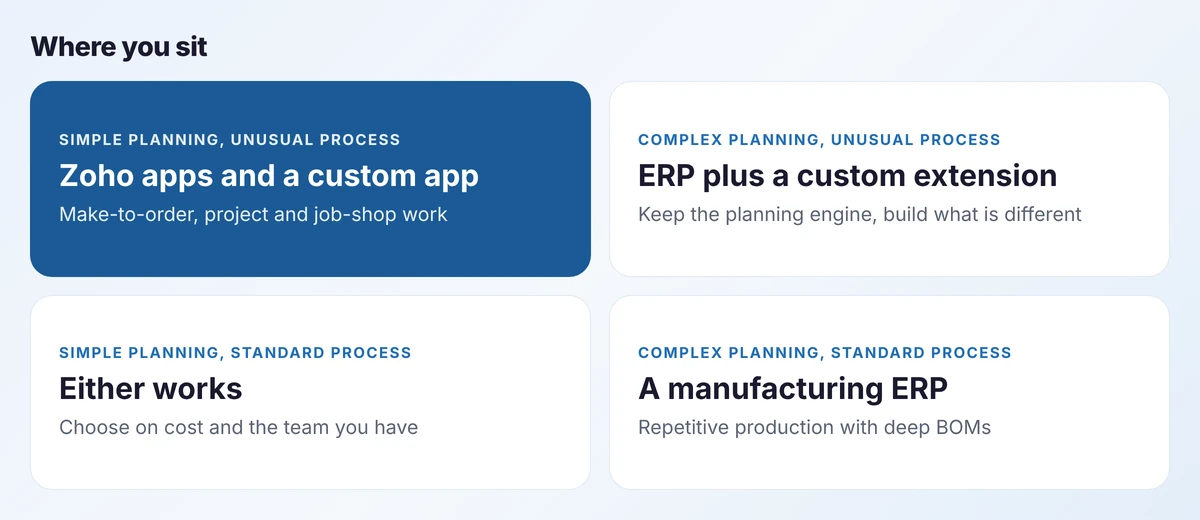
The top-right quadrant is the one people miss. A business with complex planning and an unusual process should not choose between the two approaches. It should run both.
The third route: an ERP with an extension layer
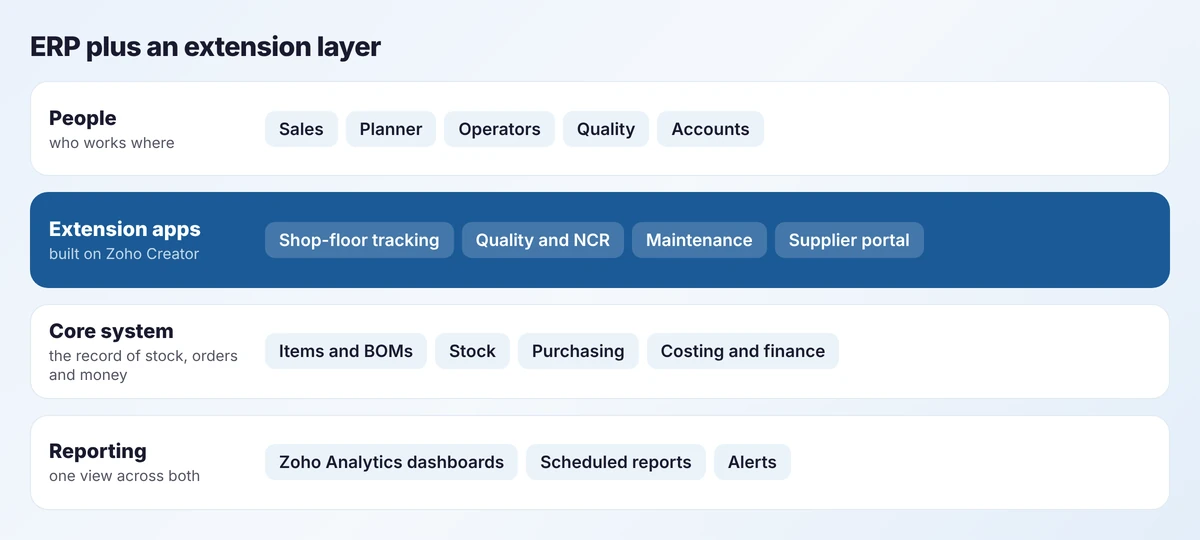
Zoho describes Creator in exactly these terms for manufacturing: an extension layer beside a core system, with that system remaining the source of records. In practice the ERP keeps items, stock, purchasing and finance. Custom apps handle shop-floor data capture, quality records, maintenance requests and supplier portals, and pass results back through the ERP’s API.
This is often the right answer for a manufacturer who already has an ERP and is unhappy with it. The complaint is rarely the planning engine. It is that operators will not use the screens.
Three examples
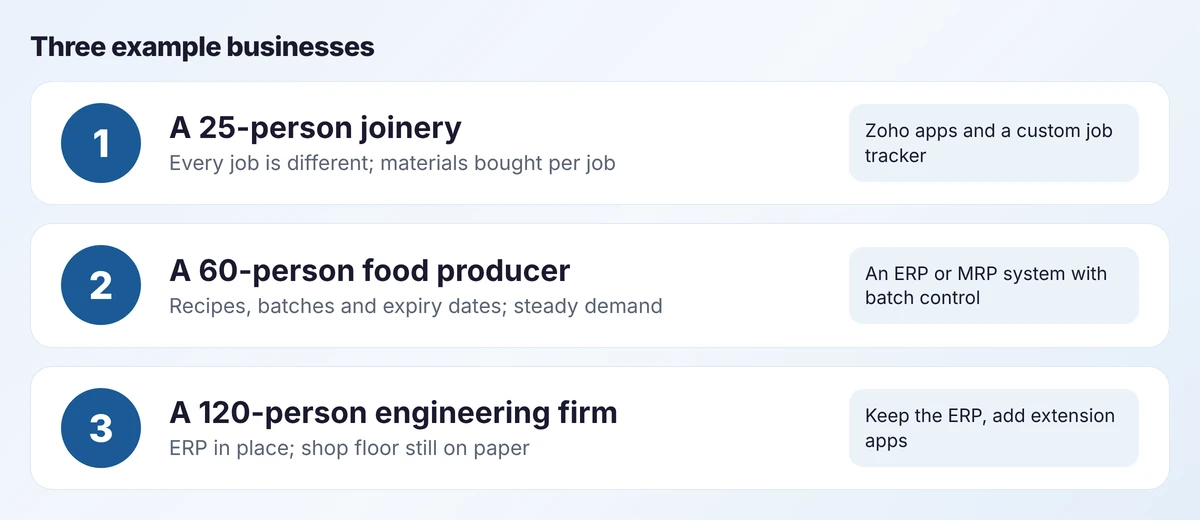
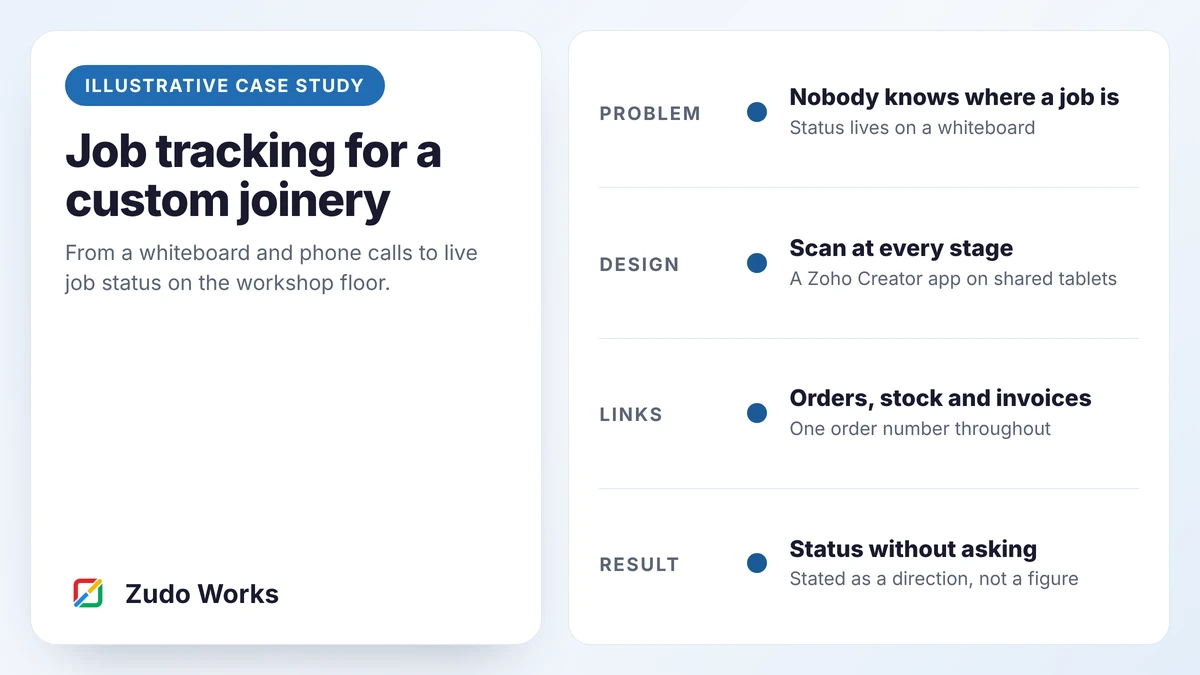
- The joinery quotes each job, buys board and hardware against it and moves it through cutting, edging, assembly and fitting. Planning is simple; the process is specific. A job tracker on Creator, with stock and accounts in standard apps, fits. We describe one in our joinery reference implementation.
- The food producer makes the same products every week from recipes, with lot numbers and expiry dates on everything. Requirements planning and batch control are core. That points to an ERP or MRP system. A custom app may still help with traceability records on the floor.
- The engineering firm already owns an ERP. Replacing it would be slow and risky. Adding shop-floor and quality apps beside it gets the result faster.
Signs you have outgrown the modular route
A modular set-up can be right for years and then stop being right. Watch for these:
- The buyer keeps a private spreadsheet to work out what to order for the next six weeks. That spreadsheet is a home-made planning engine.
- Shared sub-assemblies run short because two products needed them in the same week and nothing added the demand together.
- You cannot say what a product costs to make without a day of work, and margins are being questioned.
- Custom logic keeps growing to imitate things an ERP does as standard.
One of these is a nudge. Three together mean it is time to look at an ERP core, and to keep the custom apps as its extension layer.
What each route really costs
Licence prices are the smallest part of either bill, and they change, so we do not quote them here. Compare these instead:
- Implementation effort. An ERP needs items, BOMs, routings, opening stock and opening balances loaded and checked before go-live. A modular build spreads that work.
- Change afterwards. Custom apps are cheap to change. ERPs are cheap to keep standard and costly to bend.
- The cost of the gap. If you choose modular and later need requirements planning, you will buy it then. If you choose an ERP and half of it goes unused, you paid for it anyway.
For the custom side, our pricing page explains how we estimate.
Mistakes to avoid
- Choosing by demo. Demos show the standard process. Ask to see your awkward job in the system.
- Rebuilding MRP by hand. If you need requirements planning, buy it. Do not ask a low-code app to imitate it.
- Assuming an ERP fixes data. Wrong stock and wrong BOMs stay wrong in any system. Start with inventory accuracy.
- Deciding for today’s size. Answer the five questions for where you expect to be in two years.
How to decide this month
- Write down how you plan materials today, in one paragraph.
- Pick your three most complex products and count the BOM levels.
- List the steps in your process that a standard system would not have.
- Place yourself on the matrix, then test the answer against one real job.
If the answer is still unclear, send us the paragraph and the three products. We will tell you which route we would take, including when that is not us.
Frequently asked questions
For manufacturers with simple planning, Zoho apps with a custom production app on Zoho Creator can cover the work. They do not include a material requirements planning engine. Zoho ERP does have a manufacturing module, but at the time of writing it is published for India only.
It manages stock, purchasing, batches and simple assemblies well. Zoho states that it does not have a manufacturing module, so work orders, routing and production tracking need a separate app or system.
Usually not. If the planning and finance side works, keep it and add custom apps for shop-floor capture, quality or maintenance. That delivers the improvement people want without the risk of a replacement.
It depends on what you need. A modular route starts smaller and spreads the cost. An ERP costs more to implement but includes planning and costing you would otherwise have to buy later. Compare total effort over three years, not licence prices.
Sources
Product capabilities change. We checked these pages in October 2026; confirm anything you plan around.
Related services: Zoho implementation for manufacturers · Zoho Creator development · Custom software