Solution blueprint. A design for a typical business of this kind, showing how we would solve the problem. Screens are concept designs with example data, and expected benefits are stated as directions.
01Executive summary
I wrote this reference implementation because the same request reaches me most months: a workshop that makes things to order has outgrown its whiteboard. The details vary; the shape does not.
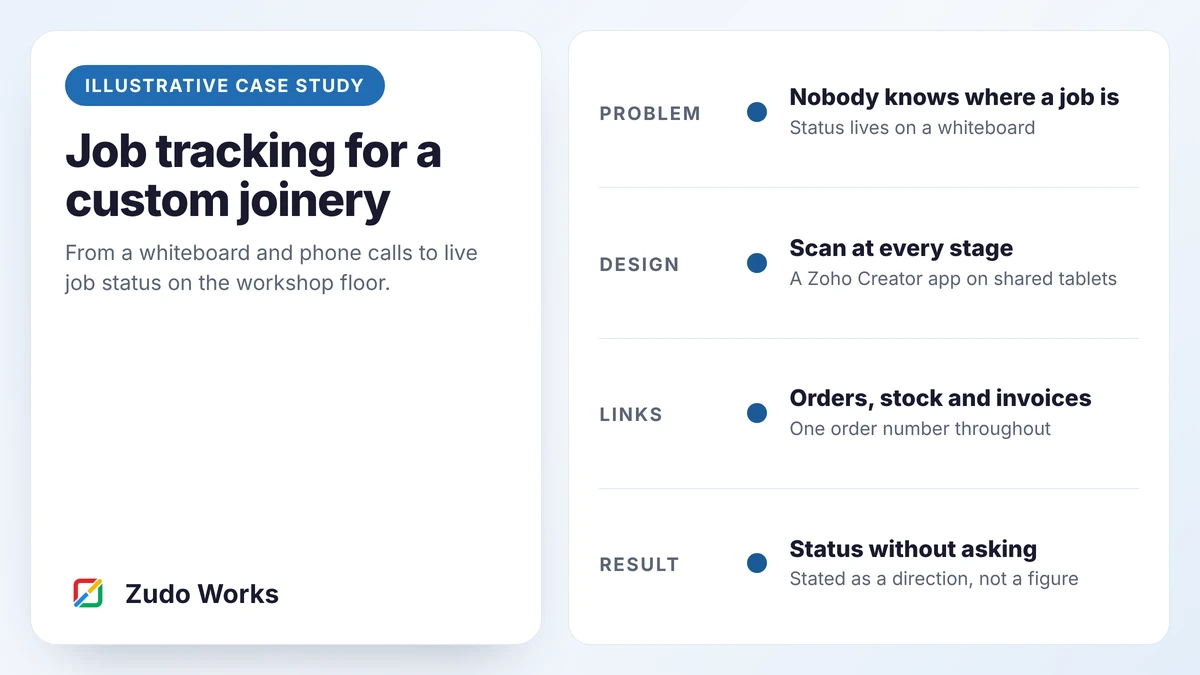
The design below gives every job a card with a QR code. Staff scan it as work starts and finishes at each stage. A board on the wall and in the office shows where every job is, and a job that stops is put on hold with a reason and an owner. Orders arrive from the CRM and draft invoices leave for accounts, so nothing is typed twice.
It is deliberately small. It does not schedule, cost or plan materials. It answers one question well, and creates the data the next project will need.
02Business context
Picture a joinery of about 25 people: three in the office, eighteen in the workshop and four installers. It makes kitchens, wardrobes, shop fittings and reception desks for builders and fit-out firms. Every job is quoted individually. Around a dozen are open at any time, and each takes one to four weeks.
Board is bought per job. Hinges, runners and edge tape are kept in stock. The business uses an accounting package its accountant chose, a quoting spreadsheet and a large whiteboard.
It is typical of the businesses that ask us for this work.
03Operational challenges
- No reliable status. Sales cannot tell a builder when a kitchen will be ready without walking to the workshop.
- Late surprises. A job turns out to be short of two doors on the morning it was due to be installed.
- Retyping. The same job is entered in the quote, on the job sheet and on the invoice.
- Invisible delays. Jobs wait for drawings, hardware or a machine, and nobody records for how long.
- Dependence on one person. The planner holds the real schedule in his head.
04The existing process
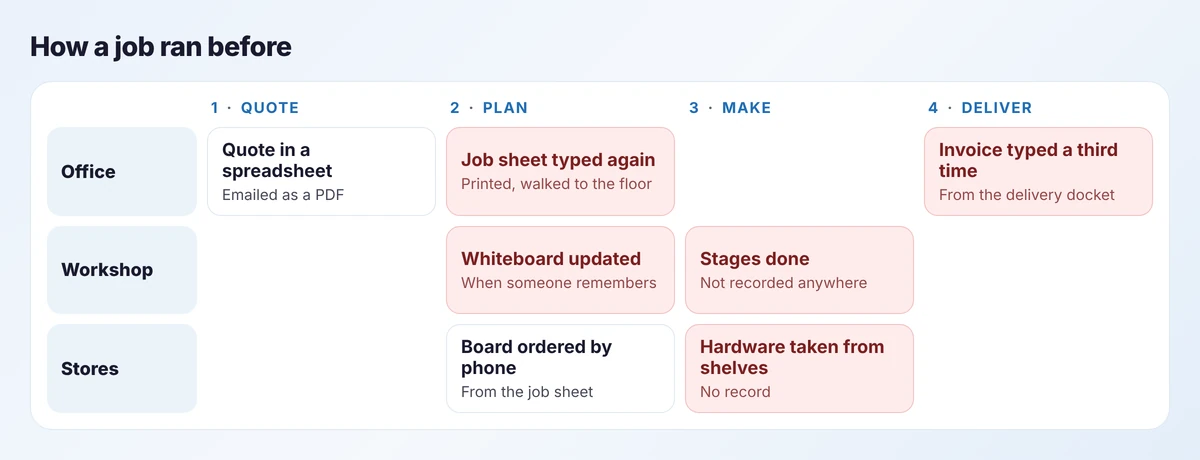
A quote is built in a spreadsheet and emailed. When the customer accepts, the office types a job sheet, prints it and takes it to the workshop. The planner writes the job on the whiteboard and orders board by phone.
The job moves through cutting, edging, assembly and finishing. The whiteboard is updated when somebody has a moment. When the job is delivered, the installer hands in a docket and accounts types an invoice from it.
05Root-cause analysis
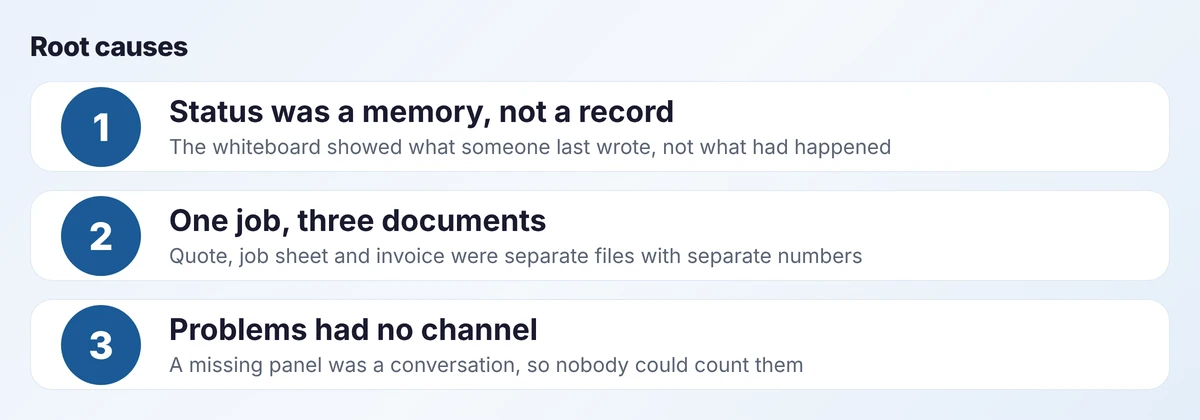
The symptoms look unrelated. They trace back to three causes.
First, status was never recorded as an event. Nothing in the process said “assembly started at 08:05”. The whiteboard was a summary of what people remembered.
Second, the quote, job sheet and invoice shared no number. Nothing tied them together except the people who handled them.
Third, a problem had nowhere to go. A missing panel was mentioned to whoever was nearby. It could not be assigned, chased or counted.
06The proposed solution
The solution has four parts, in order of importance.
- A work order per job, created from the accepted quote, carrying the sales order number.
- A scan at each stage. Staff scan the job card to start and to finish a stage. That is the whole of their data entry.
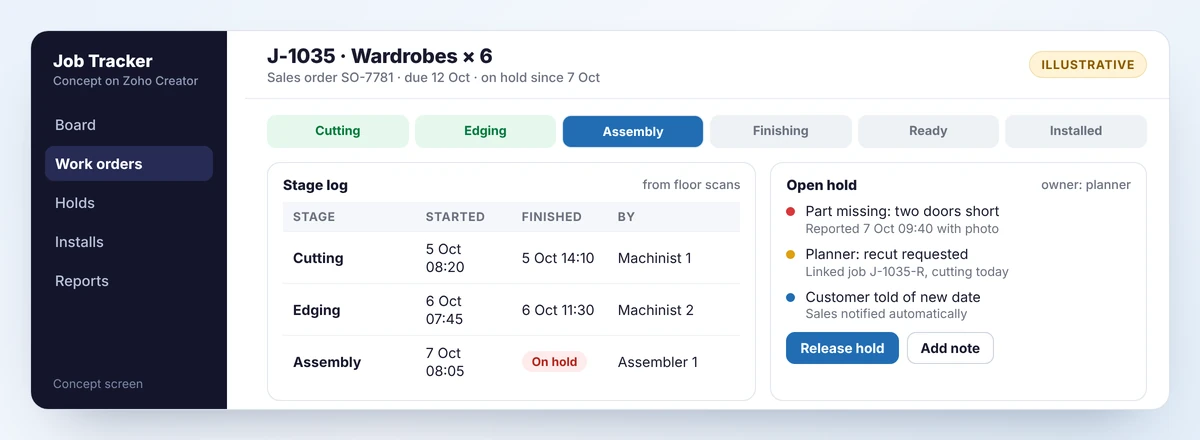
- Holds. Anyone can stop a job with a reason from a short list and a photo. The planner owns every hold until it is released.
- A live board, on a screen in the workshop and in the office.
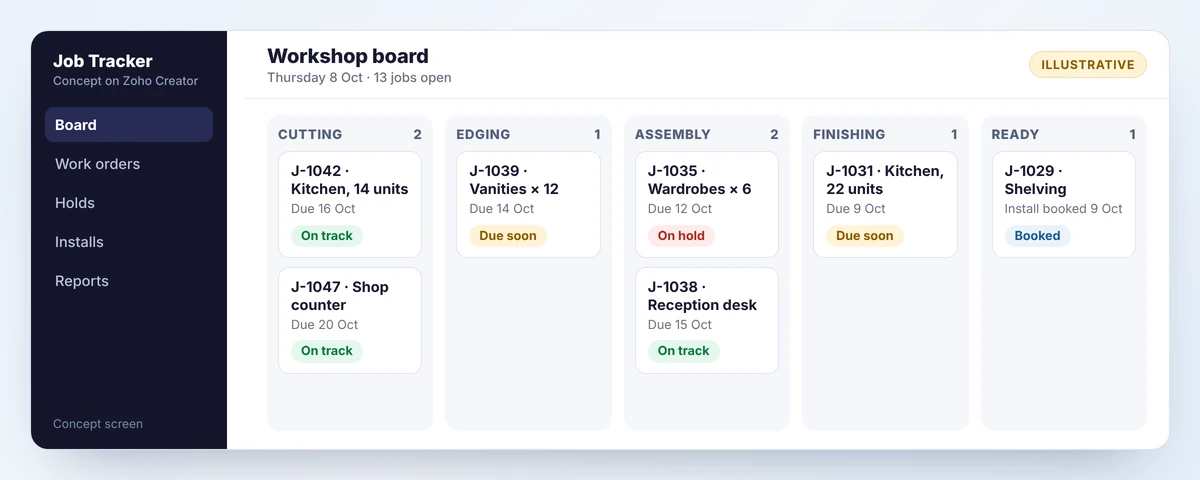
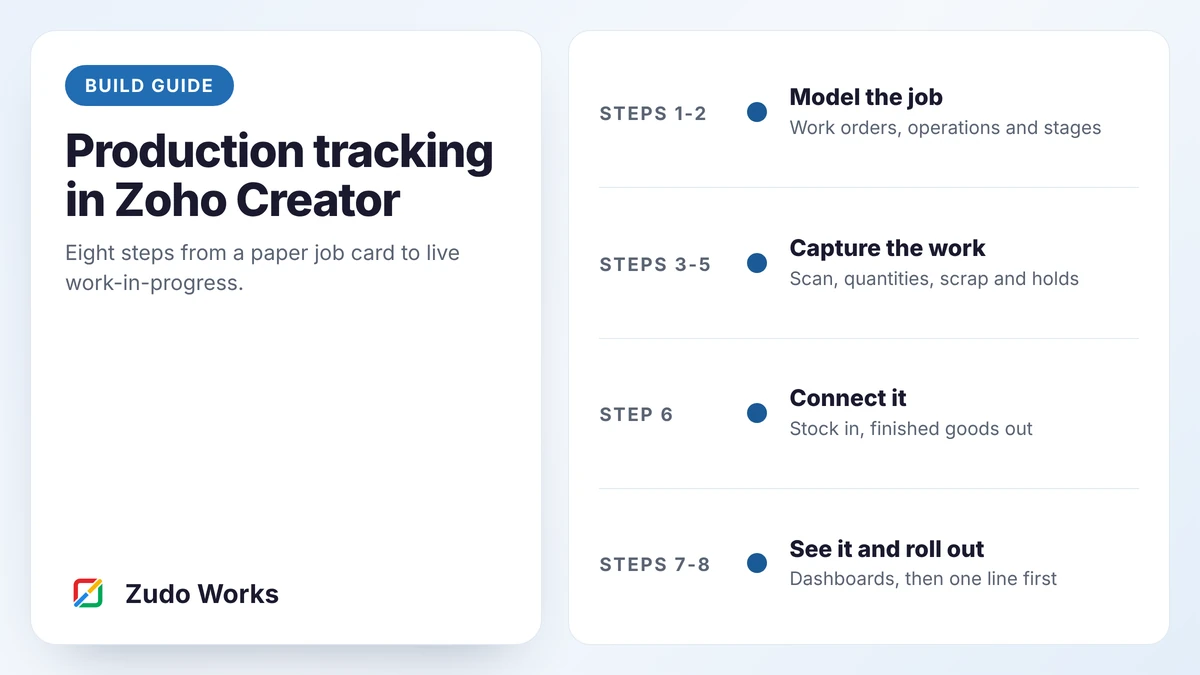
I would build it on Zoho Creator. It provides forms, mobile apps that scan QR codes on phones and tablets, approvals and role-based access without a long build. The production tracking guide walks through the same build in eight steps.
07Solution architecture
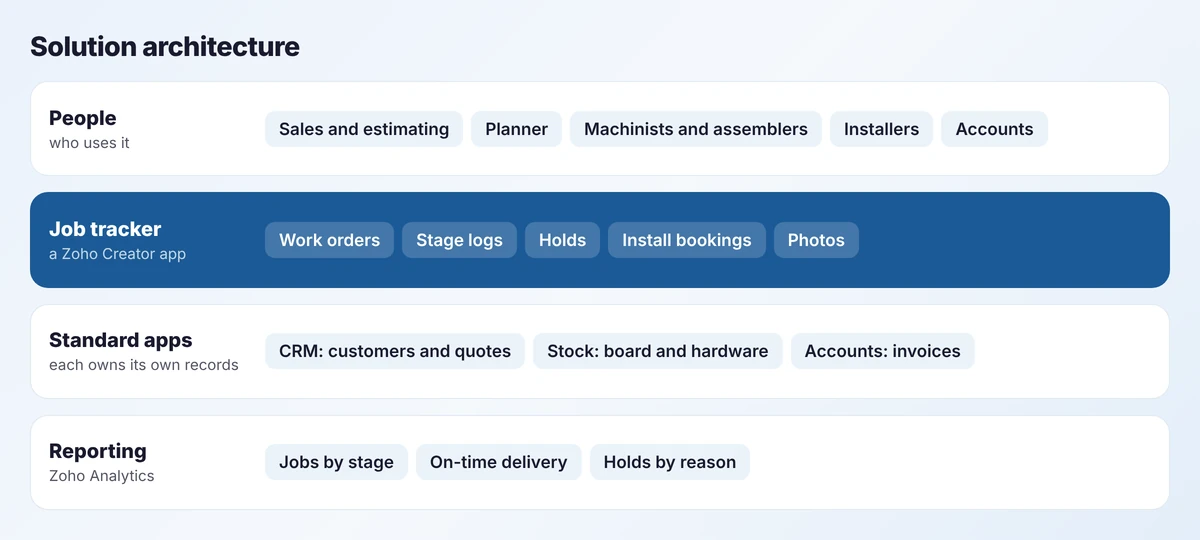
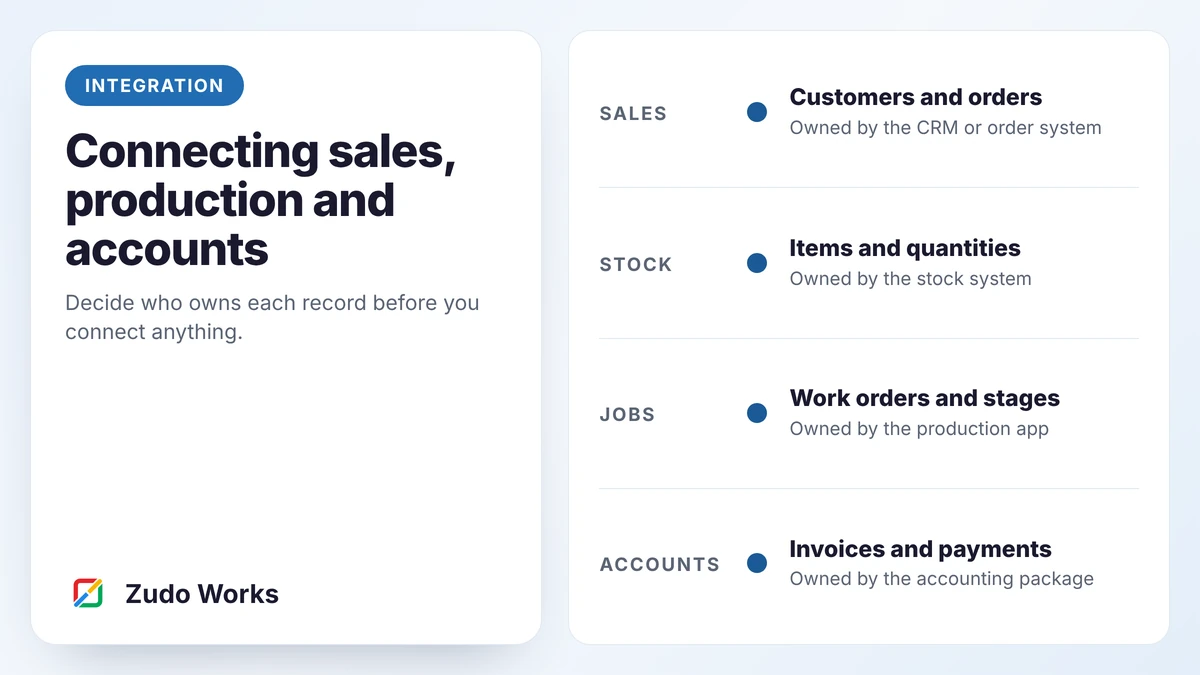
The custom app sits between standard apps and does only what they do not. Customers and quotes stay in the CRM. Board and hardware stay in the stock system. Invoices stay in the accounting package. Each record has one owner, as set out in our guide to connecting sales, production and accounts.
For a business in New Zealand I would expect the accounting package to stay as it is, with the tracker sending it draft invoices.
08The workflow, step by step
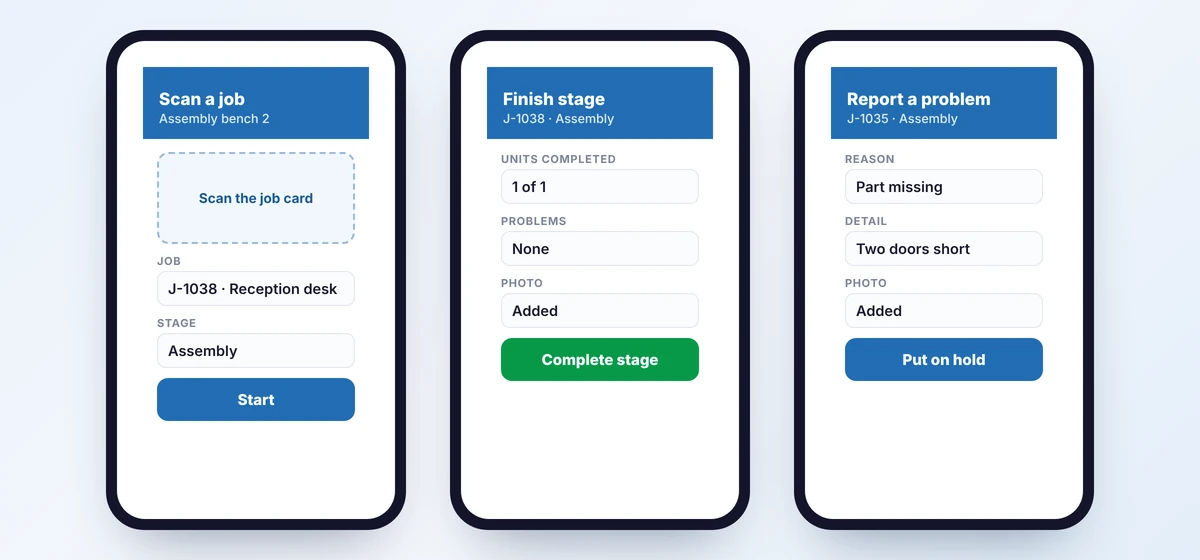
- Order. Sales marks the quote as accepted. A work order is created with the standard stages, and a job card is printed.
- Start. A machinist scans the card and taps Start. The board shows the job in Cutting.
- Finish. When the stage is done, the machinist records the units completed and taps Complete. The job joins the next queue.
- Problem. An assembler finds two doors missing, picks “part missing”, adds a photo and puts the job on hold.
- Decide. The planner sees the hold, raises a recut as a linked job and tells sales the new date.
- Ready. After finishing, the job is marked ready and an install is booked.
- Deliver. The installer marks the job installed, with photos. A draft invoice appears in accounts.
09Before and after
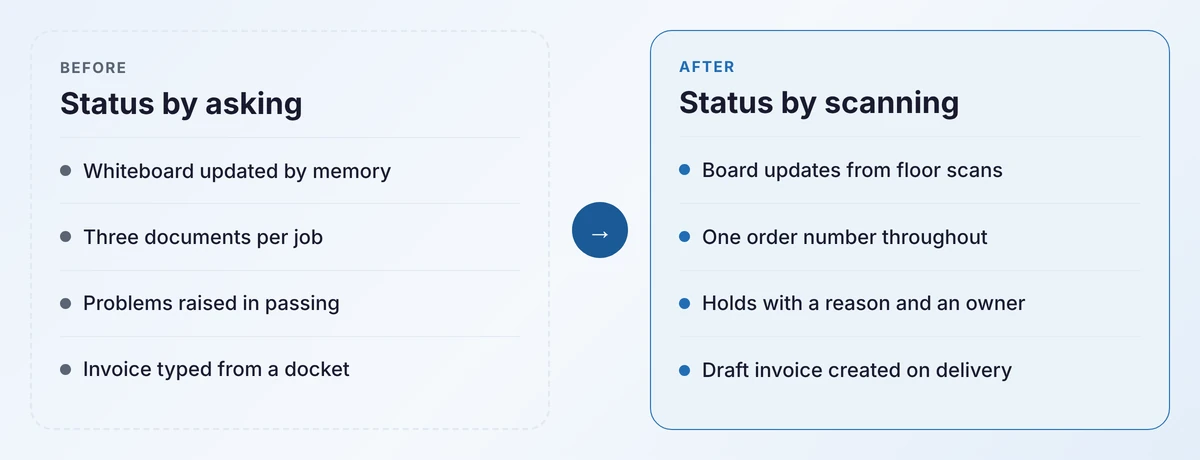
The office stops walking to the workshop, because the board is on their screen. The planner stops being the only source of truth. Problems become records that can be counted, which is where improvement starts.
I have not put numbers on this. A real project would take a baseline first: status calls per day, days from delivery to invoice, and jobs with an unknown stage at 9 a.m.
10Implementation stages
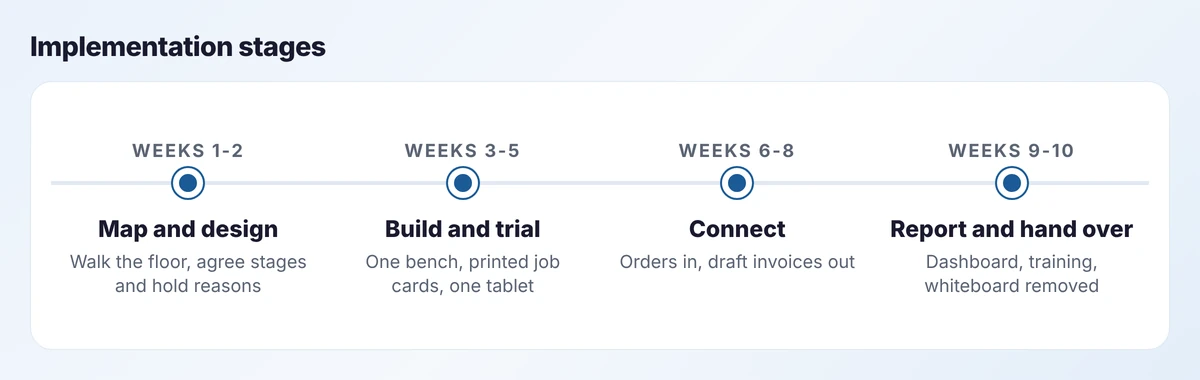
- Weeks 1 to 2. Walk two real jobs through the workshop. Agree the stages, the hold reasons and who owns holds.
- Weeks 3 to 5. Build the tracker and trial it at one bench for a week. Expect changes; the trial exists to find them.
- Weeks 6 to 8. Connect accepted quotes and draft invoices. Extend to every bench.
- Weeks 9 to 10. Add the report, train the team and take the whiteboard down.
Removing the whiteboard is part of the plan. While it stays up, people will keep two systems and trust neither.
11Integrations and data flow
- CRM to tracker: an accepted quote creates a work order, with customer, items and due date.
- Tracker to CRM: the current stage is written back to the order, so sales can see it.
- Tracker to stock: hardware issued to a job is posted as a movement. Board bought per job is recorded against the job.
- Tracker to accounts: marking a job installed creates a draft invoice for the bookkeeper to approve.
Every message carries the sales order number. Failed messages are retried, then shown to a named person with the reason.
12Security, validation and exceptions
- Roles. Workshop staff see jobs and stages, not prices. Sales see status, not stage logs they could edit.
- Validation. A stage cannot finish before it starts. Units completed cannot exceed the order. A hold needs a reason.
- Audit trail. Each scan records who, when and on which device.
- Exceptions. Recuts are linked jobs, so their time and material are visible. A job on hold for more than two days is escalated.
- Fallback. If the network drops, the printed job card still travels with the job and stages are entered when it returns.
13Expected benefits and limitations
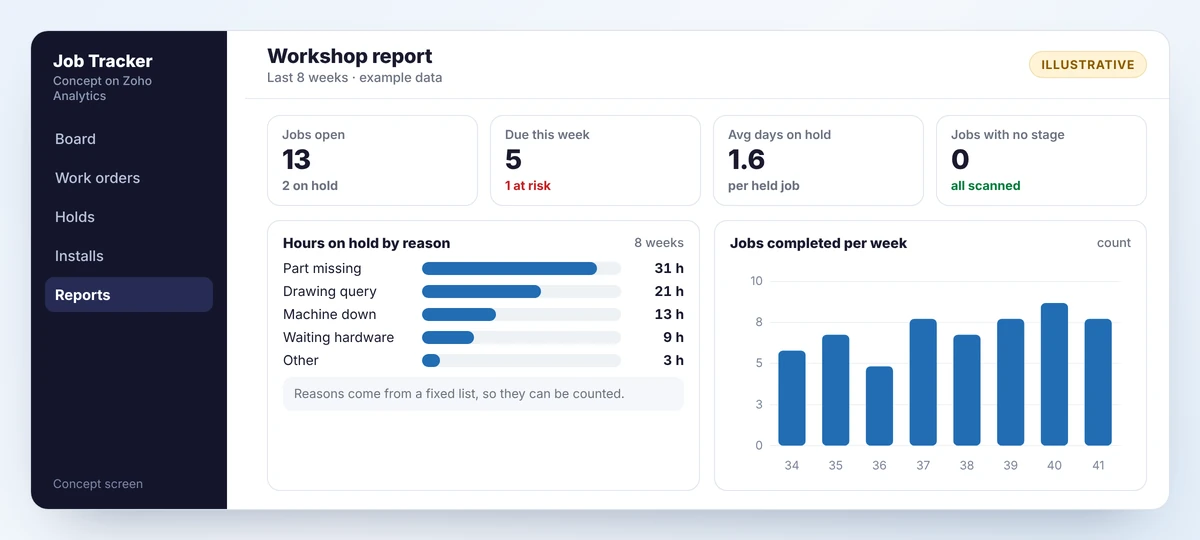
Expected benefits, stated as directions: fewer interruptions for the planner, earlier warning of late jobs, faster invoicing because the invoice is drafted on delivery, and a record of why jobs stop.
Limitations:
- It does not schedule. The planner still decides the order of work.
- It does not cost jobs, though the stage times it records would feed a costing project later.
- It depends on people scanning. If a bench skips scans, the board is wrong.
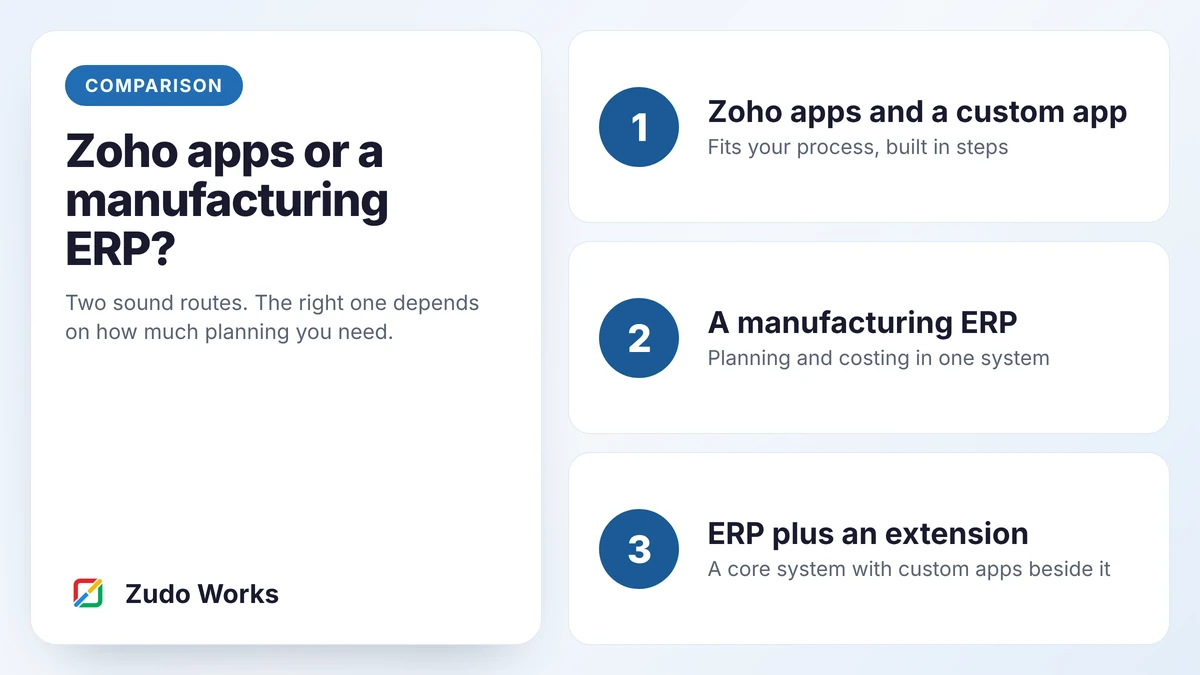
- It is not a planning engine. A workshop with deep bills of materials should read our comparison of Zoho apps and a manufacturing ERP.
14Where it could go next
- Job costing, using the stage times and materials now recorded.
- A customer view, so builders can check status themselves through a portal.
- Reorder points for stocked hardware, described in our purchasing guide.
- Capacity view, showing hours queued at each stage for the coming fortnight.
Each of these depends on data the tracker creates. That is the argument for starting small.
15Is this your workshop?
If this resembles your workshop, the useful first step costs nothing: walk one job from quote to invoice and write down every time it is retyped and every time someone has to ask where it is.
Send me that list. I will tell you what I would build first and what I would leave alone. More on our approach is on the Zoho implementation for manufacturers page.
QQuestions about this blueprint
The plan here is about ten weeks in four stages, with something in daily use at the end of each. The real duration depends on how many stages, integrations and exceptions your process has.
No. One shared tablet per work area is usually enough. Staff scan the job card and tap one or two buttons.
No. The design keeps your existing accounting package and sends it draft invoices.
Sources
Product capabilities change. We checked these pages in October 2026; confirm anything you plan around.