
Quality records that stay attached to the job
Inspections, non-conformance reports and corrective actions stay attached to the jobs and items they concern, in the same workspace, with photos, signatures and custom fields, so an auditor can follow a defect from the job card to the closed CAPA.
- Inspections with photos and signatures
- NCRs linked to items and jobs
- CAPA with owners and due dates
- Workflow rules for reminders and escalation
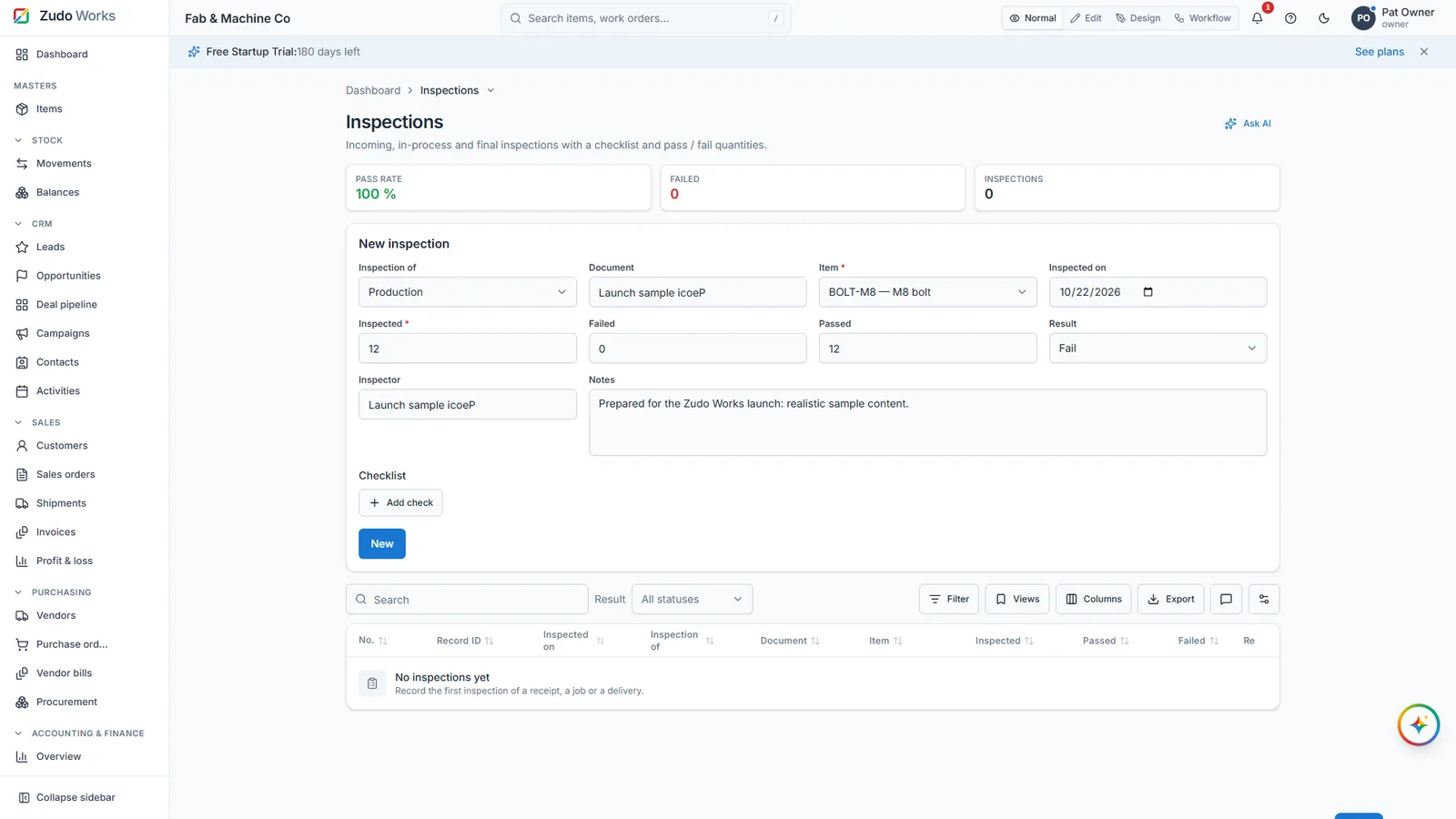
What the quality section holds
- Inspections
A record per check, with the item or job, the result, measurements in custom fields, photos from the phone camera and a signature.
- Non-conformance reports
What was wrong, how many, where found, disposition. Linked to the job and the item so the cost of the defect is visible.
- Corrective and preventive actions
An owner, a due date, the root cause and the verification; workflow rules remind the owner and escalate when overdue.
- Your own fields and forms
Add the fields your customer or standard needs; build an extra form (a gauge register, a calibration log) in the designer without a developer.
Honest scope
ZMOS keeps the records and the links between them. It is not a certified QMS and does not replace a validated system in a regulated industry.
- Records, links, reminders: yes
- Certified QMS modules: no
- Validated environments: use a validated system
Watch it work
See this part of ZMOS on video
Recorded in the product itself, narrated in English, start to finish.
47:2912. Quality: inspections, NCRs and CAPAs
Inspections, non-conformance reports and corrective actions on a job. The clip starts at this chapter of the full two-hour build; every step is on sample data and the current version.
Questions
Can the inspector attach photos from a phone?
Yes. Image fields take one or several photos from the camera, and large videos are compressed in the browser before upload.
Can an NCR be linked to a supplier?
Yes, through the vendor on the receipt or purchase order the material came from.
Start with your own items today
Six months free for startups and registered partners, no card, your data exportable at any time.