
Bills of materials and production you can follow
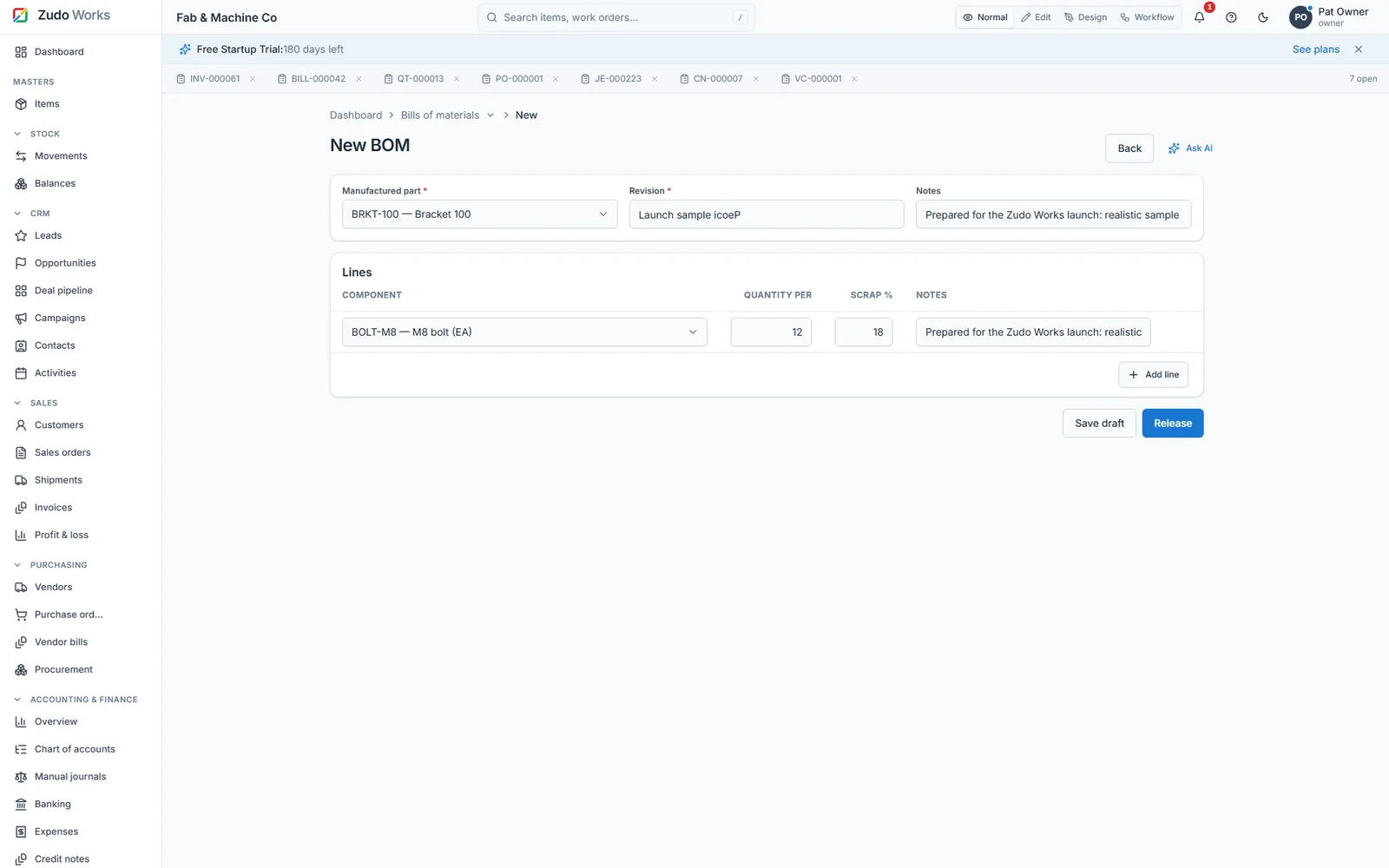
Each manufactured part has a BOM: components, quantity per unit, scrap and a revision. A work order takes the BOM, plans routing steps across your work centres and lets you follow what is done, what is waiting and what it has cost so far.
- BOM revisions with scrap percentage
- Material cost per unit from current item costs
- Routing steps and work centres
- Job cards and barcodes to print
How production runs in ZMOS
- Bills of materials
A BOM per manufactured part, single-level, with components, quantity per unit and scrap percentage. Release a revision when the design changes; old jobs keep the revision they were built to.
- Cost roll-up
The editor shows each component's current cost and the material cost per unit, so quoting starts from real numbers.
- Work orders
Open a job for a part and quantity with a due date and customer reference; release it to reserve the material requirement; start it on the floor.
- Routing and work centres
Plan the steps a job goes through (cut, bend, weld, assemble) at named work centres with machine types; log labour hours per step.
- Job cards and barcodes
Print the job card as a PDF or scan the barcode at the work centre to open the job.
Production tracking without a terminal
A supervisor with a phone can see every open job, its step and its material.
Jobs by status, jobs due this week and movements per day sit on the dashboards; workflow rules can e-mail the owner when a job is completed or a status changes. Zudo AI answers "which jobs are late" from the same data.
What it does not do
ZMOS does not plan finite capacity across machines or run MRP from a forecast. Reorder points and per-job purchasing are supported.
- Finite scheduling: no
- MRP from forecast: no
- Multi-level BOM explosion: not in this release
Watch it work
See this part of ZMOS on video
Recorded in the product itself, narrated in English, start to finish.
34:188. Bills of materials
Building a bill of materials with components, scrap and the cost roll-up. The clip starts at this chapter of the full two-hour build; every step is on sample data and the current version.
Questions
Does ZMOS support multi-level BOMs?
Not in the current release. BOMs are single-level; a sub-assembly is its own manufactured part with its own BOM and job.
Can I change a BOM after jobs have used it?
Yes, by releasing a new revision. Jobs already opened keep the revision they were created with.
How do I print a job card?
From the job: Job card (PDF) prints the card; Barcode prints a label that opens the job when scanned.
Start with your own items today
Six months free for startups and registered partners, no card, your data exportable at any time.