

The assistant inside ZMOS that drafts, then asks
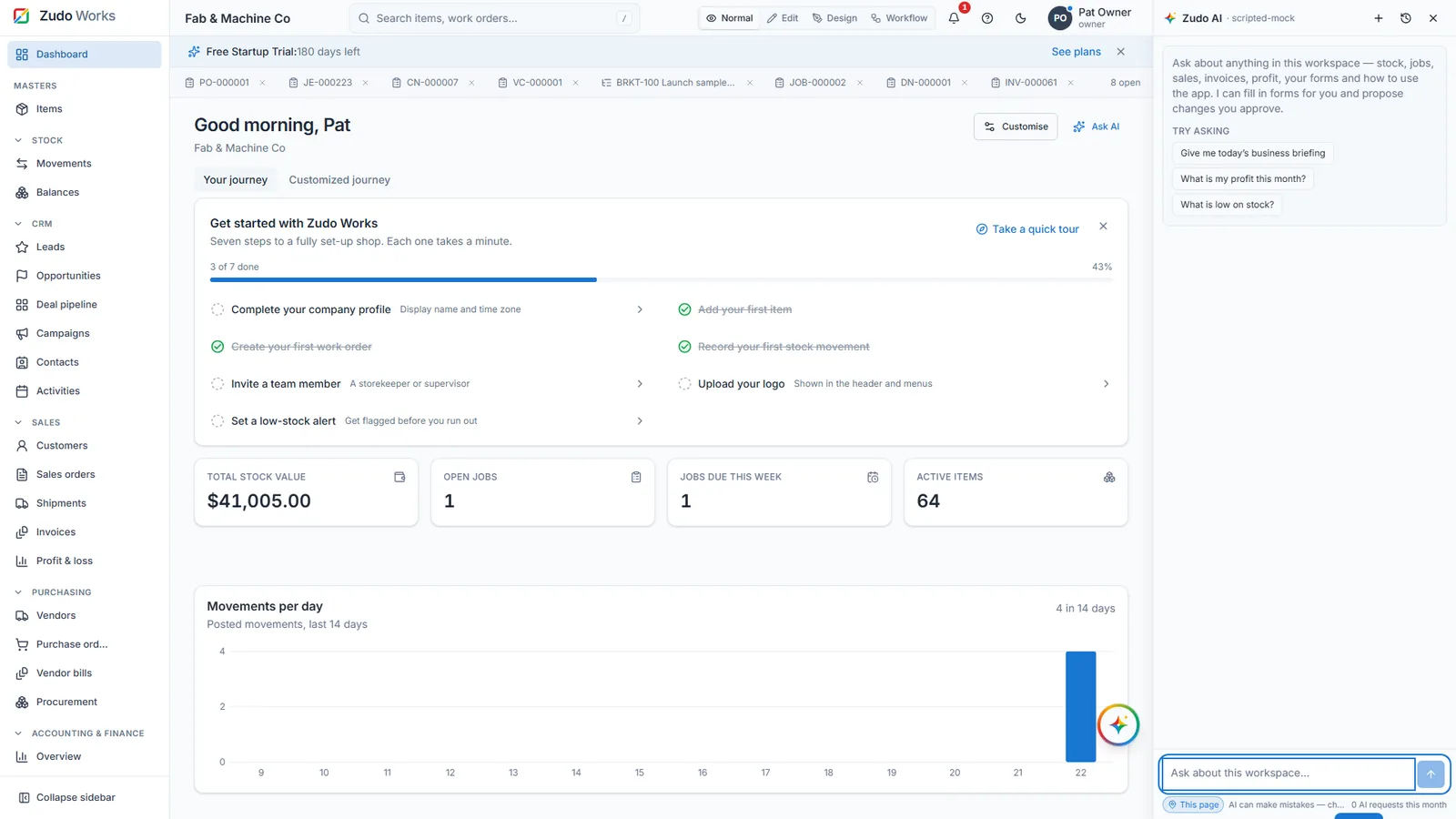
Ask in plain words about stock, jobs, orders, costs or your own forms. Zudo AI works inside ZMOS: it answers from your data, fills in forms, proposes charts, record changes and rules, then asks a person to approve. It cannot save or change anything on its own.
- Reads only what your role may see
- Every change is a proposal; a person approves
- Exact calculator, 217 manufacturing formulas, forecasts
- Included in every plan and the free trial
What Zudo AI is
Zudo AI is the assistant built into ZMOS, the Zudo Manufacturing Operating System. It answers questions about your workspace, calculates and forecasts, fills in forms and proposes changes that a person approves.
It is not a general chatbot. A topic guard checks each message is about your workspace or how to use ZMOS before the main model is called, and the assistant only works through server-side tools that carry your role and your company. Nothing is written to the database without a click from a person; the model has no way to save, submit or delete.
What you can ask it to do
- Answer from your data
Low stock, jobs in progress, the cost of one job, sales per customer this quarter, ageing of receivables, profit and loss, any of the 22 ledger reports, custom records with their subform rows. Chips under each answer name the data it read.
- Calculate and forecast
An exact calculator and a library of 217 manufacturing formulas in 15 groups: OEE, bend allowance, margin on a price, reorder points from your own usage and lead times. Forecasts give a trend with an 80 percent range and say they are estimates.
- Fill in forms you save
Items, customers, vendors, quotes with lines, purchase orders with lines, work orders, leads and any custom record. The normal form opens with the values and a banner saying Zudo AI filled it in; you check and press Save. Contact details are never filled in.
- Propose charts and dashboards
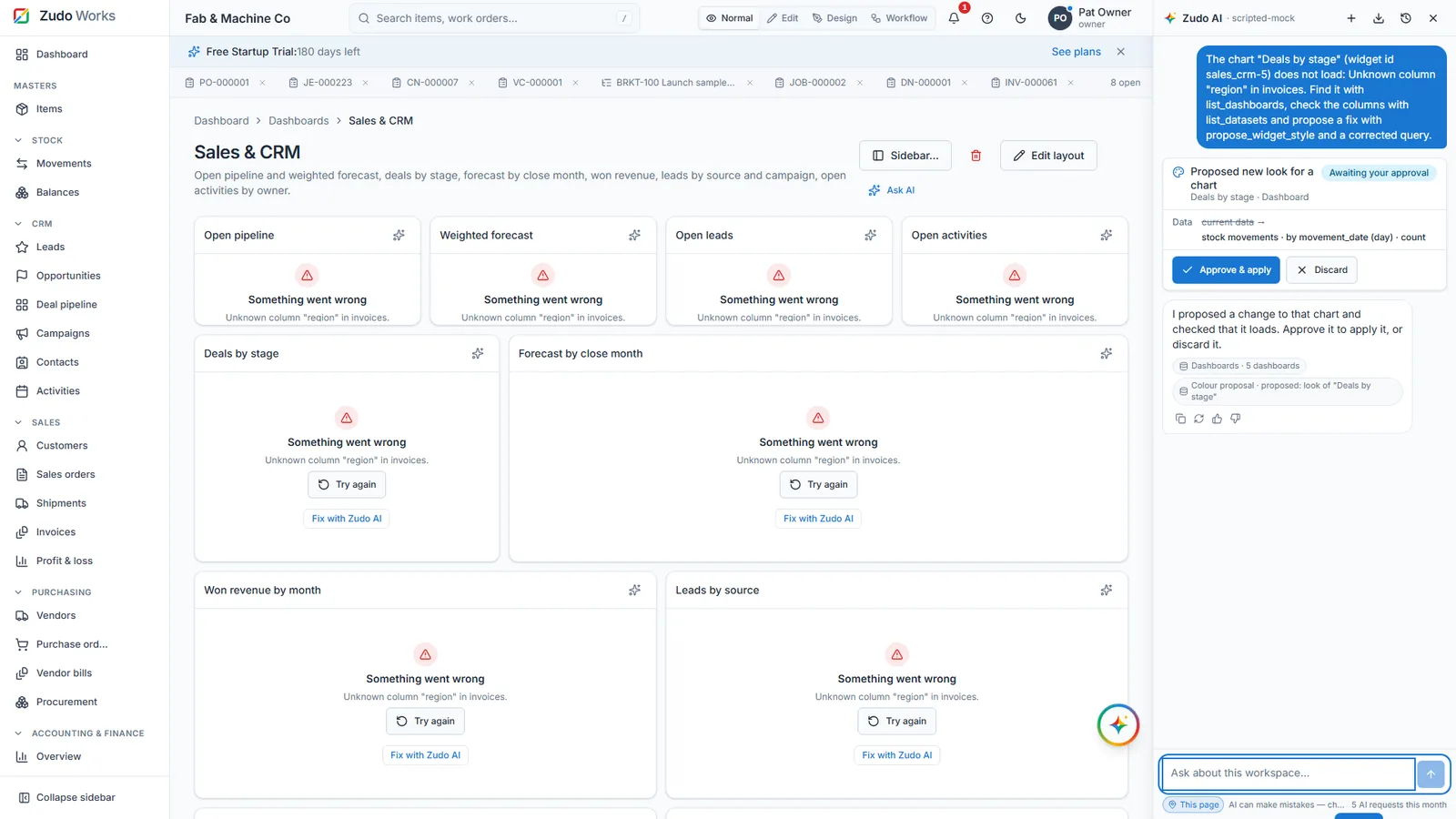
A chart on your home dashboard or a new dashboard of up to 12 widgets, with colours, laid out on the grid and shown live on your real data before you approve. Every chart query is test-run first; a failing chart offers a repair.
- Propose changes to records and rules
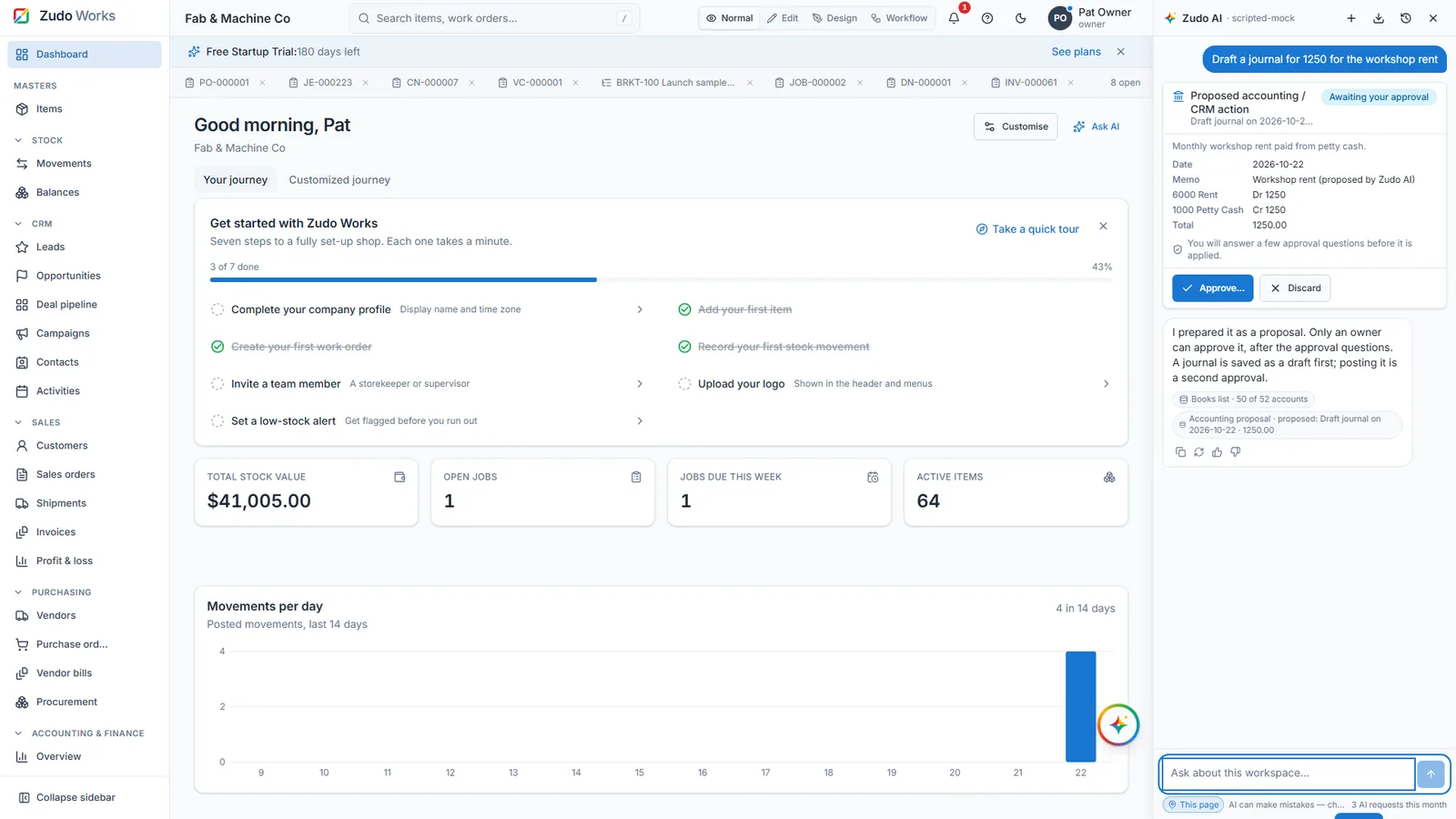
A standard cost, a status, a draft journal, a workflow function. The card shows each field before and after and waits for an owner, who answers three approval questions. A journal is saved as a draft first; posting is a second approval.
- Design forms and the sidebar
A new form with its fields and a checks table, a renamed form, a new dropdown on a built-in form, a section moved or recoloured. A live preview marks what is new or changed. It never removes a field.
How approval works
The same path for every change, whether it is a chart, a record or a journal. The requester cannot approve their own data change.
- Ask
Describe the change in the panel, in a right-click on selected text, or in the ask box that a double-click opens on any page.
- Preview
A card shows the live chart, the field values before and after, or the form design. Nothing is saved yet.
- Approve
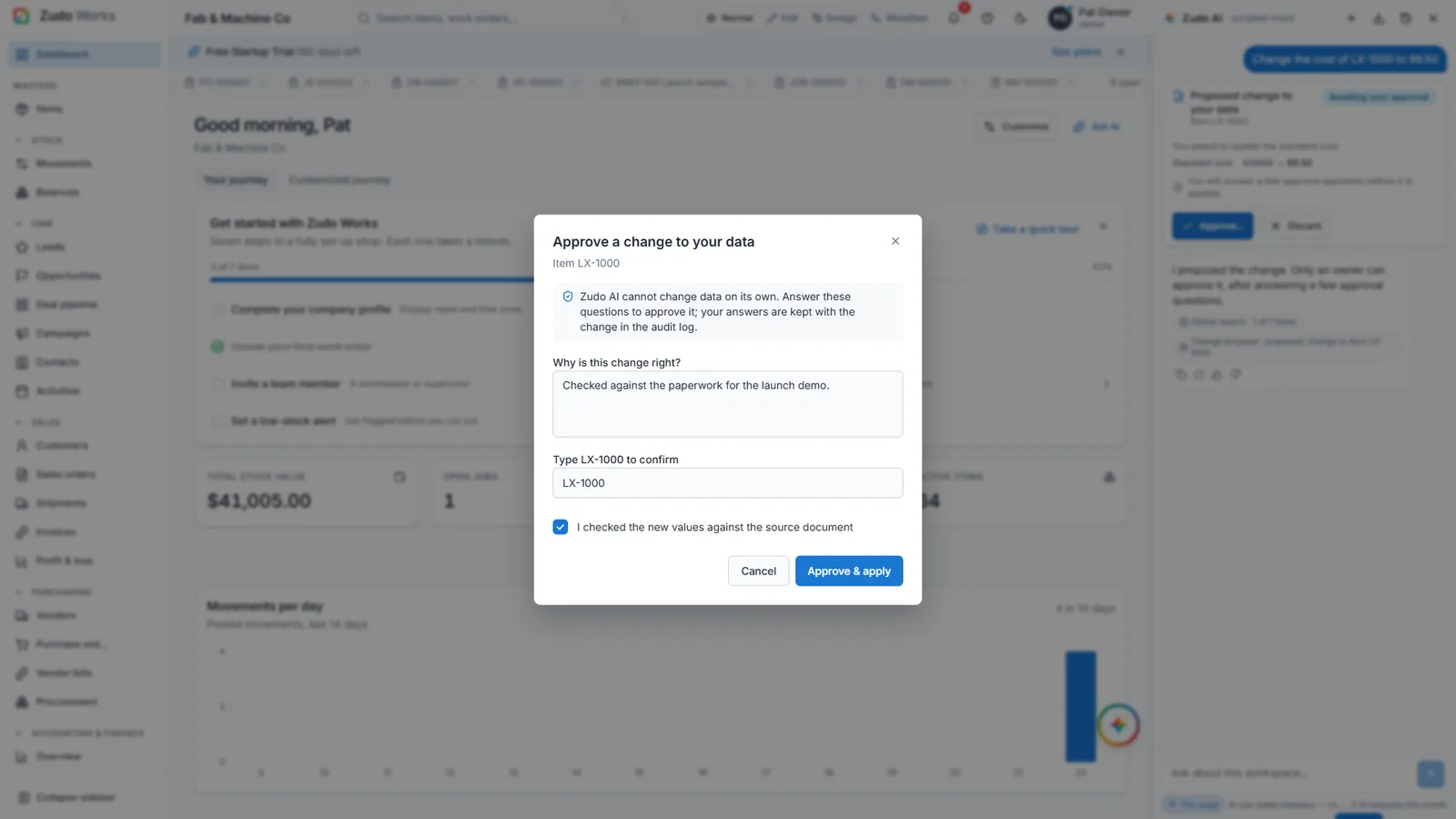
Charts and designs: one click with the right permission. Data and functions: an owner gives a reason, types the record code and ticks that the source was checked.
- Apply and record
The server re-validates against the live schema, checks the record has not changed meanwhile, writes through the page's own rules and adds an audit log entry with the answers.
On every page, about that page
An Ask AI button sits in every page header and on every dashboard chart, so the question starts with the page's context. Failing charts offer Fix with Zudo AI, which proposes a corrected query that has been checked to load.
- Copy, ask again, download the conversation, rename and search past chats
- Follow-up chips after each answer, based on the data it used
- Thumbs up or down on every answer, kept for quality review
- Settings, Zudo AI activity: every proposal and its outcome, with Waiting for approval for owners
Built to be trusted with shop data
The model never touches the database. It calls tools that run on the server, and each tool filters on your company, checks the same permission the page needs, applies field-level access on custom forms and returns at most 200 rows.
Tool results go back to the model marked as untrusted data, so an item named "ignore previous instructions" is just a name. Anything that looks like a credential is dropped before it leaves the server. ZMOS as a whole defended 17 of 17 attacks in its last red-team audit.
- No SQL from the model, ever; only server-side tools scoped to you
- Passwords, keys, tokens, other companies and hidden fields are never selected
- E-mail, phone, address, photo and signature data never reach the model
- No tool reaches the internet; a reasoning model's thinking is never shown or stored
- Default provider Fireworks AI over the Chat Completions API, which it does not retain; self-hosted Ollama optional
Limits, in plain words
- requests per person for the life of the account
- 1,000
- messages per person; 4,000 characters each
- 20 a minute
- of tool calls per answer, 200 rows per tool
- 6 rounds
- before an unapproved proposal expires
- 24 hours
- per role: use, fill in, propose, change, design
- 5 capabilities
- including the six-month free trial
- Every plan
Owners set what each role may do under Settings, Roles. Supervisors get everything but design by default; storekeepers get no AI until you add it.
Watch it work
See Zudo AI and the workspace in 20 minutes
Recorded in the product itself, narrated in English, on sample data. No slides, no mock-ups.
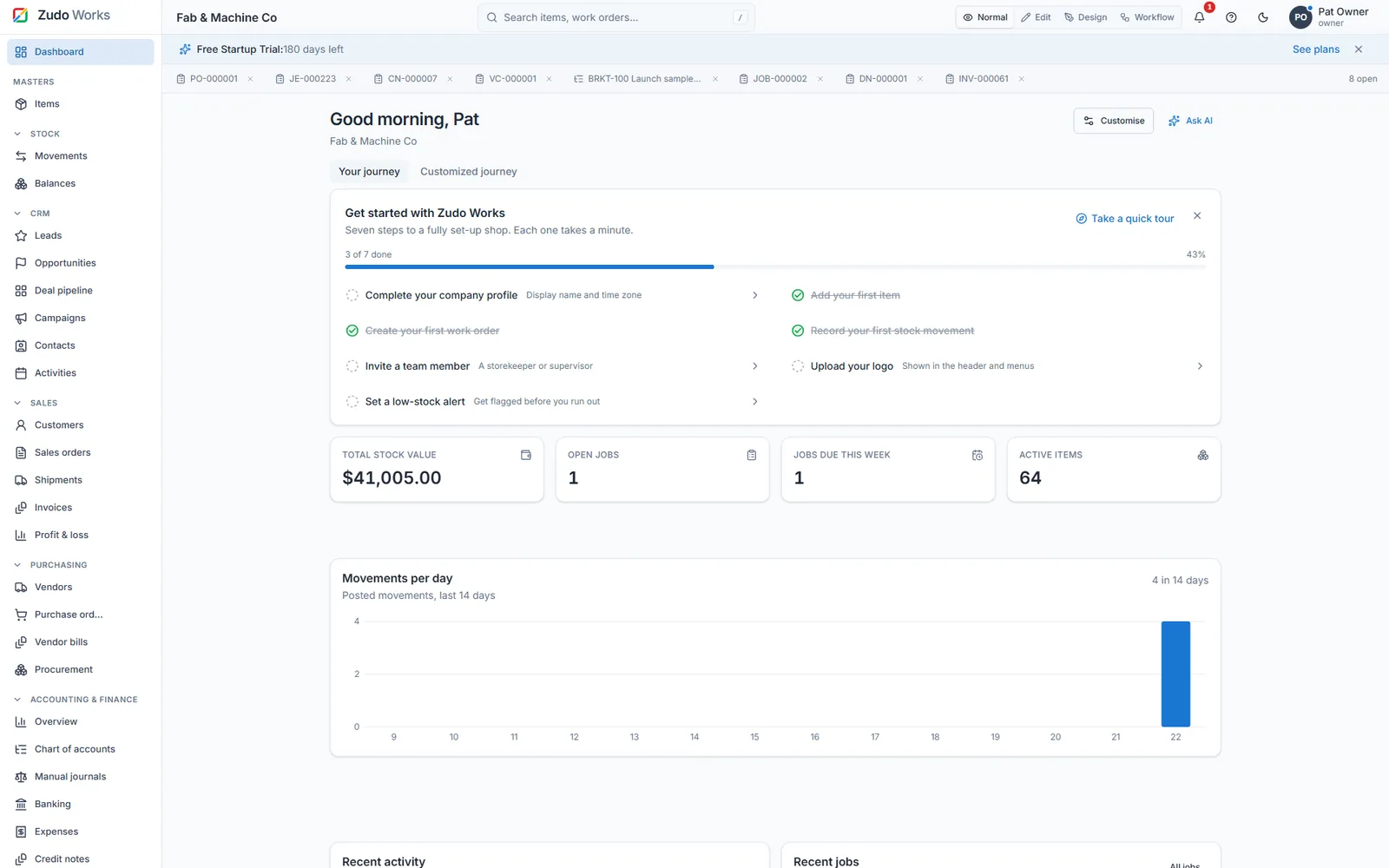
20-minute tourThe whole factory on one screen
Zudo AI appears in the tour alongside the rest of the workspace: it reads within your role, drafts and proposes, and a person approves every change.
Questions buyers ask
Short answers. The pricing page covers plans and the trial.
What is Zudo AI?
The assistant built into ZMOS. It answers questions about your workspace's stock, jobs, orders, costs and custom forms, calculates and forecasts, fills in forms and proposes charts, dashboards, record changes, workflow functions and form designs. Every change is a proposal that a person approves.
Can Zudo AI change my data?
No. It proposes. A change to a record or a workflow function waits for an owner, who gives a reason, types the record's code back and ticks that the values were checked against the source document. The server re-checks the record, applies the change through the page's own validation and writes the answers into the audit log.
What data does Zudo AI see?
Only what your role may see, through server-side tools that filter on your company and permissions and return at most 200 rows. Never passwords, API keys, tokens, other companies' data or fields hidden from your role. E-mail, phone, address, photo and signature data never reach the model, and no tool reaches the internet.
Which AI model does Zudo AI use?
By default an open-weight model hosted on Fireworks AI through the Chat Completions API, which Fireworks does not retain. Any OpenAI-compatible endpoint works, including a self-hosted Ollama server, so nothing depends on one vendor.
How much does Zudo AI cost?
It is included in every ZMOS plan, including the six-month free trial. Each person has a lifetime allowance of 1,000 requests, 20 messages a minute and 4,000 characters per message.
Who can use Zudo AI in my company?
The owner decides per role under Settings, Roles: use the assistant, fill in forms, propose dashboards and charts, propose changes to records, and design forms and the sidebar. Owners and supervisors have it by default (supervisors without design); storekeepers have none until you add it.
Ask it about your own stock this week
Zudo AI is on from the first day of the six-month free trial. No card. Prefer to see it first? Book a 20-minute demo with an engineer.