

An immutable stock ledger: balances you can trust
Stock in ZMOS is not a number someone types over. It is a ledger: receipts, issues, transfers, counts, job issues and job returns post as documents, each one numbered without gaps, and a posted document never changes. Balances per item and warehouse are the sum of the ledger, live.
- Six movement types, each with a gapless document number
- Posted means immutable; corrections are new movements
- Live balance and value per item and warehouse
- Every posting is one transaction with an idempotency key
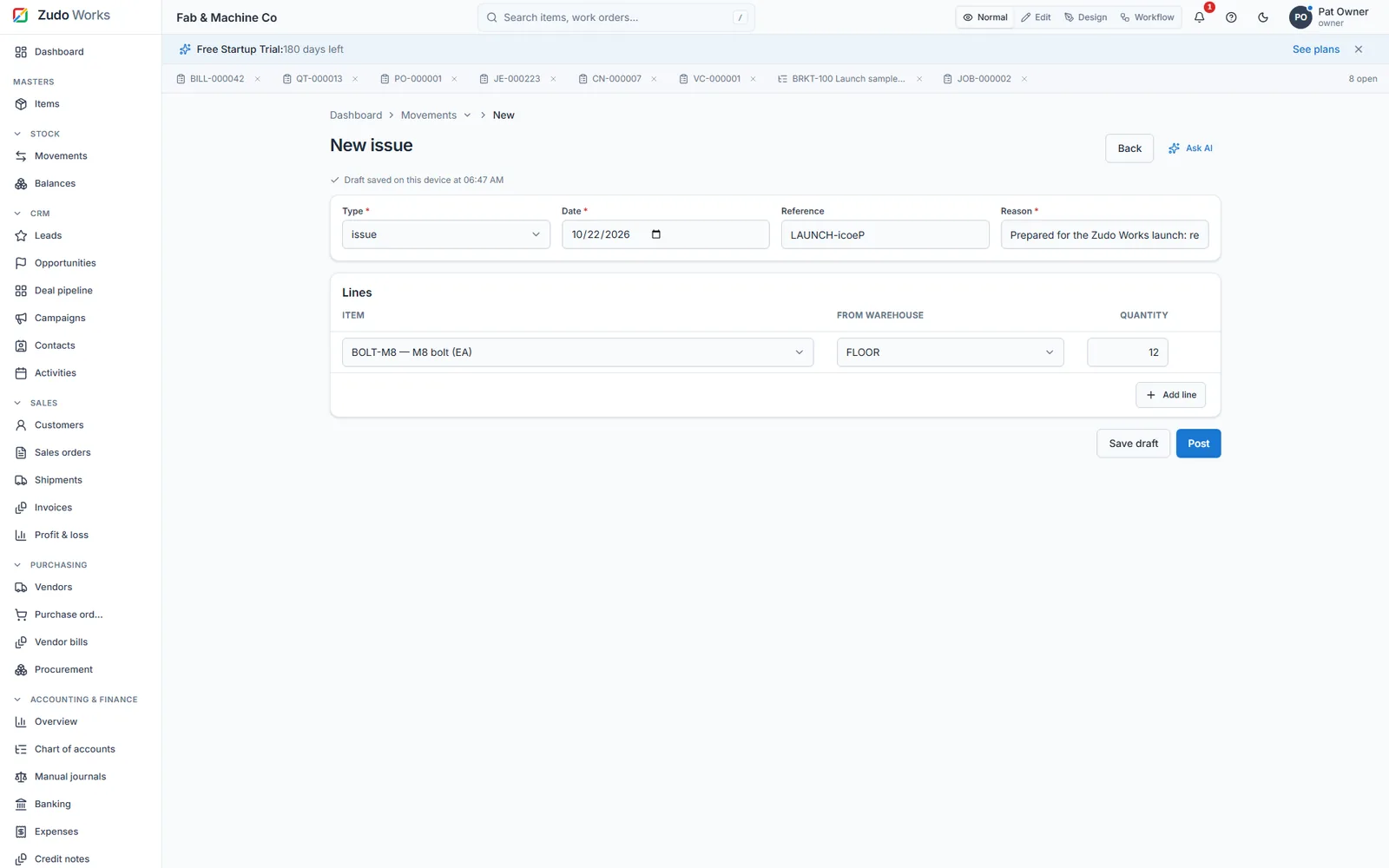
The six movement types
Each type has a prefix, a direction and a rule about cost, so the ledger explains itself.
| Type | Prefix | Direction | Reason required | Unit cost |
|---|---|---|---|---|
| Receipt | RCV | into a warehouse | no | required |
| Issue | ISS | out of a warehouse | yes | moving average |
| Transfer | TRF | warehouse to warehouse | no | carried |
| Adjustment | ADJ | plus or minus | yes | moving average or standard cost |
| Job issue | JIS | warehouse to job | over-issue needs a reason | moving average |
| Job return | JRT | job to warehouse | no | same rate as issued |
From the ZMOS user guide, section 11. Job issue and return are created from the job page.
The rules that make it trustworthy
- Draft, then posted, then never edited
A movement is a draft until it is posted. Posting is one database transaction that takes a gapless per-company document number. A posted movement is immutable; to correct it you post another movement, so the history always shows what happened and when.
- No double posting
Every posting carries an idempotency key. A repeated post with the same key answers the original document; a different payload with the same key is refused. Row locks are taken before the check, so two people clicking at once still book once.
- Balances are derived, not stored by hand
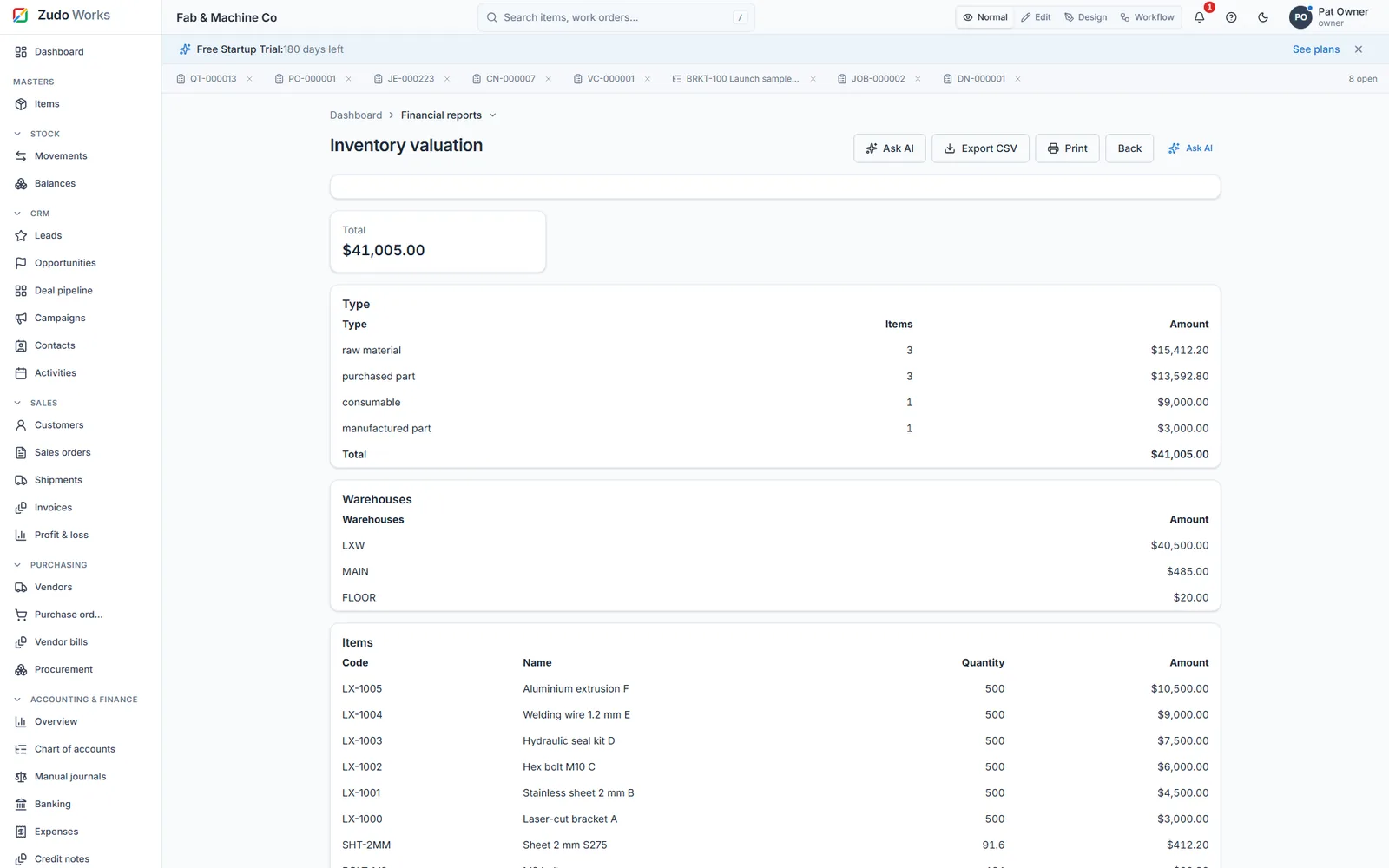
On-hand quantity and value per item and warehouse come from the ledger. The balances page, the dashboard, procurement, reports and Zudo AI all read the same figure.
- Cost follows what you pay
A receipt at a new unit cost can update the item's current cost in the same posting, and the audit log records that it did. Issues leave at moving average, so job cost reflects what the material really cost.
- Reorder points watch the ledger
Each item can carry a low-stock alert level. When a posting takes the balance below it, the item is flagged and a workflow rule can fire, for example an e-mail to the owner or a draft purchase order.
- Everything attaches and links
A movement page shows its lines, its ledger effects, photos and signatures, and the purchase order or job that produced it. Views are a table or a timeline, filtered by type, status, date, item and warehouse, and exportable.
A day on the ledger
The same four postings cover most of a small shop's day.
- Receive
A delivery arrives against PO-00031. Receiving the PO posts a receipt; the stock is in the warehouse the moment it is posted.
- Issue to a job
The supervisor issues 12.6 kg of sheet to JOB-000002 from the job page. The movement is a JIS and the job's material cost grows by the issue at moving average.
- Return and count
Offcuts come back as a JRT at the rate they were issued. A count that finds 0.5 kg less posts an adjustment with a reason.
- Read the balance
Balances show quantity and value per warehouse. Nothing was typed over; the ledger explains each figure.
In numbers
- movement types
- 6
- transaction per posting, with a gapless number
- 1
- edits to a posted movement, ever
- 0
- balance and value per item and warehouse
- Live
- export of items and transactions as files
- Any time
Watch it work
See this part of ZMOS on video
Recorded in the product itself, narrated in English, start to finish.
30:367. Stock control
Receipts, issues, transfers, counts and the live balances they produce. The clip starts at this chapter of the full two-hour build; every step is on sample data and the current version.
What does immutable mean here?
A posted stock movement cannot be edited or deleted. If a figure was wrong, you post a correcting movement with a reason. The original stays, so the history is complete and an auditor can follow it.
How are balances calculated?
They are the sum of posted movements per item and warehouse. The balances page, dashboards, procurement, reports and Zudo AI all read the same derived figure; nobody maintains a separate stock number by hand.
Can two people post the same receipt twice by accident?
No. Each posting carries an idempotency key and the row lock is taken before the check. A repeated post returns the original document instead of booking again.
Does the ledger handle more than one warehouse?
Yes. Movements name the warehouse, transfers move stock between warehouses, and balances are kept per item and per warehouse with a total.
How does the ledger affect job cost?
Material issued to a job leaves the ledger at moving-average cost, and returns come back at the rate they were issued, so the job's material cost is what the material actually cost.
Post your first movement today
Six months free, no card. Import your items from a file, post opening stock, and the balances are live.