Integrations
Zoho Flow vs Deluge vs Custom Middleware: Which to Use for an Integration
Every Zoho integration can be built three ways: a no-code flow, a Deluge function or your own code on a server. All three work on day one. They differ in what happens at volume, when something fails and when the person who built it has moved on.

Quick answer
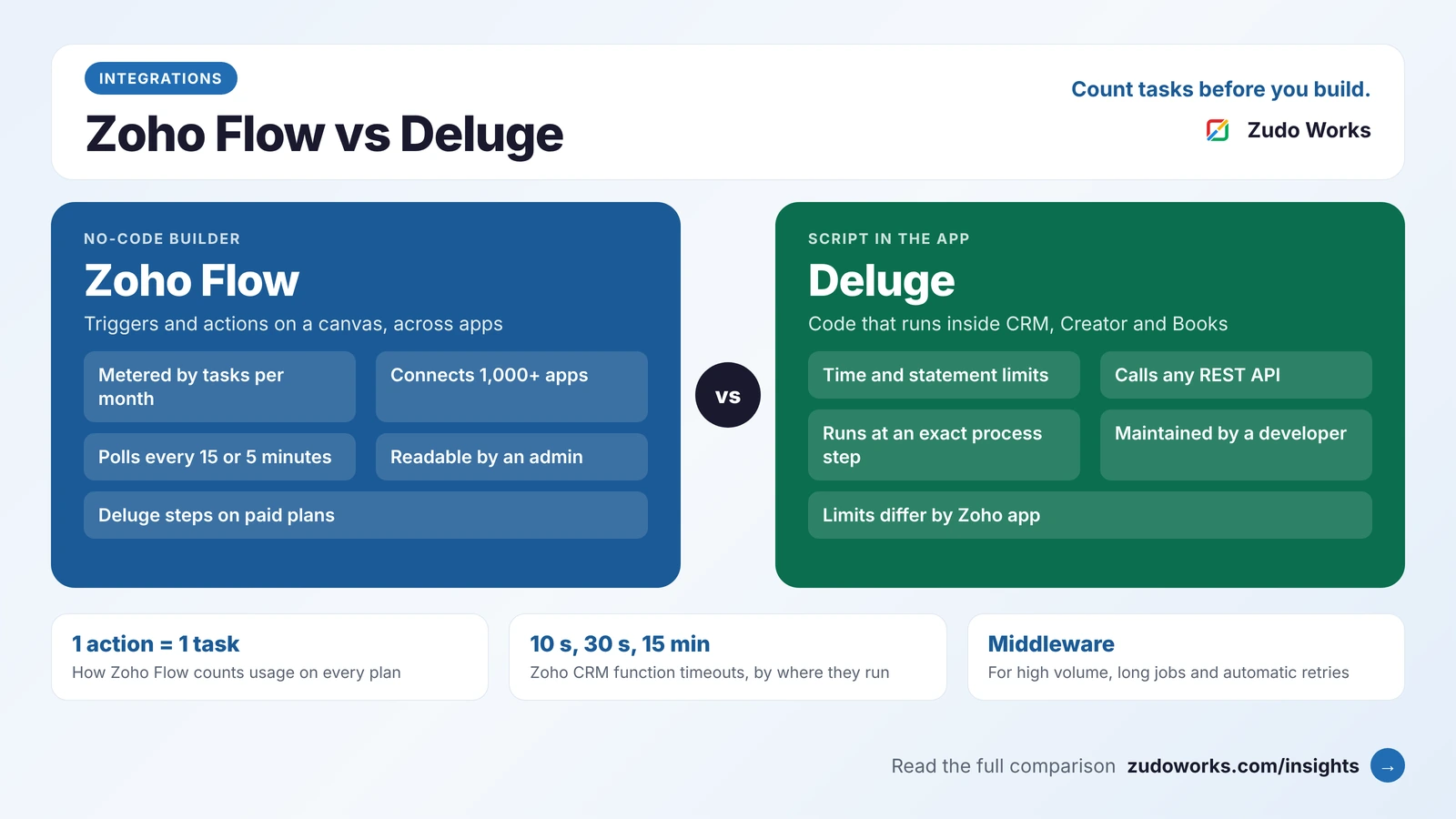
Use Zoho Flow for simple app-to-app automation with a few steps; it is metered by tasks, and each action in a flow counts as one. Use Deluge when the logic runs inside one Zoho app and must act at an exact point in a process. Use custom middleware for high volume, long-running jobs, retries or two-way sync.
Most advice on this choice stops at “Flow is for simple things, Deluge is for complex things”. That is true and not very useful, because the reasons an integration fails in production are specific: a monthly task allowance runs out, a function is stopped after ten seconds, or a loop hits a statement limit on the one day the order volume doubles.
This guide uses the limits Zoho publishes, checked in October 2026 and linked so you can confirm them. Zoho’s limits differ between products and its own pages do not always agree, so treat the numbers as design guidance and test with your real volumes.
The short answer
- Use Zoho Flow when two or more cloud apps need to pass records to each other, the logic is a handful of steps, and you want someone who is not a developer to be able to read and change it.
- Use Deluge when the logic lives inside one Zoho app, depends on that app’s data, and must run at an exact point: on a button, a workflow rule, a Blueprint transition or a schedule.
- Use custom middleware when you have high volume, long-running jobs, queues and retries, two-way sync with conflict handling, or a system that the other two cannot reach.
Real projects often use two of them together, and that is a sound design, not a compromise.
What each one is
Zoho Flow is Zoho’s integration builder. You pick a trigger, add actions and connect them on a canvas. Zoho says it connects more than 1,000 cloud and on-premise apps, and flows can start from app events, polling, webhooks, emails or RSS feeds. It has logic steps for decisions, if/else branches, delays and reusable subflows.
Deluge is Zoho’s scripting language. It runs inside Zoho apps: custom functions in Zoho CRM, workflows in Zoho Creator, custom functions in Zoho Books and Desk, and more. It reads and writes Zoho records directly and calls outside systems with the invokeurl task. Our Deluge script examples show what it looks like.
Custom middleware is a small application you own, sitting between the systems. It can run on Zoho Catalyst, which offers serverless functions in Java, Node.js and Python, a managed app platform, job scheduling and an event bus, or on any cloud you already use. It talks to Zoho through the REST APIs and webhooks.
Side-by-side comparison
| Area | Zoho Flow | Deluge | Custom middleware |
|---|---|---|---|
| Who can build it | A trained admin | A Deluge developer | A software developer |
| Where it runs | In Zoho Flow | Inside the Zoho app | On Catalyst or your own cloud |
| How it is metered | Tasks per month, by plan | Per-app limits on time, statements and daily calls | Your hosting plan and the API limits of each system |
| Best trigger | An event in a connected app, or a webhook | An event inside the Zoho app | Anything, including queues and files |
| Long-running work | Delays and subflows | Limited by timeouts | Yes |
| Retries and queues | A history of every run, kept 30 to 90 days | You write the handling yourself | Full control |
| Upkeep | Low | Medium | Highest: hosting, monitoring and updates |
How Zoho Flow is metered
Zoho Flow plans are sized by tasks. Zoho’s pricing page defines it simply: each action executed in a flow counts as a task, so a flow with one trigger and two actions that runs once uses two tasks. The trigger itself is not counted.
The details that shape a design, from the Zoho Flow pricing page:
- Plans: Free, Standard and Professional. The Free plan allows 100 tasks a month and five flows. Paid plans have unlimited flows, and you choose a monthly task tier.
- Polling: apps that are checked on a timer are polled every 15 minutes on Free and Standard, and every 5 minutes on Professional. If you need an instant reaction, use an app with an instant trigger or send a webhook.
- Custom functions written in Deluge are available on Standard and Professional, not on Free.
- History is kept for 30, 60 or 90 days depending on the plan. That is your audit trail when someone asks why a record was not created.
- On-premise apps are reached through an on-prem agent on the Professional plan.
- Running out: with overage switched on, flows keep running past the allowance and the extra tasks are billed at the end of the cycle. You can also set a daily task limit.
Zoho Flow is included in Zoho One, but check the task allowance that applies to your subscription before you plan volume around it.
A worked example
Take a web shop that sends each order to Zoho. One order needs three actions: find or create the contact in Zoho CRM, create the sales order, and create the invoice in Zoho Books. That is three tasks per order. At 2,000 orders a month the flow uses 6,000 tasks. Add a fourth action to post a message to the team and it becomes 8,000. The arithmetic is simple, and it is the first thing to do before choosing Flow for anything high-volume.
The limits to design around in Deluge
Deluge has no monthly task meter, but each Zoho app sets limits on how long a function may run and how much it may do. These are the ones that catch people.
Time
Zoho CRM’s platform limits page gives a timeout by where the function is called from: 10 seconds for buttons, related lists, validation rules and REST API functions; 30 seconds for automation such as workflow rules, Blueprint and approvals; and 15 minutes for scheduled functions. A function that runs over is terminated.
The practical lesson is to keep anything a user is waiting on short, and to move slow work, such as a chain of external API calls, into a scheduled function or out to middleware.
Statements
Zoho’s general Deluge limitations page lists 5,000 executed statements per function, and a loop body counts once for every iteration. Zoho Creator’s documentation gives a range of 5,000 to 50,000 depending on the plan, and Zoho CRM’s page lists 200,000 lines of execution per invocation. The safe reading is that the limit depends on the product, and that a loop over a few thousand records with several statements inside it is at risk everywhere.
Daily use
In Zoho CRM, each Deluge function run uses one credit from a daily allowance that depends on the edition and the number of users. The general Deluge page also lists a 5 MB limit on an invokeurl response and a limit of 75 function calls from within one function.
None of this makes Deluge fragile. It means a function should do one job on one record, or on a small batch, and finish.
When Zoho Flow is the right tool
- The integration is between apps that Flow already supports, and each run is a few actions.
- The business owner wants to see the logic and adjust a field mapping without a developer.
- Volume is modest and predictable, so the task tier is easy to size.
- A delay of a few minutes is acceptable, or the source app sends an instant trigger.
Examples: website form to CRM lead with a chat notification, a signed document updating a deal, or a new support ticket creating a task for the account manager.
When Deluge is the right tool
- The logic needs data from several related records in the same Zoho app.
- It must run at an exact point in a process, for example inside a Blueprint transition, and block the step if something is wrong.
- The calculation is too detailed for a canvas: pricing rules, tax handling, allocation or validation.
- You want the logic stored with the app and moved through a sandbox with it.
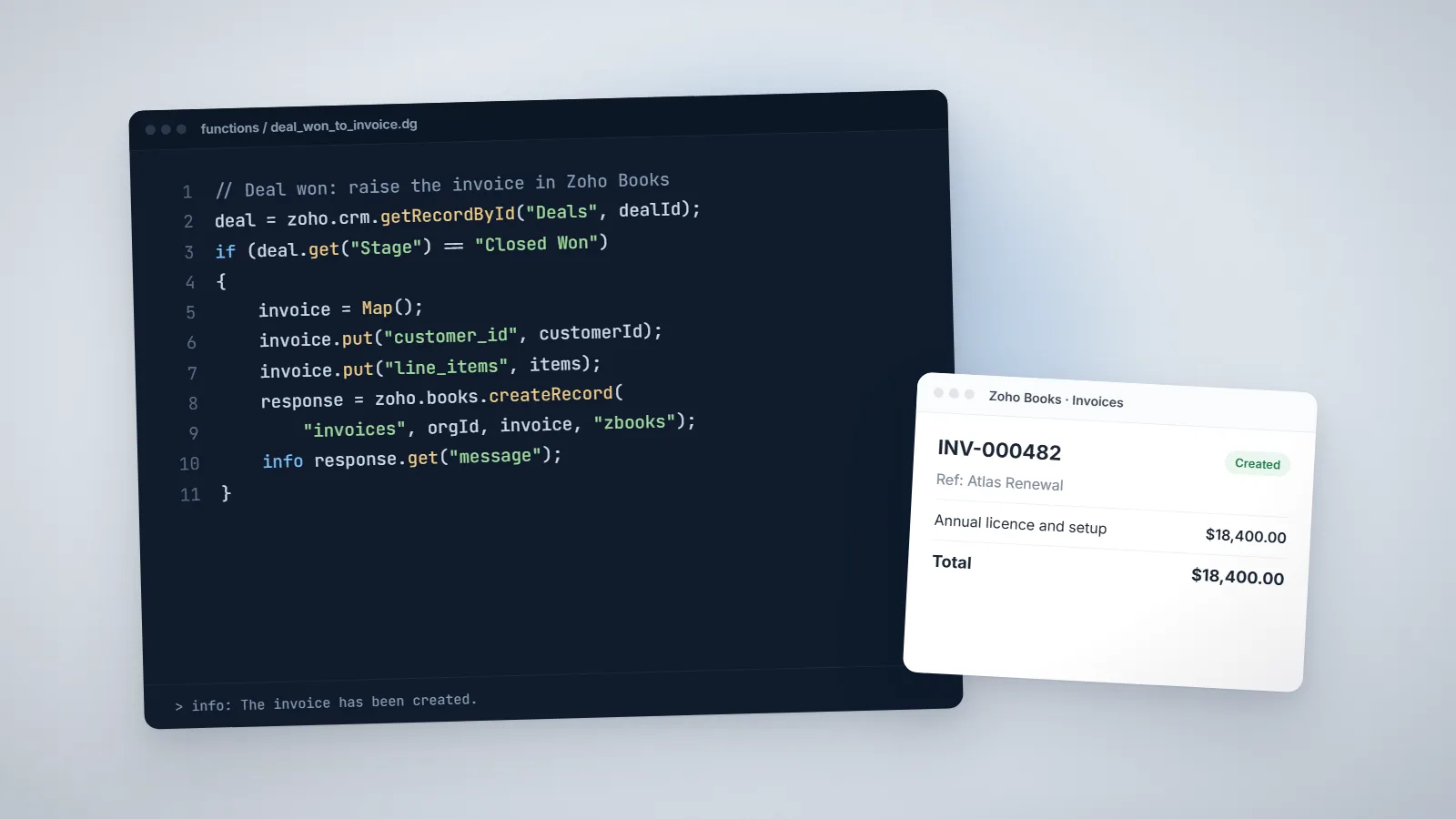
Examples: creating a Zoho Books invoice when a deal is won, checking credit limits before an order is confirmed, or rolling up totals across related records. This is the core of our Deluge development work.
When custom middleware is the right tool
- Volume: thousands of records per run, or bulk syncs that would exhaust tasks or statements.
- Duration: jobs that take minutes, such as large file imports or report generation.
- Reliability: you need a queue, automatic retries with back-off and a dead-letter list when the other system is down.
- Two-way sync: both systems can edit the same record and you need rules for conflicts.
- Reach: the other system uses a database connection, files on a server or a protocol that Flow and
invokeurldo not handle.
This is common with factory and warehouse systems; our guide to Zoho for manufacturing covers where Zoho meets production software. The trade-off is ownership: middleware needs hosting, monitoring, logging and someone responsible for it. Build it only when the first two options cannot do the job.
Combining them
The three fit together cleanly:
- Flow calling Deluge. A flow handles the trigger and the connections, and a custom function does the one calculation that a canvas cannot.
- Deluge calling middleware. A CRM function sends a small request with
invokeurland returns at once; the middleware does the slow work and writes the result back through the API. - Middleware calling Flow. Your service posts to a webhook trigger, and a flow fans the event out to several apps.
Whichever you choose, give every integration three things: a log of what it did, an alert when it fails, and a named owner. AI assistants are a fourth route for people asking questions of the same data; see our Zoho MCP guide for that.
A six-question decision checklist
- How many records per day, on a normal day and on the busiest day?
- How many actions per record? Multiply by the volume to get tasks.
- How fast must it react? Instantly, within minutes, or overnight?
- What happens when the other system is down? Can someone fix failed records by hand?
- Can both sides change the same record?
- Who will maintain it in two years?
If the answers are “low, few, minutes, yes, no, an admin”, use Zoho Flow. If the logic is tied to one Zoho app, use Deluge. If volume, duration or reliability dominate, plan for middleware and budget for running it. Our Zoho integrations page describes how we scope each kind.
Frequently asked questions
Zoho Flow is a no-code builder that connects apps with triggers and actions and is sized by tasks per month. Deluge is Zoho's scripting language, which runs inside Zoho apps such as CRM, Creator and Books and is limited by execution time and statement counts. Flow suits simple app-to-app automation; Deluge suits detailed logic inside one Zoho app.
Each action executed in a flow counts as one task. Zoho's example is a flow with one trigger and two actions, which uses two tasks each time it runs. Multiply the actions in a flow by the number of runs per month to estimate usage.
Yes. Zoho Flow supports custom functions written in Deluge on its Standard and Professional plans. A flow can pass data to a function and use the value it returns in later steps.
Zoho's general Deluge documentation lists 5,000 executed statements per function, with each loop iteration counted. Zoho Creator documents 5,000 to 50,000 depending on the plan, and Zoho CRM lists 200,000 lines of execution per invocation. Check the limits page for the product you are building in.
When the integration handles high volume, runs for minutes, needs queues and automatic retries, syncs in both directions with conflict rules, or connects to a system that Flow and Deluge cannot reach. Middleware can run on Zoho Catalyst or any cloud platform.
Yes. Zoho Flow offers an on-prem agent that lets flows reach systems inside your network. At the time of writing it is part of the Professional plan.
Related services: Zoho integrations · Deluge development · Custom software · Zoho development