
Most helpdesk AI so far has done one of two things: answer a question from the help centre, or suggest a reply for a person to send. The new wave of AI agents goes further. They look up the order, check the stock, change the account and close the loop. That is useful, and it is also where a business wants a person in charge. Zoho’s answer is a feature it calls Blended Agents, launched for Zoho Desk on 16 November 2026, which pairs an AI agent that does the legwork with a support rep who can step in, approve or take over.
This guide explains what Blended Agents are, what they can and cannot do yet, how to set one up, how Zoho charges for them and how they compare with the AI agents in Zendesk and Freshdesk. Every fact was checked on 24 November 2026 on Zoho’s launch release, its Desk product pages and its help centre, and on the other vendors’ own pages. Where Zoho’s pages disagree with each other, we say so. We build on Zoho and are not paid by any of these vendors.
The short answer
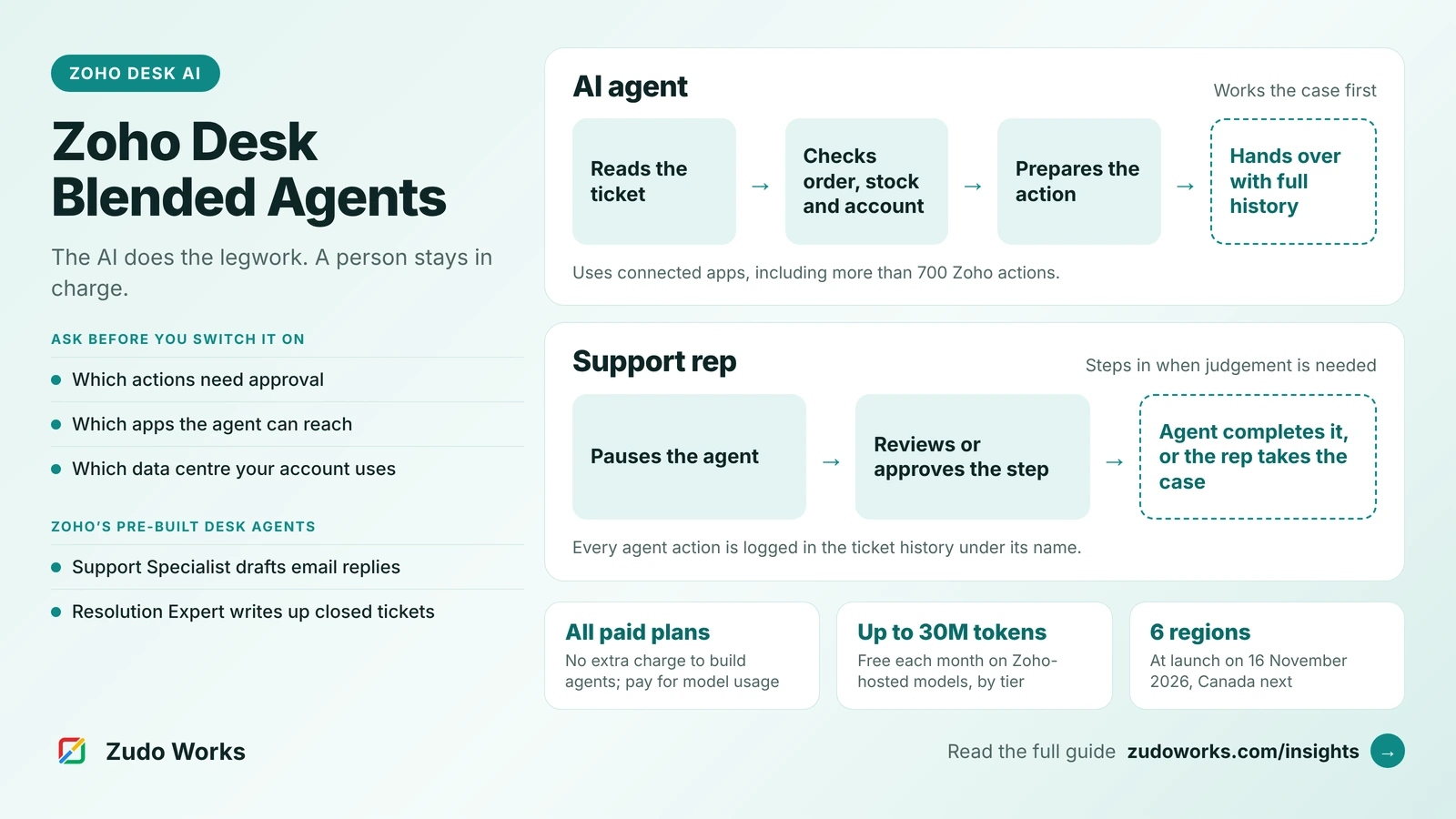
- What they are. AI agents inside Zoho Desk that retrieve information and carry out tasks across connected business apps, such as order details, stock levels and customer accounts, according to Zoho’s release.
- The “blended” part. When a case needs a person, the agent hands it over with its history and context. Reps can also pause the agent to review or approve an action before it goes ahead.
- Cost. Zoho says you can build and deploy agents on all paid Desk plans at no extra cost and pay only for model usage, with a free monthly token allowance on Zoho-hosted models of up to 30 million tokens, depending on tier.
- Where. India, the US, the EU, Japan, China and Australia at launch, with Canada to follow. Zoho’s two pre-built Desk agents are still limited to the US and India data centres.
- Who sets it up. A Desk administrator, through Zia Agents and Agent Studio, without code.
What Blended Agents are
Blended Agents are built on Zia Agents, Zoho’s platform for building AI agents that work across its apps. Zoho’s release describes them as “an agentic tool bringing together the best of human empathy and AI efficiency.” In plain terms, there are three kinds of work they do:
- Customer-facing work. Reading a ticket or chat, finding the facts in your systems and taking the next step, such as retrieving an order, checking stock or updating the customer’s account. Zoho says they use uploaded documents and connected third-party tools as well as Zoho apps.
- Behind-the-scenes work. Spotting repeat issues, writing knowledge base articles from solved cases and flagging scheduling conflicts.
- Handing over. Passing the case to a person with everything it has found, so the customer does not have to repeat themselves.
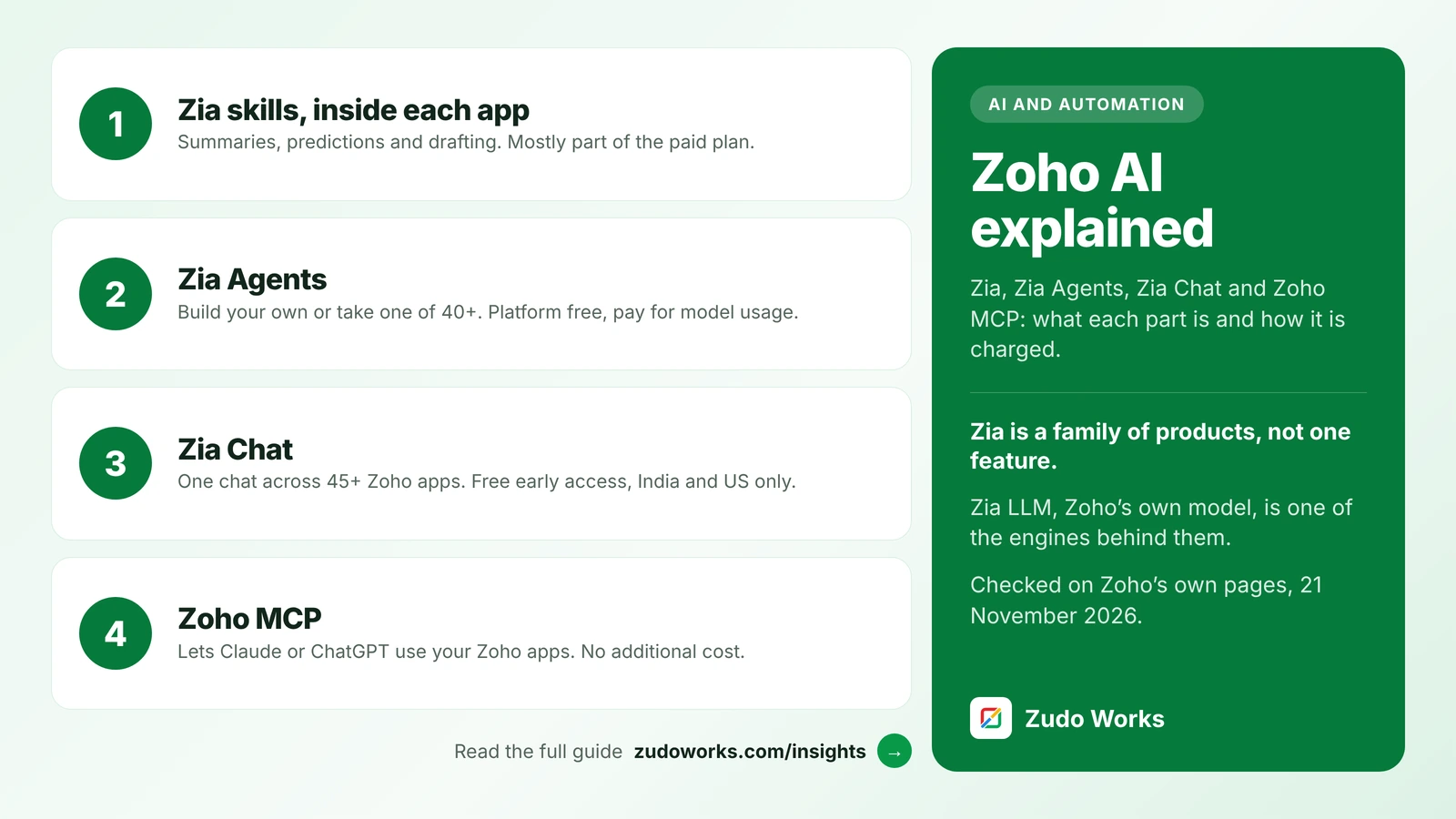
Zoho’s What’s new page says Zia agents can draw on more than 700 Zoho actions, giving as examples a deal in Zoho CRM, an invoice in Zoho Books and stock in Zoho Inventory. For a business that already runs on Zoho, that is the main attraction: the agent can see the order and the invoice without a custom integration. If you want the wider picture of where Zia, Zia Agents and Zia Chat fit, our Zoho AI explained guide maps each part.
How the handoff and approval work
The point of the “blended” design is that the AI does not have to finish every case alone. Zoho describes two mechanisms:
- Handover with context. When a request needs a person, “the AI agent can hand over the conversation, including its history and context, to a representative,” in the words of the release.
- Pause and approve. “Representatives can also pause AI execution to review or approve an action before it proceeds.” This is the control that matters for refunds, credits, cancellations or anything that changes money or contracts.
Inside Desk, agents behave like members of the team. Zoho’s Zia Agents FAQ says they appear alongside human agents in assignment rules and workflows, and the set-up help page says their actions are recorded in the ticket history under the agent’s name. That gives you an audit trail of what the AI did on each case.
Zoho’s pre-built Support Specialist agent shows the pattern on a small scale. It drafts replies to email tickets from your knowledge base. If it cannot find a relevant article, it leaves a private comment and un-assigns itself so a person can take the ticket.
How to set one up
Zoho’s help page on building and deploying custom AI agents in Zoho Desk sets out the steps. Only users with administrator rights can do this.
- Connect Zia Agents. Go to Setup > Integrations > Zoho > Zia Agents, choose the Desk portal and authorise it.
- Build or hire an agent. Open Zia Agents and either build one in Agent Studio, ask Zia to draft it for you, or hire a ready-made agent from the Agent Store.
- Define it. Write its instructions, choose the model (Zoho-hosted or OpenAI), set guardrails, add the tools it may use and attach knowledge base content.
- Deploy it. Creating an agent does not switch it on. Deploy it as a digital employee with a role, the departments it may work in and its own agent email address, or deploy it by connection to a Desk account.
- Route work to it. Use assignment rules and workflows as you would for a person, and decide which actions need a rep’s approval.
- Watch it. Active agents are listed under Setup > User Management > Zia Agents, where each can be deactivated with a toggle.
Two details are worth knowing before you start. Zoho’s older help article on the pre-built agents says that once enabled, those digital agents can be disabled but not deleted, and that the admin who enables the feature becomes its owner. And the release says Automation Studio, the new no-code builder for service workflows with branches, parallel actions and delays, comes from the Professional plan, so the workflows around your agents may need that plan even if the agent itself does not.
How Zoho charges for it
We do not quote prices, because they change and differ by country. The charging model is what you need to plan with. Zoho’s release says:
- Businesses can build and deploy AI agents across all paid Zoho Desk plans at no extra cost, paying only for the language model usage.
- On Zoho-hosted models, each account gets a monthly allowance of up to 30 million free tokens, depending on its tier. Zoho says data on these models stays in its own data centres and is not used to train its models.
- With bring your own key (BYOK), you connect your own model account and pay that provider directly.
Zoho’s Desk Zia page separately says the everyday generative AI features, such as ticket summaries, tone analysis and reply assistance, are built into Desk at no extra cost. See Zoho’s Desk plan comparison for the current plans in your country. Our Zoho AI guide explains the token allowances and the Agent Wallet in more detail.
Plans, regions and what is still limited
Zoho’s pages do not all say the same thing yet, which is normal in a launch week. This is what each says:
| Question | What Zoho says | Source |
|---|---|---|
| Which plans | All paid Desk plans; the release adds that the feature is available from the Express edition, Automation Studio from Professional and Workstation in Enterprise | Launch release |
| Custom agents, by data centre | US, India, China, EU, Australia and Japan | Desk help, custom agents |
| Pre-built agents | Professional and Enterprise, US and India data centres only | Desk help, custom agents |
| Regions at launch | India, US, EU, Japan, China and Australia, Canada soon | Launch release |
| Channels for custom agents | Email and chat | Zia Agents for Desk page |
| Model for pre-built agents | GPT-4.1 Mini, with nothing for admins to configure | Zia Agents FAQ |
| Attachments | Pre-built agents process text in tickets only, not images or attachments | Desk help, pre-built agents |
For a UK business, note that the release lists the EU rather than the UK as a region. If your Desk account sits in a data centre that is not on the list, check with Zoho before you plan a roll-out. Zoho also lists two more pre-built agents, Quality Manager and Sentiment Analyst, as coming soon.
How it compares with Zendesk and Freshdesk
All three helpdesks now sell AI agents that answer, act and hand over. The biggest difference is what you are charged for. This table uses each vendor’s own pages, read on 24 November 2026.
| Area | Zoho Desk | Zendesk | Freshdesk |
|---|---|---|---|
| What you pay for | Model usage (tokens), with a free monthly allowance on Zoho-hosted models, or your own model account | Automated resolutions, from an allowance; only verified resolutions count | Sessions; the first 500 included on Growth, Pro and Enterprise, more sold in blocks of 100 |
| Actions in other systems | Connected apps, including more than 700 Zoho actions | APIs, MCP and connected tools | Backend connections; MCP actions and connector tasks sold separately |
| Handover to a person | With history and context | Routed to the right team with full context | Escalates with full context |
| Approval before an action | Reps can pause the agent to review or approve | Not described on the pages we read | Not described on the pages we read |
| Channels | Email and chat for custom agents | Social, web, mobile, voice and email | Email, webchat, WhatsApp and social |
| How you build | Agent Studio, no code, or ask Zia to draft it | Procedures written in natural language | No-code builder in AI Agent Studio |
Sources: Zendesk AI agents, Zendesk automated resolution tiers, Freddy AI Agent and Freshdesk pricing.
What this means in practice: per-resolution and per-session pricing is easy to forecast from ticket volume, but every automated case has a unit cost. Token pricing can be very cheap for short cases and harder to forecast for long ones. Zendesk is the stronger choice today if you need voice or a wide range of channels for the AI agent. Zoho is attractive if your orders, invoices and stock already live in Zoho apps, because the agent can reach them without extra connectors. Our full comparisons of Zoho Desk vs Zendesk and Zoho Desk vs Freshdesk cover the rest of each product.
Where to start: a sensible first agent
The safest first agent is one that reads and drafts but changes nothing without a person. A good order of work:
- Pick one frequent, low-risk request. “Where is my order?” is the classic case: the answer sits in your order or inventory system and nothing needs to change.
- Give it read-only tools first. Let it look up orders, stock and account details. Add actions that change records only after a few weeks of checking its work.
- Require approval for anything with money in it. Refunds, credits, cancellations and price changes should always pause for a rep.
- Write the handover rule. Decide when the agent must stop: an angry customer, a legal question, a request outside its tools.
- Review the ticket history weekly. The agent’s actions are logged under its name, so you can see where it helped and where it should have handed over sooner.
The same principles apply when you connect an outside assistant through Zoho MCP. Our Zoho MCP guide explains which actions to allow, and our guide to AI agents in Zoho CRM covers the sales side.
Checklist before you switch it on
- Confirm your Desk plan and data centre are on Zoho’s list for the agents you want.
- Decide the model: Zoho-hosted within the free allowance, or your own key and your own model bill.
- List the actions the agent may take, and mark which ones need a rep’s approval.
- Clean the knowledge base articles it will draw on; it can only be as accurate as they are.
- Set up masking of personal data before tickets reach generative AI, which Zoho lists as a Desk feature.
- Tell customers when they are dealing with an AI agent, as Zoho’s own help recommends.
- Agree who reviews the agent’s work, and how often.
Our view
The handoff and the pause-to-approve control are the right design. An agent that can see an order and a stock level saves real time, and keeping a person in charge of changes keeps the risk where it belongs. The weak points today are the ones you would expect in a launch week: some pre-built agents are limited to two data centres, custom agents cover email and chat rather than every channel, and Zoho’s own pages still differ on some details. Start small and widen the agent’s permissions as it earns them.
We apply the same rule in our own manufacturing software: Zudo AI, the assistant inside ZMOS, proposes charts, data changes and rules, and nothing applies until a person approves it. If you want help designing the workflows, tools and approval rules around a Zoho Desk agent, our business process automation and Zoho integrations pages explain how we work.
Frequently asked questions
Frequently asked questions
What are Blended Agents in Zoho Desk?
Blended Agents are AI agents in Zoho Desk, launched on 16 November 2026. They read a ticket, look up information such as orders, stock and customer accounts in connected apps, and carry out tasks. When a case needs a person, they hand it over with its history and context, and staff can pause an agent to approve a step.
Do Zoho Desk AI agents cost extra?
Zoho says businesses can build and deploy AI agents on all paid Zoho Desk plans at no extra cost and pay only for model usage. Zoho-hosted models come with a free monthly allowance of up to 30 million tokens, depending on tier. If you bring your own model key, you pay that provider directly.
Which Zoho Desk plans include AI agents?
Zoho's release says all paid Desk plans, and that the feature is available from the Express edition, with Automation Studio from Professional and Workstation in Enterprise. Zoho's help page says the two pre-built agents, Support Specialist and Resolution Expert, are for Professional and Enterprise in the US and India data centres.
Can a person approve what the AI agent does?
Yes. Zoho says representatives can pause AI execution to review or approve an action before it proceeds, and the agent hands the conversation to a person with its history when needed. Agent actions are recorded in the ticket history under the agent's name.
Is Zoho Desk Blended Agents available in the UK?
Zoho's release lists India, the US, the EU, Japan, China and Australia at launch, with Canada to follow. The UK is not named separately, so a UK business should check which data centre its Zoho account uses and confirm availability with Zoho before planning a roll-out.
How is Zoho Desk different from Zendesk for AI agents?
The main difference is the charging unit. Zoho charges for model usage with a free token allowance on its own hosted models. Zendesk charges per verified automated resolution from an allowance. Zendesk lists more channels for its AI agents, including voice, while Zoho's agents can reach Zoho apps such as CRM, Books and Inventory directly.