Busy is a long-established Indian accounting package used by traders, distributors and small manufacturers. Zoho Books is Zoho’s cloud accounting app, and the finance core of Zoho One. Both create GST invoices, e-invoices and e-way bills and track stock. The differences are in how you install and pay for each one, and in which edition unlocks batches, bills of materials, job work and branches.
Every edition and feature below was checked on Busy’s and Zoho’s own pages on 4 November 2026. We do not quote prices; see the official Busy plans and pricing and Zoho Books pricing pages. We implement Zoho, so read this with that in mind; where Busy is the better fit, we say so.
The short answer
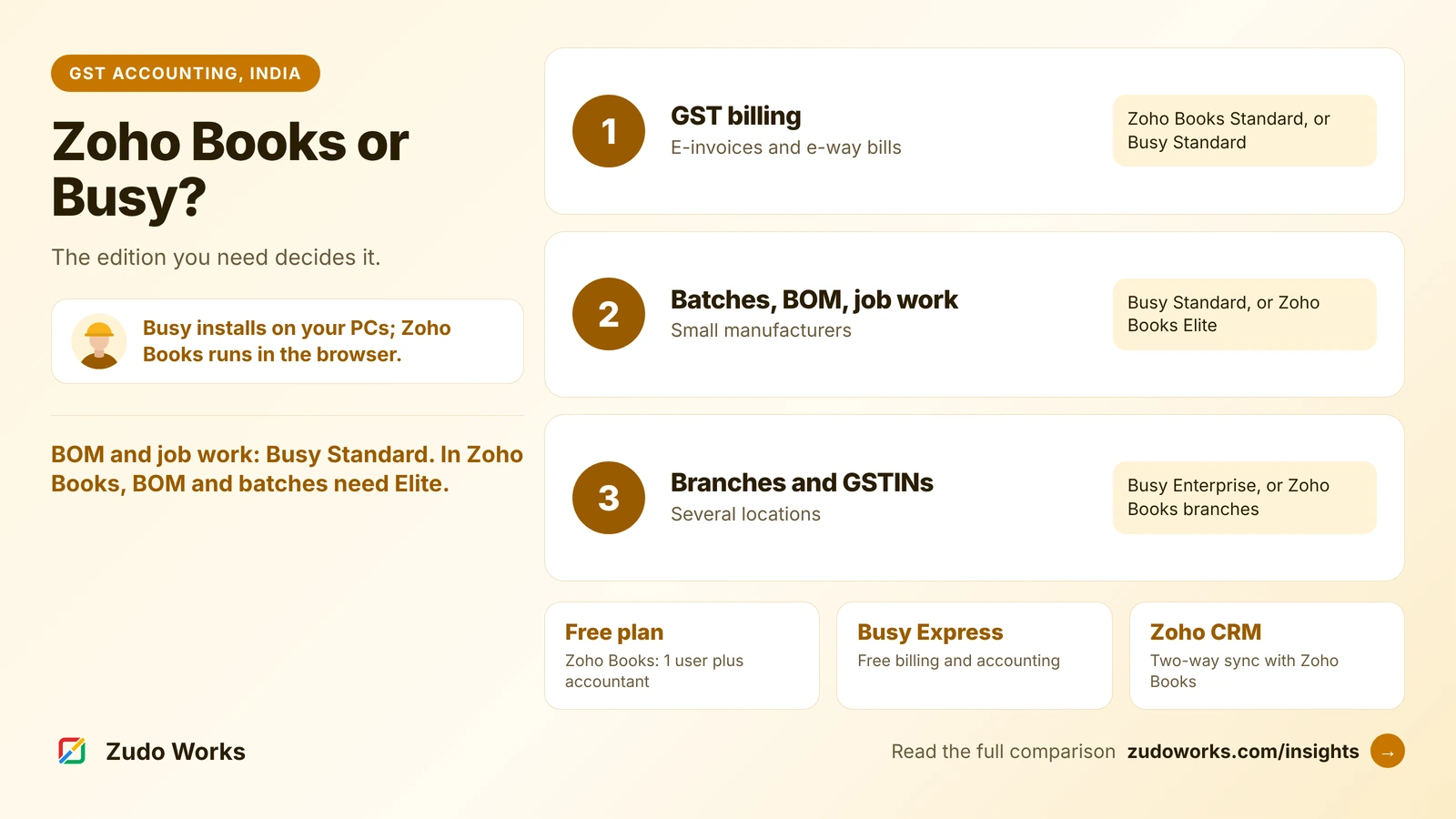
- Choose Busy if you want accounting installed on your own computers, you need a bill of materials, batch tracking and job work in a mid-level edition, or your accountant already works in Busy.
- Choose Zoho Books if you want to work from anywhere in a browser, start on a free plan, connect sales in Zoho CRM, or grow into the rest of Zoho with one login.
- For real production, with job cards, routings and shop-floor tracking, look beyond both at a manufacturing ERP.
How each one is sold
Busy sells two product lines. BUSY 21 comes in four editions: Express, a free billing and accounting edition; Basic, for non-GST billing and accounting; Standard, which adds GST; and Enterprise, which adds multi-branch working. Basic, Standard and Enterprise come as single-user or multi-user licences, and Busy’s pricing page describes an annual renewal for updates and support. BUSY Magic is a subscription line, START, SMART, POWER and POWER+, valid for 360 days, after which the software switches to demo mode until renewed. Remote access through BUSY Online is a separate yearly service. Busy publishes its prices, excluding GST, and offers a free demo.
Zoho Books in India has six plans: Free, Standard, Professional, Premium, Elite and Ultimate. Paid plans are billed monthly or yearly per organisation, with a 14-day trial. Each plan includes a set number of users and an annual invoice allowance.
The practical difference: Busy is software you install and maintain on your own machines, with the data on them, while Zoho Books is a web service that Zoho hosts and updates.
Zoho Books and Busy at a glance
| Area | Zoho Books (India) | Busy |
|---|---|---|
| Where it runs | In the browser, hosted by Zoho | Installed on your computers; BUSY Online for remote access |
| Free option | Free plan: 1 user plus 1 accountant, 1,000 invoices a year | BUSY 21 Express: free billing and accounting, no GST features listed |
| Users | 3, 5, 10, 15 and 25 on the paid plans | Single-user or multi-user licences; POWER+ lists 10 users |
| E-invoicing | From Standard | Standard edition; SMART and up on BUSY Magic |
| E-way bills and GST filing | All plans | Standard and Enterprise; SMART and up |
| Batch tracking | Elite and Ultimate | Standard (batch-wise with manufacturing and expiry dates); SMART and up |
| Bill of materials | Composite items on Elite and Ultimate | BOM and production planning on Standard |
| Warehouses | 2, 3, 8 and 8 locations from Professional | Multiple godowns from Basic |
| Several GSTINs | Branches, each with its own GSTIN or a shared one | Enterprise; POWER and POWER+ on BUSY Magic |
| Customisation | Workflow rules from Professional; custom functions from Premium | Configuration within each edition |
GST, e-invoices and e-way bills
Both cover the GST basics a growing business needs, but at different levels.
- Zoho Books includes GST filing and e-way bills on every plan, even Free, and adds e-invoicing from Standard. Invoice allowances rise from 1,000 a year on Free to 5,000 on Standard, 10,000 on Professional, 25,000 on Premium and 1,00,000 on Elite and Ultimate.
- Busy starts GST at the Standard edition of BUSY 21, which lists GST e-returns and automatic e-invoice and e-way bill generation. On BUSY Magic, SMART covers GST with up to 10,000 e-invoices and e-way bills, POWER up to 20,000 and POWER+ up to 50,000. Basic and START are for non-GST billing.
If you are e-invoicing today, check the document allowance on both sides against last year’s count, with room to grow.
Stock, batches, BOM and job work
This is where a small manufacturer usually decides.
Busy puts a lot into the Standard edition: batch-wise inventory with manufacturing and expiry dates, a bill of materials with production planning, and production and job work. Basic already supports multiple godowns. On BUSY Magic, SMART adds batch, serial number and reorder-level tracking, while job work and multi-branch management are listed as upcoming features on POWER.
Zoho Books tracks stock on every plan and adds warehouses from Professional. Composite items, Zoho’s bill of materials for assembled products, and batch and serial tracking come with Elite and Ultimate. For goods sent out for job work, Zoho Books has delivery challans, which Zoho’s help lists for supplying goods for job work. It does not list a production or job work module of its own.
So for a business that assembles products and sends work to job workers, Busy Standard covers ground that needs Zoho Books Elite. When production gets more complex, with several stages, job cards or quality checks, both are accounting tools first. Our TranZact vs Zoho ERP and ERPNext vs Zoho ERP comparisons cover manufacturing systems for Indian factories.
Branches and multiple GSTINs
Busy keeps multi-branch working, branch-wise reports and multiple GSTINs for its Enterprise edition, which also lists payroll and indent management. On BUSY Magic, POWER adds multiple GSTINs in one company.
Zoho Books has a Branches feature: you can link each branch to its own GSTIN or let several branches share one, and each GSTIN needs its own transaction number series. Once switched on, branches cannot be switched off, only deleted or marked inactive, so plan the structure first. Zoho’s help page does not say which plans include branches; confirm that for the plan you are quoted.
Working from the office or from anywhere
Busy runs on your own computers, which many owners like because the data stays in the office. Busy lists a mobile app on Android and iOS for invoices, sharing documents and viewing reports, and BUSY Online for remote access to the full software, priced separately. The Enterprise edition lists offline and online working across branches.
Zoho Books needs an internet connection, but there is nothing to install, back up or update, and the owner, the accountant and sales staff can work at the same time from different places. If your team is spread across a factory, a depot and a sales office, that usually decides it.
The Zoho CRM link and the rest of Zoho
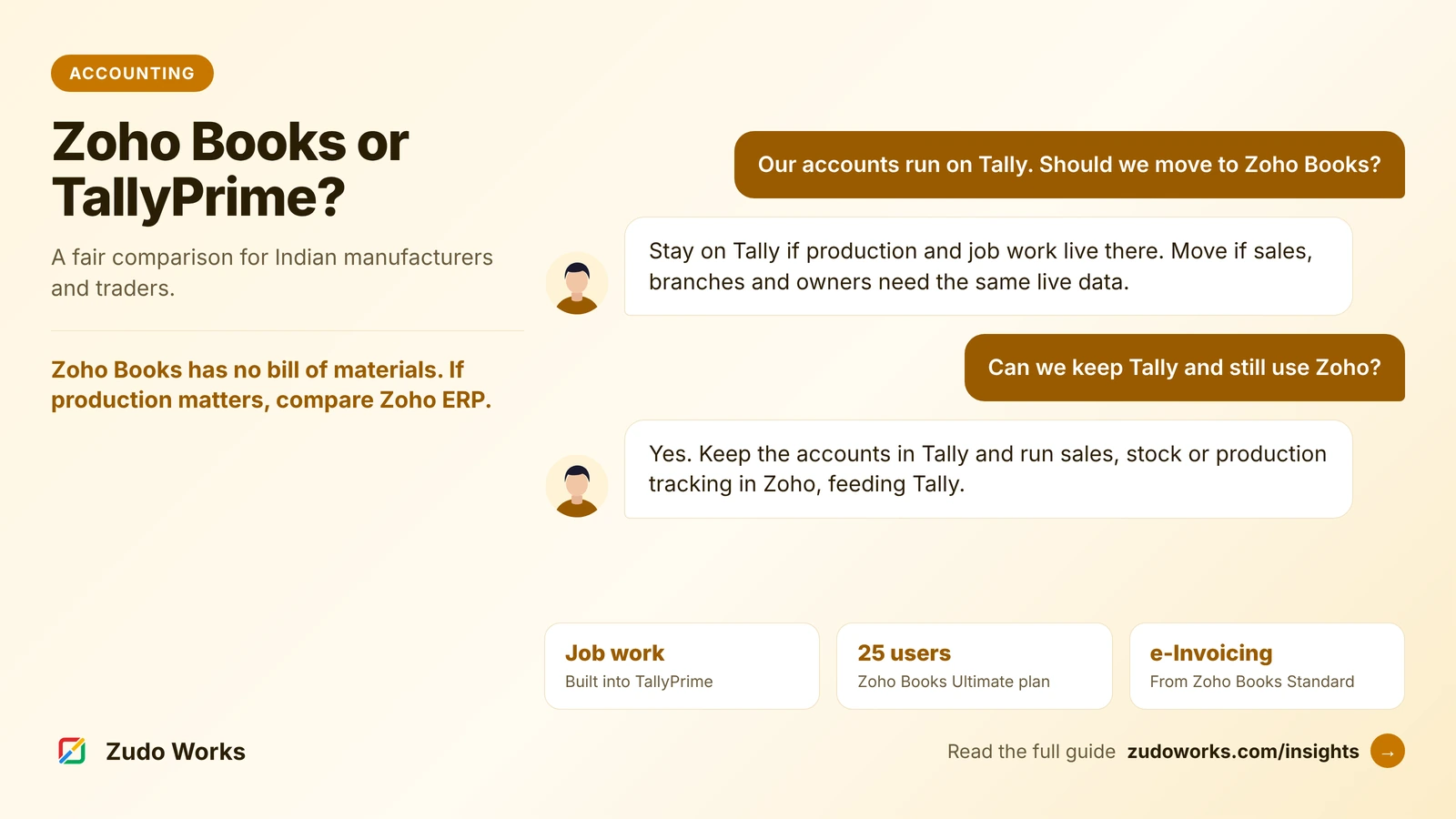
Zoho Books has a native two-way sync with Zoho CRM, so sales and finance share the same customers without a third-party connector, and Zoho Books is part of Zoho One with Zoho Inventory, Desk and Creator. Busy sells its own add-ons, such as BUSY Recom for Amazon, Flipkart and Shopify orders, and is a good fit when accounting is the only system you need. If you are also weighing TallyPrime, our Zoho Books vs TallyPrime guide covers the same choice for Tally users.
Which one fits
| Your situation | Usually the better fit |
|---|---|
| Accounts on your own computers, accountant already uses Busy | Busy |
| BOM, batches and job work at a mid-level edition | Busy Standard |
| Team working from several places at once | Zoho Books |
| Sales already in Zoho CRM | Zoho Books |
| Several branches with separate GSTINs | Busy Enterprise, or Zoho Books branches |
| Multi-stage production with job cards | A manufacturing ERP beside either |
Questions to settle before you switch
- Count last year’s invoices, e-invoices and e-way bills, and check them against each plan’s allowance.
- Run one assembled product through each: BOM, batch, stock and cost.
- Send material to a job worker and bring it back, and see what each system records.
- Decide how many people need access, and from where.
- Agree with your accountant which year to move at, and what history to bring across.
If you choose Zoho Books and want it connected to your CRM, inventory or a production app, our Zoho integrations page explains how we set that up.
Frequently asked questions
Frequently asked questions
Is Busy accounting software cloud-based?
Busy is installed on your own computers. Busy sells remote access through BUSY Online as a separate yearly service, and lists a mobile app on Android and iOS. Zoho Books runs entirely in the browser and is hosted by Zoho.
Does Zoho Books have a bill of materials like Busy?
Zoho Books offers composite items, which act as a bill of materials for assembled products, on its Elite and Ultimate plans, together with batch and serial tracking. Busy lists a BOM with production planning in its BUSY 21 Standard edition.
Which Busy edition includes GST?
In BUSY 21, GST starts at the Standard edition, which lists GST e-returns and e-invoice and e-way bill generation; Enterprise adds multi-branch working and multiple GSTINs. On BUSY Magic, GST starts at SMART. Express, Basic and START are for billing and accounting without GST.
Does Zoho Books support multiple GSTINs?
Yes, through Branches. Each branch can have its own GSTIN or share one, and each GSTIN needs its own transaction number series. Branches cannot be switched off once enabled, and Zoho's help page does not say which plans include them, so confirm for your plan.
Does Zoho Books have a free plan?
Yes. The Free plan in India covers 1 user plus 1 accountant and 1,000 invoices a year, with GST filing and e-way bills; e-invoicing starts on Standard. Busy's free option is BUSY 21 Express, a billing and accounting edition without GST features listed.