
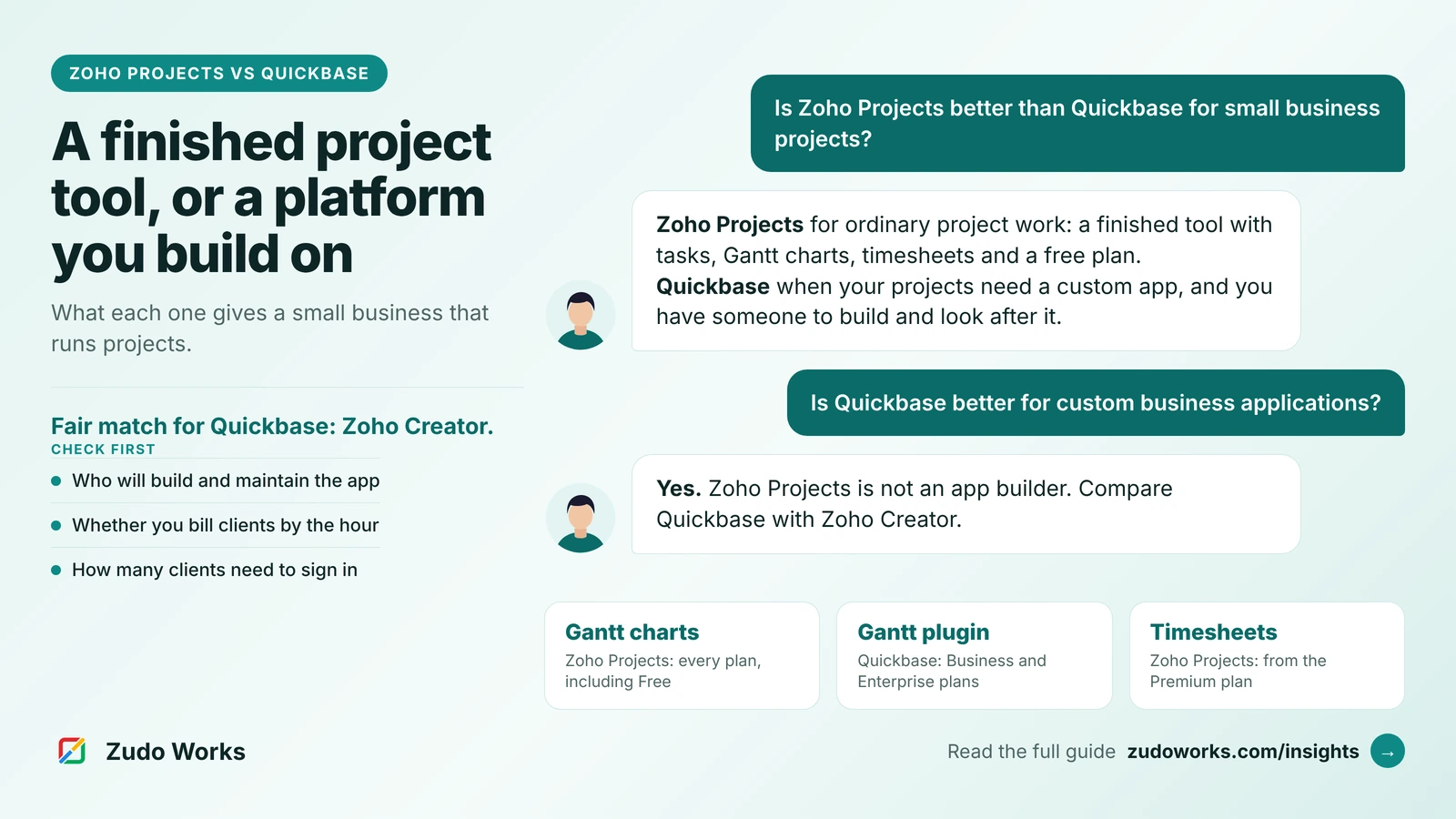
People ask this question in two ways. Some ask whether Zoho Projects is better than Quickbase for small business projects. Others ask whether Quickbase is better than Zoho Projects for custom business applications. Both are fair questions, and they have different answers, because the two products are not the same kind of thing.
Zoho Projects is project management software that works on the day you sign up. Quickbase is a low-code platform: you get tables, forms, reports and automation, and you build the app you need, or start from a template and change it. The details below come from Zoho’s and Quickbase’s own pricing and help pages, opened on 20 November 2026 and linked in each section. We build on Zoho, so we have taken care to say plainly where Quickbase is the better choice.
The short answer
- For ordinary project work (client jobs, internal projects, tasks, deadlines, time sheets), Zoho Projects is usually the better fit for a small business. It is ready to use, it has a free plan, and you can pay month by month.
- For a custom business application, Quickbase is the better fit of the two, because Zoho Projects is not an app builder. The fair Zoho match for Quickbase is Zoho Creator, not Zoho Projects.
- Gantt charts are on every Zoho Projects plan. In Quickbase the editable Gantt plugin is on the Business and Enterprise plans, and an app builder has to set it up.
- Time tracking and billing are built into Zoho Projects from the Premium plan, with invoicing through Zoho Books or Zoho Invoice. In Quickbase you build these as part of your app.
- Quickbase wins when projects are tied to work that no standard tool models well, such as site surveys, permits, equipment and crews on the same job. Its own project pages name construction, store openings, solar and telecom.
Two different kinds of product
A project management tool arrives with its structure decided. Zoho Projects has projects, milestones, task lists, tasks, subtasks, issues, timesheets, documents and users, and the screens for each are already built. You can change a good deal, but you start from a working system.
A low-code platform arrives nearly empty. In Quickbase you decide what the tables are, how they relate, what each form looks like and which reports each role sees. Quickbase’s project management page describes this as creating no-code project management apps and configuring one for each project type. That freedom is the point of the product. It also means somebody in your business, or somebody you pay, becomes the app builder.
So the first question is not which product is better. It is whether your projects look like everybody else’s. If they do, a finished tool saves months. If they do not, a finished tool will be bent out of shape, and a platform earns its cost.
Zoho Projects and Quickbase at a glance
The table shows what each vendor publishes. We do not quote prices, because they change; the links under the table go to both pricing pages.
| Area | Zoho Projects | Quickbase |
|---|---|---|
| What it is | Finished project management software | Low-code platform for building business apps |
| Plans | Free, Premium, Enterprise, Ultimate | Team, Business, Enterprise |
| Free plan | Yes, with limits on users and projects | None listed |
| Trial | 15 days, no card | 30 days, with Business plan features |
| Billing | Per user, monthly or yearly | Team and Business: per user, priced annually, plus a platform minimum. Enterprise: custom |
| Gantt | All plans | Gantt plugin on Business and Enterprise |
| Timesheets | Built in from Premium | Built by you as part of the app |
| Clients | Client users, a paid add-on on paid plans | Public sharing and secure links on Business and Enterprise |
| Set-up | Sign up and add a project | Build an app or adapt a template |
Sources: Zoho Projects pricing and plan comparison; Quickbase plans and pricing and capabilities by plan.
What each Zoho Projects plan gives a small team
Zoho’s pricing pages list the Free plan at up to 5 users, 3 projects and 5 GB of storage. One of Zoho’s own help articles gives lower figures for the Free plan, so check what your account shows before you rely on it. Paid plans have unlimited projects.
- Free: tasks and subtasks, Gantt charts, finish-to-start dependencies inside a project, the mobile apps, and 50 workflow actions a month.
- Premium: all four dependency types inside a project, recurring tasks, time logs and timesheets with approval, project budgets, earned value, a workload report for each project, task Blueprints, 20 project templates and 100 GB of storage.
- Enterprise: dependencies across projects, baselines, the critical path, a workload report across projects, custom fields, custom profiles and roles, a portfolio dashboard, single sign-on, a sandbox, and 10 read-only users.
- Ultimate: timesheets across several users and projects in one view, 100 read-only users, and storage counted per user.
Two points matter for a small business. First, the features many people think of as standard, such as custom fields and the critical path, sit on the Enterprise plan. Second, client users are an add-on you pay for on the paid plans, so count your clients as well as your staff when you work out the cost.
Zoho Projects shows tasks as a list, a Kanban board or a Gantt chart. Its features page also lists links to Zoho CRM, Zoho Desk, Zoho Books, Zoho Invoice and Zoho Analytics, and to outside tools including Slack, Microsoft Teams, Google Drive and GitHub.
What project work looks like in Quickbase
Quickbase is licensed for the platform, and the project app is yours to shape. Its project management page lists Gantt and timeline views, automated task assignments and approvals, budget against actual tracking, dependencies, stage gates, resource scheduling with skills and availability, utilisation reports and portfolio views.
The Gantt chart shows how the platform approach works in practice. Quickbase has a view-only Timeline report, and a separate Gantt plugin that can be edited. According to the Quickbase help pages:
- The Gantt plugin is on the Business and Enterprise plans, and only an app admin can install and manage it.
- It needs a set app structure. The reference page lists eleven tables, among them Projects, Tasks, Gantt Dependencies, Resources, Resource Assignments, Calendars and Baseline Dates. Quickbase offers a template app that already has them.
- Once set up it is a full scheduling tool: four dependency types with lead and lag, automatic scheduling, date constraints, milestones, baselines, a critical path view and working calendars.
That is more scheduling depth than Zoho Projects gives on its lower plans. It also asks more of you before the first chart appears. For a ten-person firm with no one to act as app builder, that work is the real price of Quickbase, on top of the licence.
The Team plan covers dashboards, more than 13 report types, workflow automation and audit logs. Business adds the Gantt plugin, single sign-on, a sandbox, FDA and HIPAA compliance, and sharing with people outside the account. Team and Business prices are per user, priced annually, and the pricing page notes that a platform minimum applies on top. All users must be on the same plan.
Time tracking, billing and clients
Many small businesses run projects for clients and bill by the hour, and this is where the two products differ most.
Zoho Projects has time logs, timers and timesheets with approval from the Premium plan. Connected to Zoho Books, a project with its customer, tasks and timesheets appears in the accounts, and Zoho Books fetches the timesheets that are billable and approved. Zoho’s help notes one condition: a project needs a primary customer before you can invoice it. Clients can be given their own sign-in as client users.
Quickbase does not list timesheets or invoicing on its project management page. You can build both, because a time entry is one more table related to tasks and people, and a platform does this well. But it is a build, and the invoice still has to reach your accounting system through an integration. For outside parties, Business and Enterprise include public sharing and secure links that let an outside person view or edit specific data without signing in.
If your accounts are in QuickBooks, not Zoho Books, read our guide to Zoho and QuickBooks integration first. It lists the Zoho apps that connect to QuickBooks Online as standard and what each one sends.
The fair match for Quickbase is Zoho Creator
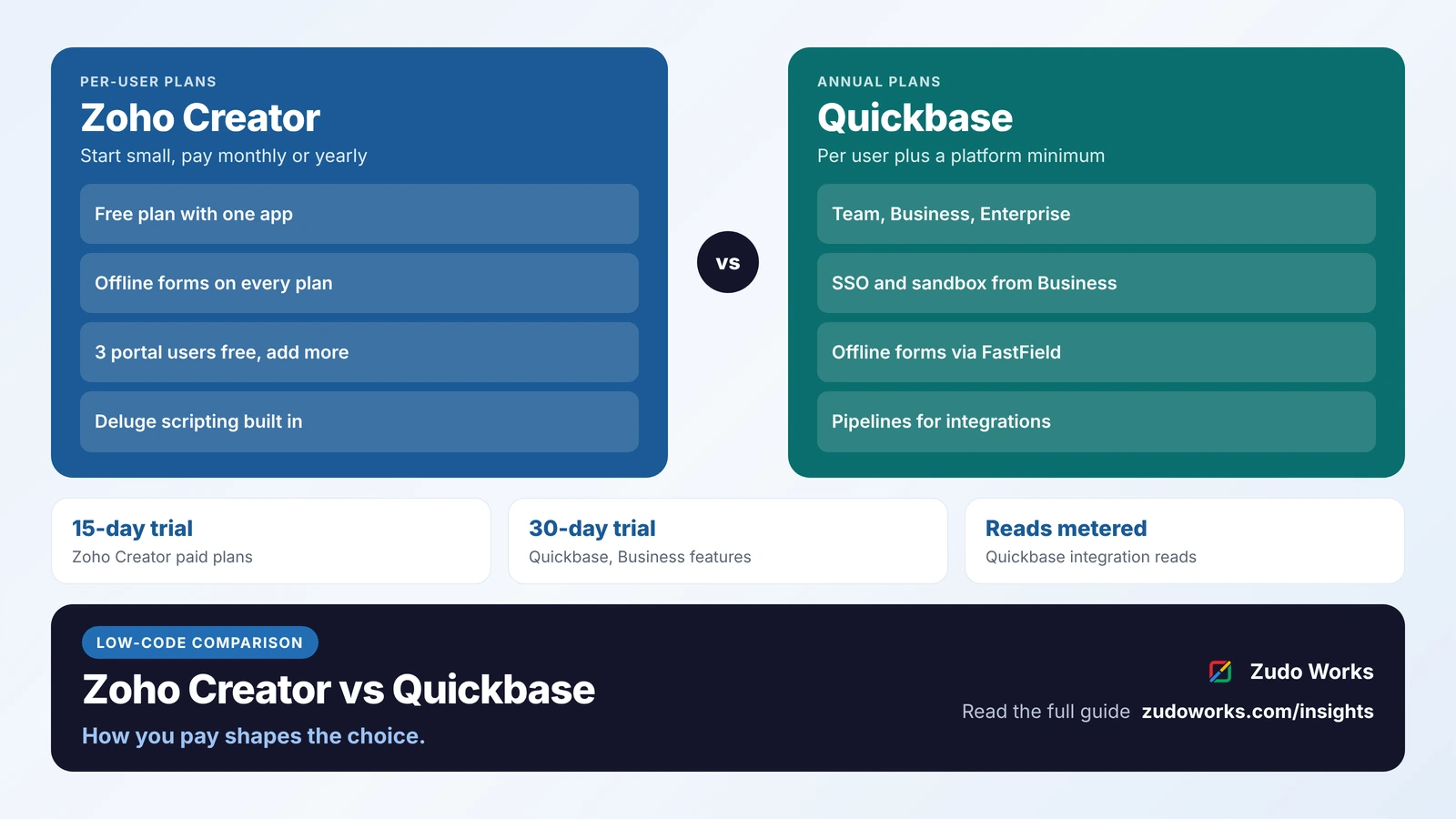
If your real question is which platform to build a custom business app on, compare like with like. Zoho’s low-code platform is Zoho Creator, and we have a full comparison of Zoho Creator vs Quickbase covering pricing models, record limits, mobile use and governance.
A common Zoho arrangement for a small firm is Zoho Projects for the project work itself, with a small Creator app beside it for whatever is unusual: a site survey form, an equipment register, a permit tracker. The two sit under the same Zoho sign-in, and a Creator app can be connected to Zoho Projects. Our note on Zoho Creator vs Zoho CRM explains the same choice between a finished Zoho app and a custom one, and Zoho Creator pricing sets out what the custom part costs.
Zoho also sells Zoho Projects Plus, a bundle of Zoho Projects, Sprints, Analytics, WorkDrive, Notebook and Learn. It is worth a look if you want reporting and file storage with the project tool and do not need the rest of Zoho One.
The same logic applies to the other comparison people often make, Zoho Projects against Airtable. Airtable is a flexible database with views, so the closer Zoho match is again Creator; see Zoho Creator vs Airtable.
Which one fits
Choose Zoho Projects if:
- Your projects are made of tasks, people, dates and hours, like most service, agency, engineering and internal projects.
- You want to start this week without building anything.
- You bill clients for time and want the hours to reach your invoices.
- You have fewer than about 20 people and want a free plan or monthly billing while you find out whether it suits you.
- You already use Zoho CRM, Zoho Books or Zoho Desk.
Choose Quickbase if:
- Each project carries data a standard tool has no place for: sites, assets, inspections, permits, crews, change orders.
- You run many similar projects with stage gates, and want one app that enforces your own process.
- You have, or will pay for, a person to build and look after the app.
- You need FDA or HIPAA compliance from the platform, which Quickbase lists on Business and Enterprise.
- An annual contract with a platform minimum is acceptable for the size of the problem.
If you are a manufacturer, be careful with both. A works order is not a project, and neither product is a production system. Our guide to Zoho for manufacturing covers where project tools stop being useful on a shop floor.
A seven-question checklist before you sign
- Could you describe your projects with tasks, dates, people and hours alone? If yes, start with Zoho Projects.
- Who will build and maintain the app? If there is no name to put here, a platform is the wrong choice for now.
- Do you need an editable Gantt chart with baselines and a critical path? That means Enterprise in Zoho Projects, or Business in Quickbase with the Gantt plugin set up.
- Do you bill by the hour? Check how approved time reaches an invoice in each product, using your own accounting system.
- How many clients need to sign in? Price Zoho client users, and check which Quickbase sharing method fits.
- Which fields must be custom? In Zoho Projects, custom fields start at Enterprise. In Quickbase every field is yours.
- What is the total for a year? Ask both vendors for a written quote for your exact user count, including add-ons and any minimum.
Run a real project in each trial before you decide. Use one that has already finished, so you know what the right answer looks like. If you want help setting up Zoho Projects or building a Creator app beside it, our Zoho development page explains how we work, and you can send us the details of what you run today.
Frequently asked questions
Frequently asked questions
Is Zoho Projects better than Quickbase for small business projects?
For most small businesses, yes. Zoho Projects is finished project management software with tasks, Gantt charts and timesheets, a free plan and monthly billing. Quickbase is a platform you build apps on, sold on annual plans with a platform minimum. Quickbase is the better choice when your projects need a custom app.
Is Quickbase better than Zoho Projects for custom business applications?
Yes, because Zoho Projects is not an app builder. It lets you add custom fields and modules on its higher plans, but it stays a project management tool. Quickbase is built for custom applications. The fair comparison from Zoho is Zoho Creator, its low-code platform.
Does Zoho Projects have a free plan?
Yes. On 20 November 2026 the Zoho Projects pricing pages listed a Free plan with up to 5 users, 3 projects and 5 GB of storage, including Gantt charts and the mobile apps. A Zoho help article shows lower limits, so confirm the figures in your own account. Quickbase lists a 30-day trial and no free plan.
Does Quickbase have Gantt charts?
Yes. Quickbase has a view-only Timeline report and an editable Gantt plugin. The Gantt plugin is on the Business and Enterprise plans. An app admin installs it, and the app needs a set structure of tables for tasks, dependencies, resources and calendars. Quickbase provides a template app with that structure.
Can Zoho Projects track time and invoice clients?
Yes. Time logs and timesheets with approval are included from the Premium plan. With the Zoho Books or Zoho Invoice integration, billable and approved timesheets are fetched into the accounts so they can be invoiced. Each project needs a primary customer before it can be invoiced.
What is the Zoho equivalent of Quickbase?
Zoho Creator. Like Quickbase, it is a low-code platform for building custom business apps with forms, reports, workflows and a mobile app. Zoho Projects is a different product: ready-made project management software. Many small firms use Zoho Projects for project work and a small Creator app for anything unusual.