Comparisons
Zoho Creator vs Quickbase: Pricing Models, Limits and Fit for Operations Teams
Zoho Creator and Quickbase are both low-code platforms that operations teams use to replace spreadsheets with real applications: production trackers, quality logs, asset registers and supplier portals. They are priced in very different ways, and that difference shapes which one fits long before you compare features.

Quick answer
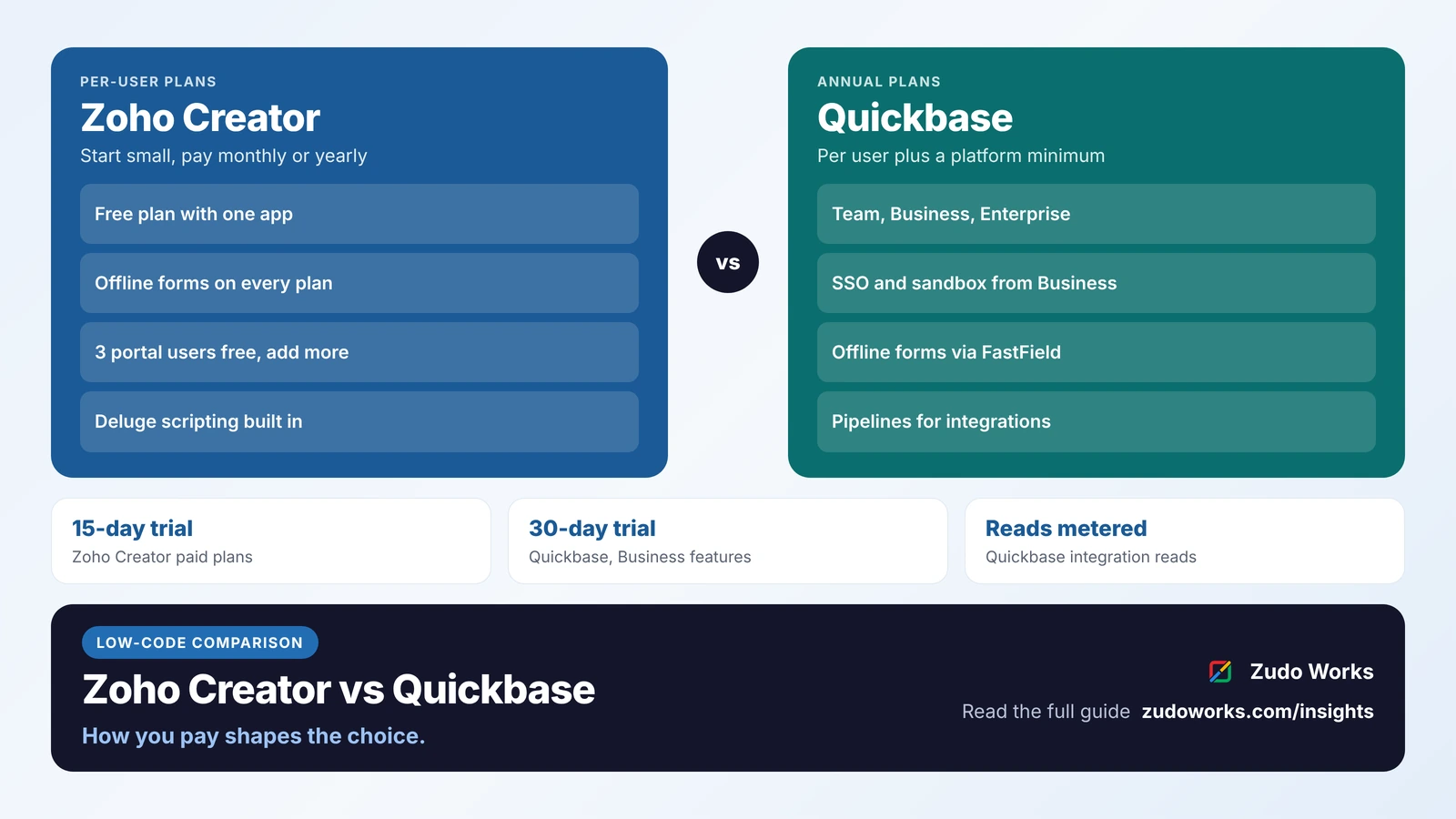
Choose Zoho Creator if you want per-user pricing you can start monthly, a free plan, offline forms in its mobile apps and links to other Zoho apps. Choose Quickbase if you want SSO, a sandbox and Pipelines on its Business plan and can commit to an annual contract with a platform minimum. Quickbase also meters integration reads, so count integrations and public users as well as staff.
Most comparisons of Zoho Creator and Quickbase are review-site grids of star ratings. They rarely explain the part that decides the bill: Zoho Creator charges per user with published plan limits, while Quickbase combines per-user plans with a platform minimum and an entitlement measured in “reads”.
Every plan detail below was checked on Zoho’s and Quickbase’s own pages on 26 October 2026. We do not quote prices, because both change; see the official Zoho Creator pricing and Quickbase plans pages. We build on Zoho, so read this with that in mind; we say where Quickbase is the better fit.
The short answer
- Choose Zoho Creator if you want to start small and monthly, need offline data entry in the mobile app, want external portals for customers or suppliers, or already run Zoho CRM, Books or Inventory.
- Choose Quickbase if you are a larger operations team that wants single sign-on, a sandbox and Gantt views on its mid-tier plan, Pipelines for integrations, and can commit to an annual contract with a platform minimum.
- Before you compare, list who will use the app, who outside the company needs access, and which systems it must send data to. Those three answers change the price of each platform more than any feature.
Zoho Creator and Quickbase at a glance
| Area | Zoho Creator | Quickbase |
|---|---|---|
| Plans | Free, Standard, Professional, Enterprise, plus a custom Flex plan | Team, Business, Enterprise |
| How you pay | Per user, monthly or yearly | Per user, billed annually, plus a platform minimum; a usage-based option is also offered |
| Free option and trial | Free plan with one app; 15-day trial of paid plans | No free plan listed; 30-day trial with Business features |
| Published limits | Records, storage, script statements and external calls per plan | App space and storage vary by plan; amounts not published |
| Scripting | Deluge, Zoho’s scripting language | No-code builder; Pipelines for automation and integration |
| Mobile and offline | Native iOS and Android apps; offline forms on every plan | Quickbase mobile app; offline forms through FastField, a separate product |
| External users | Customer portals: 3 users free, more as an add-on | Public (“everyone on the internet”) access counts toward integration reads |
| Single sign-on | SAML SSO included on Enterprise, an add-on below | SSO with SCIM provisioning from Business |
| Test environment | Developer environments on paid plans | Sandbox from Business |
| AI | Zia agents to plan, build and test apps; bring your own key from OpenAI, Google or Anthropic | Optional AI Intelligence Pack add-on; Pave, a separate AI app builder |
Two pricing models, two kinds of surprise
Zoho Creator is licensed per user. Zoho’s pricing FAQ says you buy a licence for each unique person who accesses your applications, and you can pay monthly or yearly. The Free plan covers one app for basic needs, and after the 15-day trial an account moves to the Free plan. The surprise with Creator is usually the user count: a production tracker that thirty supervisors open needs thirty licences, unless some of them are better served through a portal.
Quickbase lists Team and Business at a price per user per month, billed annually, and notes that the price shown does not include the platform minimum. Its FAQ explains that instead of focusing pricing on seats, Quickbase charges a platform minimum fee, and that all users on an account must be on the same plan. There is also a usage-based option priced on the collective use of all users rather than the number of users. Enterprise is quoted.
The less visible part is the entitlement. Quickbase’s help centre says pricing is based on reads. On user-based plans only integration reads count: reads by external software through the API, Pipelines steps that send data out of Quickbase, and activity by public users who are not signed in. On usage-based plans, ordinary user reads (opening forms, reports and dashboards) count too. Quickbase does not stop workflows at the limit; its account team contacts you about buying more. So for Quickbase, ask how many reads your integrations and public forms will generate, not just how many people will log in.
Limits that shape the design
Zoho publishes its Creator limits per plan, which makes sizing a project straightforward:
| Zoho Creator limit | Standard | Professional | Enterprise |
|---|---|---|---|
| Applications | 1 | Unlimited | Unlimited |
| Records | 25,000 per user | 100,000 per user | 250,000 per user |
| File storage | 1 GB per user | 3 GB per user | 5 GB per user |
| Deluge execution statements | 10,000 | 20,000 | 50,000 |
| External calls (webhooks, integration tasks) | 100 per user a day | 250 per user a day | 500 per user a day |
| Data sources / custom connectors | 5 / 5 | 15 / 10 | 30 / 20 |
The Free plan allows 5,000 records and 250 MB of storage. Because Creator’s record and storage allowances grow with users, a small team with a lot of historical data can hit the record cap before it hits anything else; plan archiving early.
Quickbase says each plan comes with different amounts of application space and storage, but its pricing page does not publish the figures. Ask for them in writing, along with your read entitlement, before you sign.
The shop floor: mobile, offline and scanning
For a factory or warehouse, the mobile experience often decides the platform.
Zoho Creator apps run in native iOS and Android apps on every plan, including Free. Zoho’s help documents offline components: you add a form or report to the app’s offline list, users enter data without a connection, and entries submit when the device is back online. Reports are view-only offline, some form features (formula fields that depend on other inputs, and workflows that run before submission) do not work offline, and mandatory and no-duplicate checks run only when the entries sync. Text and number fields can scan barcodes and QR codes from a phone or tablet, with formats such as Code 128, EAN-13 and QR.
Quickbase has its own mobile app for viewing dashboards and reports and adding or editing records; its help page lists Android 12 and iOS 17 or later. For offline forms, Quickbase sells FastField, a mobile forms product with its own per-seat plans, offline capability and a native integration that sends data into Quickbase apps. Quickbase’s manufacturing page positions the platform for production scheduling, quality control and compliance, shop floor management and maintenance.
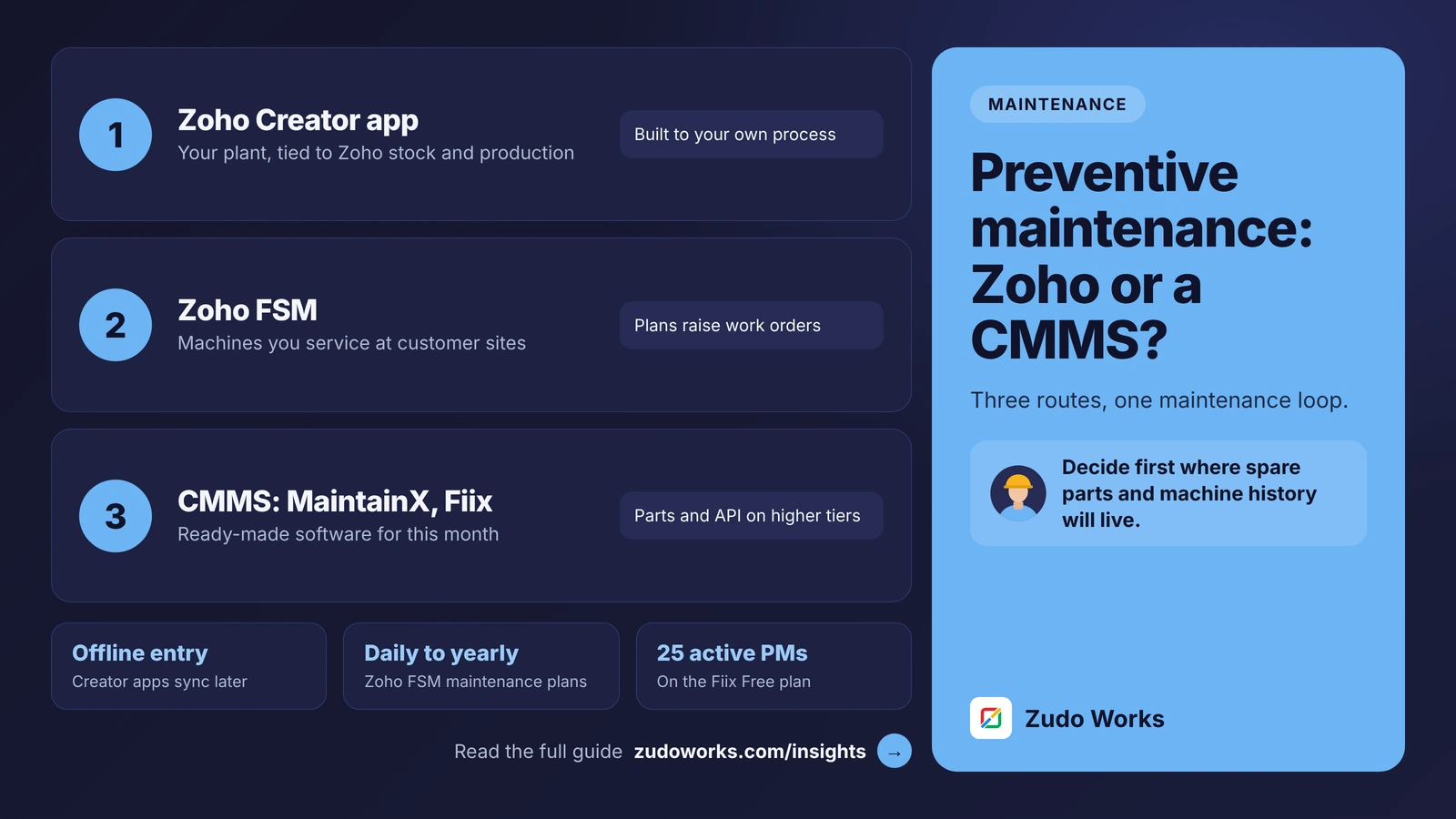
So if supervisors will log output or inspections in areas with poor Wi-Fi, Creator covers it in the base product, while Quickbase covers it with a second subscription. Our guide to preventive maintenance on Zoho or a CMMS shows a typical shop-floor app built this way.
Customers, suppliers and contractors
Creator’s customer portals let people outside the company sign in to submit and track their own records, such as a supplier confirming a delivery date or a customer raising a complaint. Portal users are not counted as internal users. Three are free on paid plans, and more are bought as an add-on that supports up to 500,000 portal users per portal.
Quickbase can open an app to the public, and that activity is counted as integration reads rather than tied to a licence. For a handful of external contributors, either works; for hundreds of suppliers or customers, price both models with your real numbers.
Integrations and automation
Zoho Creator integrates with other Zoho apps built in, and its Deluge scripts can call any REST API; our guide to calling external APIs with Deluge invokeurl shows how. If your CRM, accounts or stock already run on Zoho, a Creator app can read and write those records without middleware.
Quickbase uses Pipelines for automation and integration, plus open APIs and pre-built integrations listed by plan. Remember the billing rule: Pipelines steps that bring data into Quickbase are not billable, while steps that send data out are. Enterprise adds on-premises connectivity and data warehouse integrations, and Business and Enterprise can add Quickbase Extensions, a pack of nine add-ons such as document generation and e-signature.
AI, security and governance
Zoho lists Zia agents for planning, building and testing Creator apps, a choice of Zoho’s own models or your own key from OpenAI, Google or Anthropic, and access to app data from AI assistants through MCP. Paid plans include an allowance of AI calls per month (200 on Standard, 1,000 on Professional and Enterprise). Quickbase offers an optional AI Intelligence Pack on every plan, and sells Pave separately as an AI app builder billed by runtime credits.
On governance, Quickbase’s Business plan adds SSO with SCIM provisioning, a sandbox, Gantt charts and FDA and HIPAA compliance, and keeps audit logs for 6 months on Team, 1 year on Business and 3 years on Enterprise. Creator includes an audit trail and developer environments on paid plans, with SAML SSO included on Enterprise and available as an add-on on Standard and Professional. If regulated record-keeping is central, compare the audit retention you need against both.
Which one fits
| Your situation | Usually the better fit |
|---|---|
| You want to start with one app and pay monthly | Zoho Creator |
| Shop-floor data entry without reliable Wi-Fi | Zoho Creator, or Quickbase with FastField |
| Many suppliers or customers need to log in | Zoho Creator portals; price Quickbase reads too |
| CRM, accounts or stock already on Zoho | Zoho Creator |
| SSO, SCIM and a sandbox on a mid-tier plan | Quickbase Business |
| Builders who want no scripting at all | Quickbase |
If you are also weighing Microsoft or Airtable, our comparisons of Zoho Creator vs Power Apps and Zoho Creator vs Airtable use the same approach.
A two-week trial plan
- Pick one real process, such as a daily production log or an incoming inspection, and build it on both trials.
- Count internal users, external users and every system the app must send data to.
- Test the mobile form on the factory floor with the connection switched off.
- Ask Quickbase for your platform minimum, app space and read entitlement in writing.
- Check Creator’s record, storage and external call limits against a year of your data.
If you choose Creator and want help designing the app or connecting it to the rest of your systems, our Zoho Creator development page explains how we work.
Frequently asked questions
It depends on your users and integrations. Zoho Creator is priced per user with a free plan and monthly billing. Quickbase is priced per user, billed annually, plus a platform minimum, with an entitlement based on reads. Price both with your real user counts on the official pricing pages.
Quickbase's mobile app help page does not describe offline use. Quickbase sells FastField, a separate mobile forms product with offline capability and a native integration that sends data into Quickbase apps.
Yes. In the Creator mobile app on iOS and Android, you can make forms and reports available offline on all plans. Entries are submitted when the device reconnects, and reports are view-only while offline.
Reads are Quickbase's usage entitlement. On user-based plans only integration reads count, such as API calls, Pipelines steps that send data out and public access. On usage-based plans, users opening forms, reports and dashboards count as well.
Quickbase's plans page lists Team, Business and Enterprise and a 30-day free trial with Business features, but no free plan. Zoho Creator has a free plan with one app and 5,000 records.
Related services: Zoho Creator development · Custom software · Zoho integrations · Zoho development