Both products come from Zoho, both are priced per user, and both let you add fields, modules and automation. That is why the choice is confusing. The difference is the starting point: Zoho CRM starts as a finished sales application with leads, contacts, deals and a pipeline, while Zoho Creator starts empty and gives you a database, forms, reports, Deluge scripting and mobile apps to build whatever you need.
Plans and limits below were checked on Zoho’s own pages on 6 November 2026. We do not quote prices; see the official Zoho CRM pricing and Zoho Creator pricing pages.
The short answer
- Choose Zoho CRM when the job is selling: capturing leads, working deals through stages, quoting and following up. You get a working system on day one and configure it.
- Choose Zoho Creator when the job is a process no standard app covers: production orders, inspections, job tracking, a supplier or customer portal, or field forms that must work offline.
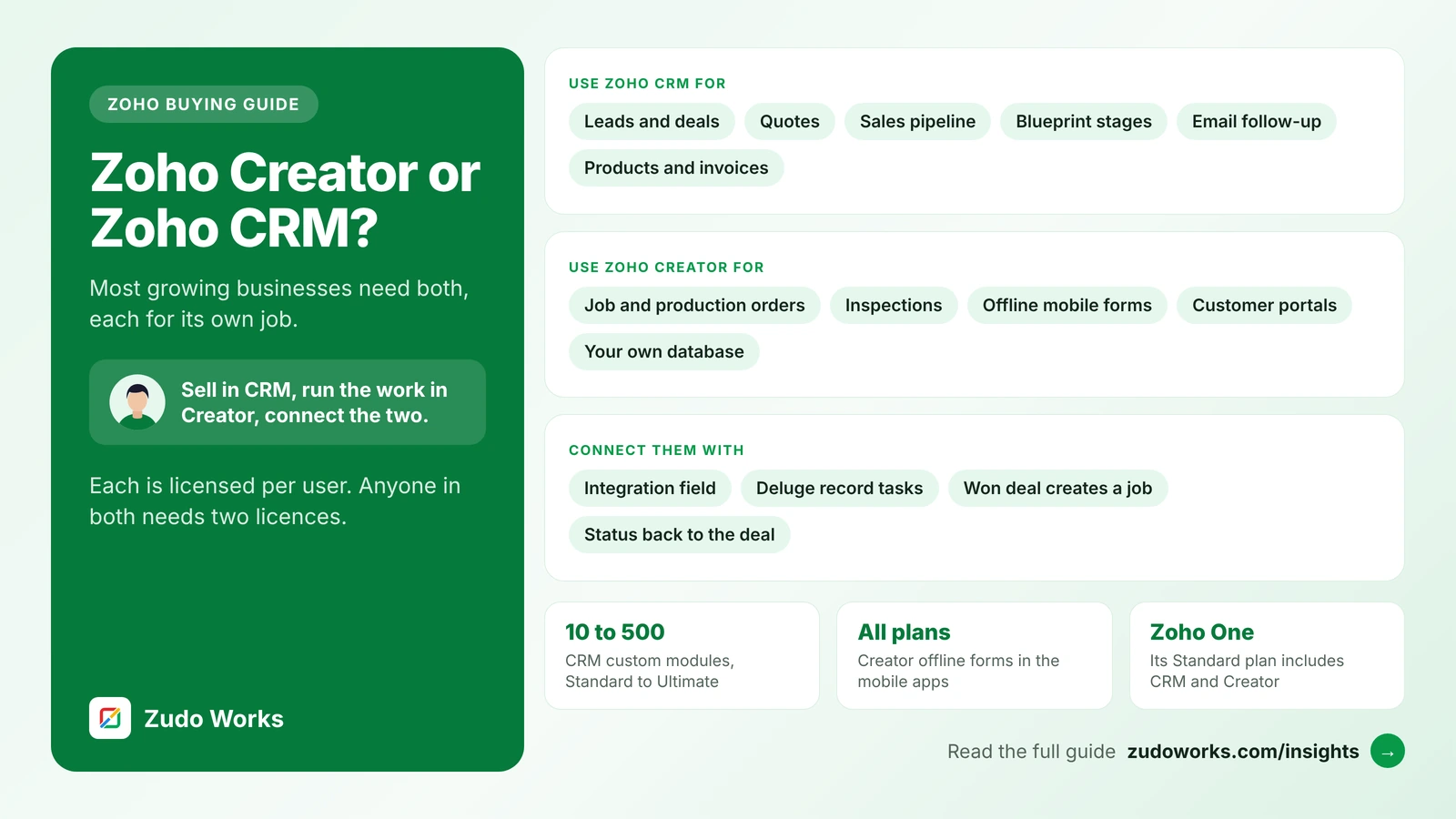
- Use both when sales hand work to operations. Keep each in the product built for it and connect them, rather than stretching one to do both.
What each product is
Zoho CRM comes with the sales objects already built: leads, contacts, accounts, deals and activities, and from Professional, inventory modules for products, vendors, quotes, sales orders, purchase orders and invoices. On top of that you add custom fields and modules, workflow rules, assignment rules, Blueprint for enforced stages, Canvas for custom record layouts and Kiosk Studio for guided screens.
Zoho Creator is low-code. You design forms, which become database tables, then build reports, pages and permissions on top, and write logic in Deluge on events such as a record being validated or saved. The same app runs on the web and in native iOS and Android apps. It has no built-in idea of a lead or a deal; you define your own data model.
Licences: who needs which
Both are licensed per user, and a person who works in both products needs a licence for each.
Zoho CRM has Free (up to 3 users), Standard, Professional, Enterprise and Ultimate. Zoho’s specifications page says one organisation uses one edition for all its users, so the edition you need for your most demanding feature sets the price for everyone.
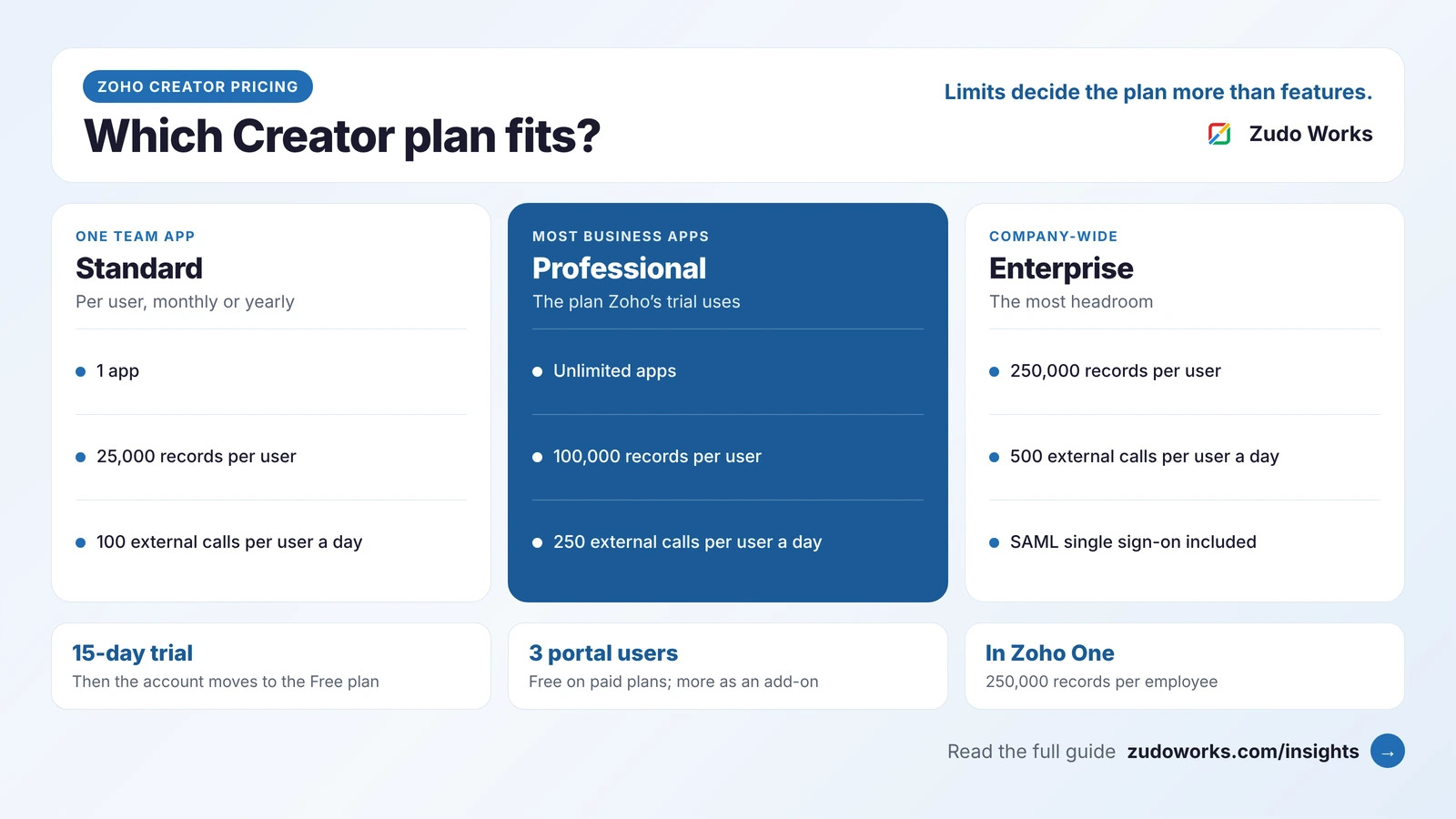
Zoho Creator has a Free plan, paid Standard, Professional and Enterprise plans billed monthly or yearly, and a custom Flex plan. Every person inside your organisation who uses the apps is a user. People outside it, such as customers or suppliers, can use a portal instead: 3 portal users are free on paid plans and more are an add-on. The 15-day trial uses Professional by default and then falls back to Free. Our Zoho Creator pricing guide explains the plan limits in detail.
If you are on Zoho One, its plan details list both Zoho CRM and Zoho Creator in the Standard plan, so the licence question mostly disappears and the design question remains.
Zoho Creator and Zoho CRM at a glance
| Area | Zoho CRM | Zoho Creator |
|---|---|---|
| Starting point | A finished sales app you configure | An empty platform you build on |
| Plans | Free (3 users), Standard, Professional, Enterprise, Ultimate | Free, Standard, Professional, Enterprise, Flex |
| Custom modules | 10, 25, 200 or 500 by edition; none on Free | Unlimited apps from Professional; 1 app on Free and Standard |
| Process control | Blueprint from Professional (3), Enterprise (50), Ultimate (100) | Workflows and Deluge on form events, built per app |
| Scripting | Functions in workflows from Enterprise; through extensions on Standard and Professional | Deluge on every plan; statement limits from 5,000 to 50,000 by plan |
| Mobile | Zoho CRM mobile apps | Native apps; offline forms on all plans |
| External users | Portals for contacts, vendors and partners from Professional | Portals; 3 portal users free on paid plans |
How far Zoho CRM customisation goes
Zoho CRM can be customised a long way, and for many companies that is enough. The limits depend on the edition. Custom modules go from none on Free to 10 on Standard, 25 on Professional, 200 on Enterprise and 500 on Ultimate, and custom fields per module from 10 on Standard to 155, 300 and 500. Blueprint starts at Professional with 3, including the default ones. Our Blueprint setup guide walks through building one.
Code is where the editions part most. On Enterprise and Ultimate, a workflow rule can call custom functions, one instant and five time-based per rule. On Standard and Professional, Zoho’s limits page says functions are reached only through extensions. Our beginner’s guide to Zoho CRM custom functions covers the triggers, timeouts and credits.
The sign that you have outgrown CRM customisation is not a single limit. It is when the custom modules no longer describe selling: production stages, machine logs, inspection checklists, stock issued to a job. They can be built as CRM modules, but every user who touches them needs a CRM licence at your sales edition, and the screens are designed around records and related lists rather than the shop floor.
What Creator adds
Creator is built for the work CRM was not designed for. Offline access is included on every plan: in the mobile apps, users can fill in offline forms without a connection, offline reports are view-only, and the app syncs offline components every 24 hours by default or when the user syncs by hand. Records are allowed per user by plan, 25,000 on Standard, 100,000 on Professional and 250,000 on Enterprise, and Professional removes the one-app limit. Pages, reports and permissions are designed per app, so an inspector, a store-keeper and a plant head can each see a screen made for their job.
The trade-off is that you build everything. There is no ready pipeline, no email follow-up and no quote template unless someone designs them, which is why Creator is a poor choice for a sales team that only needs a CRM.
A manufacturer’s example: sell in CRM, make in Creator
Take a fabrication business. Enquiries arrive as leads in Zoho CRM, the sales engineer quotes, and the deal moves through Blueprint stages to Won. At that point the work changes hands: the plant needs a job with drawings, a material list, operations and an inspection record, and the salesperson needs to see where that job is when the customer calls.
Built this way, salespeople keep their CRM, operators and inspectors use Creator screens on tablets that keep working when the Wi-Fi drops, and nobody needs both licences unless they truly work in both. Our guide to connecting sales, production and accounts shows the same handover with Zoho Books in the picture, and our overview of Zoho for manufacturing explains when Zoho ERP or Zoho Inventory should run production instead of a Creator app.
How the two connect
There are two built-in routes, and most projects use both.
- The Integration field in a Creator form looks up records in Zoho CRM in real time, so a user can pick the customer or deal a job belongs to. It is available on all Creator plans, shows up to three fields of the CRM record, and is read-only: it links to the record but does not edit it. It also only shows modules your CRM edition includes.
- Deluge tasks read and write CRM records from Creator.
zoho.crm.getRecordsfetches records from a module, andzoho.crm.createRecordandzoho.crm.updateRecordcreate and change them. Each execution counts against the external calls limit of your plan, and Zoho requires an OAuth connection with the right scopes for new integration tasks.
The direction from CRM to Creator works the same way, with a CRM custom function or workflow calling Creator when a deal is won. Size the traffic before you build: our guide to Zoho CRM API limits explains the daily credits on the CRM side.
Three mistakes to avoid
- Rebuilding a CRM in Creator to save licences. You lose the pipeline, email and forecasting features Zoho has already built, and you maintain them yourself.
- Running production inside CRM custom modules. It works at first, then every operator needs a CRM licence at the sales edition and the screens never fit the floor.
- Connecting them with copied data. Pick one owner for each record, the customer in CRM and the job in Creator, and link rather than duplicate.
Which one fits
| Your situation | Usually the better fit |
|---|---|
| A sales team needs leads, deals and follow-up | Zoho CRM |
| A few extra fields and one or two custom modules for sales | Zoho CRM |
| Production, inspection or job tracking on the floor | Zoho Creator |
| Forms that must work without a connection | Zoho Creator |
| Sales hand work to operations | Both, connected |
| You have Zoho One | Both, already licensed |
If you are weighing Creator against other low-code tools at the same time, our Zoho Creator vs Power Apps comparison is a good next read. And if you decide to build, our Zoho Creator development page explains how we scope a Creator app beside an existing CRM.
Frequently asked questions
Frequently asked questions
Can Zoho Creator replace Zoho CRM?
Technically you can build a CRM in Creator, but for a sales team it is rarely worth it. Zoho CRM already has leads, deals, pipelines, quotes, email follow-up and Blueprint. Use Creator for processes no standard app covers, and connect it to CRM.
Does Zoho CRM include Zoho Creator?
No. They are separate products with separate per-user licences. Zoho One lists both in its Standard plan, so on Zoho One you already have both.
Can Zoho Creator read and update Zoho CRM records?
Yes. The Integration field looks up CRM records from a Creator form but is read-only. To create or update CRM records, use Deluge tasks such as zoho.crm.createRecord and zoho.crm.updateRecord, which count against your plan's external calls and need an OAuth connection.
How many custom modules does Zoho CRM allow?
None on the Free edition, 10 on Standard, 25 on Professional, 200 on Enterprise and 500 on Ultimate, according to Zoho's specifications page. Custom fields per module run from 10 on Standard to 500 on Ultimate.
Do people who use both need two licences?
Yes, if they work in both products. A common design keeps salespeople in CRM and operators in Creator, so only the few who truly need both, such as a sales coordinator, hold two licences.