Buying guide
Zoho One Implementation Checklist: Licensing, Rollout Order and What Manufacturers Need on Top
Zoho One gives a company more than fifty apps under one licence, and that is exactly why implementations go wrong: everything is switched on, nothing is finished. This checklist covers the decisions most guides skip, starting with how you license it and ending with what Zoho One does not include.

Quick answer
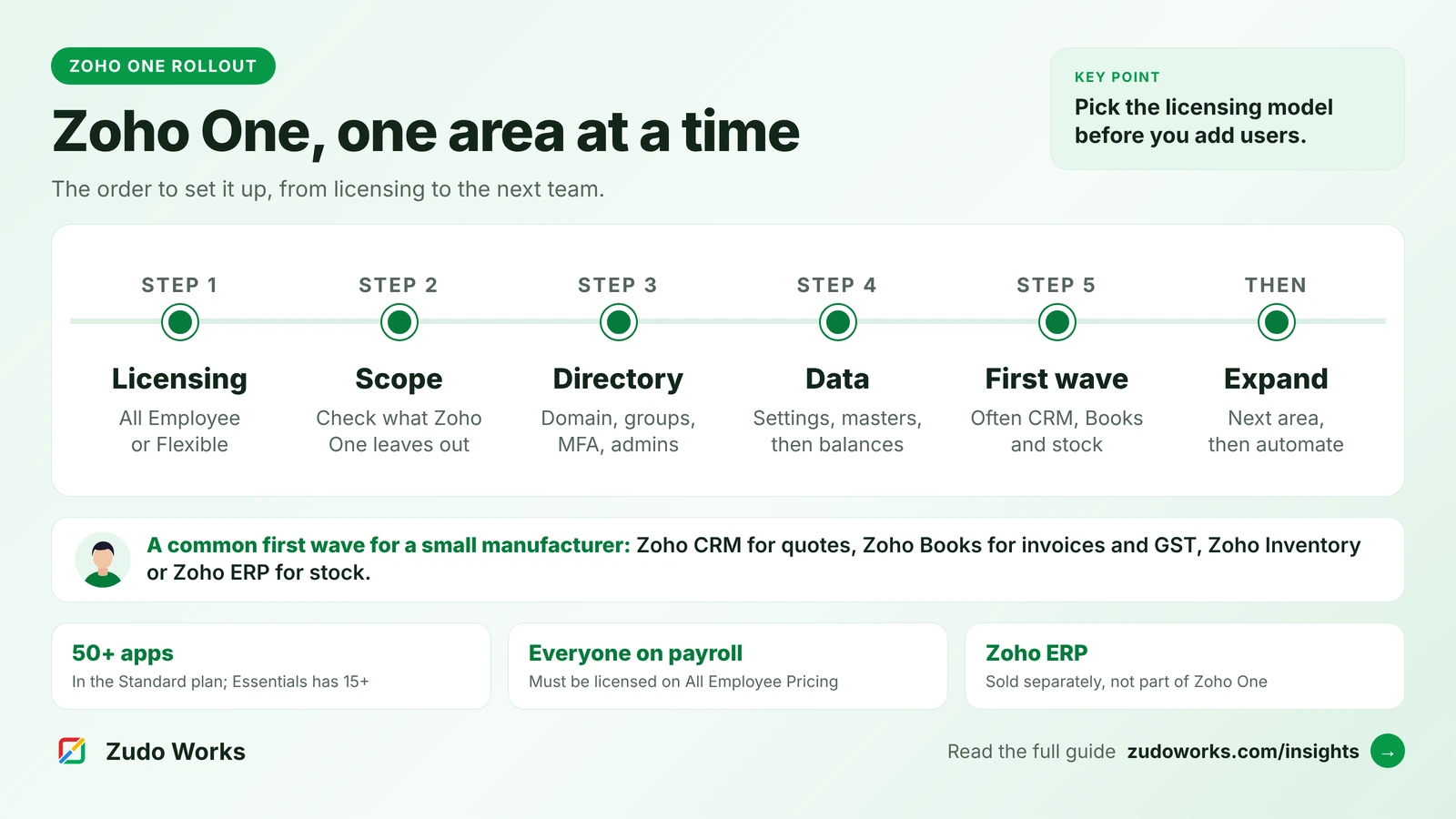
Decide the licensing model first: All Employee Pricing must cover everyone on payroll, Flexible User Pricing covers only chosen users. Then set up Zoho Directory, load data in dependency order and roll out one business area at a time. Manufacturers should note that Zoho ERP is sold separately and is not part of Zoho One.
Zoho One bundles CRM, finance, inventory, HR, support, analytics, a low-code platform and collaboration tools under a single subscription. Zoho’s pricing page describes the Standard plan as more than 50 unified business apps. Having them all is useful. Trying to set them all up at once is the most common reason a Zoho One rollout stalls.
This checklist is ordered the way we would run the work. The licensing and plan details were checked on Zoho’s own pages on 16 October 2026; follow the links for current prices, which vary by country.
Step 1: Choose the plan and the licensing model
Zoho One has two plans. Essentials covers 15+ apps for sales, service, marketing, projects, collaboration, finance and HR. Standard covers 50+ apps. Moving between them applies to every user in the organisation, not to individuals, and is handled through Zoho’s sales team.
Standard is sold in two ways, and the choice has a rule attached that is easy to miss:
| All Employee Pricing | Flexible User Pricing | |
|---|---|---|
| Who you license | Every employee on the payroll | Only the users you choose |
| Price per licence | Lower | Higher |
| Minimum | None; a one-person company qualifies | None |
| Suits | Companies where most staff will use some Zoho app | One division, a franchise, or a company where many staff never touch a computer |
| If you get it wrong | Zoho will ask you to buy the remaining licences or switch to Flexible | You pay more per user than you needed to |
For a manufacturer this decision deserves real numbers. If you have a large shop floor team who will never log in, All Employee Pricing still requires a licence for each of them, so Flexible User Pricing may cost less overall even at a higher price per user. Count your payroll, then count the people who will actually use Zoho, before you choose.
Other terms worth knowing: Zoho One can be paid monthly or annually, with the best price on annual; Zoho says it does not force long-term contracts; you pay in the currency of the country where the account was created; and the price is the same whether you buy directly or through a partner. Details are in the Zoho One pricing FAQ.
Step 2: Check what Zoho One does not include
Zoho One’s plan details page lists Zoho Creator, Analytics, Flow, Books, Inventory, Payroll, People, Desk, Tables and many more. Before you plan your rollout, check whether every process you run is covered. For manufacturers, one gap stands out:
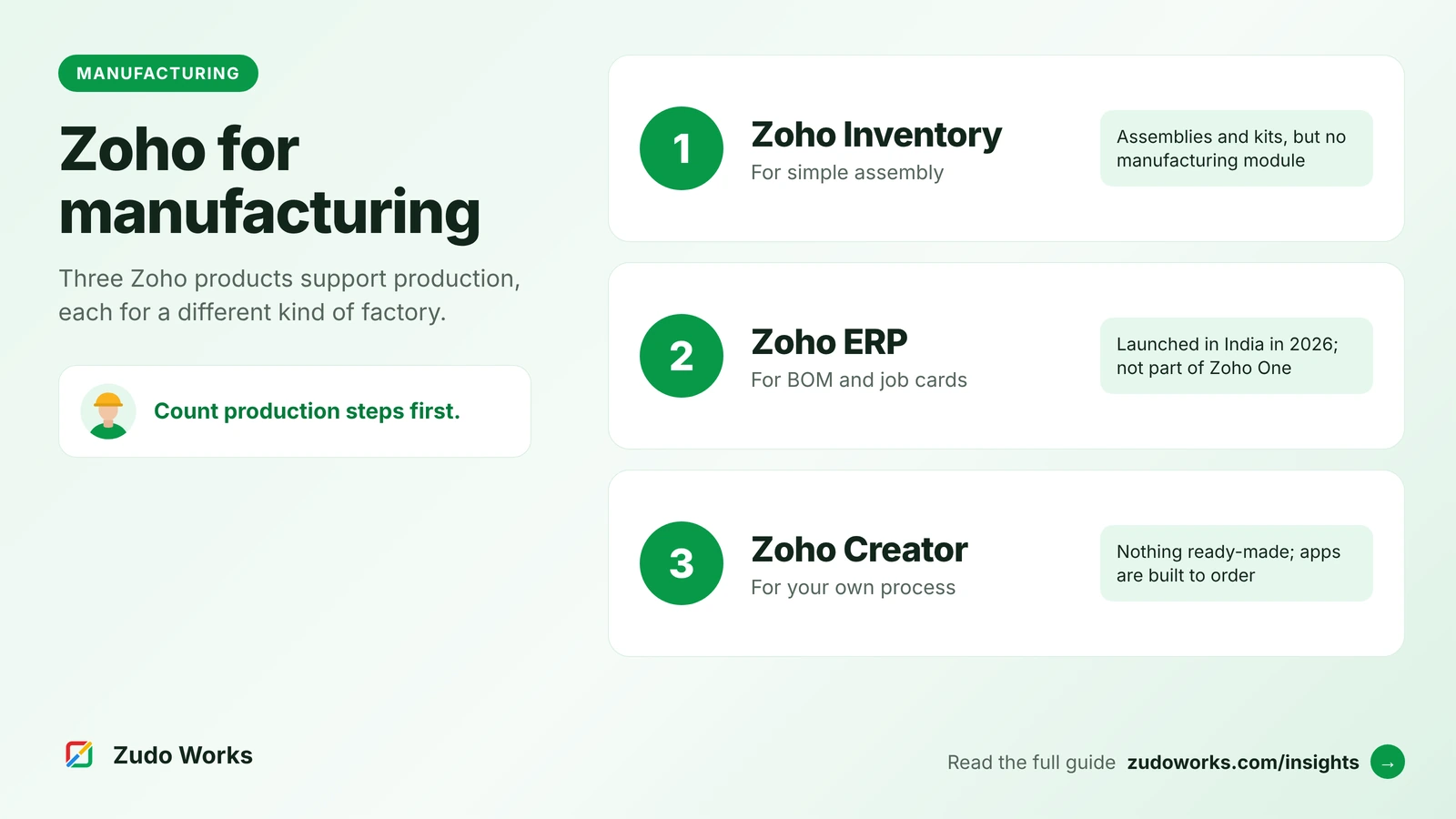
- Zoho ERP is not part of Zoho One. Zoho ERP, launched in India in January 2026, has bills of materials, manufacturing orders, job cards, work centers and quality inspections. Its pricing FAQ says it is a separate product with its own plans, and its manufacturing operations sit in the Premium plan. It is published for India only.
- Zoho Inventory, which is in Zoho One, has no manufacturing module. Zoho’s own knowledge base says manufacturing modules are not yet supported, and suggests composite items for simple assembly.
So a manufacturer has three routes for production: simple assemblies in Zoho Inventory, a production app built in Zoho Creator (which is in Zoho One), or Zoho ERP alongside or instead of parts of Zoho One. If you take Zoho ERP, decide early whether your accounts live in Zoho ERP or in Zoho Books, so the company does not end up with two sets of books. Our guide to Zoho for manufacturing compares the three routes, and Zoho ERP vs Odoo covers the ERP choice in more depth.
Step 3: Set up the foundation in Zoho Directory
Zoho Directory is the admin layer of Zoho One. Set it up before any app, because every app depends on it.
- Verify your email domain and set the organisation’s time zone, language and currency.
- Create groups that match your departments, and use them to assign apps, so new joiners get the right apps automatically.
- Switch on multi-factor authentication and set a password policy; restrict sign-in by IP address if your team works from fixed sites.
- Connect single sign-on or Active Directory if you already use one.
- Name at least two administrators, so access does not depend on one person.
- Write down how you will remove a leaver’s access across every app on their last day.
Zoho publishes its own six-stage Zoho One setup checklist with the screens for each of these settings.
Step 4: Load data in the right order
Most data problems in a new Zoho account come from loading records before the records they depend on. Load in this order:
- Users and roles, including former staff who own historic records, so ownership is preserved.
- Settings that other records use: tax rates and GST details, chart of accounts, currencies, warehouses, units of measure.
- Master data: customers, vendors and items, each with its old system’s ID in a separate field.
- Opening balances on a cut-over date agreed with your accountant.
- Open transactions: open quotes, orders, unpaid invoices and bills, open support tickets.
- History, only as much as people will actually look up.
Load customers once, into the app that owns them, and let the integrations share them. In Zoho One, a customer created in Zoho CRM can flow to Zoho Books, so loading the same list into both creates duplicates you will spend weeks merging.
Step 5: Roll out one business area at a time
Pick the first area by the problem that costs you most today, not by the order of apps in the menu. Zoho’s own checklist asks the same question: what is the first objective, which team, which apps, which data.
A sensible first wave for many small manufacturers and distributors is sales to cash: Zoho CRM for enquiries and quotes, Zoho Books for invoices and GST, and Zoho Inventory or Zoho ERP for stock. It touches the most people and shows value quickly. A service business might start with Zoho Desk instead.
For each wave:
- Configure only the apps in that wave, and leave the rest switched off for users.
- Connect the apps in the wave, such as CRM to Books, and test one real transaction end to end.
- Train people on their own daily tasks, not on the app’s menus.
- Make the old system read-only for that area on the go-live date.
- Review after a few weeks of real use before starting the next wave.
Later waves usually add support (Zoho Desk), HR and payroll (Zoho People and Payroll), reporting across apps (Zoho Analytics), and custom apps in Zoho Creator for processes no standard app covers, such as production tracking.
Step 6: Add automation after the process works
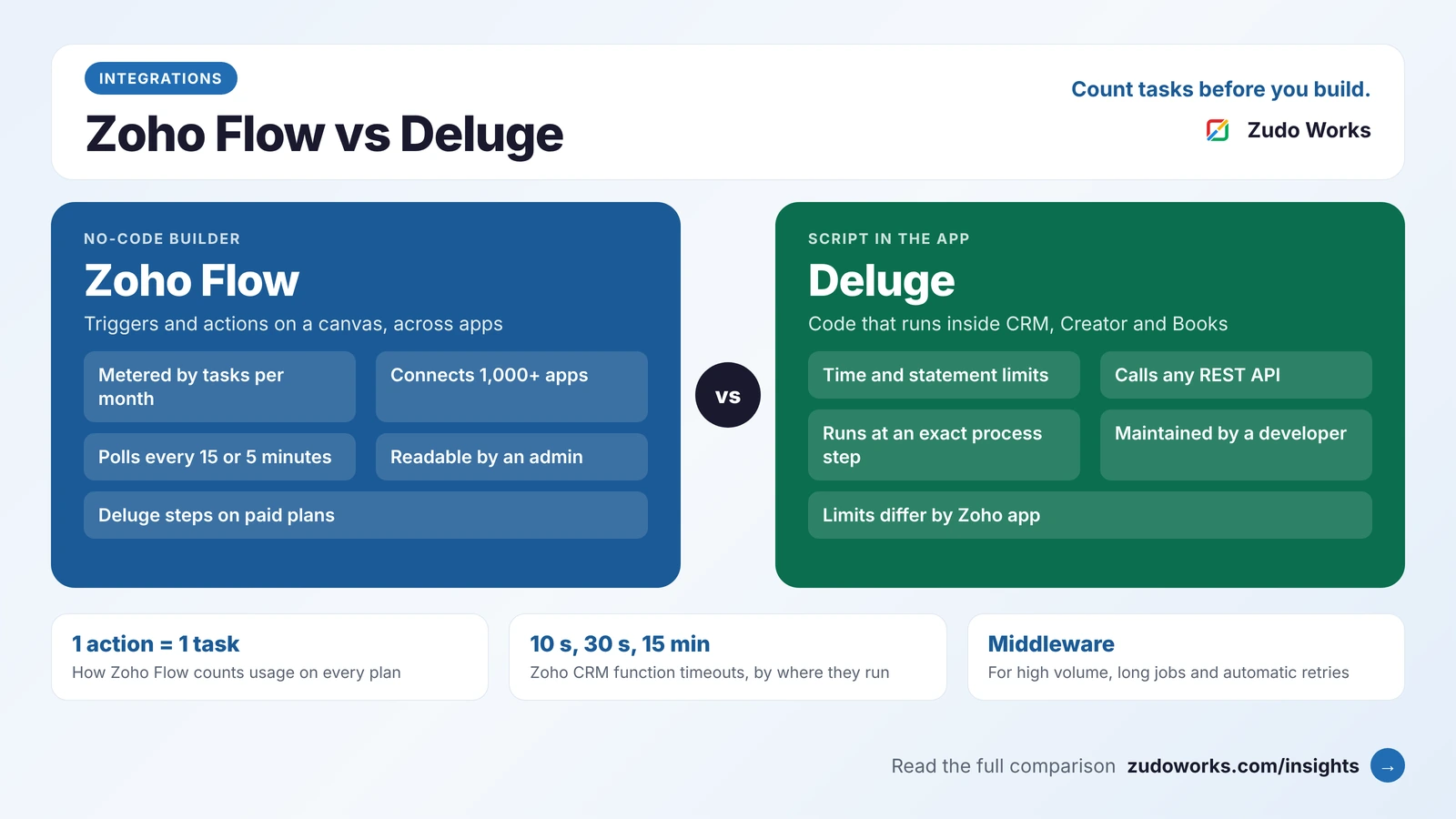
Zoho One includes Zoho Flow for connecting apps, and Deluge runs inside most Zoho apps for custom logic. Automating a process before people agree on it only makes the wrong steps faster. Once a wave has been live for a few weeks, list the manual steps people still repeat and automate those. Our comparison of Zoho Flow, Deluge and custom middleware explains which tool to use for each kind of job.
Step 7: Keep it governed
A Zoho One account grows with every team that joins. A little governance keeps it usable:
- One owner per app, who approves new fields, workflows and integrations.
- A list of automations: name, trigger, what it does and who owns it.
- Regular access reviews using Zoho Directory’s usage reports and the admin audit logs Zoho One added in 2025.
- A record of licences against your payroll if you chose All Employee Pricing, so you stay within its rule as staff join and leave.
- An export routine for your key data, so you are never dependent on a single person or a single system.
Do it yourself, use Zoho, or use a partner
Zoho offers its own onboarding services for Zoho One: guided Onboarding Sessions for companies with an in-house IT team, and Jumpstart and Concierge packages for initial configuration. Partners offer project-managed implementations, including integrations and custom apps. A company with a capable operations lead can do much of the setup itself and bring in help for data migration, integrations and Creator apps.
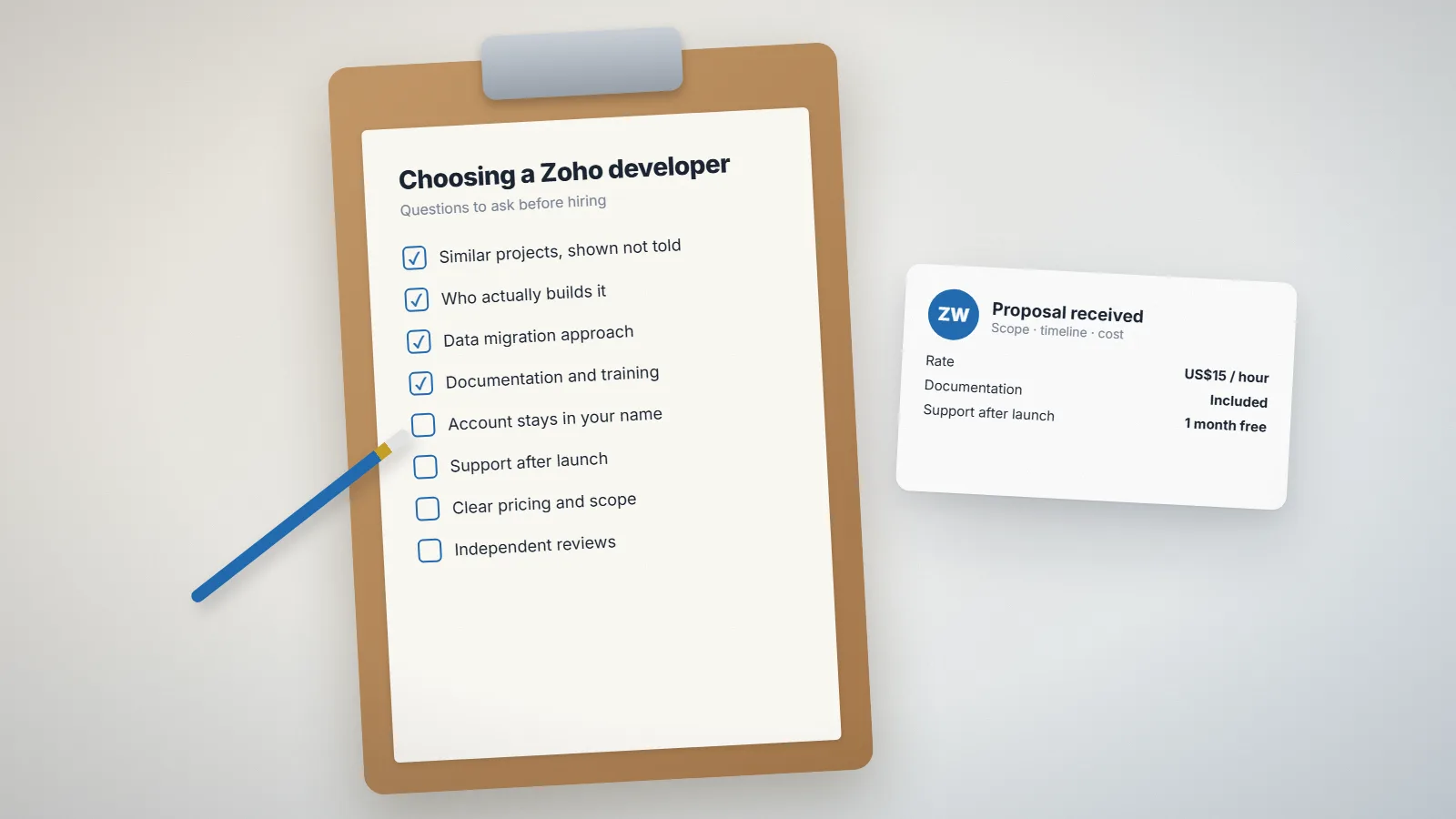
Whoever does the work, keep the Zoho account in your company’s name and the administrator logins with your own staff. Our checklist for choosing a Zoho developer lists the questions to ask, and our Zoho development page explains how we work.
Frequently asked questions
With All Employee Pricing you must buy a licence for every employee on the payroll, at a lower price per licence. With Flexible User Pricing you license only the users you choose, at a higher price per licence. If an All Employee customer does not license everyone, Zoho asks them to buy the remaining licences or switch to Flexible User Pricing.
No. Zoho's ERP pricing FAQ says Zoho ERP is a separate product with its own plans and pricing. It is published for India only. Zoho One does include Zoho Inventory, which handles assemblies and kits but has no manufacturing module.
Set up Zoho Directory first: domain, users, groups, multi-factor authentication and administrators. Then roll out the apps for one business area, often sales to cash with Zoho CRM, Zoho Books and Zoho Inventory, before moving on to the next.
Yes. Zoho offers a 30-day free trial with full access to Zoho One. When it ends you choose the Essentials or Standard plan.
No. Zoho's pricing FAQ says the price is the same whether you buy directly from Zoho or through a partner. Partners charge separately for implementation services.
Related services: Zoho development · Zoho integrations · Support and maintenance