Tulip calls itself a frontline operations platform: no-code apps that run on the screens, tablets and devices at each workstation, connected to machines and sensors. Zoho Creator is Zoho’s general low-code platform, used for everything from approval apps to full order-to-dispatch systems, with native mobile apps and links into the rest of Zoho. Both can run a production tracking or inspection app. They suit different factories.
Every plan and feature below was checked on Tulip’s and Zoho’s own pages on 4 November 2026. We do not quote prices; see the official Tulip plans and Zoho Creator pricing pages. We build on Zoho Creator, so read this with that in mind; where Tulip is the better fit, we say so.
The short answer
- Choose Tulip if your apps live at fixed workstations, you want to connect scales, scanners, PLCs and other devices at the station, or you work in a regulated industry that needs validated e-signatures and audit trails out of the box.
- Choose Zoho Creator if the same people use apps across the office and the floor, you want a free plan and a self-serve trial, supervisors need offline mobile forms, or your sales, stock and accounts already run on Zoho.
- Count before you compare. Creator is priced per user and Tulip per interface, so the cheaper option depends on how many people and how many screens you have.
Per user or per interface: how each one charges
This is the biggest difference, and it changes which platform is cheaper for a given factory.
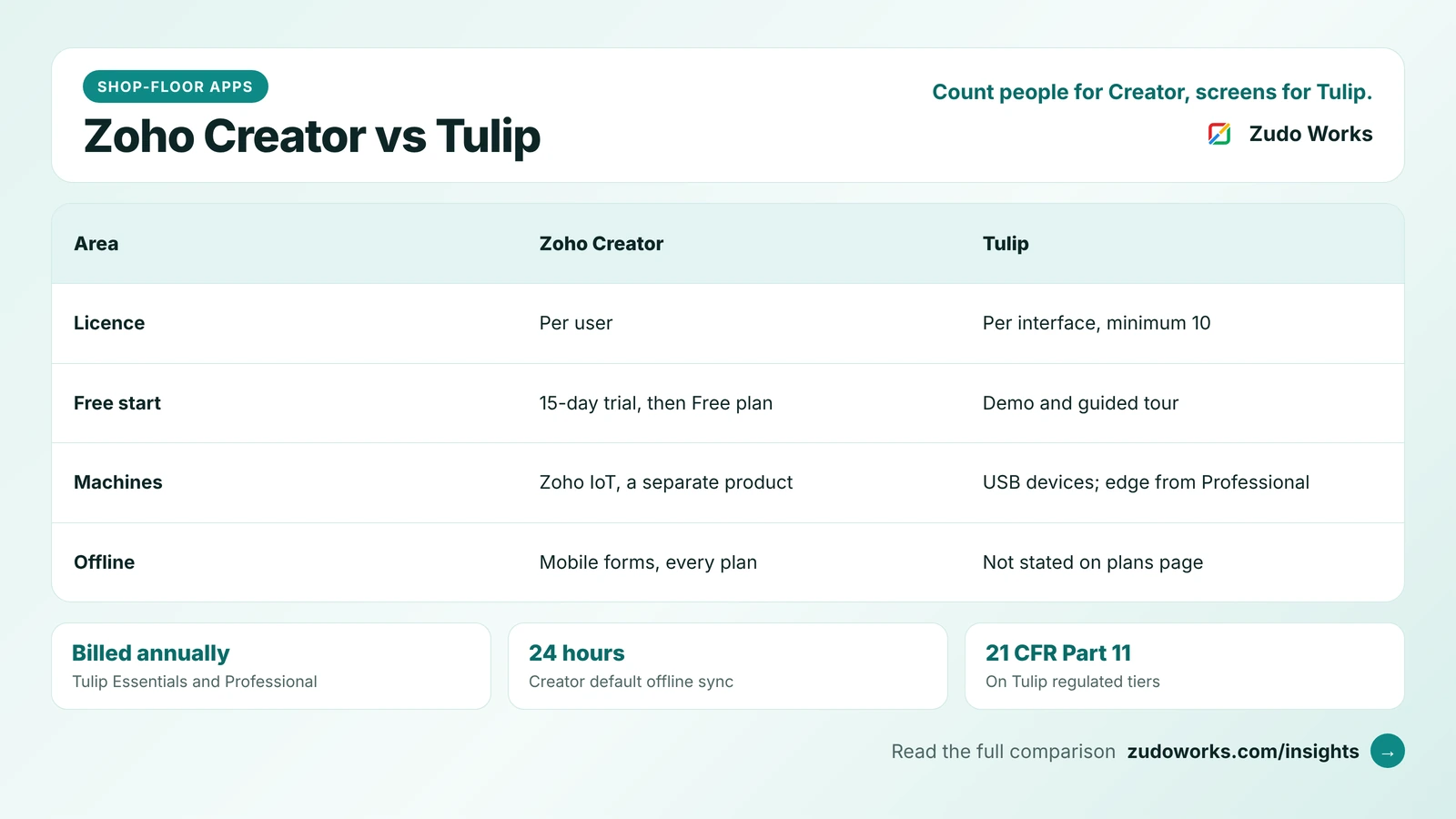
Tulip charges per interface, not per user. An interface is a device that runs Tulip apps through the Tulip Player: a touchscreen, tablet, phone, wall dashboard, browser app or piece of equipment. Plans are based on monthly active interfaces, and an interface counts as active if it had activity on at least one day that month. Every plan has a minimum of 10 interfaces. Essentials and Professional are billed annually, and Enterprise and Regulated Industries are quoted. Tulip’s plans page lists a demo and a self-guided tour, but no free plan or trial, and Tulip is sold as a subscription, not a perpetual licence.
Zoho Creator charges per user: every unique person in your organisation who uses the apps needs a licence. It has a Free plan, paid Standard, Professional and Enterprise plans billed monthly or yearly, and a custom Flex plan. The 15-day trial uses Professional by default and then falls back to the Free plan. People outside your company, such as customers or suppliers, can use a portal instead: three portal users are free on paid plans and more are sold as an add-on.
So a plant with 40 operators sharing 12 station screens looks very different on each model from a plant where 12 supervisors carry tablets between machines. Our Zoho Creator pricing guide explains who counts as a user and which limits decide the plan.
Zoho Creator and Tulip at a glance
| Area | Zoho Creator | Tulip |
|---|---|---|
| Plans | Free, Standard, Professional, Enterprise, Flex | Essentials, Professional, Enterprise, Regulated Industries |
| Licence unit | Per user | Per monthly active interface, minimum 10 |
| Billing | Monthly or yearly | Essentials and Professional billed annually; upper plans quoted |
| Free start | Free plan; 15-day trial of Professional | Demo and self-guided tour |
| Devices | Web, native iOS and Android apps | Tulip Player on Windows, macOS and Android; web player in Chrome or Safari |
| Offline | Offline forms and view-only reports in the mobile apps, all plans | Not described on the plans page |
| Machines and devices | Through APIs or Zoho IoT, a separate product | USB devices on Essentials; edge devices and GPIO from Professional |
| System connectors | Data sources and custom connectors from Standard; external calls per user per day | HTTP and SQL connectors and the Tulip API from Professional |
| Single sign-on | SAML add-on on Standard and Professional, included on Enterprise | SAML and LDAP from Professional |
| Regulated industries | Audit trail on paid plans | 21 CFR Part 11 e-signatures and validation pack on the regulated tiers |
Stations and people: two ideas of where apps run
Tulip is built around the station, a digital version of a physical workspace. Each interface is assigned to a station, usually one to one, and apps are assigned to a station or a group of stations, so one app can run on many workstations without copies. If a tablet breaks, a replacement takes its place at the same station with the same apps. The desktop Tulip Player runs on Windows, macOS and Android, and Tulip recommends it over the web player because it has better hardware access and supports Tulip Vision.
Zoho Creator is built around the user. People sign in to the same app on the web or in the native iOS and Android apps, and what they see depends on their role and permissions. That suits work that moves: a quality inspector walking the line, a store-keeper issuing material, a supervisor approving a deviation from the office. Creator’s form fields can be filled by scanning a QR code or barcode on a phone, a tablet or a progressive web app.
Neither idea is better. A cell where every operator works at a fixed screen with a scale and a scanner fits Tulip’s model naturally. A plant where a dozen people move between machines, the stores and the office fits Creator’s.
Offline and mobile use
Shop-floor Wi-Fi is often weakest exactly where the work happens. Zoho Creator lets you mark forms and reports as offline components in the mobile apps, on every plan. Users can fill in offline forms without a connection; offline reports are view-only. By default the app refreshes offline components every 24 hours, and users can also sync by hand.
Tulip’s plans page and its Player overview do not describe offline behaviour. If your stations can lose the network, ask Tulip in the demo what happens to an app, and to data being entered, when the connection drops.
Machines, devices and edge connectivity
This is Tulip’s strongest ground. Essentials connects USB devices such as scanners and scales. Professional adds edge devices and GPIO connectivity, HTTP and SQL connectors, an on-premise connector host, custom widgets and the Tulip API. Machine monitoring and computer vision are offered as add-ons.
Zoho Creator has no device layer of its own. Machine data reaches it through APIs, or through Zoho IoT, a separate Zoho product whose manufacturing page lists machine monitoring, OEE tracking and AI-based predictive maintenance, with support for Modbus, MQTT, OPC-UA, HTTP and LoRaWAN. That works, but it is an extra product and an integration to design. If live machine signals at each station are the heart of your project, Tulip gets you there with less assembly.
Regulated industries
Tulip’s Enterprise and Regulated Industries tiers list 21 CFR Part 11 electronic signatures, auditable record history, a validation pack with test reports and a traceability matrix, and long-term support releases. For pharmaceutical, medical device or aerospace work, that saves a great deal of validation effort.
Zoho Creator includes an audit trail on paid plans, and you can build approval steps and sign-off records into any app. It does not advertise a validated, Part 11-ready package. If your auditors expect one, weigh that heavily in Tulip’s favour.
Connecting to your ERP and the rest of the business
A shop-floor app is only half the job; the orders, items and stock usually live in an ERP. Tulip’s HTTP and SQL connectors start at Professional, so an Essentials deployment cannot call your ERP directly.
Zoho Creator includes data sources and custom connectors from Standard, with external calls allowed per user per day by plan, and it sits in the same family as Zoho CRM, Zoho Books, Zoho Inventory and Zoho ERP. For a business already on Zoho, a Creator app can read a sales order, record production and update stock without a third-party connector. Our guide to Zoho for manufacturing explains when to use Zoho ERP, Inventory or Creator for production.
AI and automation allowances
Both platforms meter AI. Tulip includes 250 AI actions a month on Essentials, 500 on Professional and 1,000 on the upper plans, used by features such as AI Composer, AI chat, translation and Tables chat; most actions count as one credit, AI Composer uses 10 per PDF page, and unused actions do not roll over. Tulip also meters automation tasks: 1,000 a month on Essentials, 7,500 on Professional, 15,000 on Enterprise and 30,000 on Regulated Industries.
Zoho Creator includes 200 AI calls a month on Standard and 1,000 on Professional and Enterprise. Its workflow logic is written in Deluge and limited by execution statements, external calls and schedules per plan rather than by a monthly task count.
Which one fits
| Your situation | Usually the better fit |
|---|---|
| Fixed workstations with scales, scanners or PLC signals | Tulip |
| Validated e-signatures for a regulated product | Tulip Regulated Industries |
| Supervisors and inspectors moving around with phones or tablets | Zoho Creator |
| Weak Wi-Fi on the floor | Zoho Creator offline forms, or test Tulip’s behaviour |
| Sales, stock and accounts already on Zoho | Zoho Creator |
| Small team that wants to start free and grow | Zoho Creator |
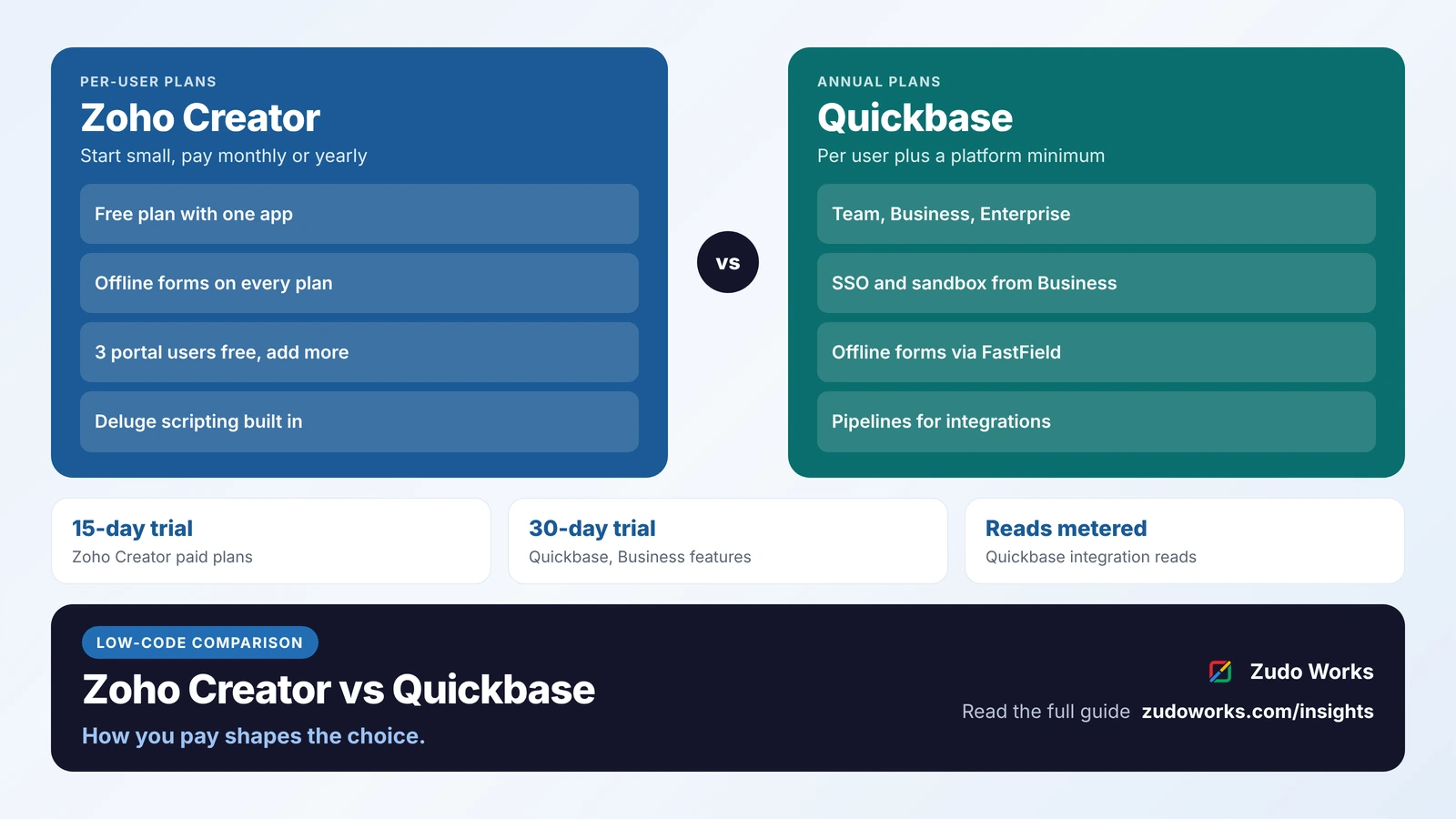
If you are also weighing other low-code platforms for operations, our Zoho Creator vs Quickbase comparison covers a third model, and our guide to preventive maintenance on Zoho or a CMMS covers one of the most common shop-floor apps.
Questions to settle before you sign
- Count the people who will use the apps and the screens they will use them on, then price both models.
- List every device you need to connect at a station, and check which plan supports it.
- Switch off the Wi-Fi during a demo and enter data. See what is kept.
- Ask how the app reads and writes orders and stock in your ERP, and which plan that needs.
- Estimate AI and automation use for a month, and check what happens when you run out.
If Creator fits, our Zoho Creator development page explains how we scope and build shop-floor apps.
Frequently asked questions
Frequently asked questions
Is Tulip priced per user?
No. Tulip charges per interface, meaning each device that runs Tulip apps, such as a touchscreen, tablet or browser app. Plans are based on monthly active interfaces, every plan has a 10-interface minimum, and Essentials and Professional are billed annually.
Is Zoho Creator priced per user?
Yes. Every person in your organisation who uses Creator apps needs a user licence. Creator has a Free plan, paid Standard, Professional and Enterprise plans billed monthly or yearly, and a custom Flex plan. Customers and suppliers can use portal users instead.
Does Tulip have a free trial?
Tulip's plans page does not list a free plan or trial. It offers a demo and a self-guided virtual tour. Zoho Creator has a Free plan and a 15-day trial of its Professional plan.
Can Zoho Creator apps work offline on the shop floor?
Yes, in the mobile apps. Creator lets you mark forms and reports as offline components on every plan; offline forms can be filled without a connection and reports are view-only. By default the app syncs offline components every 24 hours, and users can sync by hand.
Can Zoho Creator connect to machines like Tulip does?
Not on its own. Creator receives machine data through APIs or through Zoho IoT, a separate product that supports Modbus, MQTT, OPC-UA, HTTP and LoRaWAN. Tulip connects USB devices on every plan and edge devices from Professional.